
LevelUp Day 2026: Every Major HighLevel Update, Explained
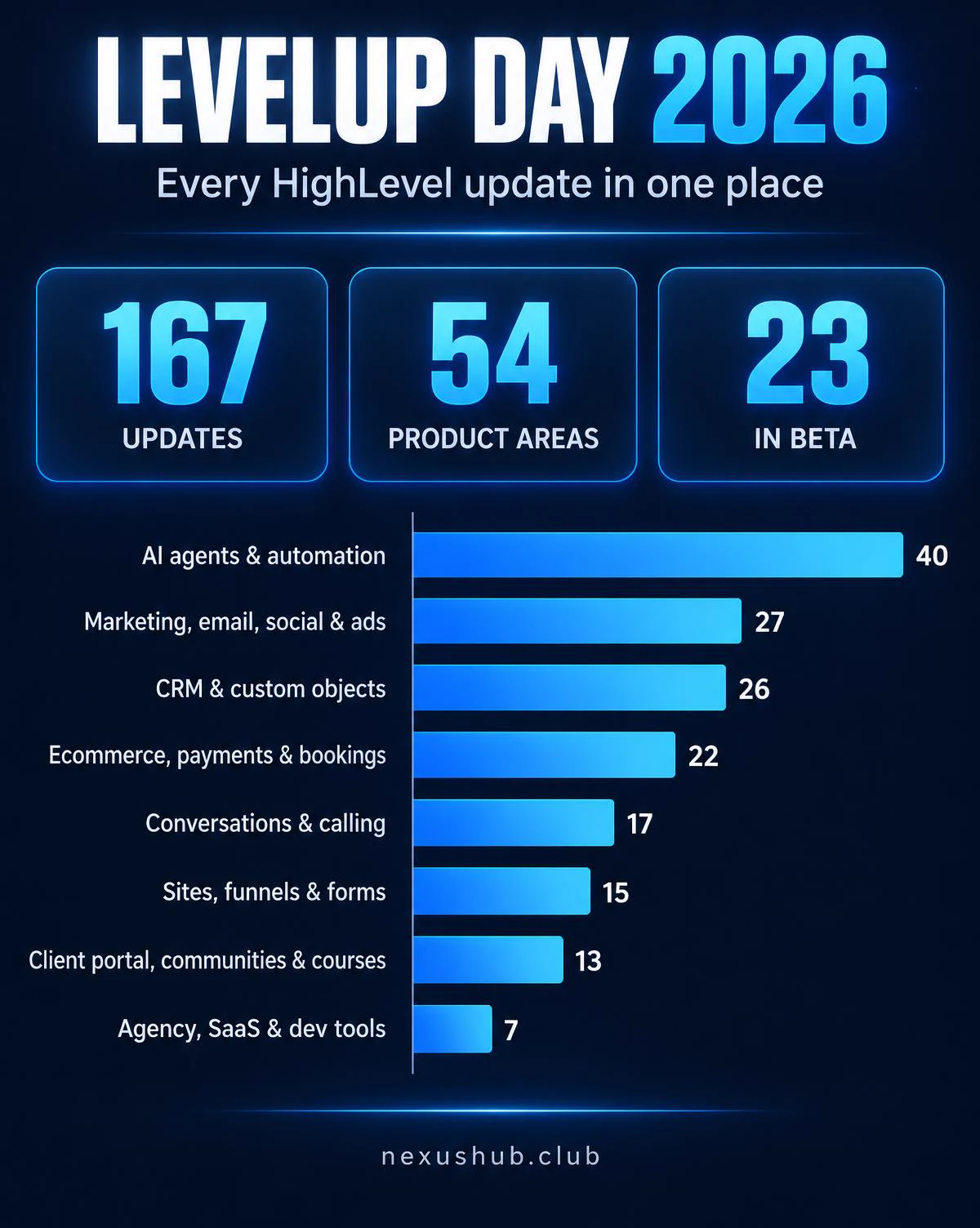
Every LevelUp Day 2026 HighLevel update in one place: all 167 releases grouped by area with a one-line summary, plus what agencies should roll out first.
By Charles Higgins · 14 min read

LevelUp Day 2026 is HighLevel's biggest release of the year. We put together a short video recap of the highlights, and below we break the updates down by area so you can decide what to roll out to your agency first.

HighLevel describes this release as the arrival of autonomous, connected systems: AI built into sites and apps, records that work like operational workspaces, and fewer structural limits across CRM objects, messaging and automation. HighLevel's own post will keep being updated with details and support links, so check it before you build anything client-facing.
The Founder Plan
The recap opens with the Founder Plan: exclusive features, early access and new ways to grow. Highlights shown in the video include custom navigation (rename, reorder and hide menus, then save a layout and push it to every sub-account), payment commissions and sponsored ad campaigns, plus industry setups for field services, restaurants and business coaching.
Plan eligibility, pricing and availability come from HighLevel. Confirm the current terms in your HighLevel account before promising anything to clients.
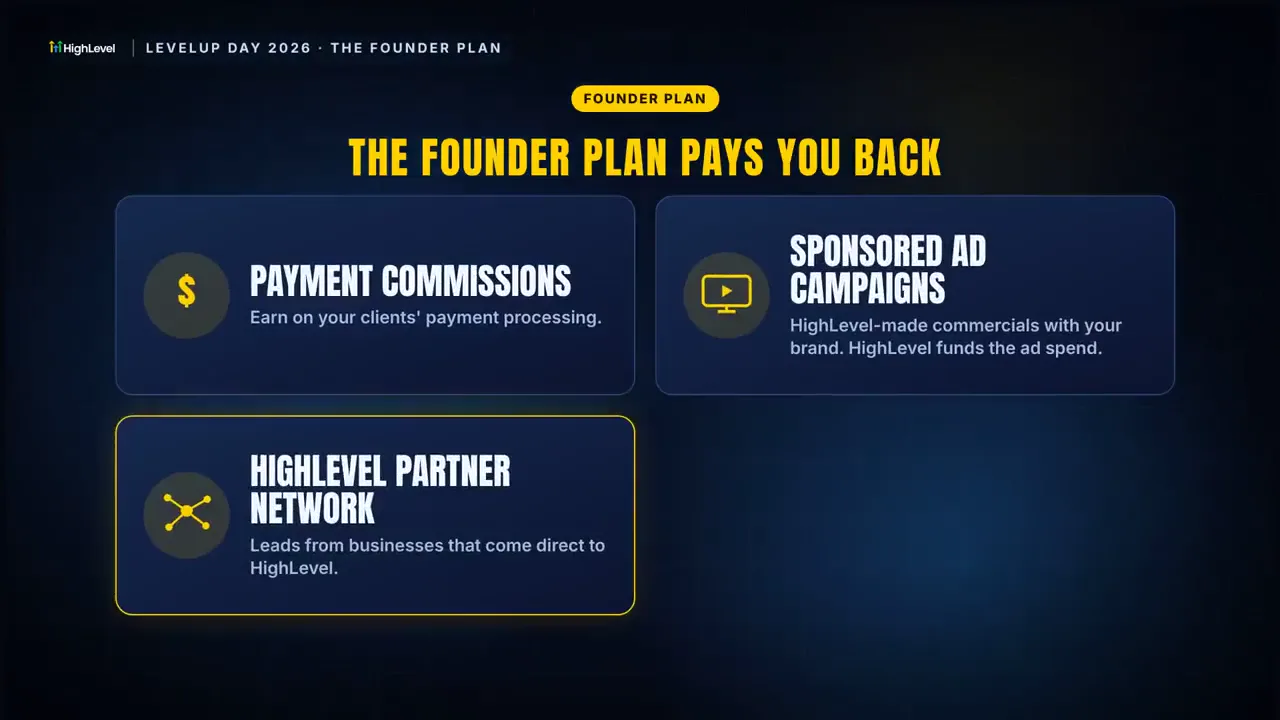
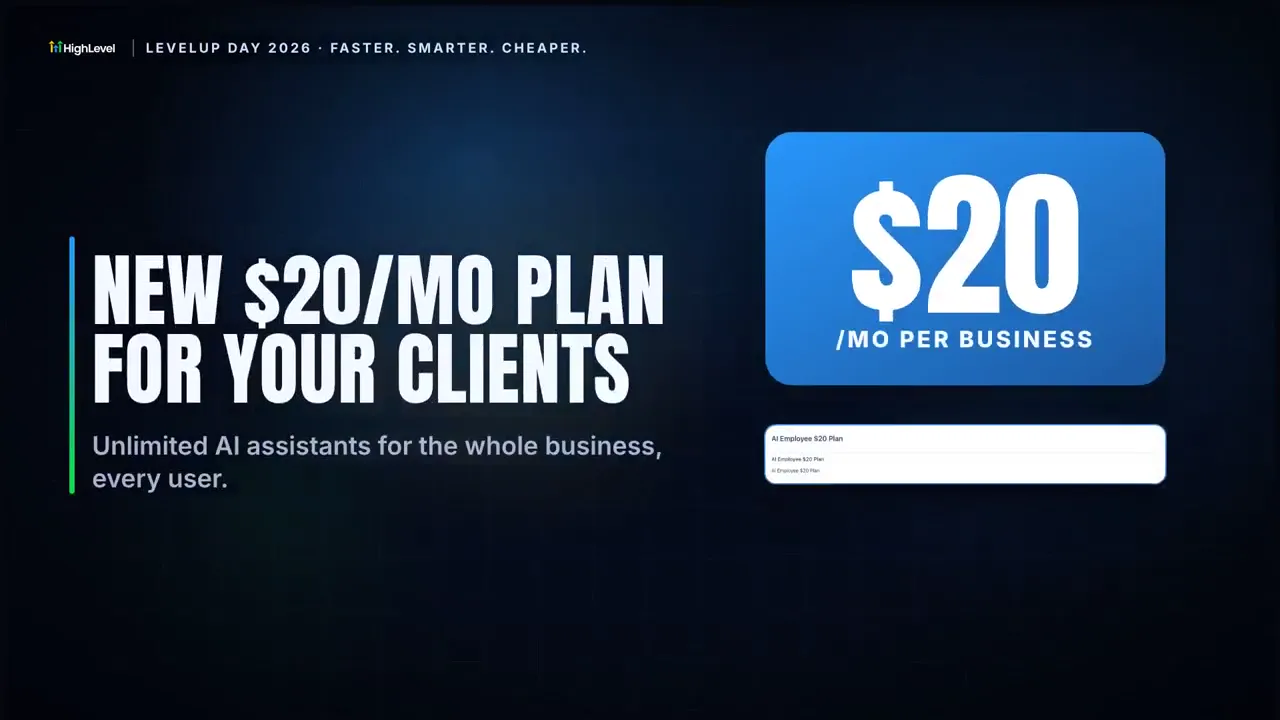
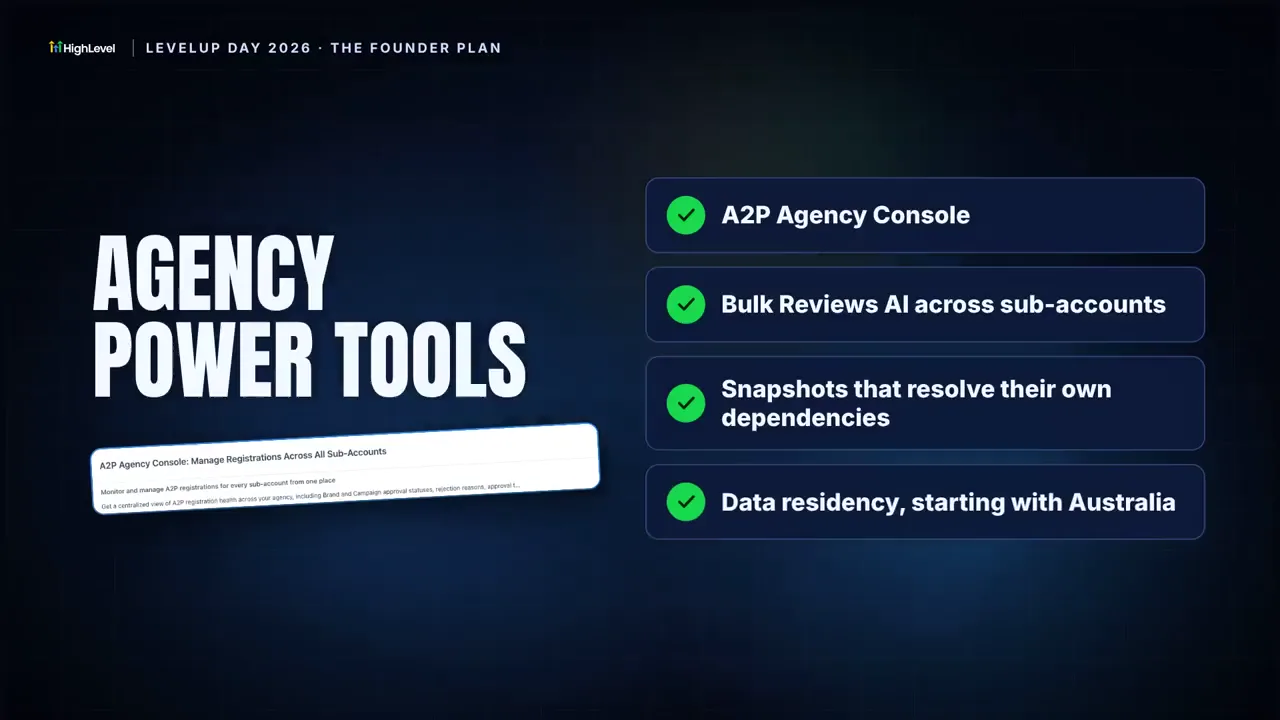

Stills from the Nexus Hub LevelUp Day 2026 recap video.
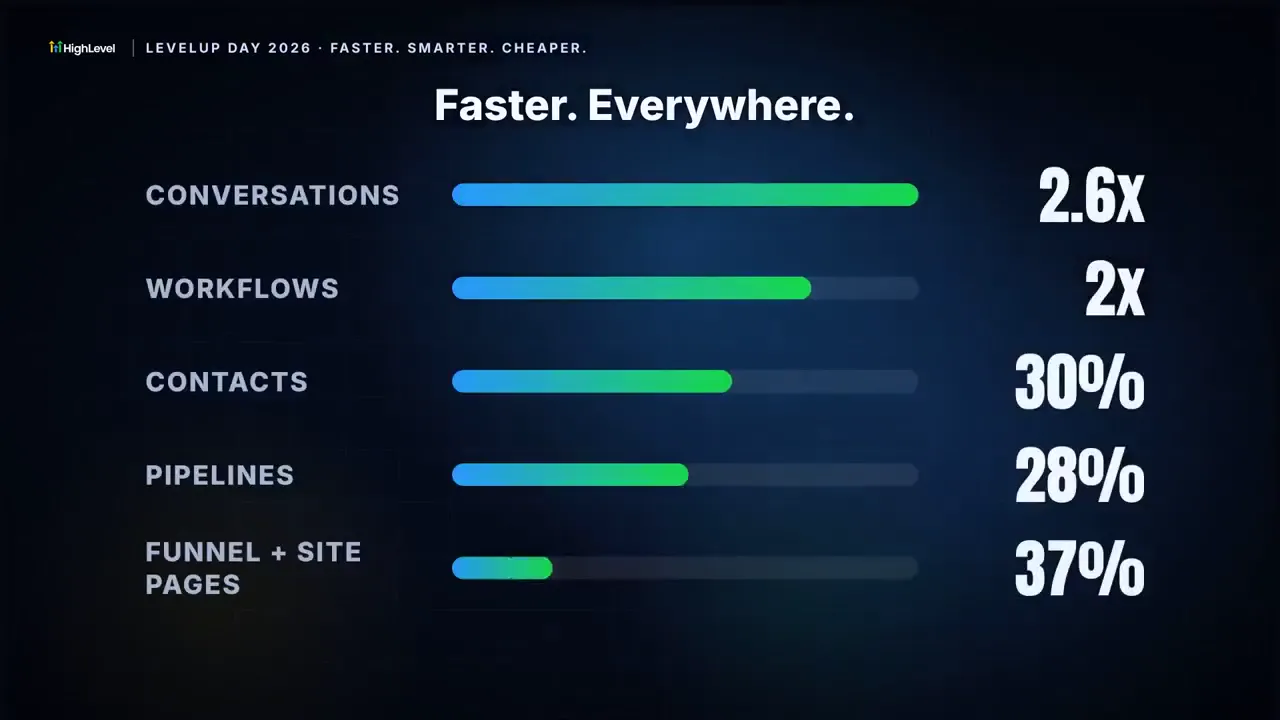
Faster everywhere
The video highlights speed improvements across Conversations, Workflows, Contacts, Pipelines and Funnel and Site pages. If your clients have complained about slow loading in big accounts, test those screens again.
Below is every one of the 167 updates HighLevel listed for LevelUp Day 2026, grouped by area, each in one line. Items marked Private Beta or Limited Beta may not be in your account yet. Where an update has its own entry on our Feature updates page, the card links straight to it.
AI agents and automation

AI Agents (9)
Trigger managed agents via inbound webhooks — Managed Agents can now be triggered via inbound webhooks, enabling agencies to seamlessly connect external systems like Shopify or Zapier directly to AI workflows without needing middleware.
Waits and scheduled follow-ups for managed agents — Managed Agents can now pause execution for set periods and execute scheduled follow-ups with full conversational context, helping agencies automate complex, multi-step customer communications without extra billing.
Agent health and self healing — A new dashboard monitors Voice and Conversations AI performance, while Self Healing automatically generates and tests prompt improvements, giving agencies reliable, automated tool maintenance and optimization.
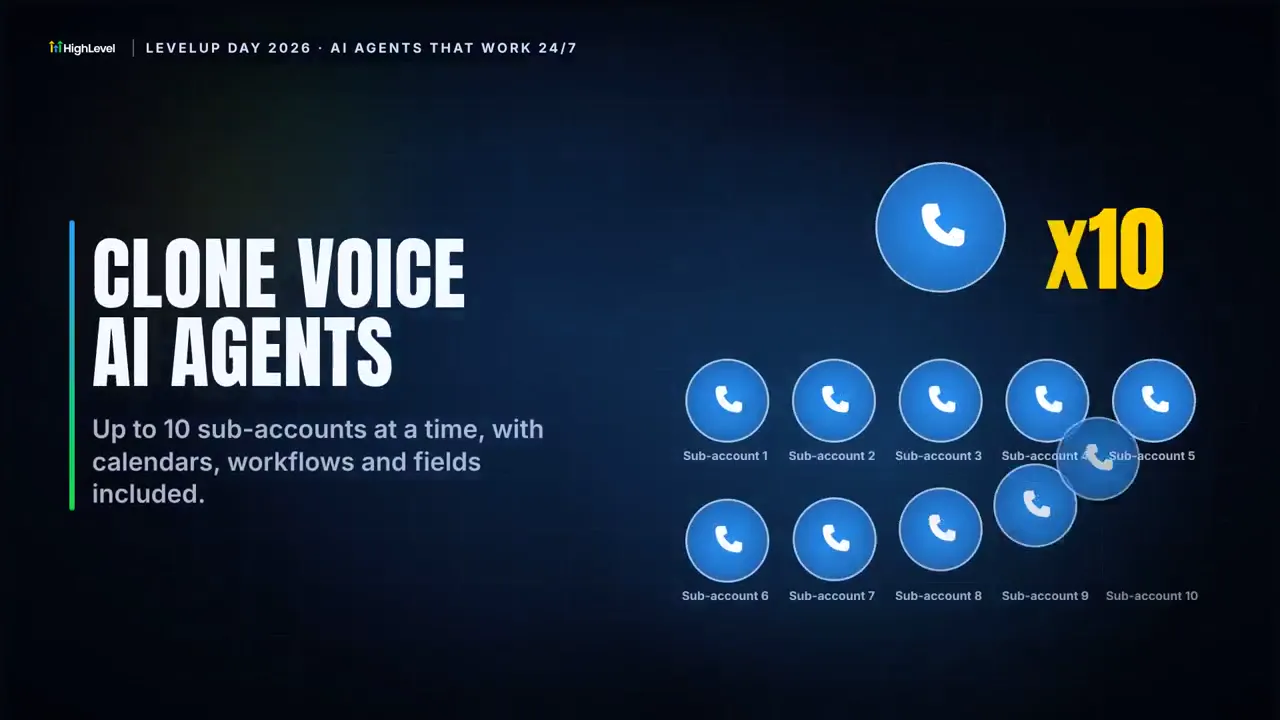
Clone Voice AI agents to sub-accounts — Agencies can now clone Voice AI agents alongside their linked CRM assets to multiple sub-accounts simultaneously, drastically accelerating client onboarding and deployment workflows.
Flow-based builder for Conversation AI — A new visual Flow-Based Builder lets agencies design multi-purpose chatbots with custom routing, specialized agents, branching logic, and AI-assisted drafting to improve automated client messaging.
Convert n8n workflows into managed agents — Agent Studio can now import n8n export files to automatically generate Managed Agents with mapped triggers and actions, helping agencies seamlessly migrate existing complex automations into the platform.
Agent logs UI enhancements — The Agent Logs detail page has been redesigned with highlighted key business actions that jump straight to timeline steps, helping agencies quickly debug and review AI execution performance.
Agent logs metrics enhancements — Agent Logs now features customizable metric dashboards and templates, allowing agencies to track AI activity, business outcomes, and tailored data points across all agents and channels.
Goal monitoring in agent logs — A new Monitor tab in Agent Logs allows agencies to track AI performance against target goals and receive automated email or webhook alerts if benchmarks are met or at risk.
Managed Agents (6)
Custom values and business details — Managed Agents can now dynamically pull sub-account custom values and business details during execution, allowing agencies to use a single prompt template across multiple locations.
Conversation memory and learned procedures — Managed Agents now remember user preferences and save task procedures to deliver faster responses and reduce token costs, complete with full administrative control.
Unified workspace experience — Agent Studio now features a redesigned three-panel workspace with simplified natural language agent creation and auto-generated avatars, allowing agencies to manage agent lists, chat logs, and configurations in one centralized interface.
Computer capabilities for browsing and file management — Managed Agents can now browse websites, manage files, and run terminal scripts in a secure environment with approval controls, enabling agencies to automate advanced technical tasks safely.
Autonomous subagent task delegation — Managed Agents can now delegate multi-step jobs to specialized subagents operating in parallel, reducing processing costs while improving accuracy across complex client workflows.
Enhanced computer environment performance — Managed Agents now run on dedicated machines supporting 8–10 parallel browser tabs, boosting task execution performance, reliability, and security for agency automated operations.
Conversation AI (8)
Rich element support — Agents can now reply using rich elements like quick replies, images, and buttons on supported channels, allowing agencies to create more interactive, engaging automated customer conversations.
MCP server support — Conversation AI can now execute tools via Model Context Protocol servers mid-conversation, enabling agencies to extend bot capabilities with custom URL integrations and over 40 catalog apps.
Option-based custom field mapping — AI agents can now validate and map customer replies directly to radio, checkbox, and dropdown custom fields, helping agencies automatically capture clean, structured contact data.
Outbound AI Agents — Conversation AI agents can now automatically initiate personalized outbound outreach and follow-ups based on CRM triggers like form submissions, missed calls, or deal stage updates.
Date and time awareness — Conversation AI bots now accurately interpret relative time references like "tomorrow" based on local timezones, preventing scheduling errors and past-slot bookings for agency clients.
Test agent with rich elements and outbound support — Agencies can preview channel-specific rich elements like buttons and test outbound event triggers before launch, eliminating risk when deploying conversational agents for clients.
Advanced time zone support — Conversation AI agents in Auto-Pilot mode can proactively detect, confirm, and store a contact's timezone, ensuring accurate appointment booking without timezone mismatches. See it on Feature updates →
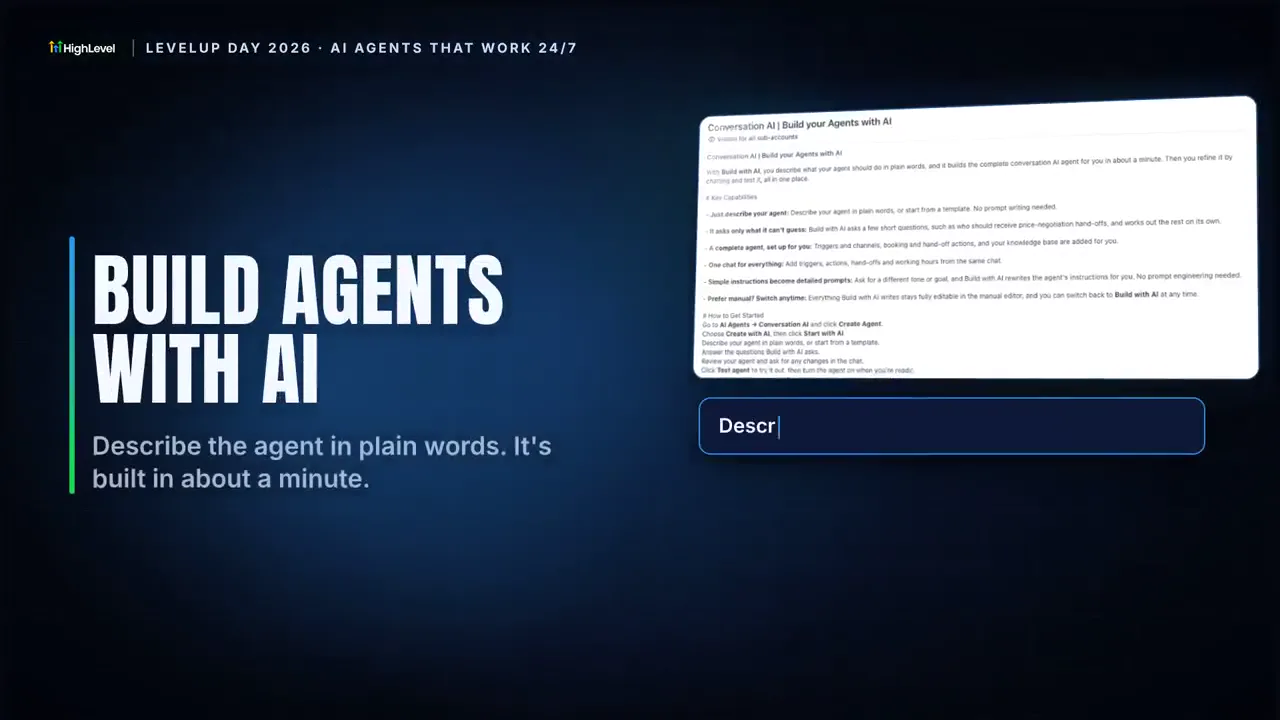
Build Agents with AI — Agencies can now instantly create and configure Conversation AI agents using natural language prompts or pre-built templates, significantly saving setup time and simplifying agent deployment.
Voice AI (3)
MCP connector for speech-to-speech models — Speech-to-speech Voice AI agents can now execute tools from catalog apps or custom MCP servers like Google Calendar live during calls, expanding automated voice agent capabilities for clients.
WhatsApp channel integration — Voice AI agents can now handle incoming WhatsApp calls directly or act as a secondary fallback, allowing agencies to automate global voice support and missed-call handling on WhatsApp.
Agent versioning and draft testing — Voice AI now includes version control and draft environments, enabling agencies to safely test prompt and configuration changes while keeping live call operations completely uninterrupted.
Ask AI (7)
Document generation and artifact analysis — Ask AI can generate, edit, and analyze branded files like PDFs, spreadsheets, and presentations, letting agencies deliver accurately formatted documents and schedule recurring reports effortlessly.
Agency access controls and permission levels — Agencies can manage Ask AI permissions across sub-accounts with custom access levels, protecting sensitive actions like payments and CRM edits while controlling tool access per user.
Dedicated project workspaces — Project workspaces organize Ask AI chats, files, and brand guidelines together, allowing agencies to maintain isolated context, independent rules, and consistent branding across specific client projects.
Phone and SMS dispatch capabilities — Agencies can interact with Ask AI via phone calls or SMS to check CRM data, run workflows, and retrieve details on the go, with shared continuous chat histories.
WhatsApp rich media support — Ask AI now processes voice messages, images, and documents on WhatsApp and responds with formatted rich artifacts or media, enabling agencies to handle complex mobile communications seamlessly. See it on Feature updates →
Parallel subagent processing and sandboxed analysis — Ask AI spawns sandboxed subagents to research, query data, and process complex tasks in parallel, presenting agencies with consolidated, validated plans for approval before execution.
Cloud-based computer workspace — Ask AI now includes an isolated cloud computer workspace equipped with a browser and terminal to execute scripts, interact with non-API websites, and perform complex file tasks.
AI Campaigns (1)
Database Reactivation and Bulk AI Outreach — Agencies can launch bulk Conversation AI campaigns to reactivate old leads and past customers via automated, personalized outreach that seamlessly transitions into live conversations upon reply.
Workflows (6)
A/B testing — Agencies can split contacts across up to 10 workflow paths and track conversion goals, automatically routing future leads to the best-performing path to maximize marketing results. See it on Feature updates →
Triggers, Entry and LogsPrivate Beta — Opportunity workflows can now execute for deals without primary contacts by skipping contact-specific actions, backed by dedicated opportunity execution logs and testing tools (Private Beta).
Updated Opportunity ActionsPrivate Beta — Updated opportunity workflow actions now support contactless deals and multi-contact roles, allowing agencies to assign owners, create deals using association labels, and dynamically set names (Private Beta).
Associated Record ActionsPrivate Beta — Five new workflow actions enable automated creation, association, field updates, and workflow enrollment for records linked to an opportunity, even without a primary contact present (Private Beta).
Email the Contacts on an OpportunityPrivate Beta — The Send Email workflow action can now message all contacts associated with a specific opportunity, filtering by association label and logging conversations directly to the deal feed (Private Beta).
Association created trigger — The new "Association Created" workflow trigger lets agencies automate targeted follow-up actions whenever relationships between CRM records are established. See it on Feature updates →
CRM: opportunities, companies and custom objects

Opportunities (10)
Redesigned and customizable creation panelPrivate Beta — HighLevel now features a customizable creation panel for opportunities, allowing your team to quickly log early-stage deal details, require specific fields, and create contacts inline without needing a contact upfront (Private Beta).
Dedicated sidebar workspacePrivate Beta — Clicking an opportunity opens a comprehensive sidebar workspace with tabbed navigation for tasks, notes, and conversations, letting teams manage full deal activities without leaving the pipeline board (Private Beta).
Customizable quick action data sourcesPrivate Beta — Admins can now configure opportunity card quick actions to pull and save data directly to either the Opportunity record or Primary Contact, ensuring card metrics accurately align with agency workflows (Private Beta).
Distinct click targets for deal and contactPrivate Beta — Opportunity cards now feature separate click targets for the deal sidebar and contact overlay, alongside default contact name displays and support for up to nine customizable fields (Private Beta).
Appointments That Belong to the OpportunityPrivate Beta — Appointments can now be directly linked to individual opportunities rather than just contacts, providing a dedicated sidebar tab for booking meetings and tracking deal-specific schedules (Private Beta).
Dedicated conversation feeds for individual dealsPrivate Beta — Individual messages and threads can now be linked directly to specific opportunities, creating an isolated conversation feed in the deal sidebar while remaining visible on the contact record (Private Beta).
Isolated activity feeds and historical data backfillPrivate Beta — Opportunity records now display isolated activity feeds exclusive to the deal, with a backfill tool that selectively links historical contact notes, tasks, and appointments (Private Beta).
Delete a contact while keeping its opportunitiesPrivate Beta — Agencies can now delete contact records while preserving associated active opportunities in the pipeline, ensuring list cleanups do not wipe out deal history or pipeline values.
Link contacts and other deals with custom associationsPrivate Beta — Agencies can now link opportunities to multiple contacts and related deals using custom labels, improving stakeholder tracking and enabling advanced filtering across pipeline views.
Import opportunities without contactsPrivate Beta — You can now import opportunities via CSV without associated contacts, enabling seamless CRM deal migrations and tracking company-level pipeline deals without creating temporary placeholder records.
Custom Objects & Companies (3)
Actionable workspace side panelPrivate Beta — The side panel for Custom Objects and Companies is now an actionable workspace, allowing teams to seamlessly log tasks, book appointments, or start conversations without navigating away.
Dedicated conversation feedsPrivate Beta — Custom Object and Company records now feature dedicated conversation feeds, enabling agencies to centralize record-level messaging and link relevant contact threads without losing critical context.
Dedicated appointmentsPrivate Beta — Custom Object and Company records now support dedicated appointment tracking, allowing teams to review, schedule, or link meetings directly from the record's side panel for better organization.
Custom Object & Company Workflows (1)
Send SMS action — Custom Object and Company workflows can now automate personalized SMS messages to associated contacts based on relationship labels, streamlining record-level outreach and account reminders. See it on Feature updates →
Associations (3)
Automatic activity linkingPrivate Beta — New activity linking rules automatically associate emails, calls, SMS, and appointments with related CRM records, eliminating manual data entry and ensuring clear timeline visibility.
Define contact roles in companies with custom labels — Custom association labels let you define specific contact roles within linked companies, enabling agencies to build targeted, deduplicated email campaigns based on stakeholder responsibilities. See it on Feature updates →
Link a contact to multiple companies — Contacts can now be associated with multiple companies simultaneously without losing their primary company link, allowing agencies to accurately manage multi-account relationships like consultants or shared finance contacts. See it on Feature updates →
Companies (1)
Preemptive duplicate detection — Real-time duplicate detection alerts users to matching company names or domains as they type, helping agencies prevent fragmented database records and maintain clean CRM data.
Contacts (3)
Revamped activity panel with new cards — The contact activity panel now features centralized UI cards and filters, helping agencies track all interactions, appointments, notes, and opportunities efficiently in one unified view.
Email verification option during import — Agencies can now verify email addresses directly during contact imports, catching invalid contacts early to protect sender reputation, prevent delivery failures, and clean lists without external tools. See it on Feature updates →
Organize documents with multi-level folders — Contact records now feature multi-level folders and a 60-day trash recovery window, giving agencies a structured, safe workspace to organize client files. See it on Feature updates →
Custom Fields (1)
Calculated fields for automated dataPrivate Beta — Calculated custom fields automatically compute dynamic values using mathematical, logical, or date formulas across CRM records, eliminating manual data entry and enabling advanced filtering for agencies. See it on Feature updates →
Smart Lists (1)
Filter, segment and view associated records — You can now filter contacts and create Smart Lists based on linked records while displaying associated objects as dedicated columns, greatly enhancing client segmentation and account visibility. See it on Feature updates →
HubSpot Importer (2)
Advanced data filtering options — Agencies can filter HubSpot record imports by date ranges and nested conditional logic, allowing them to precisely import only necessary data segments into HighLevel. See it on Feature updates →
In-app feedback and feature requests — An integrated check-in prompt and request tool let agencies easily report import experiences and suggest new platform integrations, helping streamline future data migration features.
Snapshots (1)
Automated asset dependency resolution — Snapshots automatically detect and bundle required asset dependencies like email templates linked to workflows, preventing broken automations when loading setups into new sub-accounts.
Conversations, calling and messaging

Conversations (1)
Cross-thread and in-conversation keyword search — Agencies can search for specific keywords, contact details, or quoted prices across their entire inbox or within single threads, utilizing filters to quickly locate historical context. See it on Feature updates →
WhatsApp (4)
Build and send native forms within flows — Agencies can send interactive native forms directly inside WhatsApp chat threads, allowing leads to submit onboarding or qualification data without leaving the app while auto-syncing CRM records. See it on Feature updates →
Multi-card media carousel templates — Agencies can build WhatsApp marketing templates with up to 10 swipeable media cards, showcasing multiple products or offers while billing as a single marketing message. See it on Feature updates →
Call recording and automatic transcription — WhatsApp calls can now be automatically recorded and transcribed into the Conversations inbox, providing searchable transcripts and compliance announcements to improve customer support tracking. See it on Feature updates →
Ready-made template library — A library of 52 pre-built, multi-language WhatsApp templates helps agencies quickly launch industry-specific campaigns that are pre-optimized for Meta's approval process. See it on Feature updates →
Chat Widget (4)
Analytics and insights dashboard — A dedicated Insights tab for chat widgets provides full conversion funnels, engagement trends, and clickable KPI metrics, helping agencies measure visitor interactions and optimize chat-driven lead generation.
Video avatars — Chat widgets can now feature looping video avatars alongside sticky launchers, enabling agencies to capture visitor attention, improve engagement, and customize interactive playback behaviors.
Interactive buttons for live chat workflows — Live Chat workflows and Conversation AI now support interactive button cards with branching logic and automatic timeouts, helping agencies optimize lead capture and support triage directly inside the widget.
Connect Conversation AI agents directly from the builder — Agencies can now assign, swap, and manage Conversation AI agents directly within the Chat Widget builder, simplifying setup without context switching.
Mobile (5)
Ask AI dictation for voice-to-text prompts — Users can now dictate voice prompts directly into Ask AI on the mobile app, allowing agency users to convert speech into editable text for faster, hands-free prompt creation on the go.
Rebuilt calling experience for HighLevel mobile apps — HighLevel redesigned its mobile calling experience with expandable recents, missed call filters, dedicated dialpad updates, and in-call CRM actions, helping agency staff efficiently manage calls, notes, and transfers on mobile devices.
Ask AI voice for two-way conversations — The mobile app now supports two-way voice conversations with Ask AI, allowing agency users to speak prompts, hear real-time spoken answers, and interrupt mid-sentence for seamless hands-free assistance on the move. See it on Feature updates →
GoKollab App Banner — A dismissable banner on GoKollab mobile web pages uses deep linking to seamlessly direct users to the corresponding content within the mobile app or app store.
Calculated fields integrationPrivate Beta — Mobile app users can now view and refresh real-time calculated fields on contacts and opportunities, giving field agents immediate access to critical formula metrics anywhere.
A2P (1)
Agency Trust Center console — The Agency Trust Center lets agency owners manage A2P 10DLC registrations across all sub-accounts from a central dashboard, speeding up rejections troubleshooting and new brand submissions without account switching.
Meeting Room (2)
Built-in video conferencing and collaboration workspace — Meeting Room provides native video conferencing complete with calendar integrations, recordings, speaker transcripts, and AI summaries to remove reliance on third-party tools. See it on Feature updates →
Breakout Rooms — Hosts can now divide Meeting Room participants into up to 100 breakout groups with independent controls for recording, live transcription, messaging, and participant assignments. See it on Feature updates →
Ecommerce, payments and bookings

Ecommerce (11)
Contact record enrichment based on Shopify ecommerce data — HighLevel automatically enriches synced Shopify contacts with key purchase history data like LTV and order count, allowing agencies to easily segment high-value buyers and trigger targeted automations without manual field mapping.
Flexible price display for products with multiple variants — Store owners can now display multi-variant product pricing as a minimum price, price range, or customizable starting-at text, giving agencies full control over how pricing is clearly presented to shoppers.
Vertical and horizontal sorting and filtering for product lists — Agencies can now choose between horizontal and vertical desktop layouts for product list sorting and filtering, complete with dynamic price filters and granular styling controls to improve store navigation and presentation.
Expanded product card customization for ecommerce stores — Store owners gain enhanced styling controls for product cards across store elements without custom code, enabling agencies to customize borders, hover effects, shadows, and layout spacing across all devices.
Saved customer shipping addresses for faster checkout — Customers can now save up to 10 shipping addresses for faster one-click checkouts, giving agencies a streamlined checkout experience for returning buyers and dedicated address management in the Customer Access Center.
Expanded layout and styling control for product pages — The Product Details element has been unbundled into 11 independent, fully customizable elements, empowering agencies to drag, style, hide, or arrange individual product page components across different device views.
Workflow triggers for product views and cart additions — Agencies can now trigger real-time Workflows based on pre-purchase shopper behavior like product views and cart additions across Shopify and HighLevel stores to send highly targeted automated follow-up campaigns.
Improved Google Merchant Center sync reliability and visibility — HighLevel upgraded its Google Merchant Center integration with smaller batch syncing, error visibility, and funnel store support, preventing rate-limiting issues and ensuring reliable product feed syncs for agencies.
Interactive live data preview in store builder — Store owners and agencies can preview real product data inside the Store Builder to interactively test variant selection, cart additions, and navigation before publishing.
Contact record enrichment based on WooCommerce ecommerce data — WooCommerce store connections now automatically enrich CRM contact records with real-time purchase history data, empowering agencies to create targeted Smart Lists and automated Workflows.
Shopify order fulfillment workflow automation — Order Fulfilled workflow triggers now support partial Shopify fulfillments with shipment-specific custom values and collection filters for precise customer communication.
Order Forms (1)
Redesigned order forms with new layouts and custom fields — HighLevel redesigned Order Forms into a single customizable element supporting One-step, Two-step, and Split layouts, over 80 styling controls, and direct integration of custom CRM fields like file uploads and signatures.
Calendars (2)
Sell retail products from service appointments — Businesses can now add retail catalog items directly to service appointments with automatic inventory updates and consolidated billing, helping service-based sub-accounts increase order value seamlessly.
Custom appointment statuses — Agencies can create custom appointment labels under primary states to precisely track booking stages without breaking existing calendar availability rules or automated state-triggered notifications.
Rentals (3)
Additional mandatory fees on bookings — Rentals now support mandatory fee templates for charges like cleaning or services, allowing agencies to help rental clients automatically display upfront pricing and manage listing-level overrides.
Optional add-ons for bookings — Agencies can offer reusable add-ons like equipment or fees during booking, enabling clients to maximize revenue by allowing customers to select extra options directly from the widget.
Partial payments and security deposits — Rentals now support percentage-based upfront deposits, automated balance scheduling, and security deposit holds, helping agencies provide flexible payment options and protect client assets.
Affiliate Manager (4)
Unlimited affiliate hiring depth with configurable tier behavior — Affiliates can now recruit sub-affiliates beyond defined campaign tiers without restriction, enabling agencies to endlessly scale affiliate network recruitment while commission payouts automatically count backward within set tier limits. See it on Feature updates →
Public REST API suite — A new 32-endpoint public REST API suite allows developers to programmatically manage affiliate programs, enabling agencies to automate onboarding, custom payouts, financial workflows, and external conversion reporting. See it on Feature updates →
Audit logs for campaign, affiliate and customer activity — System admins can now track campaign, affiliate, and customer changes directly within central Audit Logs, helping agencies easily investigate commission discrepancies, monitor team updates, and improve overall operational accountability. See it on Feature updates →
PayPal payout failure visibility and manual retry — HighLevel now automatically flags failed PayPal payouts in a dedicated tab and allows manual retries, giving agencies full visibility into transaction failures and simple payout management without requiring backend support. See it on Feature updates →
Loyalty & Referral (1)
Private beta release — Available in private beta, agencies can now create customer reward programs, track performance on a central dashboard, and process redemptions via a built-in QR scanner.
Marketing, email, social and ads

Email Marketing (4)
Pre-send spam check for campaigns — Email Marketing now checks campaign setup and content for deliverability risks prior to sending, allowing agencies to fix potential spam triggers and maximize inbox placement. See it on Feature updates →
Automated email domain warm-up — LC Email now features automated domain warm-up using synthetic mailboxes and gradual volume ramps, enabling agencies to build deliverability and sender reputation without relying on third-party tools. See it on Feature updates →
AI editor, sequence generation and A/B testing — Three new AI features allow agencies to draft branded email content, automatically generate multi-step campaign sequences, and run automated A/B tests to optimize performance. See it on Feature updates →
HighRise UI performance update — Upgraded to HighRise UI, Email Marketing drastically cuts builder load times and initial download sizes by up to 86%, delivering a faster, smoother editing experience for your team. See it on Feature updates →
Email Builder (5)
Create brand boards directly from the color picker — Agencies can build complete Brand Boards inside the Email Builder color picker, instantly applying brand colors, fonts, and logos without switching tabs or interrupting their design workflow. See it on Feature updates →
Template Switcher — Users can now switch and preview email templates directly inside the Email Builder without exiting, streamlining the design process while protecting existing content with overwriting prompts. See it on Feature updates →
Branded Templates — Users can preview email templates styled with their sub-account's saved brand kits before applying them, instantly displaying custom brand colors across buttons, headings, and labels. See it on Feature updates →
Inbox Preview for real email clients — Agencies can generate side-by-side layout previews across actual email clients like Gmail and Outlook, identifying rendering and dark mode issues before launching campaigns. See it on Feature updates →
Mobile-specific view controls — New mobile-specific view controls let you customize mobile typography, spacing, and alignment independently, ensuring your emails render perfectly on smaller screens without affecting desktop layouts. See it on Feature updates →
Social Planner (5)
Invite clients to connect social accounts — Agencies can provide clients with secure invite links to connect their social accounts externally, streamlining onboarding without granting full workspace access. See it on Feature updates →
Unified Facebook and Instagram account connection — Integrated Facebook Pages and Instagram accounts now sync automatically into Social Planner, eliminating duplicate authentications and providing clear permission status updates.
Create workflows with Social Planner posts — Social Planner events can now trigger automated Workflows, helping agencies streamline post approvals and automatically send notifications for failed post attempts. See it on Feature updates →
Social comments in Conversations — Comments on Social Planner posts now sync to the Conversations inbox as new contact threads, allowing agency teams to manage public replies or switch to direct messages in one place. See it on Feature updates →
Social intelligence monitoringLimited Beta — Social Intelligence lets agencies monitor brand keywords, analyze sentiment trends across platforms, and configure automated email alerts to track audience engagement and brand health efficiently. See it on Feature updates →
Ad Manager (2)
Launch TikTok lead generation campaigns — Agencies can now create and manage TikTok Lead Generation campaigns directly within Ad Manager alongside other channels to expand lead generation capabilities and streamline cross-platform ad management. See it on Feature updates →
Two-way campaign sync for Meta Ads — Ad Manager now offers a two-way sync with Meta Ads Manager, enabling agencies to manage, update, and report on existing Meta campaigns alongside natively created ads in HighLevel. See it on Feature updates →
Reputation Management (4)
Updated sender name display for review request emails — Review request email headers now display the configured sender name alongside custom domain email addresses, ensuring agencies and sub-accounts maintain consistent branding so clients easily recognize review requests.
Flexible reviews AI agent settings — Reviews AI Agents now include brand voice controls, safety guardrails, human approval holds for sensitive reviews, and live previews, giving agencies precise control over automated review response quality and tone. See it on Feature updates →
Bulk reviews AI management for agencies — Agencies can now manage Reviews AI response modes in bulk across multiple sub-accounts from the Agency AI Suite to enforce consistent response strategies. See it on Feature updates →
Reputation widgets for location dashboards — Agencies can now add 16 customizable reputation widgets to Location Dashboards to track review requests, sentiment, and response rates alongside key metrics. See it on Feature updates →
Marketing Audit Reports (1)
AI search and visibility scoring — Marketing Audit Reports now feature an AI Search Visibility score out of 100 that analyzes how easily AI assistants like ChatGPT find a business, helping agencies deliver actionable optimization recommendations.
External Tracking (1)
Field mapping control and iframe form tracking — Enhanced tracking settings provide domain-level switches, custom field mapping, and iframe form tracking, allowing agencies to precisely control lead capture and capture data from external embedded forms.
QR Codes (4)
Usage limits, expiry rules and redesigned builder — Agencies can set usage limits and expiry dates for dynamic QR codes without reprinting physical assets, while managing codes faster through a redesigned builder and status badges. See it on Feature updates →
Redesigned profile and business cards — Redesigned Profile and Business Card QR codes feature enhanced styling options, custom links, and an integrated Exchange Contact form that automatically creates new CRM records when leads share their details. See it on Feature updates →
Prebuilt codes for calendars, services, and rentals — Dedicated QR codes with scan tracking metrics are now automatically generated for calendars, services, and rentals, eliminating manual setups and giving agencies built-in campaign analytics. See it on Feature updates →
Advanced device, browser and geographic analytics — Detailed analytics now track QR code scans by device, browser, and geographic location, empowering agencies to optimize landing pages and measure regional campaign engagement effectively. See it on Feature updates →
QR Code Builder (1)
Brand board and global color integration — Agencies can apply saved Brand Board and global custom colors directly within the QR Code builder, making it quick and easy to generate on-brand QR codes consistently. See it on Feature updates →
Sites, funnels, forms and brand

Builders (1)
Native graphic library for page builders — A new native Graphic Library provides over 11,000 searchable icons, emojis, AI illustration generators, and custom uploads across all HighLevel page builders. See it on Feature updates →
Funnels (1)
Integrated AI and Chat Widget element — Funnel builders can now add an integrated AI Chat Widget element that automatically scans page content to train knowledge bases and launch conversational agents without custom code.
Funnel & Website Builders (1)
Native quiz element integration — Agencies can add, create, and edit quizzes directly inside page builders using a native element, streamlining builder workflows without copying and pasting embed codes. See it on Feature updates →
Forms (1)
Create opportunities, companies and custom objects without contactsPrivate Beta — Forms can now independently generate and link Opportunities, Companies, or Custom Objects upon submission without requiring contact details, expanding options for non-contact data collection. See it on Feature updates →
Forms & Surveys (3)
Unified Integrate experience — A consolidated Integrate tab combines real-time embed previews, customizable QR codes, email template embedding, and workflow connections into a single workspace inside the builder. See it on Feature updates →
Product-level conditional logic — Agencies can build dynamic order forms by applying conditional logic to specific product or variant selections, custom-tailoring redirects, messages, and visible fields based on lead choices. See it on Feature updates →
Automatic taxes and billing address syncing — Forms and surveys now feature automatic address-based tax calculations and mirrorable billing address fields, offering a streamlined checkout experience for agency clients. See it on Feature updates →
Forms, Surveys & Quizzes (1)
Real-time error detection and configuration insights — Real-time error detection, proactive configuration tips, and an insights summary help agencies troubleshoot forms, surveys, and quizzes faster and prevent broken setups before publishing. See it on Feature updates →
Brand Board (1)
Comprehensive typography hierarchy — The Brand Board Design Kit now offers a full text hierarchy for setting standardized fonts, sizes, and line heights across seven text styles to maintain client branding consistency. See it on Feature updates →
Media (1)
Improved file ordering and pagination for Canva and Google Drive imports — HighLevel improved file-loading, sorting performance, and pagination when importing media from Google Drive and Canva, helping agencies keep their media libraries organized and easily navigable with reliable chronological asset display.
Media Storage (2)
File details, tags and tag search — Media Storage now supports detailed file metadata, alt-text, descriptions, and tag-based searching, allowing agencies to organize, manage, and locate media assets quickly across their account.
Import files from webpages — Users can now extract and bulk-import media assets directly from any webpage URL into Media Storage, saving agencies time by eliminating the need for direct file download links.
Dashboards (3)
Visual widget gallery — A redesigned visual Widget Gallery provides real-time previews, descriptions, and account-based recommendations, helping agencies quickly find and add relevant widgets to client dashboards.
Consistent typography and widget sizing limits — Dashboards now enforce standardized font scaling and strict widget sizing limits, giving agencies cleaner and more easily readable reporting views for client presentations.
Persistent AI-generated summaries — Dashboard Summary AI evaluates metrics across widgets to generate insight reports that can be pinned as auto-refreshing widgets, providing agencies with instant executive reporting.
Client portal, communities and courses

Client Portal (7)
Introducing the Client Portal AI App Builder — Agencies can now use simple conversational AI prompts to design and customize their Client Portal web and mobile app branding, typography, and navigation in real time from a single location.
AI-powered client portal design and coding — The AI App Builder can now design and code entire Client Portals based on conversational prompts, allowing agencies to quickly build and deploy custom portals.
Custom CRM objects for client portal submissions — AI-designed client portals can now save member submissions directly as custom CRM objects, enabling structured data tracking and seamless portal invoice payments.
Discover storefront for courses and offers — The new Discover feature turns client portals into searchable storefronts, enabling agencies and clients to directly display, filter, and sell courses, offers, and communities seamlessly.
Service booking integration — Clients can now schedule, reschedule, and manage service appointments directly within the Client Portal, streamlining booking management for agencies without requiring separate external links. See it on Feature updates →
AI review automation for branded apps — Automated real-time AI reviews evaluate mobile app submissions against pre-submission checklists, helping agencies drastically accelerate turnaround times when building and launching branded client apps.
AI App Studio for branded mobile appsPrivate Beta — The AI App Studio uses conversational prompts to generate custom-branded Android mobile apps based on your Client Portal structure, giving agencies a streamlined way to deliver branded mobile experiences.
Communities (4)
Multiple pricing plans — Community admins can now create multiple membership pricing tiers within a single community, allowing agencies to bundle custom access channels, events, and courses to maximize revenue.
Premium channel visibility controls — Admins can set private community channels as visible, hidden, free, or paid, enabling agencies to promote premium content, streamline membership access flows, and monetize community engagement effectively.
Automated milestone badges — Communities can now automatically award badges to members based on one-time actions or quarterly engagement milestones, helping agencies and clients boost member activity and retention effortlessly. See it on Feature updates →
Automated welcome messages and onboarding steps — Community admins can send automated, media-rich welcome direct messages and create interactive onboarding checklists, helping agencies increase member engagement and streamline community onboarding.
Courses (2)
AI-powered course creation and content generation — Course AI provides an interactive studio to instantly generate structured modules, lesson copy, quizzes, and downloadable PDF recaps from prompts or uploaded video transcripts.
Video analytics and AI insights — Native course videos now include detailed watch analytics and AI-powered insights, giving agencies clear viewer retention metrics and actionable suggestions to optimize educational content performance.
Agency, SaaS and developer tools

Multi-Brand SaaS (1)
Dedicated notification email domains — Multi-Brand SaaS agencies can now configure dedicated notification email domains for each brand, ensuring consistent, professional brand identity across all automated customer communications. See it on Feature updates →
Developer Portal (1)
App Studio AI app builder — App Studio enables agencies to build and publish custom Marketplace apps using conversational prompts, automatically generating frontends, backends, databases, and CRM integrations without managing infrastructure.
Project Management (5)
Automate projects and tasks with Ask AI — Ask AI now integrates with Project Management, enabling agencies to create, update, and search projects, tasks, and subtasks using simple conversational prompts.
Workflow automations for tasks and reminders — New workflow triggers and actions allow agencies to automate task creation, status updates, and deadline escalations based on Project Management task events.
Updated status groups for task management — Project Management now features updated status groups, including a standardized "Closed" group, providing clearer task tracking and definitive endpoints for reporting and automations.
Public APIs for custom integrations and workflow automation — Available in Private Beta, developers can now programmatically manage project structures, tasks, comments, and recurring schedules using 45 new Public API endpoints.
MCP integration for AI clients — Project Management now supports Model Context Protocol (MCP), allowing agencies to create tasks, manage lists, and update statuses using natural language directly within AI clients like Claude or Cursor.
What to roll out first
- Check the Founder Plan terms and which features your plan includes.
- Test managed agents and Conversation AI in one internal sub-account before cloning to clients.
- Turn on email domain warm-up and pre-send spam checks before your next campaign.
- Review the A2P Agency Trust Center console for your sub-accounts.
- Update snapshots: dependency resolution now pulls in linked assets automatically.
- Tell clients about the new client portal, mobile calling and Ask AI channels.
Summaries are based on HighLevel's official LevelUp Day 2026 release post and our recap video. Availability, beta access, and pricing are set by HighLevel; confirm in your account. Full details: https://www.gohighlevel.com/post/levelup-day-2026-the-next-evolution-of-highlevel-features-and-enhancements
Need help applying this to your account?
Ask inside Nexus Hub — Charles is live Mon, Wed and Fri.
Understanding the HighLevel Founder Plan: Features, Pricing, and Roadmap
HighLevel LevelUp 2026: Key Feature Releases and Architectural Updates
How to Structure and Manage AI Agents with Agent Studio Folders
Charles Higgins · Founder & Host, Nexus Hub
Charles is the founder of Pinnacle AI and a SaaSpreneur Gold Award winner. More about Charles
How this was researched, tested, and corrected: Nexus Hub editorial standards. Spotted an error? Report it and we will check it.
Nexus Hub is an independent community and educational resource. It is not affiliated with, endorsed by, or sponsored by HighLevel.