
How to Centralize Customer Messages with a Unified Inbox (Facebook, Instagram, SMS, Email, and Chat)
Streamline your communication by using a unified inbox to centralize messages from Facebook, Instagram, SMS, and email. This guide covers setup checklists, lead qualification workflows, and common pitfalls to help local businesses speed up response times and capture every lead.

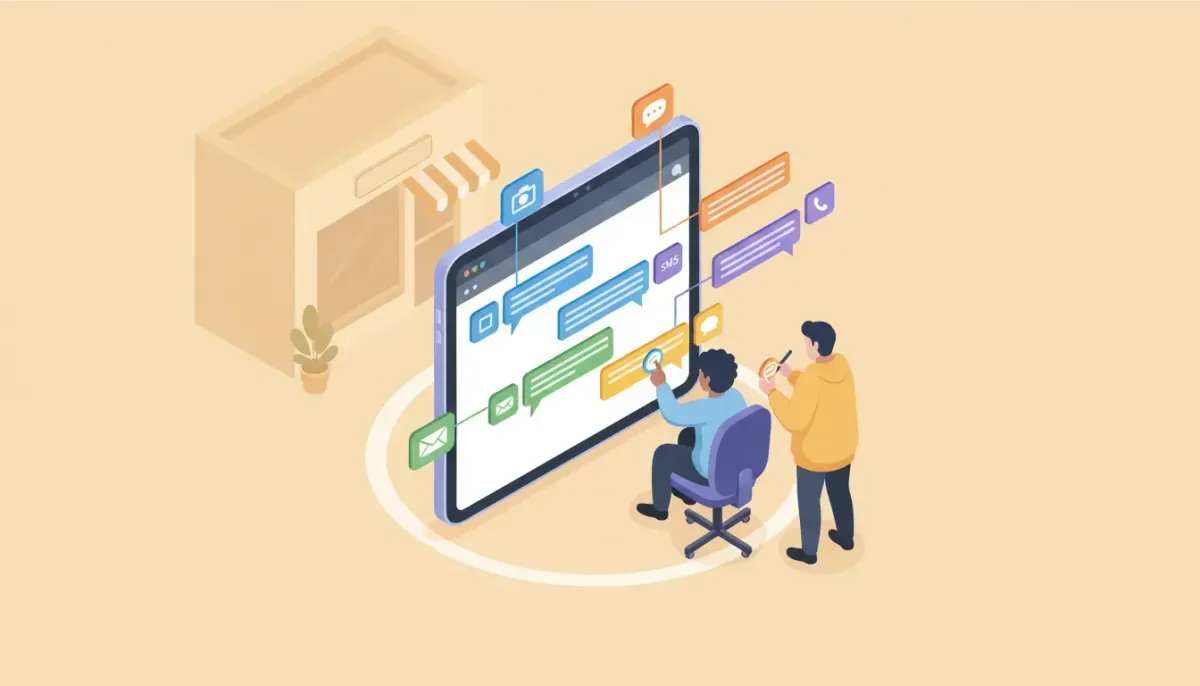
If your team jumps between Facebook, Instagram, SMS, email, and website chat to reply to customers, you lose time and leads. A unified inbox brings all conversations into one place so your team can reply faster, avoid missed messages, and keep records organized. This guide explains what a unified inbox is, how to set one up for a local business, real-world workflows, and common implementation mistakes to avoid.
What a unified inbox is and why it matters for local businesses
A unified inbox aggregates messages from multiple channels into a single dashboard. Instead of logging into four or five apps, your staff logs into one tool and sees every lead and conversation. This reduces context switching, speeds up response times, and creates a reliable audit trail for follow-up.
Local service businesses benefit most because fast replies and clear follow-up turn prospects into booked jobs. Examples include dental practices, plumbing companies, contractors, gyms, and home services.
Core benefits of a unified inbox
- Faster response times, because agents do not switch apps.
- Fewer lost leads, since every incoming message appears in one feed.
- Consistent customer experience, with shared templates and tags.
- Better tracking, with unified history by contact.
- Smarter routing, send messages to the right team or agent automatically.
Channels a modern unified inbox should support
- Facebook Messenger from business pages
- Instagram Direct Messages for business accounts
- SMS and MMS via a telephony provider
- Email inboxes for support and sales
- Website chat widgets and forms
- Platform-native app notifications and webhooks
Step-by-step setup checklist for local businesses
- Choose a platform that supports all channels, confirm it connects to Facebook, Instagram, SMS, email, and web chat.
- Connect social accounts, link your Facebook business page and Instagram professional account through the platform settings.
- Set up SMS, create or link a business phone number through an approved provider, and complete any required registrations for A2P messaging if you plan mass or automated SMS.
- Route email, forward or connect your support and sales inboxes so messages appear in the shared dashboard.
- Install site chat, add the chat widget snippet to your website and map incoming chats to the unified feed.
- Create basic automations, auto-assign new leads, tag messages by source, and set SLA response targets.
- Train your team, teach agents how to use the unified inbox, select templates, and update contact records.
- Test thoroughly, simulate inbound messages from each channel and confirm replies return on the original platform.
Example workflows to use right away
Lead qualification workflow
- New message arrives from any channel.
- Automation tags as "new lead" and assigns to a lead responder.
- Send immediate auto-reply with available times and a short qualifier question.
- If no response in 15 minutes, escalate to a second responder or send an SMS follow-up.
Appointment confirmation workflow
- Booking triggers a confirmation message through the channel the client used.
- Follow-up reminder sends 24 hours and 1 hour before the appointment.
- Missed appointment triggers a one-click reschedule option and a notification to staff.
Support ticket routing
- Messages tagged by topic, for example billing, emergency, or general question.
- Urgent tags route to on-call staff immediately.
- Lower priority queries go into a triage queue with SLA targets.
Message templates and quick replies that save minutes
Build a short template library for common conversations. Keep templates friendly and brief. Here are sample templates you can adapt.
- New lead reply: "Thanks for reaching out, we can help. What service are you looking for and what is your address?"
- Appointment confirm: "Your appointment is booked for [date] at [time]. Reply CONFIRM to keep this slot."
- Price estimate request: "I can give a quick estimate. Can you share photos or a short video of the issue?"
Response time targets and staffing guidelines
- New inbound lead, target first reply under 5 minutes for paid ads and urgent inquiries.
- Warm prospects, respond within 1 hour during business hours.
- Support requests, acknowledge within 30 minutes, resolve or schedule within a business day.
- After-hours, set clear auto-replies that state response hours and emergency contact options.
Common mistakes and how to avoid them
1. Connecting channels without testing
Mistake: Assuming messages sync correctly. Test every path and confirm replies go back to the right platform.
2. Skipping SMS compliance
Mistake: Sending messages without proper consent or missing A2P registration. Solution: Collect opt-in and complete any provider registration before sending bulk or automated messages.
3. No clear ownership
Mistake: Everyone responds randomly and duplicates replies. Solution: Use auto-assignment and presence indicators so one agent owns a conversation at a time.
4. Over-automation
Mistake: Relying only on auto-replies for complex issues. Solution: Use automation for triage and simple responses, but hand off nuanced conversations to a human quickly.
5. Not tracking performance
Mistake: No reporting on response times or resolution rates. Solution: Track response time, first contact resolution, and conversion from message to booked appointment.
Checklist: Launching a unified inbox in 7 days
- Choose a provider that supports social, SMS, email, and chat.
- Connect business Facebook and Instagram accounts.
- Provision a business SMS number and complete required registration.
- Forward or connect email addresses.
- Install website chat widget and test end-to-end flows.
- Create 5 to 10 message templates and a simple tagging scheme.
- Train staff on assignment rules, template use, and response targets.
- Run a test week, measure response times, and adjust routing rules.
When to get outside help
You should consider external support if you lack internal technical resources, if onboarding takes too long, or if your team struggles with message routing and documentation. Agencies that deliver managed support, white-label 24/7 messaging, and done-for-you onboarding can reduce rollout time and keep clients happy.
Everything Agencies Need to Onboard, Support, and Succeed With HighLevel
Extendly goes beyond just offering support; they provide agency-specific tools like smart onboarding systems, branded demo videos, and snapshot templates designed for any niche. Plus, they have ExtendlyOS, a complete set of AI and customer success tools that are sure to help your clients thrive. These helpful resources allow you to deliver value faster and more consistently.
Explore What Extendly Has to OfferFor teams implementing HighLevel, third-party specialists can help connect channels, register SMS numbers, create snapshots and templates, and provide ongoing support. That keeps your focus on serving customers, not troubleshooting integrations.
Pitfalls for agencies managing multiple client accounts
- Cross-account confusion, ensure each client has isolated inboxes and clear ownership.
- Branding consistency, apply client-specific templates and signatures in each account.
- Support bandwidth, plan coverage for nights and weekends if clients expect round-the-clock replies.
Quick glossary
- Inbox feed, the unified list of incoming messages across channels.
- Tag, a label applied to conversations for routing or reporting.
- Auto-assignment, a rule that sends messages to specific agents or teams.
- A2P, application-to-person SMS rules and registrations required in many markets.
Summary and next steps
A unified inbox is a practical, measurable way to reduce missed leads and improve customer experience for local businesses. Start by connecting core channels, set simple rules for assignment and tags, train staff, and monitor response times. If you need help with HighLevel setup, onboarding, or white-label support, consider a specialist who can speed implementation and handle technical tasks while you focus on customers.
Frequently asked questions
How quickly will a unified inbox reduce missed leads?
You can see an immediate reduction the day you stop switching apps. A unified inbox removes the main source of missed messages, but measurable improvement in conversions often appears after a week of consistent response practices and staff training.
Does a unified inbox work with personal Instagram accounts?
Most systems require an Instagram professional or business account to access direct messages via API. Convert personal accounts to professional profiles to enable integration.
What are the SMS compliance requirements to watch for?
Obtain explicit opt-in from contacts before sending promotional SMS. Use an approved provider and complete any A2P registration required in your country. Keep opt-out instructions in every message.
Can multiple agents work in the same inbox without duplicating replies?
Yes, use presence indicators, auto-assignment, and conversation locks. Assign an owner to each conversation and train agents to check ownership before replying.
Will automations send replies on the same channel the customer used?
A properly configured unified inbox will reply on the channel of origin. Confirm this in testing, especially for web chat to SMS fallbacks and social DMs.
Everything Agencies Need to Onboard, Support, and Succeed With HighLevel
Extendly goes beyond just offering support; they provide agency-specific tools like smart onboarding systems, branded demo videos, and snapshot templates designed for any niche. Plus, they have ExtendlyOS, a complete set of AI and customer success tools that are sure to help your clients thrive. These helpful resources allow you to deliver value faster and more consistently.
Explore What Extendly Has to Offer


