Membership Questions with Custom Field Sync in HighLevel

One of the best product updates is often the one that removes a small but annoying task from your day.
That is exactly what Membership Questions with Custom Field Sync does inside HighLevel. If you run memberships, courses, communities, or any kind of gated experience, you already know the pattern. You ask people a few questions when they join, then later you realize those answers would be useful in the CRM. Before this update, that usually meant copying data manually, building a workaround, or simply losing the information in the shuffle.
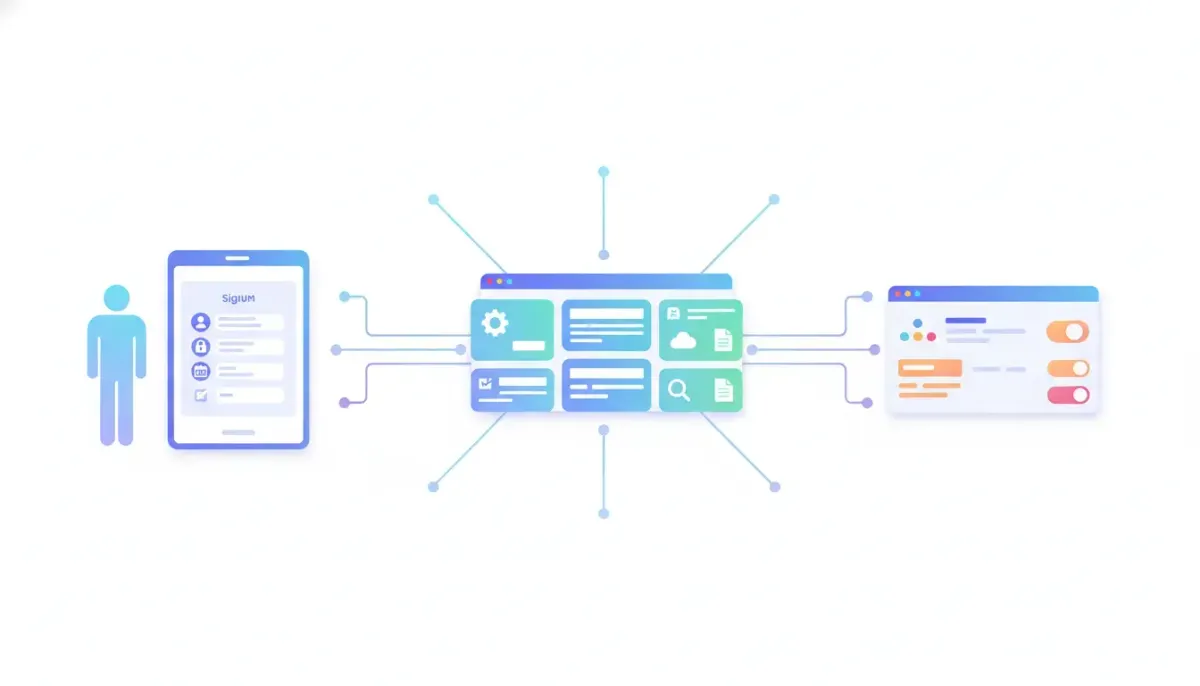
Now those membership application answers can be mapped directly into CRM custom fields. That means the information someone gives you at signup can automatically become structured contact data from the start.
It is simple, practical, and the kind of feature that makes your HighLevel workflows and automations a lot more useful.
What this feature actually does
Inside your membership setup, you can ask custom questions during the join or application process. These might be things like:
- Why are you joining?
- What is your age range?
- What is your business type?
- What is your biggest goal?
- What challenge are you trying to solve right now?
With this update, the answers to those questions do not just stay attached to the membership form. You can map each answer to a specific custom field in the HighLevel CRM.
So if someone fills out an application and provides their reason for joining, their stage of business, or any other detail you ask for, that data can automatically populate the contact record.
No duplicate entry. No exporting. No manual cleanup later.
Why this matters more than it seems
At first glance, this might look like a small quality of life improvement. In reality, it solves a very common operational problem.
Most businesses collect useful intake information at the point of signup, but that information often ends up trapped inside one part of the system. Then when it is time to segment contacts, trigger automations, personalize communication, or organize pipeline activity, the CRM does not have the data where it needs to be.
That gap creates friction.
And friction is what slows down agency systems, membership operations, and customer onboarding.
By syncing membership questions straight into custom fields, HighLevel helps you keep your CRM organized from the moment a person joins. That means you are not treating data collection and CRM management as two separate jobs anymore.
The real benefit: cleaner CRM data from day one
A good CRM is only as useful as the data inside it.
When contacts enter your system with missing context, your team has to fill in the blanks. That leads to inconsistent records, missed automation opportunities, and extra admin work. But when key information is captured immediately and placed in the right fields, everything downstream gets easier.
Here is what improves when membership answers sync directly into custom fields:
- Segmentation becomes easier because you can filter contacts by the answers they gave.
- Automations become smarter because workflows can use those custom fields as triggers, conditions, or personalization tokens.
- Onboarding gets better because you already know more about each member before they take the next step.
- Reporting gets cleaner because structured data is far easier to track than random notes or disconnected forms.
- Manual admin work drops because nobody has to transfer answers over by hand.
In other words, this feature does not just save time. It improves how your CRM, marketing automation, and membership delivery work together.
Examples of how to use membership question sync
The most obvious use case is basic contact enrichment. You ask a few questions during signup, and those responses help you understand who the person is.
But there is a lot more you can do when that data lands in custom fields automatically.
1. Personalize onboarding
If someone joins a membership and says their biggest goal is lead generation, you can send them a tailored onboarding sequence focused on lead capture strategies. If another person says they need help with client retention, they can receive a different set of resources.
This is where HighLevel workflows become especially powerful. Once those answers are in custom fields, you can build automations around them without needing a separate intake process.
2. Route members into the right experience
Not every member needs the same next step. Some may be beginners, some advanced, some agency owners, and some local businesses managing their own marketing.
When you map membership questions to CRM fields, you can sort contacts by business model, experience level, goals, or service interest. That makes it easier to guide them toward the content, offers, or support path that fits them best.
3. Improve sales follow-up
If your membership also feeds into a sales process, the answers people provide can give your team important context. Instead of speaking with a cold contact record, your team sees information that helps shape a more relevant conversation.
That is a big deal for agencies and SaaS businesses using GoHighLevel to manage both customer delivery and pipeline activity.
4. Trigger internal tasks and tags
Once fields are populated, you can use them to assign tags, create tasks, notify team members, or trigger internal workflows. A single answer can determine what happens next in your system.
This is where operational efficiency starts to compound. One clean piece of data can trigger several useful actions automatically.
The Complete Operating System for Growth
Join over 60,000+ agencies and businesses using HighLevel to capture more leads and close more deals. Start your trial today and get instant access to the Nexus Hub resources.
Claim Your Free Trial & BonusesHow this simplifies HighLevel agency setup and scaling
If you manage multiple sub-accounts, memberships, or client communities, small admin tasks can add up quickly. What feels manageable at low volume becomes a headache at scale.
That is why features like this matter so much for HighLevel agency setup and scaling.
When agencies build membership experiences for clients, they often need a reliable way to capture intake details and store them properly in the CRM. Manual processes create inconsistency across accounts. Some teams use notes, some use spreadsheets, and some skip data entry altogether because it takes too long.
Direct field mapping creates a more repeatable system.
Instead of asking, “How are we going to move this data over later?” the process is already handled at the point of collection. That makes implementation cleaner and easier to hand off across teams.
It also supports better standardization. If you use a consistent set of custom fields across clients or offers, you can build stronger templates, more reliable workflows, and better reporting habits.
Why custom fields are so important in CRM and marketing automation
Custom fields are one of the foundations of a well-run CRM.
Basic contact details like name, email, and phone only tell part of the story. The real value often comes from the extra context you gather along the customer journey. Things like goals, preferences, experience level, business type, service interest, or timeline to buy.
When that information is stored in custom fields, you can actually use it.
Structured data opens the door to better:
- Email personalization
- SMS segmentation
- Workflow logic
- Conditional follow-up
- Pipeline routing
- Team visibility
- Lifecycle tracking
That is why syncing membership answers into those fields matters. It turns passive information into active CRM intelligence.
What makes this a quality of life feature
Some updates are flashy. Others simply make your day smoother.
This one falls into the second category, and honestly, those are often the most appreciated.
There is something satisfying about a system doing the obvious thing automatically. If someone answers a question during signup, of course that answer should be able to land in the CRM. It feels natural. It feels like how the platform should work.
And now it does.
That matters because every little improvement in usability reduces the odds that good data gets lost. It also reduces the temptation to create hacks, workarounds, or disconnected tools just to bridge a small product gap.
For teams running memberships inside HighLevel, this update simply makes life easier.
Best practices for setting up membership questions with custom field sync
To get the most out of this feature, it helps to think beyond the question itself. The point is not just to collect answers. The point is to collect answers you can use operationally.
Choose questions that support action
Ask for information that will affect segmentation, onboarding, support, or sales follow-up. If the answer will not influence what happens next, it may not need to be a required field.
Useful examples include:
- Primary goal
- Current business stage
- Main obstacle
- Service interest
- Experience level
Use clearly named custom fields
Keep your field naming consistent so your team knows exactly what each one represents. This becomes especially important in larger CRM setups or multi-client agency environments.
Map fields intentionally
Take a moment to verify that each membership question is connected to the correct CRM field. A clean mapping setup prevents confusion later when contacts start flowing in.
Build workflows around the data
The real power shows up after the sync. Once fields are populated, connect them to automations. Trigger welcome emails, assign tags, launch nurture sequences, or create internal tasks based on the information captured.
Review your intake process regularly
As your offer evolves, your questions should evolve too. Revisit them periodically and make sure you are still gathering the information that matters most.
A small update with a bigger systems impact
It is easy to underestimate features like this because they sound simple. But in operational terms, this is exactly the kind of improvement that strengthens the whole system.
When membership applications feed directly into the CRM:
- Data collection becomes more reliable
- CRM records become more complete
- Automations become more useful
- Team processes become more consistent
- Scaling becomes less messy
That is why this matters for anyone using HighLevel as the operating system for memberships, client onboarding, and marketing automation.
It is not just about convenience. It is about reducing friction between the moment a contact enters your world and the moment your system knows what to do with them.
Where this fits in a smarter HighLevel implementation strategy
If you are serious about building better systems in GoHighLevel, this feature is a reminder of something important: every form, question, and intake step should connect to a larger process.
Too many setups collect information without a plan for using it. That leads to bloated forms, cluttered CRMs, and automations that never quite reach their potential.
A stronger implementation strategy looks like this:
- Ask only for information that supports a real business outcome.
- Store it in structured custom fields inside the CRM.
- Use those fields in workflows, segmentation, and team processes.
- Keep the system simple enough to maintain as you grow.
Membership question sync supports that entire chain.
For agencies, course creators, community builders, and service businesses, this is one more step toward a more connected setup. And connected systems are what make scaling possible without creating chaos behind the scenes.
FAQ
What is Membership Questions with Custom Field Sync in HighLevel?
It is a feature that lets you map answers from membership application or signup questions directly into CRM custom fields. That way, contact records are updated automatically when someone joins.
Why is this useful for CRM management?
It keeps your CRM organized from the beginning by placing important member details into structured fields without manual entry. That improves segmentation, automation, and follow-up.
Can these synced fields be used in HighLevel workflows?
Yes. Once the answers are stored in custom fields, they can be used in HighLevel workflows and automations for tagging, branching logic, nurture sequences, task creation, and more.
What kind of membership questions should be mapped to custom fields?
The best questions are the ones that influence what happens next. Good examples include goals, experience level, business type, main challenge, or service interest.
Is this helpful for agencies using GoHighLevel at scale?
Absolutely. It reduces manual work, improves data consistency across accounts, and supports cleaner agency systems. That makes implementation and scaling more efficient.
Does this feature eliminate the need for manual data entry from membership applications?
For the questions you map to custom fields, yes. The answers can flow directly into the contact record automatically, which removes a common admin task.
Final thought
Sometimes the most valuable update is the one that quietly fixes a recurring annoyance.
Membership Questions with Custom Field Sync does exactly that. It helps you capture useful information at the moment it is provided, send it straight into the CRM, and build better systems on top of it.
If you are using HighLevel for memberships, CRM, and marketing automation, this is the kind of feature that helps everything feel more connected. Cleaner records, less manual work, and more useful automation is a pretty solid combination.