QuickBooks, Xero, and Wave Sync Dashboard in HighLevel

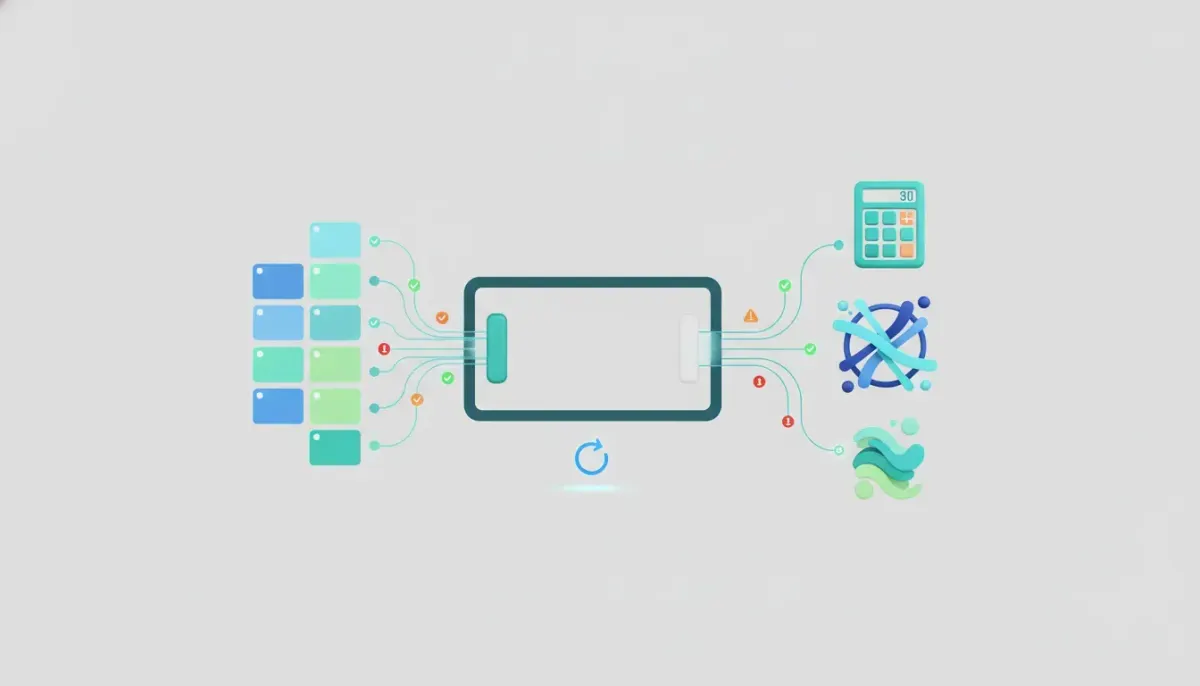
Managing accounting integrations should not feel like detective work.
If your business or agency uses HighLevel alongside QuickBooks, Xero, or Wave, one of the biggest pain points is usually not the connection itself. It is understanding what actually synced, what did not, where a record came from, and how to fix failed items without wasting time.
That is exactly where the Accounting Sync Dashboard in HighLevel helps. It gives you a centralized place to monitor synced records, troubleshoot problems, and retry failed syncs without digging through disconnected systems.
For agencies managing multiple clients and for businesses running serious CRM and marketing automation operations, this matters more than it might seem at first glance. Accounting platforms are the system of record for many companies. If contacts, invoices, or transactions are not flowing correctly, it can create confusion across finance, operations, and customer management.
The goal here is simple: make accounting syncs easier to understand, easier to manage, and easier to recover when something goes wrong.
Why the Accounting Sync Dashboard matters
HighLevel already integrates with major accounting tools because so many businesses depend on them every day. But an integration alone is not enough. Once records start moving between platforms, people need visibility.
Without a dashboard, common questions pile up fast:
- Did this contact sync successfully?
- Was this invoice created in HighLevel or imported from the accounting platform?
- Why did this transaction fail?
- How do I resend a record after fixing the issue?
The Accounting Sync Dashboard solves those questions by putting the sync activity in one place. Instead of guessing, you can check status, identify errors, and take action.
That kind of visibility is especially useful in HighLevel agency setup and scaling. Agencies often support multiple client workflows, billing flows, invoicing systems, and back office processes. The fewer mystery issues there are, the easier it is to maintain clean operations.
What the dashboard supports
The dashboard is built for integrations with:
- QuickBooks
- Xero
- Wave
These are widely used accounting tools, and many businesses rely on one of them as their financial source of truth. That makes sync reliability a major piece of effective CRM, marketing automation, and SaaS operations.
Inside HighLevel, this feature lives under Invoices & Estimates, within the Accounting Sync section. It is straightforward to find and built to keep the setup and management process simple.
A clear overview of what is syncing
One of the most helpful parts of the dashboard is the sync overview.
Instead of seeing accounting sync as a black box, you get a direct look at the types of records being sent or received. That includes important items such as:
- Contacts
- Invoices
- Transactions
This overview makes it easier to understand the scope of the integration. If you are trying to confirm whether customer records are being pushed properly, or whether invoice data is landing where it should, you do not need to jump between platforms just to piece it together.
That kind of clarity is valuable for both day to day operations and troubleshooting. It also helps when you are documenting internal processes or building repeatable HighLevel workflows and automations around sales, onboarding, and billing.
Track where a record was created
Another strong feature is the ability to see the origin of a synced item.
That means you can tell whether a record started inside the accounting system or whether it was created in HighLevel and pushed out from there. This may seem like a small detail, but it makes a huge difference when you are trying to understand sync behavior.
For example, if a contact appears unexpectedly, knowing where it originated helps answer the obvious follow-up questions:
- Was this added by a user in the accounting platform?
- Was it generated through a process inside HighLevel?
- Did an automation create or update it?
- Should it exist in both systems?
When agencies are supporting clients with complex handoffs between sales and finance, source visibility reduces confusion quickly. It gives teams a cleaner way to diagnose whether the issue is with setup, workflow logic, or a one off data problem.
The Complete Operating System for Growth
Join over 60,000+ agencies and businesses using HighLevel to capture more leads and close more deals. Start your trial today and get instant access to the Nexus Hub resources.
Claim Your Free Trial & BonusesView synced records directly
The dashboard is not limited to a status summary. You can also click into records to inspect them more closely.
That matters because sync issues are often not obvious from a surface level label. A simple success or failure tag rarely tells the whole story. Being able to view the synced item makes it easier to verify what happened and whether the data looks correct.
For teams handling invoicing and customer records at scale, this adds confidence. It also reduces the back and forth that usually happens when someone says a sync is broken, but no one can immediately tell what failed or why.
Error handling is where this really shines
The most practical part of the Accounting Sync Dashboard is how it handles failed syncs.
In real operations, errors happen. A record may be missing required data. A contact may not be valid in the accounting system. A field mismatch may block the push. None of that is unusual.
What matters is how quickly the problem can be identified and resolved.
Inside the dashboard, failed items show the associated error so you can understand what went wrong. One example shown is an invalid client error. That kind of message is useful because it points you toward the actual problem instead of leaving you to guess.
Once the issue is corrected, you can simply retry the sync.
That is the kind of operational improvement that saves real time. Rather than rebuilding the record, disconnecting and reconnecting the integration, or manually recreating data in another platform, you fix the underlying issue and resend the item.
For agencies and admins, this creates a much cleaner support process:
- Spot the failed record.
- Read the error message.
- Correct the problem.
- Retry the sync.
Simple systems win. This is one of those cases where simplicity makes the feature far more useful than a technically impressive but confusing setup.
A single page for sync status and issues
The dashboard also includes an overview page that brings everything together. You can see what has synced, what issues are present, and what may need attention.
This kind of central monitoring is a big deal in environments where multiple systems are working together. HighLevel often serves as the hub for leads, customer communication, pipeline management, automation, invoicing, and more. When accounting is layered into that ecosystem, the ability to monitor sync health in one place becomes part of good operational hygiene.
It is not just about fixing errors after they happen. It is about maintaining trust in the system.
If a business owner or agency operator knows there is a reliable place to verify accounting sync activity, they can move faster and spend less time second guessing the setup.
Why this is important for agencies using HighLevel
For solo businesses, a sync dashboard is helpful. For agencies, it can be critical.
Agencies using GoHighLevel often manage:
- Client invoicing processes
- Lead capture and sales workflows
- CRM records across multiple sub-accounts
- Marketing automation tied to service delivery
- Reporting and backend operational systems
When those pieces connect to accounting software, even a small sync issue can create downstream confusion. A contact mismatch can affect an invoice. A failed invoice sync can disrupt reporting. A transaction discrepancy can raise support tickets that take far too long to untangle.
This is why better visibility matters. It supports HighLevel agency systems by reducing manual diagnosis and creating a more dependable implementation framework.
From a scaling perspective, tools like this help agencies standardize support. Instead of relying on tribal knowledge or custom workarounds, teams can use a repeatable process inside the platform itself.
Better implementation strategy for accounting integrations
If you are setting up accounting sync in HighLevel, the dashboard should be treated as part of the implementation strategy, not just a troubleshooting screen you check when something breaks.
A smart approach includes:
- Connecting the accounting platform correctly through the Accounting Sync section
- Confirming what record types are expected to sync, such as contacts, invoices, and transactions
- Reviewing sync results early after setup instead of assuming everything is working
- Checking origin details to confirm where records are being created
- Monitoring errors regularly so small issues do not turn into larger operational problems
- Retrying failed items after correction rather than manually patching around them
This is one of those best practices that seems obvious only after a problem occurs. The more proactive the setup, the fewer surprises later.
HighLevel as the operational layer between front end and back office
One reason this dashboard fits so well inside HighLevel is that the platform already sits at the intersection of customer activity and business operations.
Leads come in. Pipelines move. Automations trigger. Invoices are created. Communication is logged. That puts HighLevel in a strong position to bridge front end revenue activity with back office accounting.
When you connect tools like QuickBooks, Xero, or Wave, you are not just linking apps. You are connecting sales activity to the financial record.
That makes visibility and recoverability essential.
For teams building more mature systems, this kind of integration management supports:
- Cleaner CRM records
- More reliable invoice handling
- Less manual reconciliation
- Stronger marketing automation to billing alignment
- More confidence in SaaS operations and reporting
It is a practical improvement, but it also reflects a broader shift toward tighter operational systems inside HighLevel.
Where to find the Accounting Sync Dashboard
If you are looking for the feature, it is located under:
- Invoices & Estimates
- Accounting Sync
That is where you can manage the integration connection and access the dashboard that shows synced items, issues, and retry options.
The placement makes sense because it keeps financial syncing close to the invoicing tools that often trigger or depend on that data.
What this improves in day to day operations
Sometimes the best feature updates are not flashy. They just remove friction.
This dashboard improves daily operations by making it easier to:
- Understand sync status at a glance
- Monitor accounting integration health
- Trace where records originated
- Investigate individual synced items
- Identify exact sync errors
- Retry failed syncs after corrections
That combination leads to a smoother experience for teams who need dependable systems more than they need complexity. It also fits perfectly with the bigger picture of building reliable GoHighLevel CRM and automation workflows that connect cleanly to the rest of the business.
FAQ
What accounting platforms does the HighLevel Sync Dashboard support?
The dashboard supports integrations with QuickBooks, Xero, and Wave.
Where can I find the Accounting Sync Dashboard in HighLevel?
You can find it under Invoices & Estimates, then Accounting Sync.
What kinds of records can I monitor in the dashboard?
The dashboard gives visibility into synced items such as contacts, invoices, and transactions.
Can I see whether a record came from HighLevel or from the accounting platform?
Yes. The dashboard shows where a record was created, which helps you understand whether it originated in HighLevel or in the connected accounting system.
What happens if a sync fails?
You can review the error shown for the failed item, fix the underlying problem, and then retry the sync directly from the dashboard.
Why is this useful for agencies?
Agencies often manage multiple client systems and need dependable visibility across CRM, invoicing, and accounting connections. The dashboard makes support, troubleshooting, and scaling much easier.
Final thoughts
The QuickBooks, Xero, and Wave Sync Dashboard in HighLevel is one of those improvements that delivers value immediately because it focuses on the real operational bottlenecks.
It gives teams a clearer way to manage accounting integrations, understand what is syncing, investigate failures, and recover quickly when something goes wrong.
If you are building stronger systems in HighLevel, this is exactly the kind of feature that helps close the gap between automation and accountability. Clean integrations make everything else work better.
And when accounting is part of the workflow, having a dashboard that keeps those syncs visible and manageable is not just convenient. It is essential.