
How to Set Up ACH Transfers with NMI in HighLevel

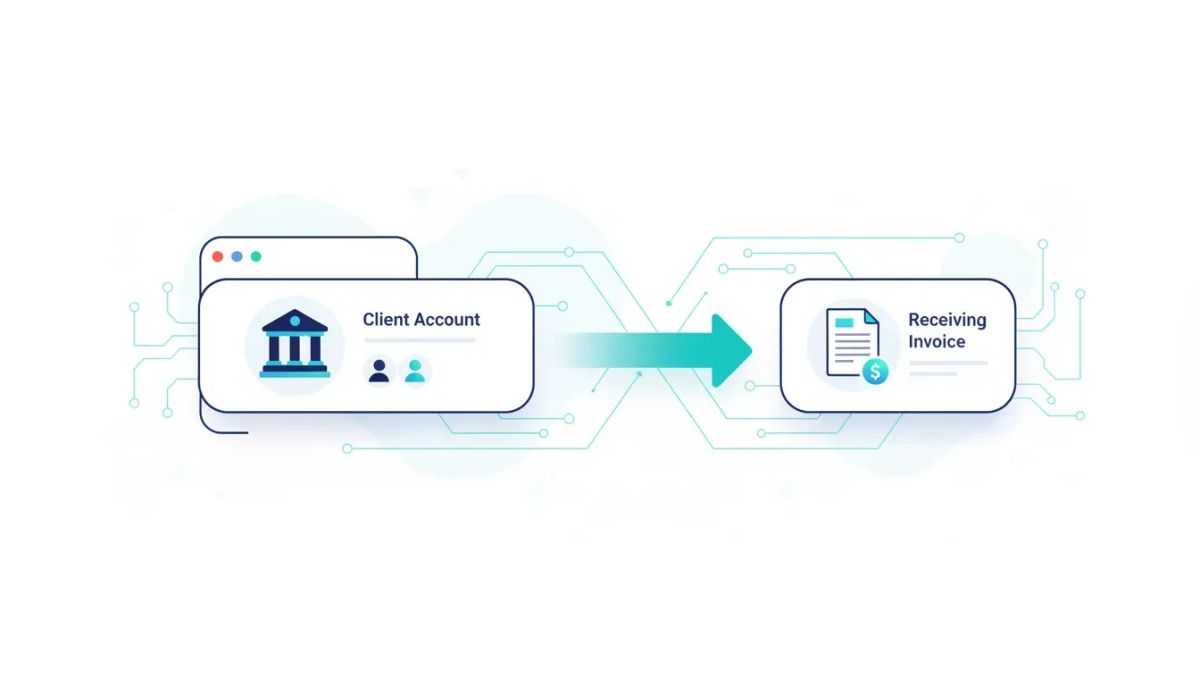
If you run an agency and you handle larger client payments, ACH can make a big difference. Instead of pushing every invoice through a credit card, you can give clients the option to pay directly from their bank account. That usually means lower processing costs and less exposure to disputes, which is a pretty meaningful win when transaction sizes start climbing.
Inside HighLevel, ACH support through NMI gives agencies a practical way to collect bank transfers for invoices, recurring invoices, and subscriptions. It is especially useful for agencies focused on HighLevel agency setup and scaling, where tightening payment operations matters just as much as improving lead generation or automation.
If your business already uses HighLevel for CRM, marketing automation, client management, and SaaS operations, enabling ACH is one of those simple operational upgrades that can have an outsized impact.
The Complete Operating System for Growth
Join over 60,000+ agencies and businesses using HighLevel to capture more leads and close more deals. Start your trial today and get instant access to the Nexus Hub resources.
Claim Your Free Trial & BonusesWhy ACH matters for agency owners
For many agencies, card payments are the default. They are familiar, fast, and convenient. But they also come with two common issues:
- Higher processing costs, especially on larger invoices
- Greater dispute risk compared to bank transfer payments
When you are billing retainers, setup fees, media management packages, consulting engagements, or high-ticket recurring services, those card fees can add up quickly. Offering ACH can help protect margins without making payment collection harder for your clients.
It also fits naturally into a more mature HighLevel agency system. As your operation grows, payment infrastructure becomes part of the foundation. You want clean invoicing, reliable subscriptions, fewer failed payment headaches, and better visibility into transaction status. ACH support through NMI helps move you in that direction.
What you need before getting started
ACH in HighLevel is connected through NMI, so the first requirement is having your NMI account ready to go.
Before you configure anything inside HighLevel, make sure you have access to the following NMI credentials:
- Gateway ID
- Security key
- Public key
- Sandbox information, if applicable
You will also want to be sure you are working in the correct place inside HighLevel. ACH setup happens at the sub-account level, not just at the agency level. That matters because payment settings often need to reflect the specific business or client account where transactions are being processed.
How to connect NMI in HighLevel
The setup itself is straightforward once you know where to go.
- Open the correct sub-account in HighLevel.
- Go to the Payments tab.
- In the top-right area, select Integrations.
- Find NMI and choose Connect.
- Enter your NMI API credentials.
- Save the configuration.
Once those credentials are entered successfully, your NMI connection is in place and HighLevel can begin supporting ACH payment options for that sub-account.
If you are managing multiple client accounts as an agency, it is worth creating an internal checklist for this process. Consistency matters. A clean implementation process helps when your team is onboarding new businesses, launching billing systems, or standardizing SaaS operations across accounts.
The key fields to enter
When connecting NMI, HighLevel expects the credential details supplied by your NMI gateway. The main fields include:
- Gateway ID
- Security key
- Public key
- Sandbox details
If you are unsure where to find them, NMI provides instructions for accessing those keys. It is important to enter them accurately because ACH processing depends on the gateway being properly authenticated.
Where ACH shows up for your clients
After NMI is connected, ACH becomes available as a payment option in several important parts of HighLevel billing.
Your clients can use ACH when paying:
- One-time invoices
- Recurring invoices
- Subscriptions
That makes ACH useful whether you bill clients one time for implementation work or collect recurring monthly fees for ongoing services.
From the client side, the process is simple. They can choose ACH transfer and enter their bank information to complete the payment. HighLevel supports this for US and Canadian bank accounts only, so that is an important limitation to keep in mind if you work with international clients outside those regions.
What information the client enters
When paying by ACH, the client will provide standard bank account details. That includes:
- Routing number
- Account number
- Account type
- Authorization
- ZIP code
Once that information is submitted, they can select the payment button and begin the transaction process.
For agencies, this is useful because it keeps the client experience relatively clean while giving you access to a lower-cost payment method. It is also a strong option for larger retainers where card fees feel unnecessarily expensive.
What happens after an ACH payment is submitted
ACH does not behave exactly like an instant card transaction, so it is helpful to know what to expect after a payment is initiated.
Once the payment is submitted, the invoice will reflect that the transaction is underway. You will typically see a status such as:
- Payment processing
- Payment in progress
HighLevel also shows the date the ACH was initiated, which gives your team a clear record of when the transfer process started.
This is a small detail, but an important one. In agency operations, billing questions are common. A client might ask whether payment went through, whether the invoice is complete, or why the status looks different from a card payment. Being able to see that an ACH transfer is in progress helps your team answer those questions confidently.
Transaction detail visibility
HighLevel also gives you access to the transaction details associated with the ACH payment. Those details can include:
- The related invoice
- The connected bank account
- Customer information
That visibility is helpful for bookkeeping, internal support, and payment follow-up. It also makes your payment operations feel more organized, which becomes increasingly important as you scale.
Why NMI webhooks are essential
One of the most important pieces of this setup is also one of the easiest to overlook: NMI webhooks.
If you want ACH statuses to update correctly inside HighLevel, your webhook configuration needs to be in place. Without that, you may not get the full picture of what is happening after a transaction is initiated.
Webhooks act as status messengers between NMI and HighLevel. They let the platform know when something meaningful has happened to the payment so your records can stay current.
This matters even more if your team uses HighLevel workflows and automations around invoicing, onboarding, service fulfillment, or dunning processes. While the setup described here focuses on payment connection and status visibility, accurate event reporting is the backbone of any automation strategy tied to billing.
The Complete Operating System for Growth
Join over 60,000+ agencies and businesses using HighLevel to capture more leads and close more deals. Start your trial today and get instant access to the Nexus Hub resources.
Claim Your Free Trial & BonusesACH-related webhook events to configure
NMI supports several event types that are relevant for ACH payments and related transaction outcomes. The notable events include:
- ACH payment settled successfully
- ACH returned or bounced
- Late ACH return
- Sale completed
- Sale failed
- Unknown sale status
- Refund completed
- Refund failed
- Unknown refund status
These events give you a more complete picture of the payment lifecycle. They also make it easier to reconcile activity, troubleshoot issues, and keep payment records accurate inside HighLevel.
Best practices for agencies using ACH in HighLevel
Even though the setup itself is simple, a few best practices can make the rollout smoother.
1. Start with large-ticket billing first
If you are unsure where ACH will have the biggest impact, begin with your highest-value invoices and recurring retainers. That is where the cost savings from reducing card usage are usually most noticeable.
2. Configure ACH at the right account level
Always make sure you are inside the correct sub-account when setting up NMI. This avoids confusion and keeps each client environment properly separated, which is especially important in agencies managing multiple businesses inside HighLevel.
3. Verify webhook setup early
Do not treat webhooks as an optional cleanup step. They are part of a complete implementation. If payment statuses matter to your internal processes, webhook setup should happen immediately.
4. Prepare your team for ACH timing
Because ACH payments may show as processing or in progress before final settlement, your team should understand that this is normal. Setting expectations internally helps reduce unnecessary concern when a payment does not appear to finalize instantly.
5. Use ACH as part of a stronger billing system
ACH works best when it is not treated as a random extra payment method. It should be part of a broader agency billing strategy that includes clean invoicing, recurring payment structure, proper follow-up, and clear payment reporting inside your CRM and operations stack.
How ACH fits into a scalable HighLevel setup
Agencies often focus heavily on front-end growth activities like funnels, ads, lead nurture, and automation. Those are important, of course. But back-end operations matter too.
When your agency grows, small operational leaks become expensive. High credit card fees, payment disputes, unclear transaction statuses, and inconsistent implementation processes all create friction.
That is why ACH support inside GoHighLevel is more than just a payment feature. It is part of building a cleaner operating system for the business. If you are using HighLevel as your central CRM and marketing automation platform, it makes sense to tighten the financial workflows around it as well.
For agencies building recurring revenue models, productized services, or SaaS offers, reliable payment options are not just administrative details. They directly affect profitability and cash flow.
Who should prioritize this setup
ACH with NMI is especially relevant if you:
- Run an agency that processes large client transactions
- Send regular invoices or recurring invoices through HighLevel
- Manage subscriptions for ongoing services
- Want to reduce reliance on credit card payments
- Need a lower-risk payment option for certain accounts
- Are improving your HighLevel payment infrastructure as part of broader scaling efforts
If your current billing process is costing more than it should, or if dispute exposure has become a headache, ACH is worth adding to your payment stack.
Common setup flow recap
Here is the simplest version of the process:
- Open the correct sub-account in HighLevel.
- Go to Payments.
- Select Integrations.
- Connect NMI.
- Enter your gateway credentials.
- Save the integration.
- Enable ACH usage through invoices, recurring invoices, or subscriptions.
- Make sure NMI webhooks are configured.
- Monitor invoice and transaction statuses as ACH payments are initiated and settled.
That is the core implementation path, and once it is in place, your clients can begin paying by bank transfer from eligible US and Canadian accounts.
Final thoughts
For agencies operating inside HighLevel, ACH through NMI is one of those practical upgrades that can improve margins and reduce unnecessary payment friction without overcomplicating your system.
You get a payment option that is better suited for larger transactions, clients get another way to pay, and your team gets clearer visibility into the payment process when everything is set up correctly, especially the webhook layer.
If you are already refining your HighLevel agency setup, improving your CRM operations, or building stronger automation and billing systems, this is a smart feature to enable.
If you are still getting your systems in place, starting a HighLevel free trial can be a good next step. And if you want implementation help, templates, and practical support around agency systems, workflows, and setup strategy, joining the Nexus Hub community is a natural next move as well.
FAQ
What is the main benefit of using ACH transfers in HighLevel?
The primary benefits are lower credit card processing costs and reduced dispute risk, especially for larger transactions. For agencies billing high-ticket retainers or recurring services, that can make a noticeable financial difference.
Do I need NMI to accept ACH payments in HighLevel?
Yes. The ACH setup described here uses NMI as the payment gateway. You need to connect your NMI account inside the HighLevel sub-account and enter the required API credentials.
Where do I set up ACH inside HighLevel?
Go to the relevant sub-account, open Payments, then select Integrations. From there, connect NMI and enter your gateway details.
What payment types can use ACH after setup?
Once NMI is connected, clients can use ACH for invoices, recurring invoices, and subscriptions in HighLevel.
Which bank accounts are supported for ACH payments?
ACH payments are available for US and Canadian bank accounts only.
What information does the client need to enter for ACH checkout?
The client enters their routing number, account number, account type, authorization, and ZIP code before submitting the payment.
Why are NMI webhooks important?
Webhooks keep HighLevel updated on payment events such as successful settlement, returned or bounced ACH payments, sale outcomes, and refund statuses. Without them, your transaction reporting may be incomplete.
What status will an ACH invoice show after payment is initiated?
You may see statuses like payment processing or payment in progress. HighLevel also shows the date the ACH transaction was initiated and provides related transaction details.
The Complete Operating System for Growth
Join over 60,000+ agencies and businesses using HighLevel to capture more leads and close more deals. Start your trial today and get instant access to the Nexus Hub resources.
Claim Your Free Trial & Bonuses


