
Mistral AI Actions in Workflows: A Faster Way to Build Smarter HighLevel Automations

HighLevel just made it a whole lot easier to bring AI directly into your workflow builder.
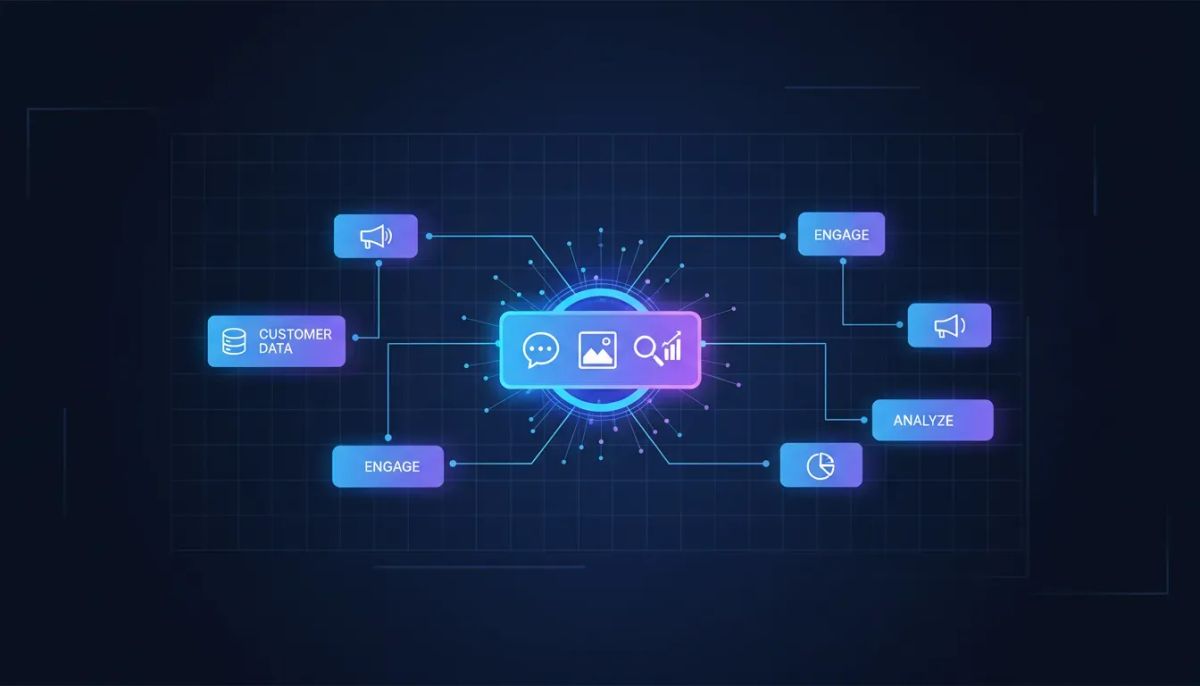
Mistral AI actions are now available inside HighLevel workflows, which means you can plug frontier and lightweight language models into your automations without messing with custom code or external webhooks. If you have been looking for a cleaner way to generate text, analyze images, or build semantic search indexes inside your CRM and automation stack, this is a big deal.
It is simple, direct, and built for people who want to move fast.
The setup is straightforward. Connect your Mistral account with an API key, add the integration, and the actions become available right inside your workflow environment. From there, you can start building immediately.
Even better, HighLevel does not meter or charge for usage. Billing is handled through your workspace connection to Mistral, so there is no extra platform markup on top from HighLevel during this beta rollout.
The Complete Operating System for Growth
Join over 60,000+ agencies and businesses using HighLevel to capture more leads and close more deals. Start your trial today and get instant access to the Nexus Hub resources.
Claim Your Free Trial & BonusesWhat Mistral AI actions in HighLevel actually mean
At a practical level, this update brings native AI capabilities directly into the automation engine many agencies and businesses already use every day.
Instead of trying to stitch together outside AI tools with webhooks, middleware, or custom scripts, you now have a direct integration inside GoHighLevel. That matters because every extra layer in an automation usually creates one of three problems:
- More setup time
- More places for things to break
- More friction for teams trying to scale operations
By putting Mistral AI actions inside the workflow builder itself, HighLevel is reducing that complexity. The result is a cleaner path to building AI-powered agency systems, internal automations, and client-facing workflows.
What you can do with Mistral AI inside HighLevel workflows
The most important part of this release is not just that AI is available. It is that it is usable in the places where real operational work happens.
Here are the core capabilities highlighted in the rollout:
- Generate text directly inside automations
- Build semantic search indexes for smarter information retrieval
- Analyze images within workflow-driven processes
- Use frontier and lightweight language models natively inside your automation stack
That opens up a lot of possibilities for agencies, SaaS operators, and teams running customer communication inside HighLevel.
Text generation inside automations
Text generation is often the first place teams start with AI, and for good reason. It can help automate repetitive communication tasks while keeping the workflow flexible.
Inside HighLevel workflows, this could support processes where you need AI-generated content as part of an automation path. The key value here is speed. Rather than routing data out to another tool and then trying to bring the response back in, you can keep everything closer to the workflow itself.
For agencies, that means less duct-taped infrastructure. For internal teams, it means less operational overhead.
Semantic search indexing
This is one of the more interesting pieces of the update.
Semantic search indexes help systems understand meaning and context rather than relying only on exact keyword matching. In practical terms, this can improve how information is organized and surfaced in AI-powered processes.
If your business or agency is working toward smarter knowledge retrieval, internal resource organization, or more context-aware automation, this capability is worth paying attention to.
The big win is that you can start building these more advanced AI use cases from inside the same platform where your CRM, communications, and automations already live.
Image analysis
Image analysis adds another layer of utility. AI is no longer limited to text-based actions only. With image analysis available as part of the Mistral AI integration, workflows can potentially process visual inputs as part of an automation sequence.
That creates room for more dynamic use cases in marketing automation, operations, and client workflows, especially for businesses that deal with visual assets or image-based submissions.
The headline here is not complexity. It is accessibility. These capabilities are now much easier to reach from inside HighLevel.
No code. No webhooks. Just direct integration.
This is probably the most important operational benefit in the whole update.
No more code or webhooks required.
That one change can save a lot of time.
Traditionally, adding AI into a workflow often meant piecing together several moving parts:
- An external AI platform
- A webhook trigger
- A request formatter
- A response parser
- Error handling in between
That approach can work, but it is rarely the easiest path, especially when you are managing multiple client accounts, running a growing agency, or trying to standardize implementation across a team.
With this native setup, the experience is much simpler. You connect the integration, authenticate with your API key, and use the actions directly in your workflow builder.
That is exactly the kind of improvement that helps agencies scale cleaner systems in GHL.
How to get started with the Mistral AI integration
Getting started is intentionally simple. The process is basically this:
- Add the Mistral AI integration inside HighLevel
- Enter your API key from your Mistral console
- Access the actions directly in workflows
- Start building your automations
That is the whole setup flow.
Once your account is connected, the available Mistral AI actions are ready to use in the workflow environment. There is no mention of extra custom development, no need for manual webhook configuration, and no separate engineering project required just to test a simple use case.
For teams already deep in HighLevel workflows and automations, this lowers the barrier to experimentation. You can move from idea to implementation much faster.
Where to find your API key
You will need your Mistral API key to connect the integration. That key is available in your Mistral console, and once you have it, you can plug it into HighLevel and enable the connection.
From there, the workflow actions become available for use.
Beta rollout: what to know
The Mistral AI integration is currently available in beta during the initial rollout.
That is worth noting for a couple of reasons.
First, beta access usually means the feature is live and usable, but still early in its release cycle. It is a great time to test practical use cases, get familiar with the available actions, and begin shaping how AI fits into your automation strategy.
Second, getting in early gives agencies and operators a head start. If you are responsible for building systems for clients, early familiarity often turns into a competitive advantage. You learn what works, what scales, and how to turn platform features into real service delivery.
In other words, this is a good moment to experiment while the feature set is still fresh.
The Complete Operating System for Growth
Join over 60,000+ agencies and businesses using HighLevel to capture more leads and close more deals. Start your trial today and get instant access to the Nexus Hub resources.
Claim Your Free Trial & BonusesBilling and usage: a simple model
One of the most appealing parts of this rollout is the billing approach.
HighLevel does not meter or charge for the usage.
Usage is billed directly through your connected workspace setup with Mistral. That keeps the model simple and transparent. You connect your account, use the AI actions, and handle API usage through the provider connection rather than through extra HighLevel metering on top.
For agencies and SaaS businesses, clarity around usage costs matters. It makes planning easier, pricing easier, and internal forecasting cleaner, especially if you are rolling AI-powered workflows across multiple accounts.
Why this matters for agencies using HighLevel
If you run an agency, there is a bigger story here than just a new integration.
Native AI actions inside HighLevel are part of a broader shift toward more self-contained operating systems for agencies. Instead of spreading tools across multiple disconnected platforms, more of the workflow can live in one place:
- CRM operations
- Marketing automation
- Client communication
- AI-enhanced process logic
That is powerful because scaling an agency is rarely about adding more software. Usually, it is about reducing fragmentation and tightening systems.
When AI actions are built directly into the platform you already use for automations, you can create cleaner delivery models for clients and more repeatable systems for your team.
This is especially relevant for anyone focused on:
- HighLevel agency setup and scaling
- CRM and marketing automation
- SaaS operations inside GoHighLevel
- Standardized implementation strategies
The simpler the stack, the easier it is to support, train, and grow.
Practical ways to think about implementation
The rollout highlights a few use cases directly, and even without overcomplicating it, there is a helpful framework for deciding where to start.
Start with repetitive workflow tasks
If you want to make this useful quickly, begin with workflow steps that already happen over and over again. AI works best when it reduces repetitive effort inside an existing system.
Text generation is often the easiest place to test because it is easy to validate and easy to insert into an existing automation path.
Use semantic tools where context matters
If your use case depends on relevance, meaning, or contextual understanding, semantic search indexing becomes much more interesting. This is the kind of capability that can elevate simple automation into something smarter and more adaptable.
Bring image analysis into process-driven workflows
If your workflows involve visual inputs, this is the time to evaluate how image analysis might fit. Even if you start small, having that option natively available in HighLevel broadens what your workflow builder can handle.
What makes this update exciting
Honestly, the best part of this release is how approachable it feels.
There is nothing bloated about it. You connect your API key and go. That is it.
For people building inside HighLevel every day, that simplicity matters more than flashy language. The easier it is to implement, the more likely it is to get used in real operations.
And when a feature is easy to use, it tends to spread fast across:
- Agency fulfillment systems
- Internal operations workflows
- Client automation builds
- SaaS productized services on top of GHL
That is where updates like this become more than feature releases. They become leverage.
HighLevel continues becoming a stronger AI automation hub
This integration fits a larger pattern. HighLevel continues to evolve beyond a basic CRM into a more complete operating platform for agencies and businesses.
When native AI actions are available inside the same environment as your workflows, your team can build more sophisticated systems without adding as much technical complexity.
That is exactly what growing businesses need:
- Fewer disconnected tools
- Faster implementation
- Better automation depth
- More scalable systems
If your goal is to improve service delivery, streamline CRM operations, or build smarter marketing automation in one place, this release moves HighLevel further in that direction.
Final thoughts
Mistral AI actions in workflows are a clean and practical upgrade for anyone building inside HighLevel.
You now have direct access to Mistral’s lightweight and frontier language model capabilities inside the workflow builder, with support for generating text, building semantic search indexes, and analyzing images. The integration is native, currently in beta, easy to set up with an API key, and HighLevel is not adding metered usage charges on top.
That combination matters.
It means less setup friction, fewer technical workarounds, and more room to build useful AI-powered automations directly where your CRM and operations already live.
If you are already building in GoHighLevel, this is a strong feature to start experimenting with now. And if you are exploring the platform for the first time, a HighLevel free trial is a practical way to test how AI, workflows, CRM, and marketing automation can work together in one system.
If you want templates, implementation help, and ideas for putting features like this to work in real agency systems, joining the Nexus Hub community can also be a smart next step.
FAQ
What are Mistral AI actions in HighLevel workflows?
They are native workflow actions that let you use Mistral AI directly inside HighLevel automations. This includes capabilities like text generation, semantic search indexing, and image analysis without relying on custom code or webhooks.
Is the Mistral AI integration available now?
Yes. It is available in beta as part of the initial rollout inside HighLevel.
Do I need coding knowledge to use Mistral AI in GoHighLevel?
No. The integration is designed to work directly inside the workflow builder, so no code or webhook setup is required for basic access to the actions.
How do I connect Mistral AI to HighLevel?
Add the integration in HighLevel, get your API key from your Mistral console, enter that key, and then start using the available actions in your workflows.
Does HighLevel charge for Mistral AI usage?
No. HighLevel does not meter or charge for the usage. Billing is handled through your connected Mistral setup in your workspace.
What can I build with this integration?
You can build AI-powered automations that generate text, analyze images, and create semantic search indexes directly inside your HighLevel workflows. It is especially useful for agencies, CRM automation, marketing operations, and scalable client systems.
Why is native AI integration important for agencies?
Native integration reduces tool sprawl, cuts down setup time, and makes agency systems easier to manage at scale. Keeping AI inside the same platform as your CRM and automation workflows helps create cleaner implementations and more repeatable delivery.
The Complete Operating System for Growth
Join over 60,000+ agencies and businesses using HighLevel to capture more leads and close more deals. Start your trial today and get instant access to the Nexus Hub resources.
Claim Your Free Trial & Bonuses


