
Workflow Builder Resize and Expand Sidebars: A Small HighLevel Update That Makes a Big Difference

Sometimes the best product updates are not the flashy, complex, advanced ones.
Sometimes the real win is something simple. Something practical. Something you use every day without even thinking about it until it finally works the way it should.
That is exactly what this HighLevel update delivers inside the Workflow Builder.
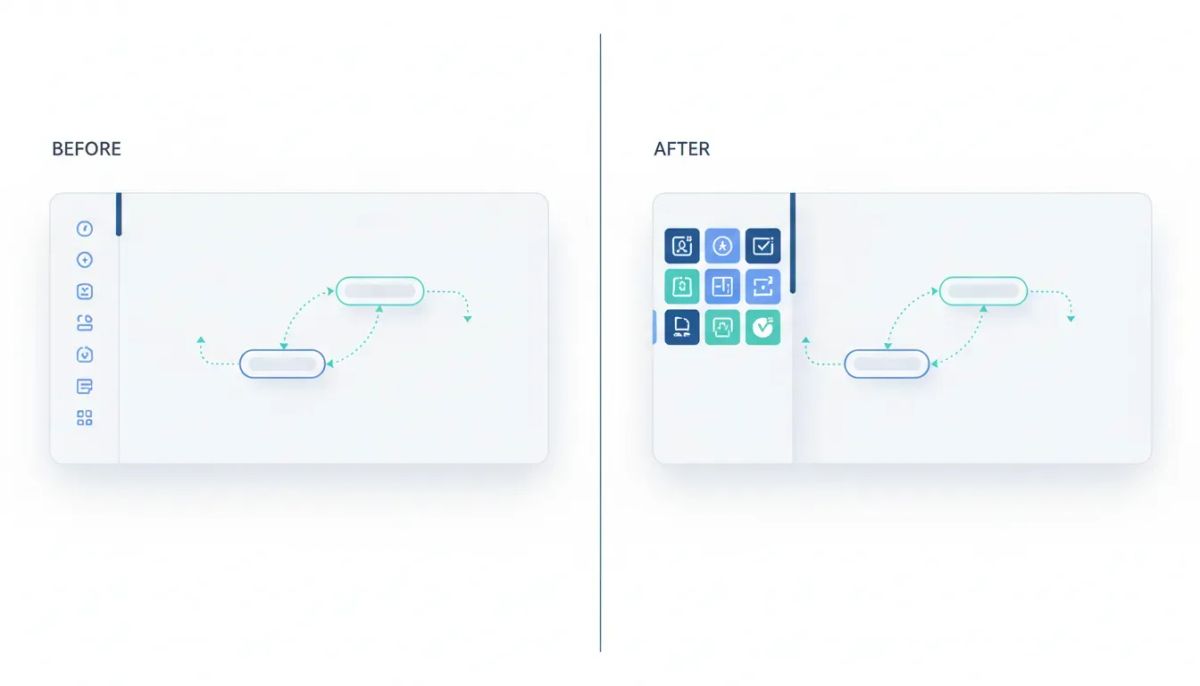
You can now resize, expand, and drag workflow sidebars, which means a cleaner workspace, better visibility, and a much more flexible way to build automations. It is a classic quality-of-life improvement, but the impact is bigger than it sounds.
If you spend any amount of time inside HighLevel workflows and automations, this is the kind of usability upgrade you will appreciate almost immediately.
The Complete Operating System for Growth
Join over 60,000+ agencies and businesses using HighLevel to capture more leads and close more deals. Start your trial today and get instant access to the Nexus Hub resources.
Claim Your Free Trial & BonusesWhy This Update Matters
There is a tendency in software to focus attention on the newest big feature. AI this. Advanced automation that. New triggers, new actions, new integrations.
All of that matters, of course.
But usability matters too. In fact, if you live inside a platform every day, usability often matters more than another advanced feature buried three menus deep.
That is why this update stands out. The Workflow Builder is one of the most important parts of HighLevel. It is where agencies, marketers, and operators build the systems that drive follow-up, lead nurturing, customer communication, and internal automation.
When the interface gets easier to work with, everything built inside it gets easier too.
This update is a good reminder that small changes can remove friction in a big way.
What’s New in the HighLevel Workflow Builder
The update adds three key capabilities to workflow sidebars:
- Resize sidebars for better visibility
- Expand or pop out sidebars into the center of the screen
- Drag panels and adjust them to fit the way you want to work
That may sound minor on paper, but if you have ever felt cramped while editing workflow details, scanning settings, or trying to focus on a specific panel, the benefit is obvious.
Instead of being locked into one fixed sidebar view, you now have more control over your workspace. And more control usually means less friction.
Resize Sidebars for a Better Workflow Building Experience
Resizable sidebars are one of those features people expect from modern apps. It feels natural. You click, drag, and make the panel fit your needs.
Now that same familiar behavior is available in HighLevel’s Workflow Builder.
If a panel feels too narrow, you can widen it. If you need more room to read settings or work through automation details, you can create it. If you want a more balanced view between your workflow canvas and your configuration panel, you can do that too.
This is especially useful when you are:
- Reviewing longer workflow settings
- Editing actions with multiple options
- Trying to compare what is happening in the workflow canvas with the settings in the sidebar
- Working on a smaller screen and needing better layout control
Instead of adapting to a rigid interface, the interface adapts better to you.
Expand Sidebars Into the Center of the Screen
One of the coolest parts of this update is the ability to pop a sidebar out into the center of the screen.
That changes the feel of the workflow builder more than you might expect.
Sometimes a sidebar is fine sitting off to the side. Other times you want that content front and center, where you can focus on it without feeling squeezed into a narrow column.
Now you can click to expand it and bring it into the middle of your workspace.
That gives you a cleaner reading and editing experience when you need it most.
For example, if you are deep in automation setup and want to concentrate on one specific configuration panel, popping it out helps reduce visual clutter. It becomes easier to review details, make edits, and think clearly about what the workflow is doing.
This is not about adding new automation logic. It is about improving how you interact with the automation logic you already have.
Drag and Resize Panels Your Way
The other nice touch here is flexibility.
Once a panel is expanded, you can grab it, drag it, and make it bigger. That means your workspace is no longer limited to one static layout.
You can arrange things in a way that matches how you work.
That matters because not everyone uses HighLevel the same way. Some people are quickly making edits. Some are building large automation sequences. Some are managing client systems across multiple accounts. Some are handling CRM and marketing automation operations all day long.
A more flexible interface supports all of those use cases better.
It also helps the Workflow Builder feel more like a mature, adaptable app instead of a fixed canvas with limited panel behavior.
Why Quality-of-Life Improvements Matter So Much in GHL
If you run an agency, work in operations, or manage SaaS systems inside GoHighLevel, quality-of-life improvements are not just nice extras. They directly affect speed, clarity, and consistency.
Think about how often teams are inside workflows:
- Building lead nurture automations
- Creating follow-up sequences
- Managing pipeline movement
- Triggering CRM actions
- Supporting onboarding flows
- Maintaining internal agency systems
When that environment becomes easier to navigate, work gets done faster. And when work gets done faster, teams can focus more on results and less on wrestling with the interface.
That is the hidden value of good usability. It may not always make for a flashy announcement, but it improves the day-to-day experience in a very real way.
A Better Workspace Helps You Build Better Automations
There is another important point here.
When the workspace is more comfortable, people tend to build better systems.
If settings are easier to see, layouts are easier to manage, and panels are easier to focus on, it becomes simpler to:
- Catch configuration mistakes
- Understand workflow structure
- Review trigger and action logic carefully
- Move through builds with less frustration
- Maintain complex automation setups over time
That is especially relevant for agencies scaling client delivery in HighLevel. As workflows grow more sophisticated, usability starts to matter even more. Small friction points compound when your team is repeating the same work across multiple accounts.
So yes, this is a small update. But in a platform built for execution, small interface wins can create meaningful operational benefits.
The Complete Operating System for Growth
Join over 60,000+ agencies and businesses using HighLevel to capture more leads and close more deals. Start your trial today and get instant access to the Nexus Hub resources.
Claim Your Free Trial & BonusesHow This Fits Into HighLevel Agency Setup and Scaling
For agencies using HighLevel as the backbone of their CRM, automation, and SaaS operations, workflow management is not optional. It is central.
Every efficiency gain inside the platform supports better delivery.
A more flexible Workflow Builder can help with:
- Faster implementation when setting up new client automations
- Smoother maintenance when updating existing workflows
- Better handoff between team members working on the same systems
- Improved visibility while auditing automation setups
- Cleaner operations for agencies managing large volumes of workflows
These are the kinds of improvements that support scale quietly in the background. They do not necessarily change your service offering overnight, but they can improve the way your team executes every single day.
The Bigger Theme: Usability Is a Feature
There is a useful mindset shift here.
Usability is not separate from functionality. Usability is functionality.
If a tool can do powerful things but is harder than it needs to be to use, that affects outcomes. On the other hand, when a platform gives people room to work comfortably, think clearly, and manage details efficiently, that power becomes more accessible.
That is why updates like this deserve attention.
They signal that the team is focused not just on adding more capabilities, but on improving the everyday experience of using the platform. For anyone building automations regularly, that is a big deal.
Where to Find the Update
The good news is that this functionality is already available right inside the Workflow Builder.
You do not need a complicated setup process or a separate tool. If you are already using HighLevel workflows, you can jump in and start using the updated sidebar behavior right away.
Try a few simple actions:
- Open the Workflow Builder in HighLevel.
- Select a panel or sidebar while editing your workflow.
- Resize it to fit your preferred workspace.
- Use the expand option to pop it into the center of the screen.
- Drag and adjust the panel size as needed.
It is a quick improvement to test, and once you use it, it is the kind of thing that feels like it should have always been there.
Why This Update Deserves More Attention Than It Might Get
Simple product changes often get overlooked because they do not sound dramatic.
But the people who spend real time in a platform know better.
The difference between an okay interface and a smooth one shows up in little moments over and over again. A few seconds saved here. Less frustration there. More visibility while editing. Easier focus during setup.
That is how quality-of-life updates create value.
And if you are serious about building reliable systems in GoHighLevel, those little moments matter.
This update is a strong example of product teams doing the right kind of work: making the platform more usable, more flexible, and more pleasant to operate.
Final Thoughts
The Workflow Builder resize and expand sidebar update is not trying to be flashy. It is trying to be useful.
And it succeeds.
Being able to resize sidebars, pop them out into the center of the screen, drag them around, and make them bigger gives HighLevel users a much better editing experience. It helps with visibility. It reduces friction. It makes workflow management feel smoother.
For agencies, marketers, and operators who live inside HighLevel workflows, that is exactly the kind of improvement worth appreciating.
If you are already building inside the platform, go check it out in the Workflow Builder. And if you are still exploring what HighLevel can do for your CRM, marketing automation, and agency systems, this is a nice example of the platform continuing to improve where it counts.
If you have not started yet, a HighLevel free trial is a practical way to explore features like Workflow Builder for yourself. And if you want templates, resources, and implementation support as you set up and scale, the Nexus Hub community is a natural next step.
FAQ
What is the new Workflow Builder sidebar update in HighLevel?
The update allows users to resize workflow sidebars, expand them into the center of the screen, and drag them for a more flexible workspace inside HighLevel’s Workflow Builder.
How do resizable sidebars help in GoHighLevel workflows?
Resizable sidebars improve visibility and make it easier to review settings, edit actions, and manage workflow details without being limited to a fixed panel width.
Can you move workflow side panels in HighLevel?
Yes. Expanded panels can be dragged and adjusted, giving you more control over how your workflow workspace is arranged.
Why is this considered a quality-of-life improvement?
It does not add new automation logic, but it makes the Workflow Builder easier and more comfortable to use. That reduces friction during everyday workflow setup and management.
Who benefits most from this Workflow Builder update?
Anyone using HighLevel workflows benefits, especially agencies, marketers, and operations teams managing CRM automation, lead follow-up, and client systems at scale.
Where can I access the resize and expand sidebar feature?
The feature is available directly inside the HighLevel Workflow Builder.
The Complete Operating System for Growth
Join over 60,000+ agencies and businesses using HighLevel to capture more leads and close more deals. Start your trial today and get instant access to the Nexus Hub resources.
Claim Your Free Trial & Bonuses


