
Social Planner: Facebook Text Posts with Backgrounds in HighLevel

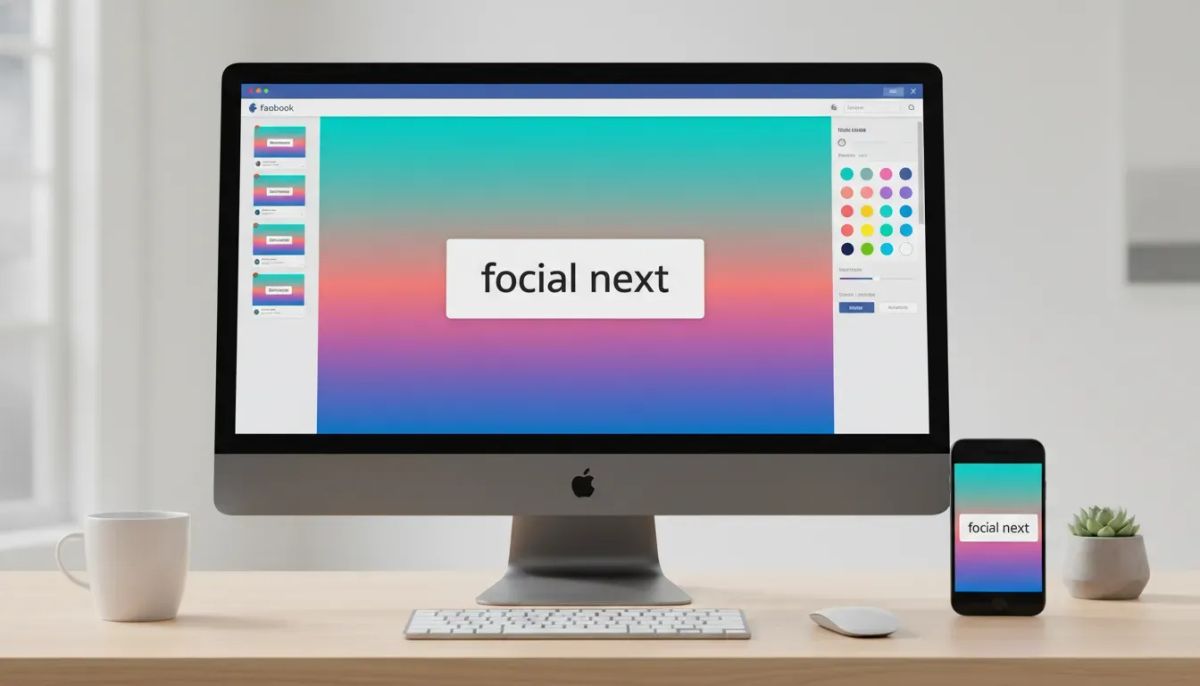
If you use social content to drive attention, engagement, and brand visibility, small design features can make a surprisingly big difference.
That is exactly why the latest Social Planner update in HighLevel matters. You can now create text-only Facebook posts with native backgrounds directly inside the platform. No extra design tool. No workaround. No jumping out to Facebook to recreate the post manually.
It is simple, but it is useful in a very real way. Those colorful Facebook text background posts stand out in the feed. They are visually distinct, easy to read, and naturally eye-catching. If you have ever seen one stop your scroll, you already understand the value.
Now that capability is built into the HighLevel Social Planner, along with a background picker, real-time preview, and smart validation that helps make sure the post format behaves the way Facebook expects.
Here is what changed, how it works, and why it is worth using as part of your broader CRM, marketing automation, and agency content systems.
The Complete Operating System for Growth
Join over 60,000+ agencies and businesses using HighLevel to capture more leads and close more deals. Start your trial today and get instant access to the Nexus Hub resources.
Claim Your Free Trial & BonusesWhat’s New in the HighLevel Social Planner
HighLevel now supports native Facebook background posts for text-only content. That means you can compose a Facebook post in Social Planner, choose a background style, preview it instantly, and schedule or publish it from within the platform.
The update includes four core capabilities:
- Native Facebook background post support for text-only posts
- A built-in background picker inside the composer
- Real-time post preview so you can see how it will look
- Smart validation and auto-handling based on Facebook’s formatting rules
It is a clean enhancement, but one that makes everyday social posting smoother for agencies, marketers, and businesses managing content at scale inside GoHighLevel.
Why Facebook Background Posts Matter
On paper, this might sound like a minor feature. In practice, it is the kind of thing that improves both workflow and content performance.
Facebook text posts with backgrounds are designed to grab attention. Instead of appearing as plain black text on a white background, your post can appear with a bold visual treatment that helps it stand apart from surrounding content.
That matters because social feeds are crowded. Most brands are competing for a split second of attention. A native background post gives a simple text update more visual weight without requiring additional media.
That makes these posts especially useful for content like:
- Announcements
- Quick tips
- Promotions
- Reminders
- Short-form thought leadership
- Calls to action
- Event notices
If your message is short and punchy, adding a native Facebook background can make it more noticeable while still feeling platform-native.
How the Feature Works
The workflow is straightforward.
Inside the HighLevel Social Planner composer, you can create a Facebook post using text only. Once you are in that format, you can choose from available background options using the built-in picker.
As you write, the platform provides a real-time preview so you can immediately see how the post will appear. That is helpful because these posts are highly visual, and a live preview gives you instant feedback on readability and presentation.
Rather than guessing whether a short update will look clean, you can evaluate it on the spot and refine it before publishing.
Built-In Background Picker
The background picker lives directly inside the post composer. That means the entire process stays inside your normal content workflow.
You are not exporting copy into another tool. You are not posting natively in Facebook and then losing visibility inside your content calendar. You are staying within the same Social Planner environment your team already uses for planning, scheduling, and managing campaigns.
For agencies especially, this kind of native support matters. Every feature that reduces tool switching helps tighten your operating system. That translates into faster production, fewer missed steps, and more consistent delivery across client accounts.
Real-Time Post Preview
One of the best parts of this update is the preview capability.
Visual content is difficult to judge from text alone. Even a strong message can feel too long, too cramped, or not visually balanced once placed on a colored background. The real-time preview removes that uncertainty.
You can quickly check:
- How readable the post is
- Whether the text length feels right
- If the design makes the message stand out
- Whether the overall presentation fits your brand tone
That immediate feedback loop is useful whether you are posting for your own business or managing multiple social calendars as part of a HighLevel agency setup.
Smart Validation Keeps the Post Format Clean
This feature is not just about adding backgrounds. It also includes smart validation auto-handling so the system respects the rules around when Facebook backgrounds can actually be used.
That matters because native Facebook background posts are available only for text-only posts.
HighLevel handles that intelligently for you.
What the Validation Does
- Backgrounds are available only when the post is text-only
- If you add media, the background option is automatically disabled
- If you edit a scheduled post and add media later, any selected background is automatically removed
This may sound small, but it is exactly the kind of product behavior that saves time and reduces confusion.
Instead of creating a post that later fails or behaves unpredictably, the system helps you stay within supported formatting requirements. That means fewer publishing issues and a smoother scheduling experience.
In other words, HighLevel is not just offering a visual option. It is wrapping that option in logic that keeps the post valid.
Why This Is Useful for Agencies and Marketing Teams
If you are managing content for multiple brands, any workflow improvement compounds quickly.
A single posting feature might save only a few minutes at a time, but agencies do not operate in single instances. They operate across client accounts, recurring campaigns, approvals, revisions, and scheduling cycles. That is where a feature like this becomes more valuable than it first appears.
Here is why.
1. It Keeps Social Publishing Centralized
When native posting options exist directly inside GoHighLevel, your team can stay inside one operating system for content planning and execution.
That supports cleaner agency systems, especially when Social Planner is already part of a larger setup that includes:
- CRM pipelines
- Lead follow-up workflows
- Marketing automation
- Client communication
- SaaS operations and fulfillment
The less your team needs to bounce between tools, the easier it is to maintain consistent processes.
2. It Improves Content Variety Without Extra Design Work
Not every social post needs an image or video.
Sometimes the strongest content is a short statement, an opinion, a reminder, or a direct invitation to take action. Native Facebook backgrounds give those simpler posts a visual boost without forcing your team into full creative production.
That is especially helpful for fast-moving content calendars where speed matters.
The Complete Operating System for Growth
Join over 60,000+ agencies and businesses using HighLevel to capture more leads and close more deals. Start your trial today and get instant access to the Nexus Hub resources.
Claim Your Free Trial & Bonuses3. It Reduces Formatting Errors
The smart validation piece is a big operational win.
When a platform automatically disables unsupported combinations, it prevents mistakes before they happen. That is useful for solo users, but even more important for teams where multiple people may be creating, editing, and scheduling content.
Good systems are not just powerful. They are protective. This update does both.
Best Use Cases for Facebook Text Posts with Backgrounds
Because this format is text-only, it works best when your message is concise and clear.
You are not trying to cram a full article into a colorful card. You are using the format to highlight one main idea.
Some practical use cases include:
- Short announcements: office hours, launches, updates, limited-time offers
- Motivational or brand voice posts: simple statements that reinforce your message
- Quick educational insights: one tip, one lesson, one key takeaway
- Event reminders: webinars, workshops, calls, open houses
- Simple CTAs: book now, reply below, send us a message, check your inbox
The common thread is clarity. If your post can be understood instantly, it is a strong candidate for a native background treatment.
How to Think About This in Your Content Strategy
This is not a replacement for all other post types. It is another tool in the mix.
A strong social strategy usually includes a variety of formats: text posts, graphics, videos, carousels, testimonials, educational content, and promotional content. Native Facebook background posts fit into that mix as a high-visibility option for short-form messages.
Used well, they can help create rhythm in your calendar.
For example, a team managing social inside HighLevel might use:
- Image posts for branded campaigns
- Video posts for deeper engagement
- Text background posts for quick attention-grabbing updates
The point is not to overuse one format. The point is to make it easier to choose the right format for the message.
A Small Feature That Supports Bigger Systems
One of the easiest mistakes in software is dismissing smaller quality-of-life updates.
But if you run an agency, manage multiple brands, or build repeatable client delivery systems, you know better. Operational excellence is often built through lots of small improvements working together.
A native background picker here. A smoother preview there. Validation that removes edge-case errors before they create support tickets. Those things matter.
That is how platforms become more usable in the real world.
In the context of HighLevel workflows and automations, this update fits a familiar pattern. The goal is not just to add features for the sake of adding features. The goal is to make execution easier across sales, marketing automation, CRM management, and now social publishing as well.
For businesses using GoHighLevel as the central system for client delivery and growth operations, this kind of enhancement helps keep more of the marketing stack under one roof.
Practical Tips for Using the Feature Well
To get the most out of Facebook text posts with backgrounds inside HighLevel, keep a few things in mind:
- Keep the copy short. This format works best when the message is direct and easy to scan.
- Use it for emphasis. Save it for posts you want to stand out visually.
- Do not attach media if you want the background. Backgrounds only apply to text-only Facebook posts.
- Check the preview before scheduling. Make sure the layout feels clean and readable.
- Use it as part of a broader mix. Balance these posts with other content formats in your social planner.
That is really the sweet spot. Simple message, strong visual presentation, clean workflow.
Where This Fits in the HighLevel Ecosystem
Social Planner is one part of a much larger HighLevel system.
For many businesses and agencies, content is not an isolated function. It connects to lead generation, follow-up, appointment booking, CRM activity, nurture campaigns, and customer communication. When a platform like HighLevel expands its social publishing capabilities, it strengthens the broader ecosystem around those operations.
That is especially relevant for:
- Agencies building standardized service delivery
- Businesses centralizing marketing automation and CRM
- SaaS operators using GHL to streamline fulfillment
- Teams scaling content production across multiple accounts
The more complete your publishing workflow is inside one platform, the easier it becomes to manage the full customer journey from awareness to conversion and beyond.
Ready to Use It?
If you are already inside HighLevel, this is an easy feature to start using right away in Social Planner.
Create a Facebook text post, choose a native background, preview it in real time, and let the smart validation guide the rest. It is a quick win for content visibility and an even bigger win for workflow simplicity.
If you are still building your stack and want to consolidate social publishing, CRM, and marketing automation in one place, this is one more reason to explore a HighLevel free trial.
And if you are looking for implementation help, templates, or practical ways to improve your agency systems, the Nexus Hub community can be a natural next step for support and resources.
Sometimes the best product updates are the ones that make everyday work feel easier. This is one of those updates.
FAQ
Can I create Facebook text posts with backgrounds directly inside HighLevel?
Yes. HighLevel Social Planner now supports native Facebook text-only posts with backgrounds, so you can create and schedule them directly inside the platform.
Do Facebook backgrounds work on every type of post?
No. Backgrounds are available only for text-only Facebook posts. If media is added, the background option is automatically disabled.
What happens if I add media to a scheduled post that already has a background selected?
HighLevel automatically removes the selected background if you edit the scheduled post and add media. This keeps the post aligned with Facebook’s supported formatting rules.
Is there a preview before publishing?
Yes. The feature includes a real-time post preview, so you can see what the Facebook background post will look like while you are composing it.
Why use a Facebook text background post instead of a regular text post?
These posts stand out more in the feed and can improve visual visibility for short, important messages like announcements, reminders, and quick calls to action.
Where can this feature help agencies the most?
It helps agencies keep publishing centralized inside GoHighLevel, reduce formatting errors, add content variety without extra design work, and support cleaner social media workflows across client accounts.
The Complete Operating System for Growth
Join over 60,000+ agencies and businesses using HighLevel to capture more leads and close more deals. Start your trial today and get instant access to the Nexus Hub resources.
Claim Your Free Trial & Bonuses


