
Did You Know You Can Set and Enforce SLAs in HighLevel?

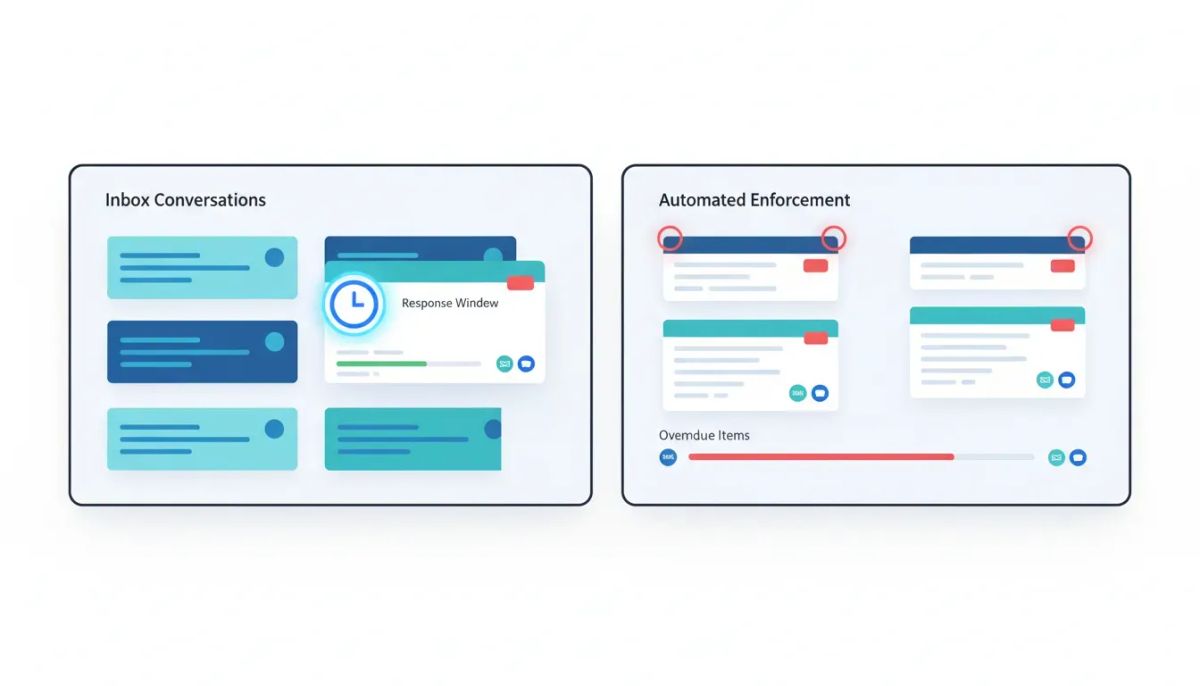
If leads are sitting in the inbox too long, the problem usually is not lead generation. It is response time.
The Complete Operating System for Growth
Join over 60,000+ agencies and businesses using HighLevel to capture more leads and close more deals. Start your trial today and get instant access to the Nexus Hub resources.
Claim Your Free Trial & BonusesThat is where SLA management inside HighLevel becomes so useful. Instead of hoping your team replies quickly, you can actually define the response window, track it in real time, and make overdue conversations impossible to miss.
For agencies, support teams, and growing businesses running sales or customer communication through HighLevel, this creates a much more reliable process. New leads do not get buried. Important messages do not get forgotten. And your team has a clear standard for how fast they need to respond across channels like SMS, email, and chat.
Even better, HighLevel can automatically enforce those lead response SLAs right inside the Conversations area of your subaccount.
Here is how it works, where to find the settings, and why it matters for agency systems, CRM performance, and day-to-day operations.
Why lead response SLAs matter
An SLA, or service level agreement, gives your team a concrete response-time target. In this case, it answers a simple question: How long can a new message sit before someone must reply?
Without that target, teams tend to operate on assumptions.
- Someone thinks another team member already answered
- A lead comes in after hours and gets missed
- Email replies are slower than text replies, but nobody has defined what “acceptable” means
- Automation sends a message, and the team assumes the conversation is covered
Over time, those small gaps turn into lost opportunities.
That is why response SLAs are such an important part of marketing automation and CRM operations. They help create consistency. They set expectations internally. And they make it easier to scale because your communication process is no longer dependent on memory or guesswork.
Inside HighLevel, SLA tracking turns this into a visible, measurable workflow instead of a vague team policy.
Where to set up SLAs in HighLevel
The setup happens inside a HighLevel subaccount.
To find it:
- Go to Conversations in the left-hand menu
- Open Settings
- Click Set SLA or turn the SLA toggle on
Once enabled, you will see the available SLA configuration options. This is where you decide how response timing should work for your business or agency clients.
If you manage multiple clients as an agency, this is a powerful place to create better operational standards. Different subaccounts can reflect different service expectations, depending on how each client handles inbound leads and customer conversations.
Common SLA vs channel-specific SLA
One of the first choices HighLevel gives you is whether to apply one shared SLA across all communication channels or create separate SLAs for each one.
Common SLA
A common SLA means one response-time target applies to every channel available in Conversations.
That can include:
- SMS
- Chat widget
If simplicity is the goal, this is often the easiest place to start. For example, you might decide every inbound message should receive a response within 15 minutes, no matter where it came from.
This works well when your team handles communication in a centralized way and you want one universal standard.
Channel-specific SLA
If your channels operate differently, HighLevel also lets you switch to channel-specific SLA settings.
This is useful because not all communication channels carry the same urgency.
For example:
- SMS might require a response within 3 minutes
- Email might allow a response window of 30 minutes
- Chat widget messages might need attention somewhere in between
This setup makes your SLA strategy more realistic. A text conversation usually feels immediate. Email often carries a little more flexibility. Channel-specific targets let you reflect that inside your HighLevel CRM instead of forcing every interaction into the same standard.
For agencies scaling client delivery, this matters a lot. It helps align the system with real communication behavior, which makes team adoption much easier.
How overdue alerts work
Setting the SLA target is only part of the process. The real value comes from enforcement.
Inside the same settings area, HighLevel allows you to define the SLA overdue behavior. Once the response window passes, the platform visually flags the contact as overdue.
In practical terms, that means the contact is marked with a red indicator.
This gives your team an immediate visual signal that the response deadline has been missed.
That one small change can make a huge difference inside a busy inbox. Instead of scrolling through conversations and trying to figure out which ones are most urgent, your team can instantly spot the contacts that need attention.
It is a simple but effective way to make accountability part of the workflow.
The SLA countdown timer in Conversations
Once SLAs are active, HighLevel displays a countdown timer next to a contact when a new message arrives.
That timer shows exactly how much time is left before the conversation becomes overdue.
Say a new email comes in and your SLA target is set to 15 minutes. You will see the timer counting down right beside that contact in the inbox. If the timer runs out before your team replies, the overdue marker kicks in and the contact turns red.
This creates clarity for everyone handling conversations.
- No one has to guess when a response is due
- No one has to manually track timing
- No one has to remember which message came in first
For support teams and lead management teams, this kind of visibility is a major upgrade. It keeps the inbox organized around urgency instead of just chronology.
How workflows can affect SLA responses
One important setting in HighLevel is how automation messages should affect the SLA.
This matters because not every automated message should count as a legitimate human response.
Inside the SLA settings, you can choose to count messages only from selected workflows as valid responses. If that is how you want to handle it, you simply enable the option and choose the workflow from the dropdown menu.
This gives you more control over how HighLevel workflows interact with lead response reporting.
Why is that useful?
Because there is a big difference between:
- An automatic acknowledgement message
- A workflow designed to provide a complete and acceptable first response
If every automation counted as a valid reply, your SLA reporting could look better than your actual customer experience. On the other hand, if you have a carefully built workflow that truly handles the initial touchpoint, it makes sense to let that workflow satisfy the response requirement.
The Complete Operating System for Growth
Join over 60,000+ agencies and businesses using HighLevel to capture more leads and close more deals. Start your trial today and get instant access to the Nexus Hub resources.
Claim Your Free Trial & BonusesThat flexibility is especially valuable for businesses using marketing automation heavily, or agencies building automated onboarding and lead routing systems inside GHL.
How Conversation AI agent messages affect SLA tracking
HighLevel also gives you options around how messages from Conversation AI agents affect the SLA.
This is another smart control point, especially as more teams blend AI and human communication in the same inbox.
You can decide whether AI-generated messages should count toward SLA compliance. That helps ensure your reporting matches your real service model.
If AI is part of your legitimate front-line response process, then it may make sense to treat those replies as valid. If AI is only assisting and you still expect a human to respond within a set timeframe, then your SLA settings should reflect that.
This kind of configuration is a good example of why HighLevel works well for modern SaaS operations and agency systems. It does not force one communication model. It lets you define the one your business actually uses.
How to choose the right SLA targets
The platform gives you the mechanics, but you still need to decide on the right numbers.
When setting your SLA targets, think about:
- Channel urgency and customer expectations
- Team capacity during business hours
- Whether automation or AI handles first-touch replies
- The difference between lead qualification and support response
If your team cannot realistically hit a 3-minute response time for every channel, do not force it. The goal is not to create impressive settings. The goal is to create a system your team can consistently follow.
Start with targets that are tight enough to improve performance, but realistic enough to maintain.
A simple rollout might look like this:
- Use a common SLA first for easy implementation
- Review how the team performs
- Move to channel-specific SLAs if needed
- Decide which workflows and AI messages should count
That approach gives you structure without overcomplicating the initial setup.
Why this matters for agencies and scaling teams
If you run an agency, SLA enforcement inside HighLevel can improve far more than just inbox management.
It helps with:
- Lead handling consistency across client accounts
- Team accountability inside shared inboxes
- Operational clarity for support and sales teams
- Improved close rates through faster follow-up
- Better customer satisfaction because messages do not sit unanswered
In other words, this is not just a settings feature. It is part of building a better agency setup and scaling process.
One of the easiest ways to lose leads is simply being too slow. HighLevel helps solve that by making response time visible, trackable, and enforceable directly inside the CRM.
And because the system works at the subaccount level, agencies can tailor SLAs to each client instead of applying a one-size-fits-all rule to every business.
Best practices for implementing SLA tracking in HighLevel
To get the most out of this feature, keep the implementation practical.
1. Start with the inboxes that matter most
If your primary lead volume comes through SMS and email, focus there first. Make sure the channels driving real opportunities are covered by clear SLA settings.
2. Align your team before enforcing the rules
SLAs work best when everyone understands the expectation. Make sure the team knows what the timer means, what the red overdue status means, and how quickly they are expected to respond.
3. Be intentional about automation
Do not let workflows accidentally mask slow response times. Choose carefully which automated messages count as valid replies.
4. Review AI settings thoughtfully
If Conversation AI is active, decide whether it is acting as a true responder or just an assistant. Your SLA logic should match that role.
5. Use overdue indicators as an action signal
The red contact marker is not just for awareness. It should trigger action. If a conversation goes overdue, your team should know exactly who owns the next step.
What this looks like in day-to-day operations
Once enabled, the experience is straightforward.
A new message enters Conversations. A countdown timer appears next to the contact. Your team can immediately see the response window. If someone replies in time, great. If not, the contact is flagged as overdue with a red marker.
That simple visual system reduces confusion and helps your team prioritize faster.
And that is really the value of good CRM and marketing automation systems. They should not just store conversations. They should guide action.
HighLevel does that here by turning response expectations into a real operational process.
FAQ
Where do I enable SLAs in HighLevel?
Inside a HighLevel subaccount, go to Conversations, then Settings. From there, click Set SLA or turn on the SLA toggle.
What is the difference between common SLA and channel-specific SLA?
A common SLA applies the same response-time target to all channels, such as SMS, email, and chat widget. A channel-specific SLA lets you assign different response windows to each channel.
What happens when an SLA is overdue?
When the response window expires, HighLevel marks the contact as overdue with a red indicator, making it easy for your team to spot missed conversations.
Can automated workflow messages count as an SLA response?
Yes. HighLevel lets you choose whether messages from selected workflows count as a valid response. You can enable that setting and select the specific workflow from a dropdown.
Do Conversation AI agent messages affect SLA tracking?
Yes. HighLevel includes settings that let you determine how Conversation AI agent messages should affect the SLA, so your setup can match your actual communication process.
How do I know how much time is left to respond?
When a new message is received, HighLevel shows a countdown timer next to the contact in Conversations so your team can see the remaining response window at a glance.
Who benefits most from using SLAs in HighLevel?
Agencies, support teams, and growing businesses benefit the most, especially those managing a high volume of leads or customer conversations inside HighLevel CRM.
Final thoughts
If leads are slipping through the cracks, you do not always need a more complicated funnel. Sometimes you just need a better response system.
HighLevel SLA settings give you a practical way to define response standards, monitor them in real time, and make missed conversations visible before they turn into lost revenue.
You can keep it simple with one common SLA for all channels, or build a more precise setup with channel-specific targets. You can decide how workflows and Conversation AI fit into the equation. And you can create a cleaner, more accountable process inside Conversations without relying on manual follow-up alone.
For teams focused on HighLevel agency setup, scaling, CRM optimization, and stronger marketing automation systems, this is one of those small features that can have a very real operational impact.
If you are building out your systems in GoHighLevel and want to put these kinds of workflows into practice, it may be worth starting a HighLevel free trial and exploring how your inbox, automations, and SLA settings work together. And if you want templates, implementation help, and resources for getting more out of the platform, the Nexus Hub community is a natural next step.
Faster response times lead to better customer experiences, stronger close rates, and fewer missed opportunities. HighLevel gives you the tools to make that standard real.
The Complete Operating System for Growth
Join over 60,000+ agencies and businesses using HighLevel to capture more leads and close more deals. Start your trial today and get instant access to the Nexus Hub resources.
Claim Your Free Trial & Bonuses


