
Services & Rentals Reporting Widgets in Dashboard and Custom Reports

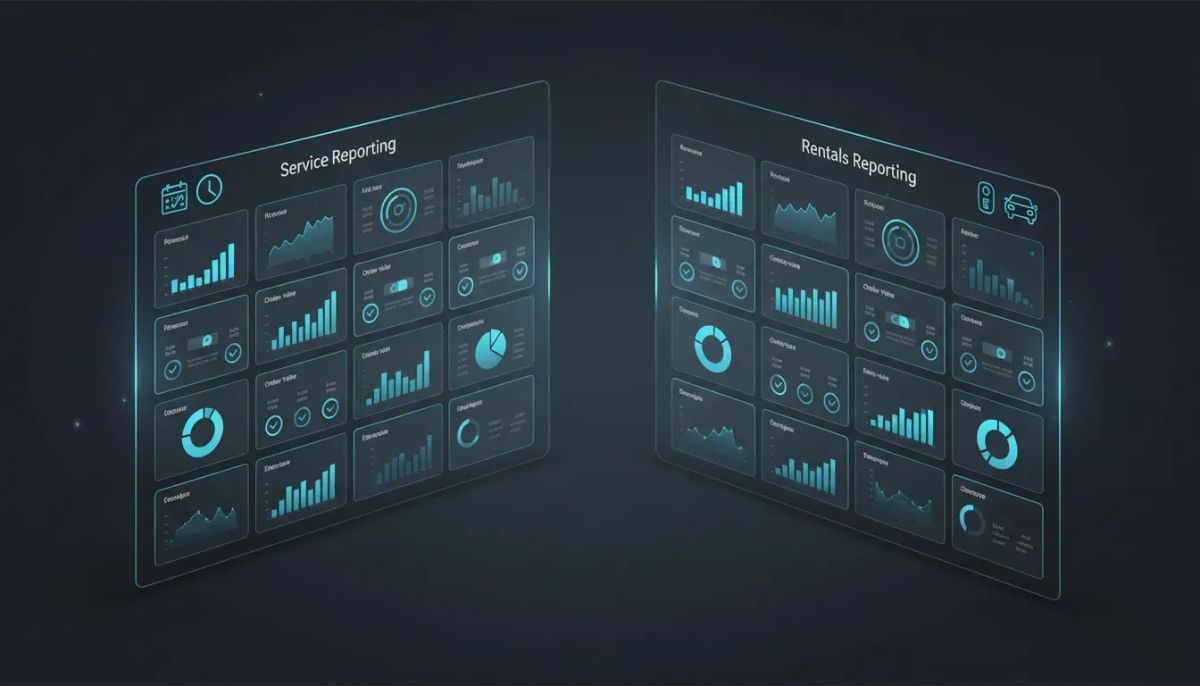
HighLevel just made reporting a whole lot better for businesses managing services, rentals, or both.
There are now 22 new reporting widgets available across the Dashboard and Custom Reports. That includes 11 widgets for appointment services and 11 widgets for rentals, giving teams far more visibility into revenue, booking performance, order value, and category-level breakdowns without having to piece together the numbers manually.
If you rely on HighLevel for CRM, calendar operations, and day-to-day business management, this update matters because it brings service and rental reporting closer to the way real businesses actually operate. You can now build dashboards that reflect your business model, apply quick filters to refine what you want to see, and create custom metrics that are actually useful for decision-making.
In short, this is not just “more widgets.” It is better operational visibility inside GoHighLevel.
The Complete Operating System for Growth
Join over 60,000+ agencies and businesses using HighLevel to capture more leads and close more deals. Start your trial today and get instant access to the Nexus Hub resources.
Claim Your Free Trial & BonusesWhat’s New in HighLevel Reporting
The core update is simple: service reporting widgets and rental reporting widgets are now live in both the dashboard and custom reports.
That means you are no longer limited to broad reporting views when you want to understand how your bookings are performing. Instead, you can pull in focused widgets that track the metrics that matter most to service-based businesses and rental-based operations.
These new widgets sit alongside the reporting tools already available in HighLevel, so they extend the existing system rather than replacing it. The result is a more complete reporting setup for agencies, sub-accounts, and businesses that need at-a-glance performance data inside one platform.
The 22 New Reporting Widgets at a Glance
HighLevel has added:
- 11 new widgets for services
- 11 new widgets for rentals
That gives users a much broader set of reporting options for calendars, bookings, and revenue tracking.
While every widget is designed to support a slightly different reporting need, the big takeaway is this: you can now measure both top-line performance and deeper booking patterns with much more precision.
Service Reporting Widgets: Better Visibility Into Appointment Revenue
On the service side, the new reporting widgets help businesses understand what is happening across appointment-based offerings.
Some of the key metrics now available include:
- Total revenue
- Revenue by service
- Revenue by category
- Average order value
Those four alone can answer a lot of important operational questions.
Total Revenue
Total revenue gives you the obvious big-picture number, but that number becomes much more valuable when you place it inside a custom dashboard with other supporting widgets.
For example, total revenue on its own tells you how much money is coming in from services. Combined with category breakdowns and average order value, it starts to show whether growth is coming from higher ticket services, increased booking volume, or a shift in customer purchasing behavior.
Revenue by Service
This is one of the most practical metrics for any business offering multiple appointment types.
Instead of looking at services as one blended revenue stream, you can see which individual services are generating the most income. That makes it easier to evaluate what should be promoted more aggressively, what may need repositioning, and which service lines are doing the heavy lifting.
Revenue by Category
If your services are grouped into categories, this adds another level of clarity.
Sometimes the individual service matters less than the category trend. A business may discover that one category consistently outperforms others, which can shape everything from marketing campaigns to staffing decisions to calendar availability.
Average Order Value
Average order value is one of those metrics that quietly does a lot of work.
It helps answer whether customers are booking higher-value offerings, whether bundling is effective, and whether the business is increasing revenue without necessarily increasing booking volume. For agencies using HighLevel to support service businesses, this is also a useful metric when reporting on account growth and optimization opportunities.
Rental Reporting Widgets: A Stronger Operational Lens for Rental Businesses
Rental businesses get their own set of 11 widgets, and that is a big deal.
HighLevel is making it easier to track the unique reporting needs of rental operations, which often differ from standard appointment-based services. Rental workflows typically need clearer visibility into booking quantities, status changes, and revenue treatment, including deposits.
Some of the rental-specific metrics called out in the update include:
- Total rentals booked
- Booking status breakdown
- Total revenue excluding deposits
Total Rentals Booked
This gives you a direct count of rental activity and helps you measure volume over a selected period.
That sounds simple, but it matters. Rental businesses often need a clear distinction between how much was booked and how much revenue was recognized. A count-based widget provides immediate operational visibility that complements financial reporting.
Booking Status Breakdown
Status reporting is critical in any booking-driven business.
With a booking status breakdown, you can get a clearer picture of where rentals stand across the pipeline. This can support better forecasting, cleaner day-to-day operations, and faster identification of issues in fulfillment or customer confirmation flow.
For teams using HighLevel workflows and automations, these kinds of insights can also inform follow-up systems and process improvements.
Total Revenue Excluding Deposits
This is an especially useful metric for rental businesses where deposits are part of the transaction structure.
Being able to track revenue excluding deposits gives a more accurate operational view when deposits should not be treated as the full revenue amount. It helps separate preliminary payment activity from actual booked revenue in a way that is much more actionable.
Why This Update Matters Beyond Reporting
It is easy to look at dashboard widgets and think of them as a cosmetic update. They are not.
Better reporting changes how businesses operate.
When the right data is surfaced clearly inside HighLevel, teams can make faster and smarter decisions. Agencies can build stronger client reporting. Operators can identify what is working without needing to export data or rely on disconnected spreadsheets. Leadership can spot trends earlier.
This is especially important inside a platform like GoHighLevel, where CRM, marketing automation, calendars, and operational systems all live close together. Reporting works best when it is not isolated from execution.
That is where these widgets become powerful. They do not just tell you what happened. They help you build dashboards around how the business runs.
Custom Dashboards Make the Update Even More Valuable
One of the strongest parts of this release is that these widgets can be used in custom dashboards.
That means businesses are not forced into a one-size-fits-all reporting layout. Instead, you can create a dashboard that reflects your priorities.
You might want to track:
- Overall service revenue next to average order value
- Rental bookings next to booking status breakdown
- Revenue by category alongside broader business KPIs
- Custom metrics built around your specific reporting goals
This flexibility is what makes dashboard reporting useful in practice. Different businesses care about different numbers. Different departments care about different numbers. Different agency clients care about different numbers.
Now the reporting layer can better match those realities.
The Complete Operating System for Growth
Join over 60,000+ agencies and businesses using HighLevel to capture more leads and close more deals. Start your trial today and get instant access to the Nexus Hub resources.
Claim Your Free Trial & BonusesQuick Filters Add More Control
Another important part of the update is that these new service and rental reporting widgets also work with quick filters.
That adds a practical layer of control when customizing reports and dashboards.
Instead of getting a static number and stopping there, you can filter the data as you customize the widget. That makes it easier to shape the report around the exact view you need, whether you are building something broad for leadership or something more focused for an operational team.
Quick filters help turn reporting from a passive display into an interactive business tool.
Custom Metrics Open the Door to Better Business Reporting
HighLevel also highlights the ability to set up custom metrics, which matters because the most useful dashboards are rarely made of standard numbers alone.
Businesses often need to combine reporting elements in ways that reflect their own model, especially in agency environments and multi-service operations. The more flexible the reporting layer is, the easier it becomes to support real decision-making instead of generic data review.
For agencies focused on HighLevel agency setup and scaling, this is especially helpful. Strong reporting is part of delivering value. If you can configure custom dashboards and metrics that immediately show a client what matters, reporting becomes a retention asset, not just an admin task.
How This Helps Agencies Using HighLevel
Even though the update is operational on the surface, it has major agency implications.
If you manage clients inside HighLevel, better service and rental reporting means you can create more tailored sub-account experiences. Instead of handing clients a generic system, you can build dashboards that match their business model and the way they define success.
That can be especially useful for:
- Service businesses with multiple appointment types
- Rental businesses tracking booking volume and revenue separately
- Teams that need easier reporting inside their CRM and marketing automation system
- Agencies looking to improve account implementation and client reporting workflows
This kind of customization aligns well with broader HighLevel best practices. The more your dashboards, automations, and account structure reflect the client’s actual operation, the more valuable the platform becomes.
One Important Setup Step for Rentals
If you want access to the rental reporting features, there is one thing to make sure is turned on first.
You need to enable the Rentals Beta inside Calendar Settings.
Without that, the rental reporting side will not be available.
This is an easy step to miss, so it is worth checking before troubleshooting anything else. If rentals are part of your business or your client offering, head into the calendar settings and confirm that the beta is enabled.
Where to Find Help
HighLevel has support documentation available at help.gohighlevel.com.
If you need guidance on this update, searching for terms like:
- rental
- rental reporting widgets
- service reporting widgets
should get you to the right documentation quickly.
That is useful whether you are implementing this for your own business or rolling it out across client accounts as part of a larger HighLevel systems setup.
Best Ways to Use These New Widgets
There are a lot of possible combinations here, but a few practical approaches stand out.
Build a revenue-focused dashboard
Use total revenue, revenue by service, revenue by category, and average order value to create a clean financial overview for service businesses.
Create an operations dashboard for rentals
Combine total rentals booked, booking status breakdown, and revenue excluding deposits for a more practical day-to-day rental snapshot.
Use filtered dashboards for team-specific reporting
Because quick filters are available, you can tailor reporting views to the needs of different users and use cases.
Support better automation decisions
While this update is about reporting, stronger data naturally improves workflow planning. If a category is outperforming others or booking statuses reveal friction points, that insight can shape future HighLevel workflows and automations.
Reporting That Matches the Way Businesses Actually Run
The biggest win here is not just the widget count. It is the fact that HighLevel is continuing to make its reporting system more customizable and more aligned with real business operations.
Service businesses need more than generic calendar stats. Rental businesses need metrics that reflect deposits, booking states, and actual rental volume. Agencies need reporting that can be tailored across multiple client types.
This update moves all of that in the right direction.
And because the widgets live inside both dashboards and custom reports, they are not locked away in some separate reporting corner. They can become part of the everyday operating system inside GHL.
Final Thoughts
If your business relies on services, rentals, or both, these new reporting widgets are worth setting up right away.
The combination of 22 new widgets, custom dashboards, quick filters, and custom metrics gives you a lot more control over how performance is tracked inside HighLevel. That means clearer reporting, better visibility, and a more useful dashboard experience across the board.
For businesses already using GoHighLevel as their CRM and operations hub, this is a meaningful upgrade. For agencies, it is another strong opportunity to improve client setups and make reporting more valuable from day one.
If you are exploring HighLevel or want to test these features in a live account, starting a free trial is a practical next step. And if you are looking for implementation help, templates, or support building smarter agency systems, the Nexus Hub community can be a useful place to continue from there.
FAQ
How many new reporting widgets were added in HighLevel?
HighLevel added 22 new reporting widgets in total: 11 for services and 11 for rentals.
Where can I use the new service and rental reporting widgets?
The new widgets are available in both the HighLevel Dashboard and Custom Reports.
What service reporting metrics are included?
Examples called out include total revenue, revenue by service, revenue by category, and average order value, along with other service-related reporting widgets.
What rental reporting metrics are included?
Examples include total rentals booked, booking status breakdown, and total revenue excluding deposits, plus additional rental-focused widgets.
Do these widgets support filters?
Yes. The new service and rental widgets work with quick filters, so you can refine and customize how the data is displayed.
Can I add these widgets to custom dashboards?
Yes. One of the main benefits of this update is the ability to include these widgets in custom dashboards and build reporting layouts around your business needs.
Do I need to enable anything to access rental reporting widgets?
Yes. You need to enable the Rentals Beta in Calendar Settings to access rental reporting features.
Where can I find support documentation for these reporting widgets?
You can find help at help.gohighlevel.com by searching for rental, rental reporting widgets, or service reporting widgets.
The Complete Operating System for Growth
Join over 60,000+ agencies and businesses using HighLevel to capture more leads and close more deals. Start your trial today and get instant access to the Nexus Hub resources.
Claim Your Free Trial & Bonuses


