
Live Video Call Rooms Inside Community Events: The Faster Way to Run Sessions in HighLevel

Community events are supposed to be easy. You invite people, you share the link, and the experience just works. But too often, event hosting turns into a juggling act between platforms, tabs, and logins. One moment you are inside your community. The next moment you are moving everyone to Zoom or Google Meet. It creates friction, and friction kills momentum.
The Complete Operating System for Growth
Join over 60,000+ agencies and businesses using HighLevel to capture more leads and close more deals. Start your trial today and get instant access to the Nexus Hub resources.
Claim Your Free Trial & BonusesThat is why the latest community update is a big deal: you can now run live video call rooms directly inside community events using HighLevel’s built-in live room option. In other words, the event location and the meeting location can be one and the same.
What “Live Rooms in Community Events” actually means
In HighLevel community events, you can host and run live sessions right from the event itself. When participants open the event, they can access a live room link and jump straight into the session.
The key idea is simple: instead of sending people elsewhere, you keep them where they already are, inside the community event experience.
Why this matters: fewer steps, less switching, better attendance
Most event failures are not because people are not interested. They happen because the process is too complicated.
With live rooms built into community events, you reduce the “last mile” friction. Participants do not have to:
- Click out of the community
- Open a separate video conferencing tool
- Reconnect to a new link or meeting
- Find the right room at the right time
Instead, the participant experience becomes straightforward. They go to the event, they see the live room link, and they are ready to rock.
How it works for hosts and attendees
The workflow is designed to feel almost instantaneous, both for the host and for participants.
For the event host
As the host, you build or select your community event and use the live room option. That creates a live room link associated with the event.
When it is time to go live, you do not need to coordinate a separate external video call setup. You use the event’s live room, start the session, and you are in business.
For the attendee
Attendees experience it in a clean, intuitive way:
- They navigate to the community event
- They click the live room link
- They join the session directly from there
Once they join, they are “in” the live environment right inside the community context. And yes, the same approach works on mobile, which is important because a meaningful portion of your community engagement happens outside of desktop.
Built-in live rooms vs. external tools (and why you might choose either)
HighLevel’s update includes a built-in live room option inside community events. That means you no longer have to default to external tools like Zoom or Google Meet for every use case.
That said, the platform does not force you into one behavior forever. You can still use outside tools if you prefer them for specific scenarios. For example, some organizations already have internal standards, hardware workflows, or meeting policies that depend on an external platform.
But the “why” here is obvious: if the live session is already baked into the community event experience, you can keep people from bouncing between systems. When your goal is a smooth, unified event experience, built-in live rooms are the natural choice.
One experience: event plus meeting in one place
One of the biggest benefits of this capability is the concept of “one place.” Participants do not have to piece together the event experience across multiple tools.
With live rooms integrated into HighLevel community events, you can structure the journey like this:
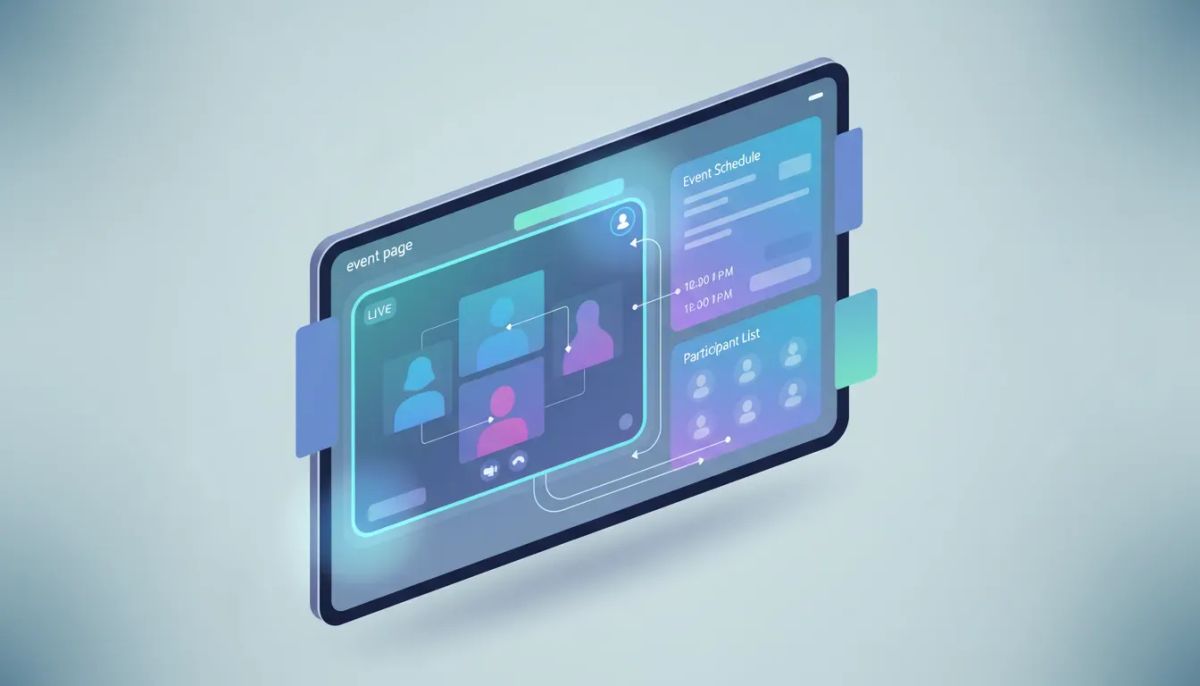
- Community event page acts as the hub
- Live room link acts as the meeting launch point
- Live session happens in the context of the community
This matters for both engagement and trust. People are more likely to show up and stay when the experience is consistent and easy to navigate.
The Complete Operating System for Growth
Join over 60,000+ agencies and businesses using HighLevel to capture more leads and close more deals. Start your trial today and get instant access to the Nexus Hub resources.
Claim Your Free Trial & BonusesPractical event ideas you can run with live rooms in HighLevel
Even though the feature is straightforward, it opens up a lot of event formats. Here are a few you can implement inside a HighLevel community event setup without adding extra video tool overhead.
- Live Q&A sessions tied to a specific topic or training event
- Weekly community hangouts where members know exactly where to go
- Product demos that start from the same page where people see details
- Training workshops where the event page contains prep and the live room is the delivery
- Agency client onboarding calls that follow a consistent branded experience
The common thread is that each of these formats benefits from keeping the participant in a single environment. You build credibility faster, and you spend less time troubleshooting meeting links and login problems.
How this supports agency systems and scaling
If you run an agency or you manage multiple clients, “scaling” is not just about adding more clients. It is about repeating systems without degrading the experience.
Live rooms inside community events support that mindset:
- Standardized event hosting: you can repeat the same approach across clients or programs
- Reduced operational overhead: fewer moving parts than an external tool handoff
- Cleaner delivery workflow: one event hub, one launch method
- Better attendee experience: fewer steps increases the odds of participation
This fits naturally into a broader HighLevel operating model where your CRM, marketing automation, and SaaS operations connect to community engagement. When your events and follow ups are all built within the same platform ecosystem, you can create a more cohesive lifecycle for leads and customers.
Getting started: implement it in your HighLevel setup
The setup path is intentionally simple. When you are running an event inside the community, you can find the live room option and launch your session from the event experience.
If you are already building HighLevel agency setup and scaling around community engagement, this addition makes your events more turnkey. You can standardize how onboarding, training, and client communication happen, and you can do it without forcing your team or your clients to learn yet another workflow.
If you are not using HighLevel yet (or you are evaluating options), it is a great time to start with a free trial so you can test live rooms inside your own community event structure. Once you get hands-on, it is much easier to see how this can fit your specific use case.
And if you want templates and implementation support, consider joining the Nexus Hub community. It is a place where you can find resources and guidance for building and scaling systems inside HighLevel, including the kinds of setups that connect marketing automation, community engagement, and operational workflows.
FAQ
Can I host live video sessions directly inside a HighLevel community event?
Yes. HighLevel now supports live rooms within community events, so you can host and run live sessions directly from the event using the built-in live room option.
Do participants have to leave the community to join the live session?
No. Participants can access the event’s live room link and join the session from within the community event experience, reducing the need to switch platforms.
Can attendees join from mobile?
Yes. Live room sessions work on mobile as well, so attendees can join without being limited to desktop.
Can I still use external tools like Zoom or Google Meet if I want to?
Yes. You can use outside tools if you prefer, but the built-in live room option is available so you do not have to rely on external platforms for every event.
Why is hosting live rooms inside community events beneficial for agencies?
It helps you standardize event delivery, reduce operational complexity, and keep clients and members within a consistent experience, which supports better agency systems and scaling.
Bottom line
Live rooms inside community events turn event hosting into a more unified, less chaotic experience. For attendees, it is as simple as arriving at the event and clicking the live room link. For hosts, it means fewer tools to coordinate and more focus on delivering value.
If you are building HighLevel communities as part of your CRM, marketing automation, and agency systems, this capability is a smart upgrade. Start putting it into your next event plan, run a test session, and see how much smoother your live delivery becomes. Then scale it, standardize it, and make it part of your repeatable HighLevel operating playbook.
The Complete Operating System for Growth
Join over 60,000+ agencies and businesses using HighLevel to capture more leads and close more deals. Start your trial today and get instant access to the Nexus Hub resources.
Claim Your Free Trial & Bonuses


