
Introducing Email Sequences Feature Overview: Simplify Sequential Email Sending in HighLevel

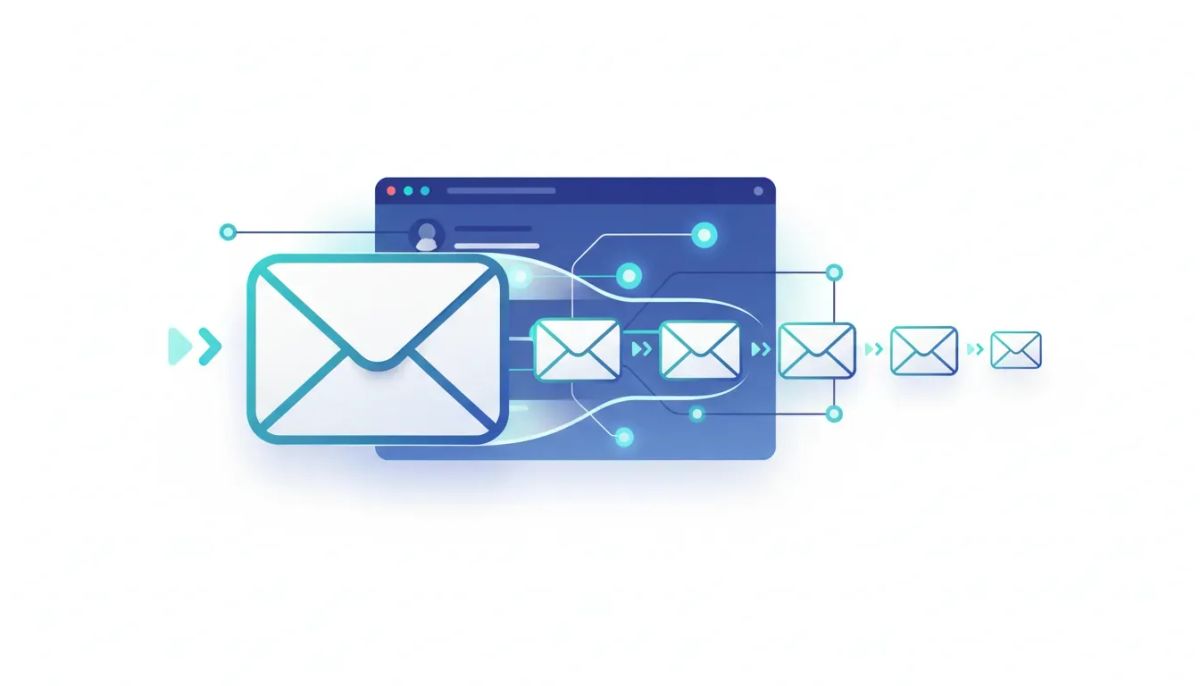
Email sequences have always been one of the easiest ways to nurture leads, onboard clients, and run repeatable outreach without manually sending one email at a time. The catch is that many people still feel like setting up sequences can be overcomplicated, especially when you are already managing everything inside a full CRM and marketing automation platform like HighLevel (GoHighLevel / GHL).
The Complete Operating System for Growth
Join over 60,000+ agencies and businesses using HighLevel to capture more leads and close more deals. Start your trial today and get instant access to the Nexus Hub resources.
Claim Your Free Trial & BonusesThat is where this new Email Sequences feature comes in. It is designed to make sequential email sending feel straightforward. Instead of building everything through complex logic in HighLevel workflows and automations, you can create an email sequence directly and manage timing, targeting, and stop rules without the usual headache.
Why Email Sequences Matter (Especially for Agencies)
If you are running an agency setup and scaling, you already know that the “systems” part is everything. You need reliable processes for lead follow-up, appointment reminders, onboarding, and long-term nurturing. When your clients ask for email sequences, the goal is usually simple:
- Send email 1 to a list on schedule
- Then send email 2 after a delay or based on an action
- Continue sending email 3, email 4, and so on
- Stop the sequence when the lead replies (or keep going, depending on the strategy)
- Track performance with clicks and link attribution (UTMs)
Historically, getting this behavior inside a CRM often meant leaning on workflows. Workflows can absolutely do the job, but for many teams, it adds unnecessary complexity. This feature is meant to remove that friction by making sequential sending a first-class experience.
What the Email Sequences Feature Does in HighLevel
At a high level, Email Sequences give you an interface to build multi-email campaigns in a sequence format. You create the sequence, set the timing rules, choose who receives it, and define what happens when recipients reply.
Once enabled, the flow looks something like this:
- Create an email sequence under your email settings
- Build the steps of the sequence (email after email)
- Set sending rules like scheduling and conditional queues
- Select your audience using contacts, smart lists, segments, or other targeting methods
- Define reply handling (stop the sequence when they reply or continue)
- Use templates or create from scratch for faster setup
- Track results with analytics and click tracking, including UTM support
Step-by-Step: How to Build an Email Sequence
1) Create the sequence
You start by going to Emails and selecting Create an email sequence. This gives you a dedicated space for creating sequential email messaging without needing to map everything through a workflow canvas.
You can then view your sequence steps clearly. The experience is meant to feel familiar, like the classic email sequence setup people expect, but implemented in a way that is easier to operate day to day.
2) Choose when to send: schedule vs. immediate
One of the key mechanics is timing. Instead of firing emails instantly, you can schedule them.
For example, you can decide:
- Send email step one immediately, or
- Schedule it for a later time
This matters because in real client work, timing often needs to match behavior, acquisition source, or lead status.
3) Choose who gets the sequence
The feature supports common targeting approaches:
- Lists of contacts
- Smart lists that stay up to date
- Segments based on existing CRM data
- Dynamic selection options for lists and audiences you already manage
That flexibility is important when you are running multiple marketing automation and CRM processes at once. You can keep sequences aligned with how leads move through your system.
4) Decide what happens if they reply
This is a big one for deliverability and user experience. Email sequences can fail when they keep sending even after a real conversation starts.
With this feature, you can control reply behavior:
- Stop the sequence when the recipient replies
- Or keep going based on your strategy
Most teams will stop on reply for sales follow-up or onboarding. But having the option to continue is useful in certain nurture scenarios where replies do not necessarily mean “stop messaging.”
5) Build the emails: blank, templates, or in-house templates
To make it fast, you have multiple ways to create the email content:
- Create a blank email
- template
- in-house templates built for easier execution
On agency work, templates are how you scale quality. You want consistent messaging without rewriting everything from scratch for every new client or campaign.
Conditional Sending: Queue the Next Email Based on Behavior
Traditional sequences are often just delays: send email 1, then send email 2 three days later, then send email 3 a week after that. This feature goes further by allowing conditional sending, so the sequence adapts to what recipients do.
Here are the kinds of conditional rules you can use:
- When the previous email is delivered, queue the next message
- When the previous contact opens the email, queue the next step
And you can combine that with delays and other timing options. This is essentially a more direct, easier way to replicate the sequence logic many teams already know, without building the entire system manually through workflow nodes.
The goal is not to reinvent marketing automation. It is to simplify it so you can build sequences that work the way people expect.
Conditional Sequences vs. Workflows: The Practical Difference
HighLevel workflows and automations are powerful. They let you orchestrate multi-step logic across email, SMS, tasks, tags, CRM updates, and more.
The Complete Operating System for Growth
Join over 60,000+ agencies and businesses using HighLevel to capture more leads and close more deals. Start your trial today and get instant access to the Nexus Hub resources.
Claim Your Free Trial & BonusesBut for many users, email sequences do not require the full complexity of a workflow canvas. When the only goal is “email after email based on timing and behavior,” the new email sequence interface is simply more ergonomic.
In other words:
- Workflows are for broad automation and complex branching
- Email Sequences are for streamlined sequential email sending
This can reduce setup time, make client onboarding easier, and lower the maintenance burden of your agency systems.
Tracking, Clicks, and UTM Support
A sequence is only valuable if you can measure what happens next. The email sequences feature includes reporting so you can see performance.
That includes:
- Stats and analytics associated with sequence emails
- Click tracking
- UTM support so you can track traffic in external analytics tools
This helps when you are running marketing automation across multiple channels and need attribution that makes sense to stakeholders.
Common Use Cases for Email Sequences in HighLevel
Even if your current setup uses workflows, the streamlined sequence experience tends to shine in everyday scenarios. A few high-ROI examples:
- Lead nurture sequences after form fills or calls to action
- Appointment and post-appointment follow-ups with conditional timing
- Client onboarding sequences that deliver steps over multiple days
- Reactivation campaigns to bring past leads back into the funnel
- Agency deliverables where you want repeatable sequence templates for each client
Because sequences can target smart lists and segments, they also integrate naturally with how CRMs reflect lead lifecycle stages.
Testing and Setup Tips (So Sequences Don’t Break)
One subtle but important part of building sequences well is validation. The interface typically provides feedback if there are problems, and it guides you through setup.
Here are some practical best practices to keep your sequences reliable:
- Start with one segment or smart list so you can validate deliverability and timing
- Use templates strategically so each step is consistent in structure and brand
- Plan your reply behavior based on whether this is sales follow-up or nurture
- Set conditional rules carefully so the next email queues the way you intend
- Confirm sender name and sender email match your deliverability setup
Small details matter. And sequences amplify those details because they run automatically over time.
Availability: Private Beta and Opt-In
This email sequences feature is positioned as a new capability that was in private beta. If you want to try it early, the recommended path is to opt in by leaving a comment and following the enablement process provided for access.
In the meantime, if you want more implementation guidance and ready-to-use assets, consider connecting with community resources like the Nexus Hub for templates, examples, and practical support for how to set up agency systems and marketing automation at scale.
FAQ
Is Email Sequences the same as HighLevel workflows?
No. Workflows and automations are broader and can handle complex logic across channels. Email Sequences are specifically designed to simplify sequential email sending, including scheduling, targeting, conditional queueing, and reply handling.
Can I schedule emails inside a sequence instead of sending immediately?
Yes. You can choose to send right away or schedule each sequence step based on timing rules.
What targeting options are available for email sequences?
You can send to lists of contacts, smart lists, and segments, depending on how you manage your audience inside your CRM.
Can the sequence stop when someone replies?
Yes. You can configure the sequence to stop on reply, or you can choose to keep going depending on your strategy.
Do email sequences support tracking and UTM parameters?
Yes. The feature includes stats, click tracking, and UTM support so you can measure performance and attribution.
Final Thoughts
Email sequences are one of those “simple” tools that become incredibly powerful when they are implemented consistently. The new Email Sequences feature in HighLevel focuses on that reality: make sequential email sending easy, reliable, and easier to manage than building everything from scratch in workflows.
If you are new to email sending, it lowers the learning curve. If you are running an agency, it helps you standardize client outcomes. Either way, the big win is the same: less setup friction, clearer sequence logic, and better automation that actually gets used.
If you have not yet, start by exploring access during the beta phase, then use Nexus Hub and your preferred templates to speed up implementation across your agency systems.
The Complete Operating System for Growth
Join over 60,000+ agencies and businesses using HighLevel to capture more leads and close more deals. Start your trial today and get instant access to the Nexus Hub resources.
Claim Your Free Trial & Bonuses


