
Custom Object Templates: Pre-Built Industry Templates for Faster Setup in HighLevel

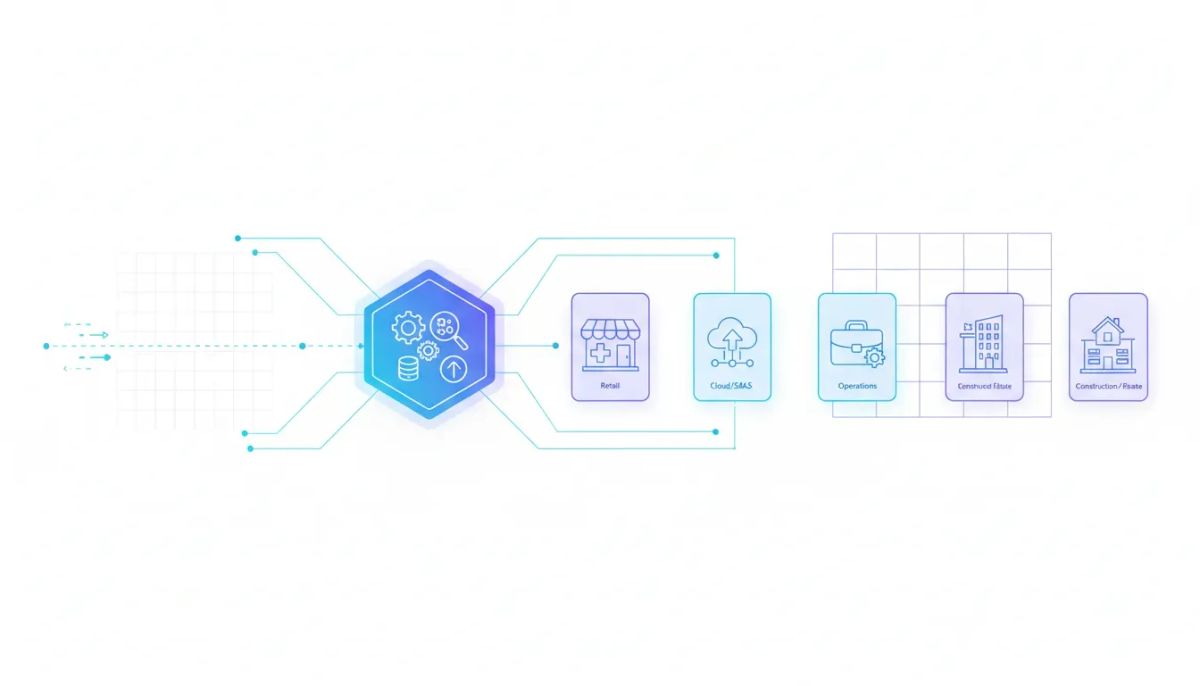
If custom objects in HighLevel have ever felt exciting and slightly intimidating at the same time, this update is a big deal.
On paper, custom objects are one of the most powerful features in a CRM. They let you represent almost anything inside your system. That is incredible for agencies, SaaS businesses, and operations teams building real-world workflows. But for a lot of people, the same thought comes up right away: What exactly should I build?
That is the gap Custom Object Templates are designed to close.
Instead of starting with a blank slate, HighLevel now offers pre-built, industry-specific custom object templates that help you get up and running faster. You are not forced to dream up the entire structure from scratch. You can begin with a boilerplate that already makes sense for a real use case, then customize it from there.
For anyone building inside GoHighLevel, this is one of those quality-of-life improvements that can remove a huge amount of friction.
The Complete Operating System for Growth
Join over 60,000+ agencies and businesses using HighLevel to capture more leads and close more deals. Start your trial today and get instant access to the Nexus Hub resources.
Claim Your Free Trial & BonusesWhy custom objects matter in the first place
Custom objects exist because not every business fits neatly into standard CRM records like contacts, opportunities, and companies.
Sometimes you need the CRM to track things like:
- Claims
- Policies
- Tickets
- Properties
- Transactions
- Other industry-specific records tied to contacts and business processes
That is where custom objects shine. They let you model the data your business actually uses, not just the data a generic CRM assumes you need.
Inside HighLevel, that means agencies and operators can create more accurate systems, better reporting structures, cleaner automations, and stronger customer journeys. When your CRM reflects the real business process, your HighLevel workflows and automations become much more useful.
But there has always been a practical challenge: the flexibility is amazing, yet the blank canvas can be overwhelming.
The biggest problem with a blank canvas
When people hear that custom objects can represent “almost anything,” that sounds powerful. It also sounds broad enough to make some users freeze up.
Because then the next questions start rolling in:
- What object should I create first?
- What fields should it include?
- How should it relate to other records?
- Do I need one object or several?
- How do I structure this for a specific industry use case?
That uncertainty slows down implementation. It can also cause teams to overbuild, underbuild, or build something that needs to be reworked later.
Custom Object Templates solve that problem by giving you a practical starting point.
What Custom Object Templates are
Custom Object Templates are a library of pre-built templates inside HighLevel. These templates are designed around specific industries and use cases so you can launch faster.
Instead of inventing the entire object structure yourself, you can select a ready-made template and use it as a foundation.
That is the real win here.
You are not losing flexibility. You are gaining momentum.
The templates are not meant to trap you in a rigid setup. They are there to help you get started with something already organized around a use case that makes sense. From there, you can refine, expand, and adapt the structure to fit your own operation.
If you have ever used a website template, the concept is familiar. You are not just getting a blank page. You are getting a framework you can build on.
Where to find custom object templates in HighLevel
The setup is straightforward.
Inside HighLevel, go to Settings, then navigate to Objects. When creating a new object, you will now see the option to use a template.
Once you select that option, you can browse the library of templates the team has put together.
This matters because it turns custom object creation from a design exercise into more of a guided implementation process. Instead of opening an empty builder and asking yourself what to do, you can start by choosing a setup that already aligns with your niche or use case.
Pre-built industry templates make setup faster
The standout value of this release is speed.
These are pre-built industry templates for faster setup, which means less time figuring out structure and more time putting your CRM to work.
For agencies, that speed matters in a few important ways:
- It reduces implementation time for client accounts
- It helps standardize delivery across similar niches
- It lowers the barrier for teams newer to custom objects
- It creates a cleaner starting point for workflows and automations
- It makes HighLevel agency setup and scaling more practical
When you are building systems for multiple businesses, the difference between “start from nothing” and “start from a useful template” is huge.
That is true whether you are an agency owner creating repeatable delivery systems or an internal operator trying to get a CRM live quickly without compromising quality.
These are not just single-object templates
One of the most important parts of this feature is that the templates are not limited to one isolated object.
In many cases, they are built as multi-object templates for real use cases.
That is a big distinction.
Real business processes usually involve relationships between different kinds of records. A policy may connect to a claim. A property may connect to a transaction. A ticketing setup may involve several linked components.
So instead of handing you just one object and saying “good luck,” HighLevel is packaging together structures that better reflect how an actual industry workflow works.
This makes the templates more useful, more strategic, and more realistic for production use.
An example: claims and policies
One example shown in the template library is a setup where you get a claim object and a policy object together.
That is exactly the kind of pairing that makes this release practical.
A claims workflow does not exist in a vacuum. It is tied to a policy context. By including both objects as part of the template, HighLevel gives you a much better starting structure than a single generic object ever could.
That package-style approach is what makes these templates feel more like complete systems than simple placeholders.
And again, that is very similar to how website templates work. A useful website template is not just one page. It is a collection of pages and structures designed to support a full use case. The same logic applies here for custom objects.
The Complete Operating System for Growth
Join over 60,000+ agencies and businesses using HighLevel to capture more leads and close more deals. Start your trial today and get instant access to the Nexus Hub resources.
Claim Your Free Trial & BonusesWhat comes with a template
These templates can include more than just object names and fields.
Depending on the template, HighLevel may include things like:
- Properties that define the data stored in the object
- Transactions or related records as part of the use case
- Role-based relationships that define how objects connect to people or other records
- Explanations that help clarify how the template is intended to work
This is important because a useful CRM structure is not just about creating a record type. It is about defining how that record behaves in the broader system.
When the template includes relationships and surrounding context, it becomes much easier to build practical automation and reporting around it.
Why this is especially helpful for agencies and implementers
If you are building client systems in GoHighLevel, this release can simplify a lot of operational complexity.
Agencies are constantly balancing two goals:
- Deliver custom solutions that fit a client’s business
- Keep implementation repeatable enough to scale
Custom Object Templates help with both.
They give you enough structure to accelerate delivery, while still leaving room for customization. That makes them useful for standardized niche builds and for more advanced tailored implementations.
From a SaaS operations and marketing automation perspective, that means you can create systems that are more aligned to how a business actually works without adding unnecessary setup friction.
It also creates a better foundation for future automation. Once the right objects exist in the CRM, HighLevel workflows and automations become easier to design around real events and statuses rather than awkward workarounds.
Templates reduce overwhelm without removing flexibility
This is probably the most important mindset shift with the feature.
A template is not the final system. It is the starting point.
You do not have to use every part exactly as-is. You can take the boilerplate, understand the structure, and then make it better for your own business model or client need.
That is what makes this such a strong update for both new and advanced users.
If you are newer to custom objects, the template helps you get moving.
If you are more experienced, the template helps you save time and standardize your process.
Either way, the end result is the same: less friction between the idea of custom objects and actually putting them into practice.
How to approach implementation strategically
If you want to get the most out of Custom Object Templates in HighLevel, a simple approach works best.
1. Start with the closest-fit template
Choose the template that most closely resembles the business process you need to model. It does not have to be perfect. It just needs to give you a strong base.
2. Review the full package, not just one object
Pay attention to the supporting objects, properties, and relationships included in the template. The full structure often tells you how the intended workflow is supposed to function.
3. Customize after understanding the logic
Before changing everything, understand why the template is organized the way it is. Then adjust it to fit your specific CRM and automation strategy.
4. Build your workflows on top of the right data model
Once the object structure is in place, create HighLevel workflows and automations that use those records cleanly. Good automation starts with good data architecture.
5. Use templates as a repeatable agency system
If you serve a niche, these templates can become part of your agency systems and best practices. Over time, that can improve delivery speed and consistency across accounts.
What this could mean for future template usage
There is also an interesting broader implication here.
As template-based systems mature in HighLevel, it opens the door to more reusable implementation frameworks. For agencies and power users, that kind of repeatability is valuable because it supports scale.
Anything that helps package expertise into a more reusable format can improve delivery across CRM, automation, and SaaS operations.
Even at this stage, the direction is clear: HighLevel is making advanced CRM customization more accessible without dumbing it down.
Support resources are already available
If you want guidance while setting this up, there is already a help resource available inside the HighLevel ecosystem.
The easiest path is to head to help.gohighlevel.com and search for custom object templates. There is a help doc ready to walk through the feature.
That is a good place to start if you want more context on how the templates were built and how to use them effectively.
Why this release matters
Some releases add flashy new capability. Others make a powerful feature easier to actually use.
This one does both in a very practical way.
Custom objects were already one of the most flexible parts of the platform. The challenge was that flexibility can feel abstract until someone helps turn it into a real setup.
Custom Object Templates bridge that gap.
They make custom objects more approachable, more actionable, and more scalable for agencies, operators, and businesses building inside HighLevel.
If your CRM needs to represent more than basic contact and pipeline data, this is exactly the kind of feature that can help you move faster with more confidence.
Getting started with HighLevel
If you are exploring GoHighLevel or looking for a better way to build CRM systems, marketing automation, and agency delivery processes, this feature is a great example of where the platform is headed.
It is focused on helping users implement sophisticated systems faster, with less guesswork and more structure.
If you have not already, starting a HighLevel free trial is a simple way to explore how custom objects, templates, workflows, and automations fit into your own business model.
And if you want implementation help, reusable templates, or a community built around smarter HighLevel deployment, the Nexus Hub community can be a natural next step for support and resources.
FAQ
What are Custom Object Templates in HighLevel?
Custom Object Templates are pre-built, industry-specific templates inside HighLevel that give you a ready-made starting structure for custom objects. Instead of creating everything from scratch, you can choose a template and customize it for your use case.
Where do I find Custom Object Templates?
Go to Settings, then Objects. When creating a new object, you can choose the option to use a template and browse the available library.
Are these templates only for one object at a time?
No. Some templates include multiple related objects designed to solve a real business use case. For example, a template may include both claims and policies rather than treating them as isolated records.
Can I customize a template after selecting it?
Yes. The templates are meant to be a boilerplate or starting point. You can use the pre-built structure and then improve or adapt it to fit your own CRM setup, automation strategy, or client requirements.
Why are Custom Object Templates useful for agencies?
They help agencies launch faster, reduce setup friction, and build more repeatable systems for specific niches. That makes HighLevel agency setup and scaling easier while still allowing room for customization.
What kinds of things can templates include?
Templates can include object structures, properties, transactions, role-based relationships, and explanations of how the setup works. The goal is to provide a useful framework, not just a name for a custom object.
How do I learn more about using them?
Search custom object templates on help.gohighlevel.com to find the official help documentation and setup guidance.
The Complete Operating System for Growth
Join over 60,000+ agencies and businesses using HighLevel to capture more leads and close more deals. Start your trial today and get instant access to the Nexus Hub resources.
Claim Your Free Trial & Bonuses


