
AI Studio Clone Projects Live: Reuse and Share Work Across Your HighLevel Agency

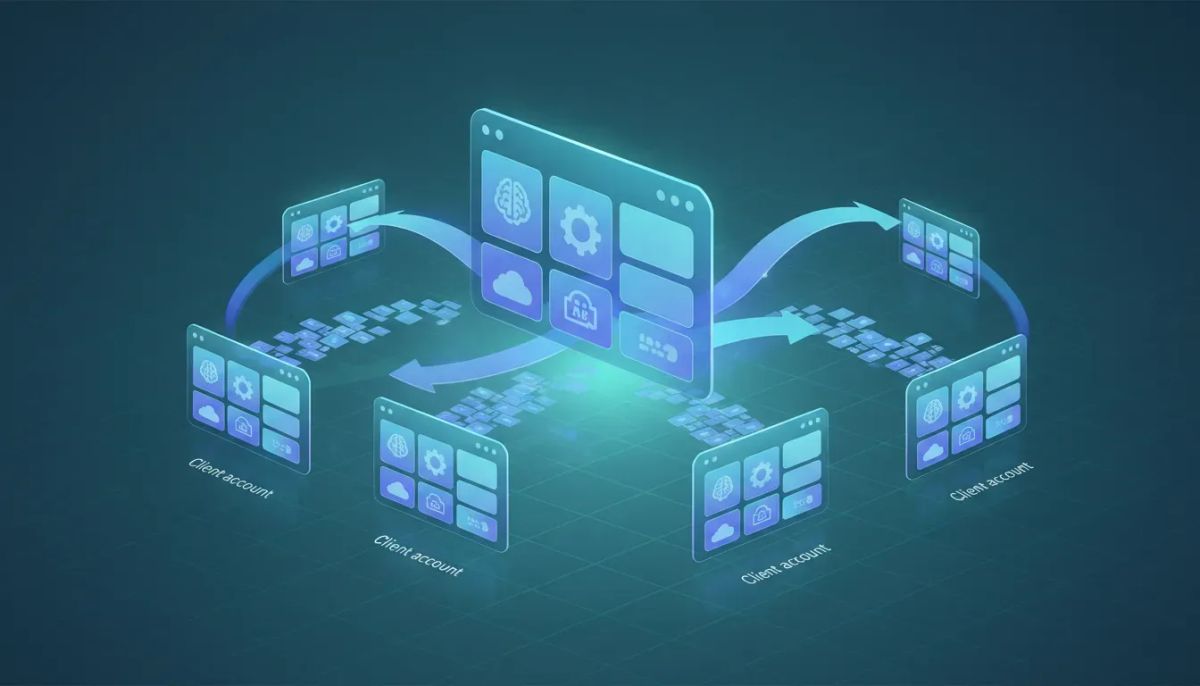
Happy Monday, everyone. Here’s a practical update for anyone building and scaling an agency workflow inside HighLevel (GoHighLevel): AI Studio project cloning is now live. If you have ever rebuilt the same project from scratch across different client accounts, different subaccounts, or different environments inside your agency, this feature is designed to save you real time.
The Complete Operating System for Growth
Join over 60,000+ agencies and businesses using HighLevel to capture more leads and close more deals. Start your trial today and get instant access to the Nexus Hub resources.
Claim Your Free Trial & BonusesInstead of starting over, you can copy an AI Studio project and bring it into another place in your agency structure. That means faster iteration, easier handoffs, and a cleaner way to reuse proven work.
What AI Studio “Clone Projects” Actually Does
In AI Studio, projects are how you build and organize your AI work. With this new capability, you can clone those projects so you can reuse them across accounts and subaccounts within your agency.
The core idea is simple:
- Copy a project you already built
- Send it to a new destination inside your AI Studio workspace
- Optionally include the full project history so edits and versions come along too
This is a big deal for agency systems. When your team has repeatable assets like prompts, configurations, or AI logic, cloning lets you standardize what works without forcing everyone to rebuild it manually every time.
Clone Within Your Subaccount or Across Subaccounts
One of the most requested parts of this feature was flexibility about where projects can be cloned.
Now you can clone projects:
- Within the same subaccount (copy inside the area you’re currently working in)
- Across different subaccounts in your agency (copy to other subaccounts as well)
So whether you’re reorganizing internally or supporting multiple client subaccounts, you can move your AI Studio projects where they need to go.
Choose the Destination: Root Level or Any Folder
Cloning becomes much more useful when your destination organization is flexible. With AI Studio project cloning, you can place cloned projects into different locations.
Specifically, projects can be cloned to:
- Root level in AI Studio
- Any existing folder inside AI Studio
This matters because agencies often develop a structure over time. For example, you might group projects by service line, industry, lifecycle stage, or client type. Being able to clone into the correct folder keeps your library clean and makes it easier for your team to find the right assets quickly.
Optional Full Project History: Copy the Edits Too
Here’s the part that really supports real agency workflows: when cloning, you can choose whether to include the entire project history.
That means you are not limited to copying only the final version of the project. You can also copy the historical edits and updates. This is useful when you want the receiving account or team member to have:
- A complete audit trail of changes
- The ability to roll back or review older versions
- Context for how the project evolved
And importantly, this is optional. You can clone with history included, or you can clone just the current project state if that’s all you need.
Good to know: the feature is enabled by default in AI Studio. That means you do not need extra setup to get started using cloning.
Why Project Cloning Matters for HighLevel Agencies
If you run a HighLevel agency setup, you already understand that speed and consistency are everything. You want to deliver results quickly, reduce repeated work, and keep your implementation standards high across clients.
AI Studio cloning supports that in a few straightforward ways.
1) Faster implementation and less rework
Instead of rebuilding the same AI Studio project for every new account, you can copy a proven structure and adapt it. This cuts the time spent on repetitive configuration and helps you show up with more consistent deliverables.
The Complete Operating System for Growth
Join over 60,000+ agencies and businesses using HighLevel to capture more leads and close more deals. Start your trial today and get instant access to the Nexus Hub resources.
Claim Your Free Trial & Bonuses2) Better collaboration across your agency
When multiple people support multiple subaccounts, duplication is a common failure point. Cloning gives you a shared reference asset that can move across your agency environment while keeping organization intact through folders and root-level placement.
3) Stronger agency systems and best practices
Every agency eventually builds its own “library” of components: workflows, automations, templates, scripts, and configurations. Project cloning adds AI Studio projects to that library mindset, making it easier to implement agency systems that scale.
4) Safer updates with history available
When teams iterate quickly, things can break. Having optional history means you can preserve the path your project took, which can make troubleshooting or rollback easier when needed.
How to Use Cloned Projects in Your Day-to-Day Work
Even without getting overly technical, there’s a clear workflow pattern that fits most agency operations:
- Create and finalize a strong AI Studio project in one place.
- Clone it into the correct subaccount where it should live for the next client or environment.
- Choose your destination (root or an existing folder) so your asset stays organized.
- Decide on history:
- Include history when you want full edit context or rollback options.
- Skip history when you only need the current state.
- Adapt for the client as needed and then connect your AI Studio work into your broader HighLevel automation and operations setup.
This aligns naturally with how agencies operate inside HighLevel. You’re not just copying files. You’re standardizing assets that support CRM, marketing automation, and overall SaaS operations across multiple accounts.
Positioning AI Studio Cloning in a Bigger HighLevel Workflow
It’s easy to think of AI Studio as a standalone tool. But in a real agency setup, AI Studio projects are usually part of a larger automation ecosystem.
For many teams, AI Studio work feeds into:
- Lead handling and customer communication flows
- Marketing automation scenarios where messages need to be consistent and tailored
- CRM-driven operations that keep follow-up moving on schedule
- Repeatable service delivery across clients
Project cloning makes it easier to keep those components consistent. Instead of recreating AI behavior from scratch each time, you can reuse the foundation, then fine-tune where the client needs it.
Next Steps: Start Building a Cloning-Friendly Agency Library
If you want to get immediate value from this feature, the best approach is to treat AI Studio projects like other high-performing assets in your agency:
- Standardize naming so your team can quickly identify projects.
- Use folders consistently so cloned projects land in the right place.
- Decide when to include history based on how you troubleshoot and maintain your builds.
- Build once, clone often for repeatable solutions.
This is exactly how you scale: you stop solving the same problem over and over, and you start building a system that your agency can deliver reliably.
Want More Templates and Implementation Support?
If you’re actively growing your HighLevel agency setup and want ready-to-use templates, practical resources, and implementation support, it can help to explore the Nexus Hub community. Many agencies use it as a shortcut to better starting points, faster refinement, and more consistent delivery.
And if you’re not already in the platform, consider starting a HighLevel free trial so you can test cloning workflows, strengthen your AI Studio library, and connect it to your broader automations and operational stack.
FAQ
Can I clone AI Studio projects across different subaccounts in my agency?
Yes. AI Studio project cloning supports copying projects within the current subaccount or into other subaccounts across your agency.
Where can cloned projects be placed inside AI Studio?
Cloned projects can be placed at the root level or into any existing folder within AI Studio.
Is project history included when cloning?
Project history inclusion is optional. You can choose whether to clone the full project history along with the project, or clone without the historical edits.
Do I need to enable anything for project cloning to work?
No. The feature is enabled by default in AI Studio, so there’s nothing extra required to start using it.
Why is this useful for a HighLevel agency?
It helps agencies reuse proven AI Studio builds across multiple accounts, reduce duplicate setup work, maintain consistent standards, and manage updates more effectively with optional history.
The Complete Operating System for Growth
Join over 60,000+ agencies and businesses using HighLevel to capture more leads and close more deals. Start your trial today and get instant access to the Nexus Hub resources.
Claim Your Free Trial & Bonuses


