
AI Website and Funnel Generation: A Practical HighLevel Guide for Agencies
Discover how AI funnel generation helps agencies using HighLevel scale operations. This guide covers building landing pages with AI, mapping forms to CRM fields, and automating workflows to increase conversions and speed up client delivery.

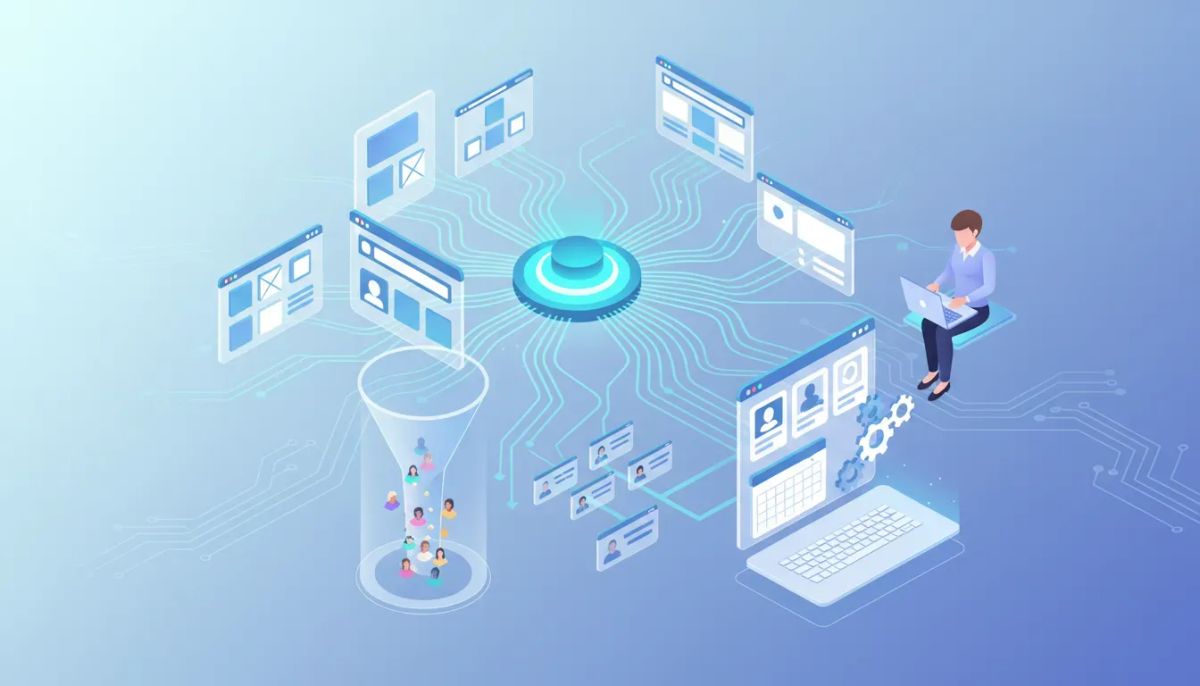
AI-driven website and funnel generation is changing how agencies build landing pages, lead capture funnels, and appointment workflows. This guide explains what AI site generation is, how it integrates with CRM and automations, and how agencies using HighLevel can implement it to speed delivery, increase conversions, and scale operations.
Start Your HighLevel Trial + Get Instant Nexus Hub Access
Build, scale, and optimize your business with HighLevel. Start a free trial using this link to get automatic access to the Nexus Hub community, templates, and implementation resources.
Start Free TrialWhat is AI website and funnel generation?
AI website and funnel generation uses natural language prompts and templates to create fully designed web pages and conversion flows automatically. Instead of manually crafting pages, designers, marketers, or business owners describe the desired outcome—industry, target audience, pages needed, CTAs—and the AI builds layouts, content blocks, forms, and sometimes the underlying automation that captures and routes leads to a CRM.
The most effective AI builders do more than output visuals. They generate working elements: functional forms that map to your CRM fields, appointment calendars tied to team schedules, and structure for automations like follow-up messages and lead scoring.
Who benefits from AI-generated websites and funnels?
- Agencies: Faster client delivery, more proposals per month, consistent templates across accounts.
- Small businesses: Rapid launch of lead capture funnels without heavy design resources.
- SaaS and product teams: Quick landing pages for campaigns and A/B tests.
- Marketing teams: Rapid prototyping and multi-variant campaign rollouts.
Why this matters for HighLevel users
HighLevel (GoHighLevel) combines CRM, marketing automation, and funnel hosting—so AI-generated pages are more powerful when they plug directly into workflows, contact records, and appointment scheduling. Using AI to create pages that already map to HighLevel fields and automations eliminates manual configuration, reduces errors, and shortens the time from brief to launch.
Key concepts and components
Design and copy generation
The AI suggests layouts, headlines, and section content optimized for conversions. It can generate headline variations and microcopy for CTAs and buttons.
Form generation and CRM mapping
High-quality AI builders create form fields and automatically map them to CRM custom fields. If a requested field does not yet exist, the system can add it and ensure captured data attaches correctly to contact records.
Calendar and appointment integration
AI-generated funnels often include booking flows. When a booking element is added, the system should detect existing calendars or prompt you to connect a calendar and assign team members.
Automation and workflows
The AI should suggest or create automations: email and SMS follow-ups, lead assignment rules, tags, and triggers that start HighLevel workflows when a form is submitted or a booking occurs.
How AI funnel generation improves agency operations
- Speed: Produce a live funnel in minutes instead of days.
- Consistency: Apply branded templates consistently across clients.
- Scalability: Onboard new clients faster and deliver more projects with the same team.
- Lower technical friction: Non-technical team members can produce working funnels with correct CRM integrations.
Step-by-step checklist: Launch an AI-generated HighLevel funnel
- Define the goal and audience.Decide whether the funnel is for lead capture, appointment booking, product signup, or content download. Identify the primary audience and value proposition.
- Create a clear prompt.Include business type, page type, desired sections, tone, CTAs, brand color or logo, and any required fields. Example prompt snippet: "Create a lead capture landing page for a dental practice offering new patient exams. Include hero with CTA, services section, patient testimonials, insurance FAQ, and appointment booking."
- Generate the site and review structure.Assess layout, content blocks, and accessibility. Confirm the AI has created the pages you need: home/landing, booking, thank-you, and any nurture pages.
- Verify form fields and CRM mapping.Ensure every form field maps to an existing HighLevel contact field. For any custom fields, confirm the platform added them and that new contacts capture correctly.
- Connect calendars and team members.If a booking widget is present, link to the correct HighLevel calendar or external calendar, set time zones, availability, and team assignments.
- Set up automations and workflows.Create or enable workflows for welcome sequences, reminders, lead assignment, and follow-up. Test triggers by submitting test leads.
- Brand and finalize assets.Replace placeholder logos, images, and fonts where needed. Confirm colors, contact info, and legal disclaimers.
- Test end-to-end.Submit test forms, create test bookings, and validate contact creation, tag application, and workflow execution. Check email and SMS deliverability and calendar invites.
- Publish and monitor.Publish the funnel, verify tracking (UTM, analytics), and monitor performance for the first 24–72 hours to catch any issues.
Prompt examples to get better AI results
Use these starter prompts to guide AI builders. Tailor specifics to the client and campaign.
- Local service lead magnet: "Build a single-page funnel for a plumbing company offering a free leak inspection. Include hero, benefits, quick form (name, phone, address, preferred appointment window), FAQ, trust badges, and booking calendar. Tone: clear and local."
- Appointment-first funnel: "Create a booking funnel for a chiropractic office with hero, short intake form (name, phone, insurance, reason for visit), team bios, and automated reminder SMS sequence."
- Product launch landing: "Design a product pre-order page for a fitness app. Include countdown, features, pricing tiers, testimonials, email capture form, and integration with CRM for segmented follow-up emails."
Common mistakes and pitfalls to avoid
1. Not verifying CRM field mappings
If the AI adds form fields without mapping them to the CRM, data can be lost or stored as unstructured notes. Always confirm each field maps to a contact property or that the system created the required custom field.
Start Your HighLevel Trial + Get Instant Nexus Hub Access
Build, scale, and optimize your business with HighLevel. Start a free trial using this link to get automatic access to the Nexus Hub community, templates, and implementation resources.
Start Free Trial2. Skipping automation testing
A generated funnel can appear functional but fail to trigger workflows correctly. Run end-to-end tests: submit forms, create bookings, and ensure notifications and follow-ups fire as expected.
3. Over-relying on default content
AI copy is a strong starting point, but it often needs client-specific tweaks for accuracy, compliance, and brand voice. Review legal claims, pricing details, and industry-specific terms carefully.
4. Ignoring accessibility and SEO basics
Automated designs can miss alt text, heading structure, and semantic markup that affect SEO and accessibility. Add descriptive alt text for images, set proper H1/H2 structure, and optimize meta titles/descriptions.
5. Not managing duplicate fields and contact data
Multiple identical custom fields across accounts or sub-accounts can lead to confusion. Keep a CRM field inventory and standardize field names across client accounts when possible.
Performance optimization and testing
After launch, measure funnel performance and optimize continuously:
- Conversion tracking: Use UTM parameters, pixel tracking, and event goals to monitor where conversions come from.
- Heatmaps and session recordings: Identify friction points on pages and forms.
- A/B testing: Test headlines, CTAs, form length, and imagery.
- Load times: Compress images and limit heavy scripts to keep page speed high; AI-generated pages sometimes include asset-heavy templates that need optimization.
- Follow-up cadence: Test different email and SMS sequences to find the best engagement window.
Integration checklist: What to hook up after generation
- CRM mapping: Confirm contact fields and custom field creation.
- Calendars: Connect Google or Outlook calendar, set staff availability.
- Messaging: Activate SMS shortcodes, email templates, and sender IDs.
- Payment gateways: Link Stripe or payment providers for checkout funnels.
- Domain and SSL: Add custom domain and verify SSL for live funnels.
- Analytics: Connect Google Analytics, Facebook/Meta pixel, and conversion APIs as needed.
Best practices for agency workflows and scaling
- Template library: Build a repository of AI-generated templates for common verticals (dentists, contractors, coaches) and refine them over time.
- Standard prompts: Create a prompt catalog so team members produce consistent outputs and brand alignment.
- Quality checklist: Use a pre-launch QA checklist that covers fields, automations, assets, branding, and legal items.
- Onboarding sequence: For new clients, run a standardized discovery form that feeds directly into your AI prompt variables (logo, colors, pages required, top offers).
- Training: Train client success and project managers to validate CRM mappings and workflow configurations rather than leaving it to developers.
Troubleshooting common issues
Form submissions not creating contacts
Check that the form is mapped to the correct contact creation action. Verify that required fields are present and that no validation blocks the submission. Inspect workflows to ensure they are not filtering out test submissions.
Calendar bookings not syncing
Confirm calendar credentials and time zone settings. Make sure team members are assigned to the right booking types and that availability windows are set in the calendar configuration.
Workflows not firing
Verify trigger conditions match the actual form behavior or tag changes. Look for conflicting triggers or throttling rules that might delay actions. Use test contacts and logs to trace the workflow execution.
Security, privacy, and compliance considerations
- Data residency: Know where contact data is stored and whether any regional regulations apply.
- Consent capture: Include explicit consent checkboxes and privacy policy links on forms when collecting personal data.
- PCI and payment security: Use secure hosted checkout pages or vetted payment integrations when collecting payments.
- Access control: Limit who can publish funnels and connect external integrations in your agency and client accounts.
Quick launch checklist for the first campaign
- Define goal, offer, and target audience.
- Generate funnel and review page structure.
- Confirm CRM mappings and custom fields.
- Connect calendar and payment integrations as needed.
- Set up and test workflows for lead routing and follow-up.
- Optimize SEO metadata and accessibility basics.
- Publish, test end-to-end, and monitor analytics.
When to use AI generation vs. manual design
Use AI generation when speed, prototyping, or scaling are priorities. For highly customized brand experiences, complex integrations, or when pixel-perfect design is required, consider a hybrid approach: generate an initial version with AI and then refine manually. This approach saves time while preserving quality for premium clients.
Next steps for HighLevel users
Agencies and teams on HighLevel should explore adding AI-generated funnels to their toolkit. Start by building a few standard templates, testing automations, and creating a QA process that ensures generated content maps correctly into workflows and CRM records.
If you do not yet have a HighLevel account, consider starting a free trial to experiment with AI-enabled funnel generation and to access built-in CRM, automation, and calendar features. Agencies can also leverage community resources and template libraries to accelerate implementation.
Will an AI-generated funnel automatically add custom CRM fields in HighLevel?
Many AI builders will create form fields and either map them to existing CRM properties or create custom fields automatically. Always verify that new fields are present and correctly configured in HighLevel to ensure data flows into contact records as intended.
Can AI-generated pages include booking calendars and reminders?
Yes. AI-generated funnels often include scheduling widgets that can be connected to calendars. After adding a booking element, connect the appropriate calendar, set team availability, and configure reminder automations for email or SMS.
How do I ensure the AI copy is compliant and accurate?
Treat AI-generated copy as a draft. Review claims, pricing, and industry-specific statements for compliance. Update legal text, privacy policy links, and disclaimers before publishing.
Is AI funnel generation suitable for highly-regulated industries?
It can be used, but proceed with caution. Highly-regulated fields like healthcare, legal, or finance require review by qualified professionals to avoid non-compliant content or improper data handling. Ensure consent capture and data handling meet regulatory standards.
How should agencies manage versions and templates?
Maintain a centralized template library with version control. Keep a catalog of prompts and best-performing layouts. Standardize field names and automations to reduce friction when deploying across multiple client accounts.
Summary
AI website and funnel generation accelerates funnel creation while integrating with CRM, calendars, and automations. For agencies using HighLevel, the combination of AI-generated pages and built-in workflows offers a path to faster launches, consistent quality, and better scaling. Follow the checklists in this guide: define goals, verify CRM mappings, test automations, and standardize templates. With the right safeguards and QA, AI-driven funnels can become a core part of an agency's delivery system.
Consider exploring a HighLevel trial and community resources to experiment with AI-driven templates, build a template library, and join peers who share prompts and implementation tips.
Start Your HighLevel Trial + Get Instant Nexus Hub Access
Build, scale, and optimize your business with HighLevel. Start a free trial using this link to get automatic access to the Nexus Hub community, templates, and implementation resources.
Start Free Trial


