
MCP in AI Agent Action Is Live in HighLevel

HighLevel just unlocked something that changes what AI agents can actually do inside workflows.
MCP support is now live inside AI Agent Action, which means your HighLevel AI agents can connect to external tools and services in real time. Not just your CRM data. Not just what already lives inside the platform. Now your agents can reach outside HighLevel, pull in information, and take action across connected systems while the workflow is running.
That is a big shift.
For anyone building automations in GoHighLevel, this turns AI agents from helpful assistants into much more capable operators. If a tool supports Model Context Protocol, your AI agent can connect to it and use the actions exposed by that MCP server directly inside the workflow.
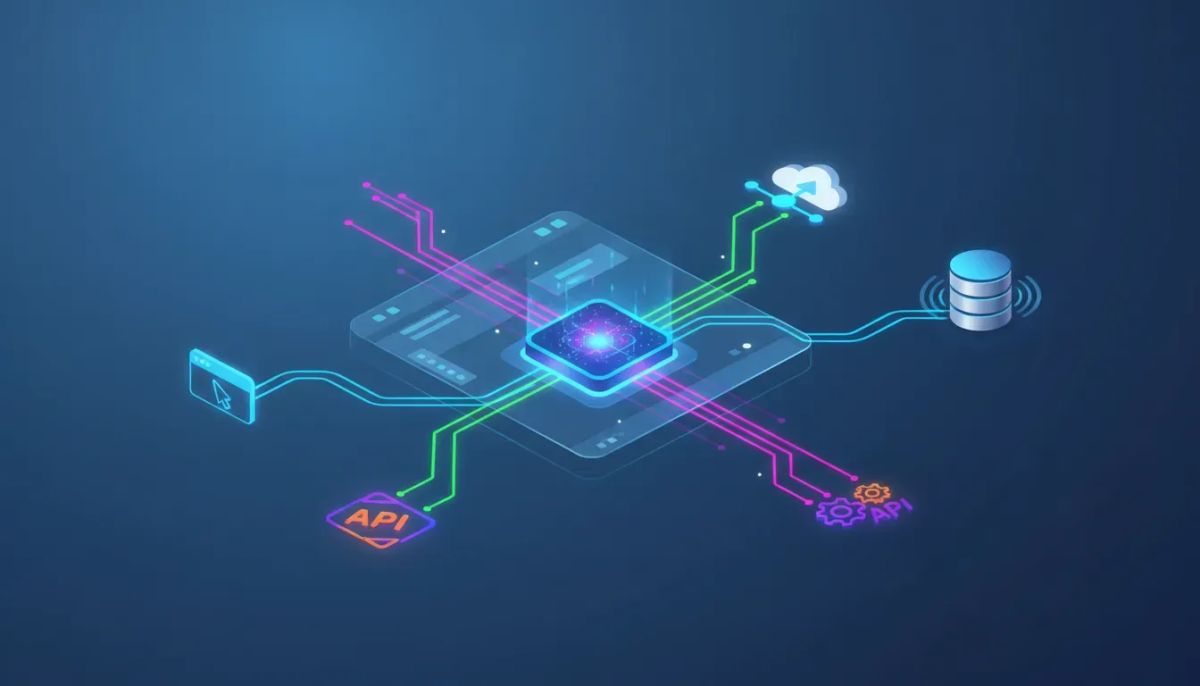
Search engines, browsers, databases, APIs, and other external services are now on the table. That opens the door to richer automations, more dynamic decision-making, and a much broader set of use cases for agencies, SaaS operators, and businesses running their systems inside HighLevel.
The Complete Operating System for Growth
Join over 60,000+ agencies and businesses using HighLevel to capture more leads and close more deals. Start your trial today and get instant access to the Nexus Hub resources.
Claim Your Free Trial & BonusesWhat MCP means for HighLevel AI agents
MCP stands for Model Context Protocol. In practical terms, it gives AI agents a standard way to connect to outside tools and services.
Inside HighLevel, that means your AI agent is no longer confined to the information already stored in the CRM. It can now:
- Connect to external APIs
- Access databases and third-party tools
- Pull in real-time information during workflow execution
- Use available actions from connected MCP servers
- Trigger work outside HighLevel without manual intervention
That last part matters a lot. Traditional workflow automation often runs into the same wall: your process is only as powerful as the data and actions directly available inside the platform. MCP removes a big chunk of that limitation.
Now an AI agent can work with your HighLevel workflow and also reach beyond it.
Why this is such a big upgrade
The exciting part here is not just that a new integration exists. It is that this integration model is broad.
When an AI agent can connect to any compatible MCP server, the workflow becomes far more adaptable. Instead of building around static information, you can design automations that react to current conditions, retrieve fresh data, and use external capabilities on demand.
That means:
- More flexible workflow logic because the agent can fetch what it needs in the moment
- Better AI decisions because the context is not limited to CRM records
- More connected operations because actions can happen across multiple systems
- Less manual work because the agent can search, retrieve, and act without someone stitching together every step by hand
If you manage agency systems, client automations, or internal business processes in HighLevel, that is the kind of upgrade that compounds quickly. One new capability inside workflows can simplify a lot of work across lead handling, operations, fulfillment, reporting, and support.
Your AI agents are no longer limited to the CRM
This is really the core message.
Before MCP support, the power of an AI agent inside HighLevel was naturally shaped by the information already accessible within the platform. That was useful, but bounded.
With MCP, your agent can go out, grab information, bring it back, and use it in real time as part of the workflow.
That creates a very different automation experience.
Instead of asking, “Do I have this data in the CRM?” you can start asking, “Can my agent retrieve this from a compatible external source while the workflow runs?”
Instead of saying, “This process stops at HighLevel,” you can start asking, “Can the agent take the next step in another system?”
That shift is exactly why this feature feels so powerful. It expands what is possible without forcing you to abandon the workflow framework you already use.
What kinds of tools can connect through MCP?
HighLevel’s AI Agent Action can connect to any compatible MCP server. The examples highlighted include:
- Search engines
- Browsers
- Databases
- APIs
- External tools and services
The important detail is not just the category of tool. It is the standard. If the service supports MCP, it becomes a candidate for AI agent use inside your HighLevel workflows.
That is why the feature has such a wide-open feel to it. You are not looking at a narrow one-off integration. You are looking at a framework for extending AI agent capabilities across many services.
And because so many tools are moving toward MCP compatibility, this has the potential to become one of the most useful ways to build advanced automations inside GoHighLevel.
How MCP works inside HighLevel workflows
The setup is straightforward.
Inside your AI Agent Action in workflows, you can add an MCP connection. Once that connection is established, the available actions from that MCP server become usable inside the workflow.
The flow looks like this:
- Open your AI agent action inside a HighLevel workflow.
- Click Add connection.
- Enter the MCP server details.
- Save the connection.
- Use the actions exposed by that MCP server inside the workflow.
That is the beauty of it. Once connected, the workflow can access the different actions made available by the MCP provider, and those actions become part of how your AI agent can operate.
This keeps the experience close to the way HighLevel users already think about workflows and automation building. You are not being asked to leave the platform and manage a completely separate orchestration layer. You are extending what the workflow can do from within the workflow itself.
The practical benefit: real-time data and actions
Real-time access is where this gets especially interesting.
There is a big difference between running an automation based on stored information and running one that can fetch current information at the moment it needs it. MCP gives AI agents that ability.
So instead of relying only on what was already known when a contact entered the workflow, the agent can potentially:
- Retrieve fresh data from an external system
- Use that data as context for a decision
- Trigger an action based on what it found
- Continue the workflow with more complete context
That is exactly the kind of capability that makes AI automation more than just smart text generation. It becomes process automation with live access to tools.
The Complete Operating System for Growth
Join over 60,000+ agencies and businesses using HighLevel to capture more leads and close more deals. Start your trial today and get instant access to the Nexus Hub resources.
Claim Your Free Trial & BonusesWhy this matters for agencies and SaaS operations
If you are using HighLevel for agency setup and scaling, this is the kind of feature that can help you build more valuable systems for clients without creating a mess of disconnected tools.
Agencies live and die by implementation quality. The better your automations, the more reliable your delivery. MCP support gives you a way to design more connected systems while still centralizing your workflow engine inside HighLevel.
That matters for:
- Client fulfillment where workflows may need information from outside the CRM
- Marketing automation that benefits from real-time external context
- SaaS operations where cross-system coordination is often required
- Scalable agency systems because standardized workflow logic becomes more capable without becoming more fragmented
For teams already deep into GHL, this is a natural extension of the platform’s role as the central operating system for CRM, communication, automations, and business workflows.
What makes this feel so powerful
There are some feature releases that add convenience, and there are others that expand the ceiling of what you can build.
This one expands the ceiling.
When your AI agent can pull data in and take actions from any MCP-compatible service, the workflow stops being a closed loop. It becomes a connected decision engine.
That is why the reaction to this kind of update is usually immediate: you can almost feel the possibilities opening up.
Not in a vague, hype-heavy way. In a very practical way.
You start thinking about all the places where a process gets stuck because it needs outside information or an external action. Then you realize the AI agent can now bridge that gap.
Best way to approach MCP inside HighLevel
If you are getting started, keep it simple.
Do not try to rebuild your entire automation architecture on day one. Start with one workflow where external data or outside action would clearly improve the result.
A good implementation mindset looks like this:
- Pick a workflow that already works reasonably well
- Identify the point where better context or an external action would improve performance
- Connect the relevant MCP server
- Use one or two actions first
- Validate that the workflow behaves the way you expect
- Expand from there
This is generally the best practice with HighLevel automations anyway. Start with a clear operational need, implement one improvement cleanly, then scale what works.
That approach is especially useful for agencies managing multiple sub-accounts and trying to keep systems maintainable.
Where to find the update details
If you want the official breakdown inside the platform ecosystem, check the HighLevel changelog. You can also access updates through the speaker icon in the top right inside the app.
That is the right place to review the feature release and keep up with how HighLevel is evolving its AI agent and workflow capabilities over time.
Why this feature fits the direction of HighLevel
HighLevel has steadily become more than a CRM. For many agencies and businesses, it is the hub for communications, automations, lead management, and operational systems.
MCP support inside AI Agent Action fits that direction perfectly.
It extends HighLevel’s role as the place where business logic runs, while giving AI agents access to a broader ecosystem of tools. That means you can keep building inside the platform you already use for marketing automation and CRM operations, while still taking advantage of outside services in a structured way.
That is a strong combination for anyone trying to create agency systems that are both powerful and manageable.
What to do next
If you are already building in GoHighLevel, open your workflows and test MCP inside an AI Agent Action. Add a connection, review the available actions from your MCP server, and start thinking in terms of live context and connected systems.
If you are still evaluating the platform, this is one more reason to consider a HighLevel free trial. AI agents connected to external tools can dramatically expand what your automations can do, especially if you are managing client delivery, internal operations, or scalable SaaS workflows.
And if you want implementation support, templates, and practical ideas for building better systems in HighLevel, joining the Nexus Hub community can be a smart next step. The biggest gains rarely come from having access to a feature alone. They come from knowing how to deploy it well.
FAQ
What is MCP in HighLevel AI Agent Action?
MCP stands for Model Context Protocol. In HighLevel, it allows AI agents inside workflows to connect to compatible external tools and services, such as APIs, databases, browsers, and search tools, and use them in real time.
What can AI agents do with MCP support?
They can pull in real-time data, access actions from external services, and trigger tasks outside the HighLevel platform as part of a workflow. This expands AI agents beyond CRM-only context.
Are AI agents still limited to CRM data?
No. That is one of the main changes. With MCP support, HighLevel AI agents can reach outside the CRM to retrieve information and use outside tools while the workflow is running.
How do you add an MCP connection in HighLevel?
Open the AI agent action inside your workflow, click Add connection, enter your MCP server details, and save. Once connected, the available actions from that MCP server can be used inside the workflow.
What kinds of services can connect through MCP?
Examples include search engines, browsers, databases, APIs, and other MCP-compatible tools or services. If a service supports MCP, it can potentially be used by your AI agent inside HighLevel workflows.
Where can I learn more about this HighLevel feature?
You can review the HighLevel changelog for the full update details. Inside the platform, the speaker icon in the top right is also a quick way to access product updates and release information.
MCP in AI Agent Action is one of those releases that immediately broadens what is possible in HighLevel workflows. The setup is simple, the implications are big, and the real opportunity is in how you apply it.
If your automations need better context, more reach, and stronger cross-system execution, this is the feature to start experimenting with now.
The Complete Operating System for Growth
Join over 60,000+ agencies and businesses using HighLevel to capture more leads and close more deals. Start your trial today and get instant access to the Nexus Hub resources.
Claim Your Free Trial & Bonuses


