
Agent Log Metrics Upgrade: Real-Time AI Agent Analytics in HighLevel

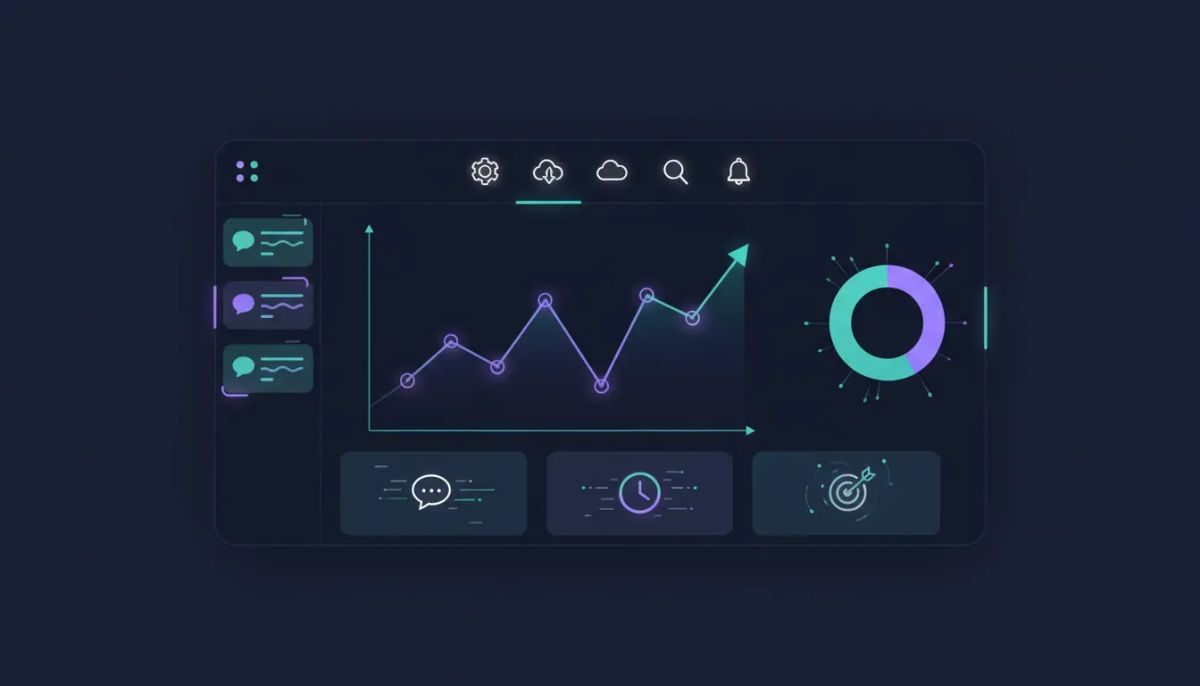
If you have been relying on AI agents inside HighLevel and mostly checking session logs one conversation at a time, this upgrade is a big one.
The Complete Operating System for Growth
Join over 60,000+ agencies and businesses using HighLevel to capture more leads and close more deals. Start your trial today and get instant access to the Nexus Hub resources.
Claim Your Free Trial & BonusesHighLevel has added a new Metrics tab inside AI Agents > Agent Logs, and it changes the way you evaluate agent performance. Session logs are still useful for understanding the details of an individual interaction. They show you what happened and how a conversation unfolded. But when you want to understand performance at a higher level, that is where metrics come in.
This update gives you the missing layer: how much activity your AI agents are handling and how well they are doing over time.
In other words, instead of guessing, you can start measuring.
Why this matters for AI agent management
One of the biggest challenges with AI operations is that it is easy to feel like things are working without actually knowing whether they are working efficiently.
You might know your AI agent is responding. You might even know it is active across channels. But that still leaves some important questions unanswered:
- How many conversations is it handling?
- How engaged are those conversations?
- Which channels are seeing the most activity?
- When are your busiest hours?
- Are trends improving, leveling off, or becoming harder to manage?
Without a metrics dashboard, those answers usually require piecing together information manually. That slows down decision-making and makes it harder to optimize your AI workflows.
With the new agent log metrics dashboard, HighLevel gives you a centralized command center for tracking the performance, efficiency, and impact of your AI agents in real time.
What the new Metrics tab does
The new Metrics tab inside Agent Logs is designed to give you a broader, more useful view of AI agent activity. Instead of focusing on one conversation at a time, you can monitor overall trends and high-level stats that help you make smarter decisions.
From the dashboard, you can track key analytics such as:
- Total conversation volume
- Messages per conversation
- Channel activity
- Peak usage times and busiest hours
- Live performance updates in real time
These are the kinds of metrics that help you move from reactive troubleshooting to proactive optimization.
If you are running AI support, lead qualification, appointment handling, or automated customer communication inside GoHighLevel, this gives you a much clearer picture of what is happening across your system.
Session logs tell the story. Metrics tell the pattern.
This is the easiest way to understand the value of the upgrade.
Session logs are great for inspecting one conversation. If something went wrong, if you want to understand a response path, or if you are testing prompts and flows, session logs are where you go.
But if you only use session logs, you stay zoomed in.
Metrics let you zoom out. They show patterns across all activity. They help you answer questions like:
- Are conversations increasing over time?
- Are agents handling more back-and-forth than expected?
- Which communication channels are driving the most AI engagement?
- What times of day create the most AI workload?
That combination is powerful.
Use logs to understand the details. Use metrics to understand the system.
The biggest advantage: a customizable command center
One of the strongest parts of this rollout is that the dashboard is not fixed into a one-size-fits-all layout.
You can customize the cards and layout based on what matters most to your business, team, or agency setup. That means you are not stuck with a default view if your priorities are different.
You can also add different widgets, giving you more control over how you monitor your AI operations.
That flexibility matters because AI use cases are not all the same.
A marketing agency using HighLevel for lead intake might care most about conversation volume and channel activity. A SaaS operator managing automated support might care more about message depth and peak hours. A local business using AI for appointment workflows may want a quick view of daily engagement and response load.
The ability to shape the dashboard around your actual use case makes this more than just a reporting feature. It becomes an operational workspace.
What you can measure with agent log metrics
1. Conversation volume
This is one of the first stats most teams will look at.
Knowing how many conversations your AI agents are handling helps you understand adoption, demand, and scale. If you launch a new workflow or connect a new communication channel, this gives you a fast way to see whether usage is increasing.
It is also useful for capacity planning. As your automations expand, conversation volume becomes a leading indicator for how much work your AI system is taking off your team.
2. Messages per conversation
This metric adds context to raw conversation counts.
A high number of conversations might sound great, but if every conversation ends after one short message, that tells a different story than a system generating meaningful multi-message interactions.
Tracking messages per conversation can help you understand engagement and complexity. It can also point to opportunities for improvement in prompt design, workflow structure, or handoff logic.
3. Channel activity
Many HighLevel users operate across multiple communication channels. Knowing where your AI activity is happening helps you spot patterns quickly.
If one channel is seeing the majority of agent interactions, that may influence how you prioritize optimization, staffing, or campaign strategy. If another channel is underperforming, that may point to setup issues or audience behavior changes.
Channel visibility is especially useful for agencies managing client accounts and needing a quick operational snapshot.
4. Busiest hours
Timing matters.
Identifying your busiest hours helps you understand when your AI agents are under the most demand. That can shape everything from campaign scheduling to support strategy to escalation planning.
For example, if your AI agents are busiest during certain hours of the day, you can align internal processes around those peaks. Even if the AI is handling the front line, knowing when demand surges makes the rest of your operation more efficient.
5. Real-time performance monitoring
This is one of the most practical pieces of the upgrade.
The metrics dashboard can be refreshed manually or set to auto-refresh every set number of seconds. That means you can monitor AI activity as it happens instead of relying on delayed snapshots.
For active teams, fast-moving campaigns, or troubleshooting live workflows, real-time updates are a huge advantage.
The Complete Operating System for Growth
Join over 60,000+ agencies and businesses using HighLevel to capture more leads and close more deals. Start your trial today and get instant access to the Nexus Hub resources.
Claim Your Free Trial & BonusesYou can actually observe your agents progressing and see performance patterns unfold in near real time.
How this helps agencies, SaaS operators, and CRM teams
This feature fits naturally into the broader HighLevel ecosystem because it supports the same goal that drives good CRM and marketing automation strategy: visibility.
When you can measure what your systems are doing, you can improve them faster.
For agencies
If you are running HighLevel agency accounts, this helps with both internal optimization and client reporting. You get clearer insight into how AI agents are performing across accounts, channels, and workflows.
That can support better service delivery, better troubleshooting, and stronger conversations around results.
For SaaS operations
If your business model includes AI-enabled communication or support, metrics help you understand usage trends and operational demand. You can see what is working, where engagement is strongest, and when workloads spike.
That makes it easier to scale responsibly.
For CRM and automation teams
HighLevel workflows and automations are often connected to lead management, support, follow-up, and booking systems. AI metrics add another layer of intelligence to those systems.
Instead of treating AI as a black box, you can manage it as an active part of your CRM and automation infrastructure.
Why customization matters more than people think
A dashboard is only valuable if it helps you make decisions quickly.
That is why the ability to customize cards, reorganize the layout, and add widgets is so important. It lets you build around your priorities instead of adapting your workflow to someone else’s default dashboard.
Some teams want a top-line operational overview. Others need channel-specific insights. Others want to keep an eye on message activity and timing trends above everything else.
With a flexible dashboard, each team can create a setup that matches how they work.
This is especially useful for agencies that manage multiple systems and need streamlined operational visibility without digging through layers of reports.
How to use agent log metrics well
Having access to data is one thing. Using it effectively is another.
Here are a few practical ways to get more value from this upgrade:
- Start with your most important KPI. If your main concern is conversation volume, make that visible first. If you care more about engagement depth, prioritize messages per conversation.
- Build your dashboard around decisions. Do not just collect numbers. Arrange your layout around the questions you need answered most often.
- Check trends during active hours. Since the dashboard can refresh automatically, use it during busy periods to understand demand patterns as they happen.
- Compare metrics before and after workflow changes. When you update prompts, channels, or automations, use the metrics tab to measure impact.
- Use logs and metrics together. Metrics show where to investigate. Logs show why something happened.
That workflow can save a lot of time. Instead of reviewing conversations randomly, you can use your analytics to spot what needs attention first.
Where to find it in HighLevel
The feature is available under:
- AI Agents
- Agent Logs
- Metrics tab
If you are already using HighLevel AI agents, it is worth opening this up and spending a few minutes customizing your dashboard right away.
Even a quick setup can give you a better sense of what your agents are doing across the board.
A better way to optimize AI workflows
What makes this upgrade valuable is not just that it adds more data. It adds usable visibility.
That is a major difference.
More numbers by themselves do not solve anything. But the right metrics, presented in real time and organized the way you want, can make AI management far more practical.
If you are building inside GoHighLevel, that means:
- Better insight into AI performance
- Better operational awareness
- Better workflow optimization
- Better scaling decisions
For teams serious about automation, this kind of dashboard is not just helpful. It becomes part of how you run the business.
The bottom line
The new agent log metrics upgrade gives HighLevel users a much clearer way to understand AI activity at scale.
You still have session logs for the detailed, conversation-level view. Now you also have a real-time metrics dashboard for the bigger picture.
That means you can stop guessing and start measuring:
- How many conversations your AI agents handle
- How engaged those conversations are
- Which channels are driving activity
- When demand is at its highest
- How your agents are performing right now
And because the dashboard is customizable, you can make it fit your exact agency systems, CRM setup, or automation strategy.
If you are already building with HighLevel, this is one of those quality-of-life upgrades that can have a real operational impact fast.
If you are still exploring the platform, this is also a good example of how HighLevel continues to strengthen the link between AI, CRM, marketing automation, and scalable business systems. Starting a free trial can be a practical way to test how these AI agent analytics fit into your workflows. And if you want templates, implementation support, and community-driven help, the Nexus Hub ecosystem is a natural next step.
FAQ
What is the Agent Log Metrics upgrade in HighLevel?
It is a new Metrics tab inside AI Agents and Agent Logs that gives you real-time analytics for your AI agents. It helps you track performance, efficiency, and usage trends across conversations instead of only reviewing individual session logs.
Where can I find agent log metrics in GoHighLevel?
You can find it under AI Agents > Agent Logs > Metrics. That is where the new dashboard lives.
What metrics can I track?
You can track conversation volume, messages per conversation, channel activity, busiest hours, and other high-level AI performance insights. The dashboard is meant to help you understand both how much activity is happening and how well your agents are performing.
Can the dashboard update in real time?
Yes. You can refresh it manually or set it to auto-refresh every set number of seconds, which makes it useful for monitoring active AI workflows as they progress.
Can I customize the metrics dashboard?
Yes. You can customize the cards, change the layout, and add widgets so the dashboard reflects the metrics that matter most to your business or agency operation.
How is this different from session logs?
Session logs help you inspect individual conversations and understand what happened in a specific interaction. Metrics give you a broader view of trends and overall performance across many conversations.
Who benefits most from this feature?
Agencies, SaaS teams, CRM managers, and anyone running HighLevel workflows and automations with AI agents can benefit. It is especially useful when you need visibility into usage, engagement, timing patterns, and operational scale.
The Complete Operating System for Growth
Join over 60,000+ agencies and businesses using HighLevel to capture more leads and close more deals. Start your trial today and get instant access to the Nexus Hub resources.
Claim Your Free Trial & Bonuses


