
Master HighLevel: A Beginner’s Guide to Setting Up, Automating, and Scaling Your Agency
Master HighLevel with this beginner’s guide to setting up and scaling your agency. Learn to build essential marketing automations, manage sub-accounts, and implement a 90-day roadmap to streamline your CRM operations and improve client delivery.

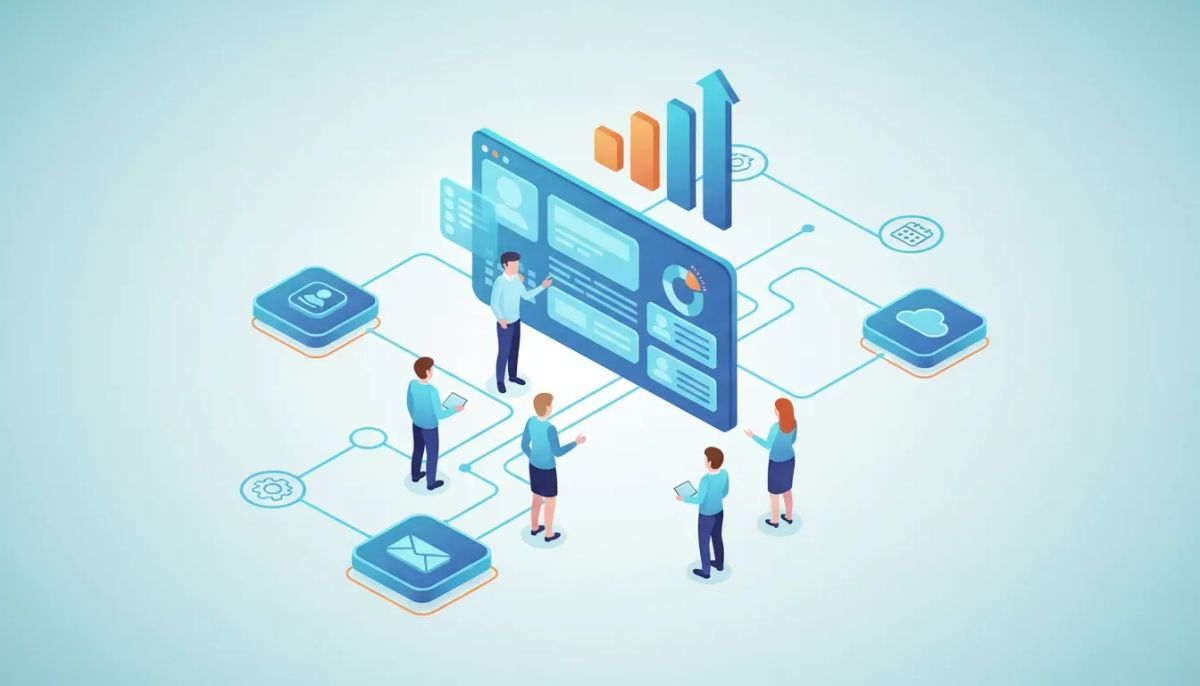
HighLevel (also known as GoHighLevel or GHL) is a powerful all-in-one CRM and marketing automation platform built for agencies and marketers. This guide walks new users through what matters most: how to set up a clean agency account, build practical workflows and automations, avoid common mistakes, and scale operations with repeatable systems.
Start Your HighLevel Trial + Get Instant Nexus Hub Access
Build, scale, and optimize your business with HighLevel. Start a free trial using this link to get automatic access to the Nexus Hub community, templates, and implementation resources.
Start Free TrialWho this guide is for and what you will learn
This article is tailored for agency owners, consultants, and marketers who are evaluating or onboarding HighLevel. You will learn:
- Core HighLevel components you must understand.
- Step-by-step setup for an agency and sub-accounts.
- Essential workflows and automations to build first.
- Best practices for scaling including naming, templates, and reporting.
- Pitfalls and compliance to avoid deliverability and legal issues.
What is HighLevel and why agencies choose it
HighLevel is a SaaS platform combining CRM, marketing automation, funnels, forms, calendars, reputation management, and client portals into one dashboard. Agencies use it to replace multiple point tools and to deliver white-label services, recurring revenue, and standardized client operations.
Key advantages include unified contact data, workflows/automation, and the ability to manage multiple sub-accounts under a single agency tenancy. That makes billing, templating, and scaling simpler than juggling separate tools for SMS, email, funnels, and booking.
Core HighLevel features explained
CRM & Pipelines
The CRM stores contacts and tracks movement through custom pipelines. Use pipelines for lead qualification, sales stages, or client onboarding. Each pipeline stage can trigger automations.
Workflows and Automations
Workflows are HighLevel’s automation engine. They combine triggers, conditions, and actions (send SMS, email, create task, update contact, etc.). Start with simple, reliable automations before layering complexity.
Funnels, Forms, and Landing Pages
Built-in funnel builder and forms capture leads, create opportunities, and feed the CRM. Customize forms to map fields to contact properties and trigger workflows on submission.
Calendars and Appointments
Calendar integrations let prospects book slots, trigger confirmation workflows, and sync with team calendars. Use rules to prevent double-booking and automate reminders.
Conversations Inbox and Omnichannel Messaging
Consolidates SMS, email, Facebook Messenger, and missed-call texts into one view so teams can manage interactions centrally.
Memberships and Courses
Use membership areas to deliver client onboarding courses, training content, or white-label products for recurring revenue.
First things to do: agency account setup checklist
- Create agency structure: Set up the main agency account and decide naming conventions for sub-accounts.
- Verify domains: Add and verify sending domains to improve email deliverability.
- Connect SMS and email providers: Configure Twilio (or recommended provider) and SMTP or integrated email provider.
- Set timezones and business hours: Ensure appointment reminders and workflow timing are correct.
- White-label and branding: Update agency logo, tracking domains, and account labels for client-facing views.
- Create user roles: Add team members with least-privilege roles for security and auditability.
- Payment & billing: Connect gateways if you will process client payments or memberships.
- Templates repository: Build an initial folder of templates for funnels, emails, and workflows.
Essential automations every new HighLevel user should build
Below are practical workflows that deliver immediate ROI. Each example includes a suggested trigger and core actions.
1. Lead capture to appointment workflow
- Trigger: Form or funnel submission.
- Actions: Send immediate SMS and email confirmation, create an opportunity in pipeline, assign owner, send calendar link for booking, add lead to nurture sequence.
2. No-show and reschedule workflow
- Trigger: Appointment status changes to "No Show" or missed.
- Actions: Send reschedule SMS, create task for account manager, push contact back to booking funnel after X days, add a "no-show" tag for segmentation.
3. New client onboarding for agencies
- Trigger: Tag added "Client - Onboard".
- Actions: Send welcome email, create onboarding checklist tasks, schedule kickoff meeting, grant access to membership onboarding materials, set 30/60/90-day follow-up reminders.
4. Lead nurture sequence with qualification logic
- Trigger: New lead created.
- Actions: Send value-add emails, SMS touchpoints, track engagement, if contact clicks or replies then move to "Qualified" pipeline stage and notify sales; otherwise continue nurturing for 30 days.
5. Review and reputation automation
- Trigger: Job completed or tag "Service Completed" added.
- Actions: Send review request SMS/email, create follow-up reminder for negative responses, post positive reviews to profiles or internal dashboards.
Practical naming conventions and account hygiene
Discipline in naming and folder structure prevents wasted time and broken automations. Adopt these minimal conventions:
- Workflows: prefix with purpose and target, e.g., "WF - Lead > Book | FB Ad".
- Emails: "EM - Nurture - Day 3 - Value".
- Tags: Use a taxonomy like Stage:, Source:, Client:, e.g., "Stage:Prospect", "Source:GoogleAds".
- Templates: Include version numbers and date, e.g., "Funnel - Landing - V1 - 2026-02".
30-60-90 day implementation plan
Days 0-30: Foundation and quick wins
- Complete account setup checklist and verify sending domains.
- Build one reliable lead capture funnel and the lead-to-appointment workflow.
- Create contact field mappings and a simple sales pipeline.
- Train one or two team members on Conversations inbox and workflow editing.
Days 30-60: Scale automations and templates
- Standardize templates for emails, funnel pages, and workflows.
- Implement automated review requests and onboarding sequences.
- Build reporting dashboards for lead sources, pipeline conversion rates, and lifecycle revenue.
Days 60-90: Systemize and delegate
- Create SOPs for common tasks (creating campaigns, cloning workflows, onboarding new clients).
- Build a library of reusable sub-account templates to spin up clients quickly.
- Set up recurring audits for deliverability, workflow health, and inactive automations.
Measuring success: metrics and reports to track
Focus on a small set of metrics to understand system health and business performance.
- Lead-to-opportunity conversion rate — measures the quality of capture and qualification.
- Opportunity-to-client conversion rate — sales effectiveness metric.
- Average time in pipeline stages — identifies bottlenecks.
- Appointment show rate — effectiveness of reminders and booking experience.
- Email deliverability and SMS reply rates — channel health indicators.
Common mistakes and how to avoid them
Mistake: Over-automating before validating
Building complex automations without testing causes broken flows and poor customer experience. Start with minimal viable sequences and iterate based on results.
Mistake: Messy account hierarchy
Mixing templates, workflows, and campaigns across multiple sub-accounts without standardization makes scaling painful. Use a template library and consistent naming conventions.
Mistake: Ignoring deliverability and compliance
Sending SMS and email without verified domains, proper unsubscribe paths, or opt-in tracking risks spam complaints and penalties. Verify domains, honor opt-outs, and follow TCPA and CAN-SPAM rules.
Start Your HighLevel Trial + Get Instant Nexus Hub Access
Build, scale, and optimize your business with HighLevel. Start a free trial using this link to get automatic access to the Nexus Hub community, templates, and implementation resources.
Start Free TrialMistake: Not tracking outcomes
If you cannot measure conversion rates and ROI, you cannot improve. Tie revenue outcomes back to campaigns and workflows.
Deliverability, legal compliance, and best practices
SMS and email campaigns require attention to deliverability and legal compliance:
- Verify sending domains: Use authenticated domains and monitor bounce rates.
- Use dedicated numbers when needed: For high-volume SMS, dedicated long codes or toll-free numbers reduce filtering.
- Track opt-ins: Store timestamps and source for consent; use double opt-in where applicable.
- Respect opt-outs: Automate suppression lists and never send to opted-out contacts.
- Comply with local laws: TCPA in the U.S. and equivalent laws elsewhere require documented consent for text marketing.
Templates and resources to accelerate implementation
Building standard templates for funnels, emails, and workflows saves hours per client. Recommended template types:
- Lead capture funnel + confirmation workflow
- Appointment booking funnel + reminders
- New client onboarding sequence
- Review request and reputation workflow
- Monthly reporting dashboard template
Consider leveraging community marketplaces for pre-built templates and examples to adapt to your niche. These templates are useful starting points but should be audited for compliance and deliverability before use.
Pitfalls when scaling multiple sub-accounts
- Lack of version control: When multiple team members edit shared workflows, changes can break processes. Keep change logs or a staging account for testing.
- Permission creep: Give team members the minimum permissions needed and remove access when responsibilities change.
- Fragmented reporting: If each sub-account has different pipelines, consolidate key metrics centrally or standardize pipelines to compare apples to apples.
Where to get help: training and community support
For templates, peer support, and implementation help, consider:
- Official platform documentation and knowledge base for technical setup.
- Community template hubs and marketplaces for tested funnels and workflows.
- Peer communities and agency groups focused on HighLevel best practices.
If evaluating the platform, a free trial is a practical way to test key workflows, verify deliverability, and confirm the fit for your agency workflows before committing.
Quick checklist: Launch your first client on HighLevel
- Verify sending domain and connect SMS provider.
- Create contact fields and map form to CRM.
- Build lead capture funnel and test end-to-end.
- Create the lead-to-appointment workflow and test booking + reminders.
- Set up pipeline and assign owner tasks for follow-up.
- Deploy review request workflow for completed jobs.
- Configure reporting and monitor first 14 days of data.
Final takeaways
HighLevel is most valuable when used as a platform for systems, not just isolated automations. Focus first on a small set of reliable workflows that solve your most immediate problems: capturing leads, booking appointments, and onboarding clients. Standardize naming, build templates, and measure outcomes. With disciplined account hygiene and compliance, you can scale operations, reduce tool sprawl, and create recurring revenue through packaged services.
Frequently asked questions
What is the difference between an agency account and a sub-account in HighLevel?
The agency account is the top-level tenancy that manages billing, templates, and global settings. Sub-accounts are individual client environments that inherit templates and can be customized per client. Use the agency account to standardize templates, manage billing, and spin up sub-accounts quickly.
What are the first automations I should build?
Start with: (1) lead capture to appointment workflow, (2) appointment reminders + no-show handling, and (3) a new client onboarding sequence. These deliver quick ROI and validate your funnel-to-revenue path.
How do I improve email deliverability in HighLevel?
Verify and authenticate your sending domain, use clear unsubscribe links, warm new domains and IPs gradually, avoid purchased lists, and monitor open and bounce rates. Segment and send relevant content to reduce spam complaints.
Is HighLevel suitable for agencies of all sizes?
Yes. HighLevel supports solo operators through multi-person agencies. The platform’s multi-account management, templating, and automation features are particularly useful for agencies that need to deliver repeatable services and scale operations.
Where can I find templates and additional support?
Look for community template hubs, official knowledge bases, and marketplace resources that offer funnels, emails, and workflow templates. For hands-on help, consider joining implementation communities that provide playbooks, templates, and peer support.
Next steps
Use the checklist and 30-60-90 roadmap above to plan your initial rollout. If you are evaluating options, start a free trial to validate lead capture, appointment flows, and messaging deliverability in your market. Build one repeatable client template and iterate from there.
For pre-built templates and community support, consider joining a resource hub that specializes in HighLevel templates and implementation help to accelerate onboarding and reduce trial-and-error.
Start Your HighLevel Trial + Get Instant Nexus Hub Access
Build, scale, and optimize your business with HighLevel. Start a free trial using this link to get automatic access to the Nexus Hub community, templates, and implementation resources.
Start Free Trial


