
Embedded Live Chat Widget: A Seamless On-Page Chat Experience in HighLevel

Sean coming at you from high level. Let’s talk about a brand new modality for the live chat widget inside HighLevel. It’s simple, but it changes the experience for your visitors in a big way.
The Complete Operating System for Growth
Join over 60,000+ agencies and businesses using HighLevel to capture more leads and close more deals. Start your trial today and get instant access to the Nexus Hub resources.
Claim Your Free Trial & BonusesTraditionally, most chat widgets live quietly at the bottom corner of your site. Your prospect has to notice it, click it, and only then does the chat window open. This new approach flips that expectation.
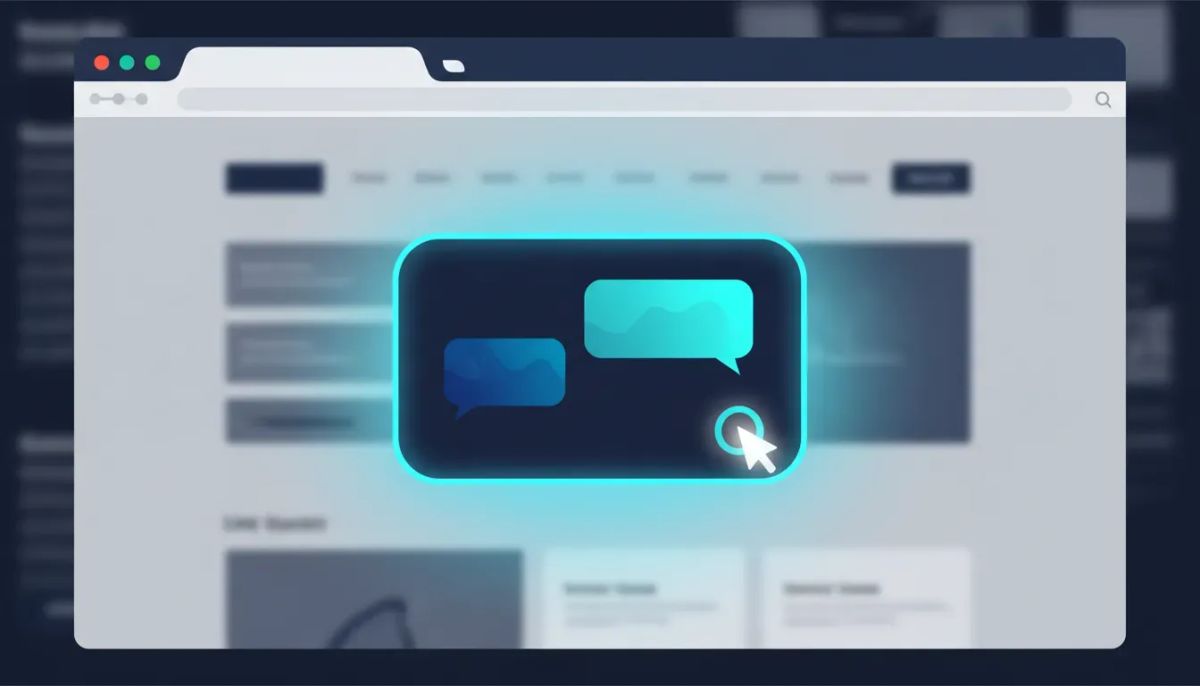
The `embedded live chat widget` sits in the middle of the screen. It works like every other chat widget in HighLevel, but it is ready to start the conversation as soon as the visitor lands on the page. No hunting for the little button. No extra clicks. Just a seamless, on-page experience that meets people where they already are.
What “embedded” means for your chat experience
Here’s the core idea: instead of having a small floating widget in a corner, HighLevel can render the live chat widget directly on the page in an inline, central layout.
Think of it as a middle-of-the-screen chat entry point that feels more immediate and more conversational. It’s designed to keep users from getting distracted or bouncing because they never noticed the chat option.
- On-page placement: The chat element sits in the middle of the screen instead of the bottom corner.
- Instant readiness: The widget is ready to talk as soon as someone arrives.
- Seamless interaction: It’s designed to feel like part of the page experience, not a separate pop-up that interrupts flow.
- Same “chat widget” behavior: It functions like the live chat widget you already know.
Why this matters (especially for agencies)
If you’re running a HighLevel agency setup and scaling multiple client sites, you’re always trying to improve conversion points: forms, booking flows, and yes, chat.
A chat widget is one of those “small” elements that can make a disproportionate difference. If someone is ready to talk, the friction of finding and clicking a chat icon can be enough to delay or kill the conversation. Embedding the chat in a more visible, immediate way can reduce that friction.
From an agency and SaaS operations perspective, this is also a cleaner deployment model. You’re not inventing a new channel or a new tool. You’re simply changing how the existing HighLevel chat widget is presented to prospects.
Key features: built for inline mode and modern websites
This embedded live chat widget is positioned as:
- A simplified customization for inline mode
- Flexible deployment across digital properties
- Mobile responsive by design
Let’s break those down in plain terms.
1) Simplified customization for inline mode
You set it up in the same general place you’d configure other chat widget options. The goal is to keep it easy for teams and for clients who may not be technical.
In other words: you should not need to treat this like a complicated new system. It’s meant to slot into the way you already deploy chat on websites using HighLevel.
2) Flexible deployment across digital properties
Agencies rarely have just one site. You have landing pages, funnels, client websites, and campaigns. HighLevel is built for handling that reality, and this embedded widget is designed to support deployment across those digital properties.
That means you can use the same approach across multiple properties instead of reinventing your setup every time.
3) Mobile responsive by design
A lot of chat widgets look fine on desktop and become awkward on mobile. This embedded live chat widget is explicitly designed to be mobile responsive. The point is to keep the experience consistent when someone is on a phone or smaller screen.
How to set it up (and where to find help)
The setup flow is meant to feel familiar if you’ve configured the chat widget before.
In practice, you can think of it as: set it up in the same place you set up the chat widget.
If you’re looking for the help documentation, there’s a dedicated doc available:
- Help Center:
help.gohighlevel.com - Search term: “embedded chat widget”
That’s the fastest route to the most accurate, up to date steps and any configuration details you might want to confirm while you roll it out.
Best use cases for an embedded chat widget
Even though this is a general-purpose live chat widget, the embedded format tends to shine in scenarios where visitors are actively deciding and want a quick answer.
The Complete Operating System for Growth
Join over 60,000+ agencies and businesses using HighLevel to capture more leads and close more deals. Start your trial today and get instant access to the Nexus Hub resources.
Claim Your Free Trial & BonusesHigh-intent landing pages
If a visitor came from an ad, a campaign email, or a high-intent keyword search, they are usually looking for a fast response. Placing chat centrally reduces the chance that the visitor thinks, “I should contact them,” and then forgets.
Service pages with common objections
Many service pages have predictable questions: pricing, timelines, availability, scope, and next steps. Embedded chat can help you handle those objections in real time rather than forcing the user to fill out a form first.
Lead qualification on mobile
Mobile users often want quick interactions. With mobile responsive design by default, the embedded widget can make it easier for people to start a conversation without struggling to find UI elements.
How it fits into your broader HighLevel systems
HighLevel is more than chat widgets. It’s the platform where CRM, marketing automation, and SaaS operations can connect. When you add a live chat widget that converts better, it doesn’t exist in isolation. It should feed the rest of your agency systems.
Here are a few ways to think about integrating an embedded chat widget into your overall setup:
- Lead capture: Make sure chat conversations are logged and tied to contact records in your CRM.
- Fast follow-up: Use HighLevel workflows and automations so leads get contacted quickly, even when chat isn’t answered instantly.
- Routing: If you have multiple properties or services, connect chat intents to the right follow-up path.
- Reporting: Treat chat as part of your conversion reporting, not just a front-end widget.
This is where high performing agency setups separate themselves. The widget is the front door, but the systems behind it are what keep leads from slipping through the cracks.
Getting started: trial and template support
If you want to try this embedded live chat widget and see how it performs for your own sites, you can start with a HighLevel free trial.
For a 14-day free trial, you can sign up here: https://www.gohighlevel.com/?utm_source=youtube&utm_medium=video&utm_campaign=video_animated_announcement
And if you want more than just trial access, there’s also a strong community layer around implementation and agency systems: consider joining the Nexus Hub community for templates, resources, and support as you roll out new features across client setups.
FAQ
What is the Embedded Live Chat Widget in HighLevel?
It is a version of the HighLevel live chat widget that sits directly in the middle of the screen for a more seamless on-page chat experience. Instead of visitors clicking a small chat icon, the chat interface is ready to interact as soon as they arrive.
Does the embedded widget work like other chat widgets?
Yes. It functions like the live chat widget experience you already use in HighLevel. The main difference is the placement and presentation, which creates an inline, on-page experience.
How do I set it up?
You set it up in the same place you configure the chat widget. If you need step-by-step instructions, use the help documentation at help.gohighlevel.com and search for “embedded chat widget.”
Is it mobile responsive?
Yes. The embedded live chat widget is mobile responsive by design.
Where can I find the help doc for this feature?
Go to help.gohighlevel.com and search for “embedded chat widget.”
Is the embedded live chat widget live now?
Yes. It is available as a new modality of the live chat widget and is live for use.
Final thoughts
Sometimes “better” isn’t about building something new. It’s about removing friction. The Embedded Live Chat Widget in HighLevel does exactly that by placing chat where the visitor already looks, ready to talk without extra clicks.
If you’re improving conversion rates across landing pages and service sites, this is a straightforward way to upgrade the chat experience while staying within the HighLevel ecosystem you already manage.
Start a 14-day free trial, set it up in-line with your existing chat widget configuration, and then connect it to the rest of your HighLevel workflows and automations so every conversation turns into a next step.
The Complete Operating System for Growth
Join over 60,000+ agencies and businesses using HighLevel to capture more leads and close more deals. Start your trial today and get instant access to the Nexus Hub resources.
Claim Your Free Trial & Bonuses


