
Course Live Sessions: Teach Live, Right Inside Your Course

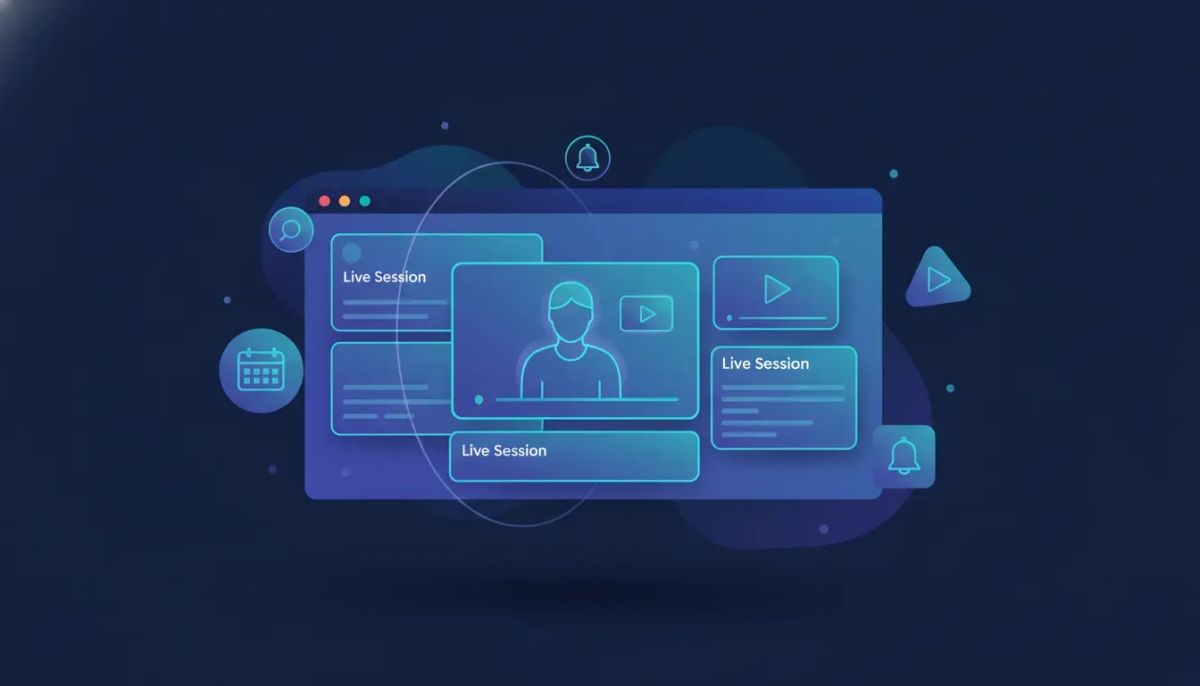
HighLevel just made course delivery a whole lot smoother.
The Complete Operating System for Growth
Join over 60,000+ agencies and businesses using HighLevel to capture more leads and close more deals. Start your trial today and get instant access to the Nexus Hub resources.
Claim Your Free Trial & BonusesIf you teach online, you already know the usual headache. Your course lives in one place, your live calls happen somewhere else, reminders get stitched together through separate tools, and recordings have to be manually organized afterward. It works, but it is rarely elegant.
Course Live Sessions changes that. With this update, you can plan, schedule, host, and reuse live learning experiences directly inside your HighLevel course. That means fewer moving parts for creators, a cleaner experience for learners, and a more connected course environment overall.
This feature is currently available in Labs, so if you want to use it, head into your settings and turn on Course Live Sessions.
What Course Live Sessions Actually Does
At its core, this feature brings live teaching into the course experience itself.
Instead of sending people out to another platform and managing a patchwork of links, notifications, and replay access, HighLevel now lets you run live classes inside your course structure. The session becomes part of the product, not an add-on around it.
That matters more than it may seem at first glance.
When live sessions are built directly into your course, you create a single, consistent path for learners:
- They enroll in the course
- They see upcoming live sessions inside the course outline
- They receive relevant session notifications
- They attend from the same environment where they learn
- They can access recordings later if needed
That is a much stronger learning flow than bouncing people across disconnected tools.
From One-Time Classes to Recurring Series
One of the biggest wins here is flexibility.
Not every educator runs courses the same way. Some want to host a one-time workshop. Others run weekly coaching calls, daily accountability sessions, or structured group programs with multiple live touchpoints over time.
HighLevel supports both approaches.
With Course Live Sessions, creators can schedule:
- One-time live sessions
- Recurring live classes
- Daily schedules
- Weekly schedules
- Custom recurring patterns
This is a big deal for anyone building courses as a real business, not just uploading static lessons and hoping for completion.
Live instruction adds accountability, energy, and momentum. It helps learners stay engaged, ask questions in real time, and feel like they are part of an active program instead of moving through content alone.
And when recurring sessions are easy to set up, live teaching becomes far more practical to maintain.
Time Zone-Aware Scheduling Makes Global Delivery Easier
If your audience is spread across cities, states, or countries, scheduling can get messy fast.
A session that looks clear to you may be confusing to someone else if time zones are not handled properly. That creates avoidable friction right at the point where attendance matters most.
HighLevel addresses that with time zone-aware scheduling, helping keep session times accurate for learners.
This is one of those features that quietly improves everything.
It reduces support issues, cuts down on missed sessions, and creates a more professional experience from the start. If you are running a growing education business, coaching program, agency training portal, or SaaS onboarding course inside GoHighLevel, details like this make a real difference.
Built Directly Into the Course Outline
The placement of live sessions is just as important as the scheduling.
HighLevel now surfaces sessions inside the course outline, giving them a dedicated place in the learning journey. That means learners do not have to dig through emails or external calendars to find what is next. The course itself becomes the home base.
There is also a dedicated live session showcase for quick access to each session.
That improves discoverability and makes the live component feel like a natural part of the curriculum, not something separate. If you are designing a premium learning experience, this matters because structure shapes participation.
People are far more likely to attend and engage when the path is obvious.
Why This Improves the Learning Experience
There is a practical side to this update, and there is also a learning experience side.
Practically speaking, keeping scheduling, hosting, notifications, and recordings in one place saves time and reduces operational clutter. But from the learner perspective, it creates a much more connected journey.
Here is what that looks like in real use:
- Clear expectations because sessions are visible in the course itself
- Better attendance because notifications are tied to the learning experience
- Easier access because there is no need to jump between platforms
- More continuity because recordings remain associated with the course
- Stronger engagement because live teaching becomes part of the program rhythm
For anyone building retention-focused education offers, this is where live sessions can really shine. They help move a course from being just a content library to becoming a guided experience.
Better Session Management and Smarter Notifications
Another key part of this update is control.
Course creators need to do more than just host a call. They need a manageable system for planning sessions, running them consistently, and making sure learners know what is happening.
HighLevel brings in:
- Better management controls for sessions
- Smarter go-live notification flows
- A more organized process around live teaching
This is especially helpful for agencies, educators, and operators already using HighLevel workflows and automations elsewhere in the business. The more pieces you can centralize inside one platform, the easier it becomes to maintain quality without increasing complexity.
That is really the broader story here. This is not just about adding a live button to a course. It is about reducing tool sprawl and improving system design inside your HighLevel setup.
Recordings Keep the Value Alive After the Session Ends
Live teaching is powerful, but not everyone can make every session.
That is why recordings matter so much.
With Course Live Sessions, learners get access to a dedicated live session section in their enrolled course, along with session notifications and recording availability. So if someone misses a live class, they do not lose the learning opportunity.
This is useful in a few important ways:
- It protects the value of your content
- It supports learners with schedule conflicts
- It makes your course more accessible over time
- It lets you teach once and keep the replay available later
For course creators, that last point is huge.
You can deliver a live session in real time and still use the recording as an enduring asset for future learners or for those who come through the course later. That gives you a nice balance between live interaction and reusable content.
Mobile and Desktop Support Matters More Than Ever
HighLevel also notes that Course Live Sessions works on both mobile and desktop.
That matters because learning does not happen in a single environment anymore. Some people join from a laptop at their desk. Others access a course from a phone while traveling, between meetings, or during small pockets of time throughout the day.
The Complete Operating System for Growth
Join over 60,000+ agencies and businesses using HighLevel to capture more leads and close more deals. Start your trial today and get instant access to the Nexus Hub resources.
Claim Your Free Trial & BonusesWhen live sessions function smoothly across devices, you remove one more barrier to participation.
That supports both attendance and convenience, and it makes the course experience more flexible for modern learners.
Who This Feature Is Great For
Course Live Sessions is especially useful for businesses and creators who want to blend structured content with live delivery.
That includes:
- Course creators running workshops, cohorts, or educational programs
- Coaches and consultants delivering live calls inside a client curriculum
- Agencies offering onboarding, training, or implementation programs through HighLevel
- SaaS operators building customer education into their GoHighLevel ecosystem
- Membership owners who want recurring live engagement without leaving the platform
If you are already using HighLevel for CRM, marketing automation, client management, or SaaS operations, bringing live education into the same stack is a smart move. It tightens your systems and creates a better end-to-end experience.
What This Means for HighLevel Agency Setup and Scaling
For agencies in particular, this release fits into a much bigger operational picture.
Agencies often use HighLevel to centralize client communications, automations, funnels, memberships, and internal systems. Training has traditionally been one of the areas that still spills into external tools.
With Course Live Sessions, there is now a cleaner path to build training and enablement directly into your agency systems.
You can use it for:
- Client onboarding programs
- Recurring strategy calls tied to course content
- Implementation training
- Team education
- Partner or community coaching sessions
Anything that reduces handoffs between tools improves consistency. And consistency is one of the foundations of scaling well.
When your delivery model is simpler, your support load is lighter, your processes are easier to document, and your learners or clients have fewer chances to get lost.
The Bigger Benefit: One Seamless Flow
The most important idea behind this release is not any single feature. It is the fact that everything now works together in one flow.
HighLevel is bringing:
- Scheduling
- Hosting
- Notifications
- Learner access
- Recordings
into a single course experience.
That is what makes live teaching simpler for creators and better for learners.
There is less setup. Less friction. Less duct-taping tools together. And in return, you get a smoother educational product that feels intentional from beginning to end.
How to Enable Course Live Sessions in HighLevel
At the moment, this feature is in Labs.
So if you want to start using it, the process is straightforward:
- Go into your HighLevel settings
- Find Labs
- Enable Course Live Sessions
- Navigate to Courses / Live Sessions
- Begin scheduling your one-time or recurring classes
If you are already building courses in GHL, this is an easy feature to explore and test inside your current setup.
Best Use Cases to Start With
If you are wondering where to begin, start simple.
You do not need to redesign your entire education model overnight. A few smart use cases can help you get immediate value:
Weekly office hours
Add a recurring Q&A session inside your course to support student progress and reduce repeated support questions.
Live onboarding sessions
If you sell a service, program, or SaaS offer through HighLevel, use live sessions to walk new customers through setup steps.
Accountability calls
For coaching or implementation programs, recurring check-ins create momentum and improve completion.
Monthly trainings
Keep your course fresh with ongoing workshops or advanced lessons delivered live and stored as recordings.
One-time masterclasses
Use a single live event to create urgency and engagement, then keep the replay available inside the course for long-term value.
These are simple, scalable ways to make your course feel more alive without adding unnecessary complexity.
Final Thoughts
This is a massively useful update for anyone teaching inside HighLevel.
Course Live Sessions gives creators a better way to run live experiences directly within their courses, whether that means hosting a one-off training, building a recurring series, or creating an ongoing learning rhythm that includes both live interaction and replay access.
It strengthens the course experience for learners, simplifies delivery for creators, and fits naturally into the broader HighLevel approach of bringing core business operations into one platform.
If you are already using GoHighLevel for CRM, automations, agency systems, or SaaS operations, this feature is well worth enabling and testing.
And if you are still piecing together separate tools for course delivery, reminders, and live teaching, this may be the update that helps you simplify your stack.
If you have not explored the platform yet, starting a HighLevel free trial is the easiest way to see how course delivery, automations, CRM, and agency operations can work together in one place. And if you want templates, implementation help, and proven ways to put these features into action, the Nexus Hub community is a strong next step.
FAQ
What is Course Live Sessions in HighLevel?
Course Live Sessions is a HighLevel feature that lets you schedule, host, and manage live classes directly inside your course. It also supports recordings, learner notifications, and visibility inside the course outline.
Can I schedule recurring live classes?
Yes. HighLevel supports one-time sessions as well as recurring sessions with daily, weekly, and custom scheduling patterns.
Does HighLevel handle time zones for live course sessions?
Yes. Course Live Sessions includes time zone-aware scheduling to help keep session times accurate for learners in different locations.
Where do learners find live sessions in a course?
Live sessions appear inside the course outline and in a dedicated live session area, making them easy to access as part of the course experience.
Are session recordings available after a live class ends?
Yes. Learners can access recordings through a dedicated section in their enrolled course, which helps preserve the value of the training even if someone cannot attend live.
Is Course Live Sessions available on mobile and desktop?
Yes. The feature works on both mobile and desktop, which makes it easier for learners to join from the device that fits their situation best.
How do I enable Course Live Sessions?
This feature is currently in Labs. Go into your HighLevel settings, enable Course Live Sessions, and then access it under Courses / Live Sessions.
Who should use this feature?
It is ideal for course creators, coaches, consultants, agencies, membership owners, and SaaS operators who want to deliver live training inside the same platform they use for course content and business operations.
The Complete Operating System for Growth
Join over 60,000+ agencies and businesses using HighLevel to capture more leads and close more deals. Start your trial today and get instant access to the Nexus Hub resources.
Claim Your Free Trial & Bonuses


