POV: Someone Solved AI Slop

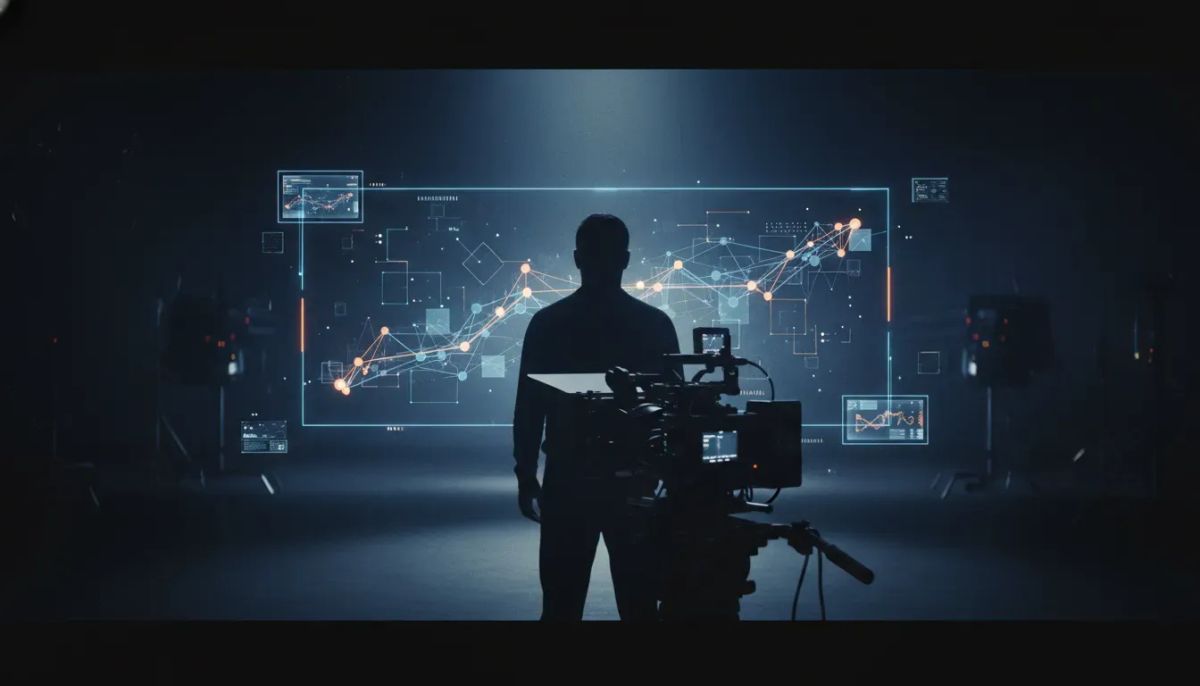
There are plenty of AI videos that feel flat, generic, and instantly forgettable. Then there are AI videos that make you stop and ask a different question: how was this actually made?
That is the real story here. Not whether AI can generate content, but whether someone can use AI tools with enough taste, structure, and intent to make something cinematic.
One creator did exactly that. The result was a style of visual storytelling that did not look like the usual AI output people dismiss as “slop.” It looked deliberate. It looked authored. And the key lesson is practical for anyone building content systems for a brand, agency, or business.
The difference was not one magic prompt. It was a workflow.
What “AI slop” gets wrong
Most low-quality AI content fails for the same reasons:
- No clear creative direction
- No consistency in visuals or tone
- No real storytelling
- Too much dependence on a single tool
- No human taste shaping the final result
That is why two pieces of AI-assisted content can use similar underlying models and still land in completely different places.
One looks disposable. The other feels like craft.
This matters if you run marketing for a company, manage client content for an agency, or produce brand assets in-house. The problem is usually not “AI.” The problem is an unclear process.
The example that changed the conversation
The standout example was built around a line that immediately carried emotional and intellectual weight:
“Do you know that there is a mathematically perfect time to stop looking for the right person, to settle for a parking spot, to accept a job offer?”
The speaker herself was not AI-generated. But the cinematic visuals supporting the storytelling were AI-made.
That distinction is important.
The strongest AI-assisted content often does not replace the human voice. It extends it. The human provides the point of view, pacing, and meaning. AI helps build the visual language around it.
That is a much more useful model for businesses than trying to automate the entire creative process end to end.
The actual workflow behind the cinematic result
The creator behind this style was using a combination of tools, not one all-purpose app.
The workflow came down to three pieces:
- Claude for language and idea development
- Higgsfield for AI visuals
- Flem for the missing cinematic layer
This is the part many teams miss. They assume the final quality comes from a secret model. In reality, the quality often comes from how the tools are sequenced.
1. Claude handles the thinking
Claude appears to be part of the early-stage creative process. That usually means helping shape the concept, language, and possibly the prompts that guide the visual generation.
For business use, this is a strong pattern.
If you are creating AI-assisted content for campaigns, landing pages, social scripts, or brand storytelling, start with the message first. Use a language model to clarify:
- The core idea
- The emotional tone
- The sequence of scenes or beats
- The wording that gives the piece its point of view
Without that step, visuals tend to become random outputs instead of a coherent story.
2. Higgsfield generates the visuals
Higgsfield was the visual engine in the workflow. That is where the AI imagery came from.
What matters here is not just the tool name, but the role it plays. Higgsfield was not being used to create generic stock-looking scenes. It was being used in service of cinematic storytelling.
That means the prompts and creative direction likely needed to be more specific than the average “make this look cool” request.
For a business team, the takeaway is simple: if you want visual AI to support your content, define the intent before you generate assets. Ask:
- What should this scene communicate?
- What mood should it carry?
- What visual consistency needs to be maintained across the sequence?
- How does each image support the narration or message?
Better prompts start with better creative constraints.
3. Flem adds the “C” in cinematic
The most interesting part of the workflow was the mention of a third tool: Flem.
This was described as the missing ingredient adding the “C” in cinematic storytelling.
That detail explains a lot. Often, content feels amateur not because the raw visuals are weak, but because the assembly lacks rhythm, composition, or cinematic treatment. A specialized tool that helps shape that final presentation can change how the entire piece reads.
If your content team is producing AI-assisted video assets, this is a useful lesson. The final quality is often decided in the layer between generation and publication:
- Scene treatment
- Visual continuity
- Story pacing
- Cinematic cohesion
That middle layer is where average AI content usually breaks.
Why this matters for marketers, agencies, and operators
If you create content at volume, the temptation is to use AI to make production faster. That part is real. But speed without quality control creates more noise, not better output.
The workflow here points to a better approach:
- Use AI to help shape the concept.
- Use a visual model to generate assets.
- Use another tool or process to turn those assets into a cohesive cinematic piece.
- Keep the human voice central.
This works especially well for:
- Brand storytelling
- Creative ad concepts
- Explainer content
- Social video campaigns
- Founder-led content
- Agency client creative
It is less useful if your team wants one-click content with no review and no taste involved. That usually leads right back to the slop problem.
AI is not replacing creatives here
One of the strongest points in this workflow is the idea that AI does not need to replace creative people. It can support them.
That is an important distinction for business owners deciding how AI fits into content operations.
The useful model is not “remove the creative.” It is “give the creative better tools.”
When that happens, you can:
- Reduce production time
- Test more concepts
- Produce richer visual assets without a full traditional studio setup
- Keep creative direction in human hands
This is a better way to think about AI adoption in marketing teams. Not as full automation, but as a structured creative assist system.
What makes this different from average AI content
The standout result did not come from novelty alone. It came from a few simple differences:
- A real point of view, anchored by strong writing
- Tool specialization, instead of forcing one tool to do everything
- Cinematic intent, not generic image generation
- Human creative judgment, guiding the process
That is the pattern worth copying.
If you are building an internal AI content workflow, document those stages clearly. If you run an agency, separate ideation, generation, and cinematic assembly into defined steps. If you are a solo creator or operator, resist the urge to publish the first decent output.
The process matters more than the prompt screenshot.
Where to start if you want to build a similar workflow
You do not need to guess from scratch. The creator shared the workflow and prompts on their channel for people who want to explore it.
Even without copying the exact process, you can build a practical version for your team:
- Write the idea first. Use Claude or a similar model to shape the core message.
- Map the story beats. Identify the sequence of scenes or emotional turns.
- Generate visuals with intent. Use a visual model like Higgsfield for specific, story-led outputs.
- Add the cinematic layer. Use a tool such as Flem, or another editing process, to create continuity and mood.
- Review like an editor. Cut anything that feels generic, repetitive, or off-tone.
If your team already uses documented SOPs for content production, this can fit neatly into an existing workflow. The AI tools do not replace your process. They need one.
Practical takeaway
If you want AI content that does not look like AI slop, stop looking for a single miracle tool.
Build a stack. Define the role of each tool. Keep the human voice in the center. Treat storytelling, visual generation, and cinematic assembly as separate jobs.
That is how you move from generic output to something that actually feels made.
If you are building AI workflows for content, marketing, or client delivery, this is the standard worth aiming for. Better tools help, but a better process is what changes the result.
For broader context on AI-assisted creative workflows and generative media, it is worth following updates from resources like Anthropic and keeping an eye on how creative teams discuss AI production methods across the industry.
FAQ
What does “AI slop” mean in this context?
It refers to low-quality AI-generated content that feels generic, poorly directed, and easy to forget. The issue is usually weak creative process, not just the tool itself.
What tools were used in the workflow?
The workflow used Claude, Higgsfield, and Flem. Claude handled language and idea shaping, Higgsfield handled the AI visuals, and Flem added a more cinematic layer to the storytelling.
Was the person speaking AI-generated?
No. The speaker was not AI. The AI was used for the cinematic visual storytelling around the human-led message.
Why is using multiple AI tools better than one?
Different tools are better at different jobs. One may be strong at writing, another at image generation, and another at final cinematic treatment. Splitting the workflow usually leads to better quality.
How can a business use this approach?
You can use this model for branded storytelling, social campaigns, ad creative, founder content, and agency deliverables. The key is to keep a clear message, a structured process, and human review at every stage.
What is the main lesson from this example?
High-quality AI content usually comes from a thoughtful workflow, not from one hidden trick. Better writing, better sequencing, and better creative judgment make the difference.