
How to Automate Podcast PR and Content Creation for Your Personal Brand

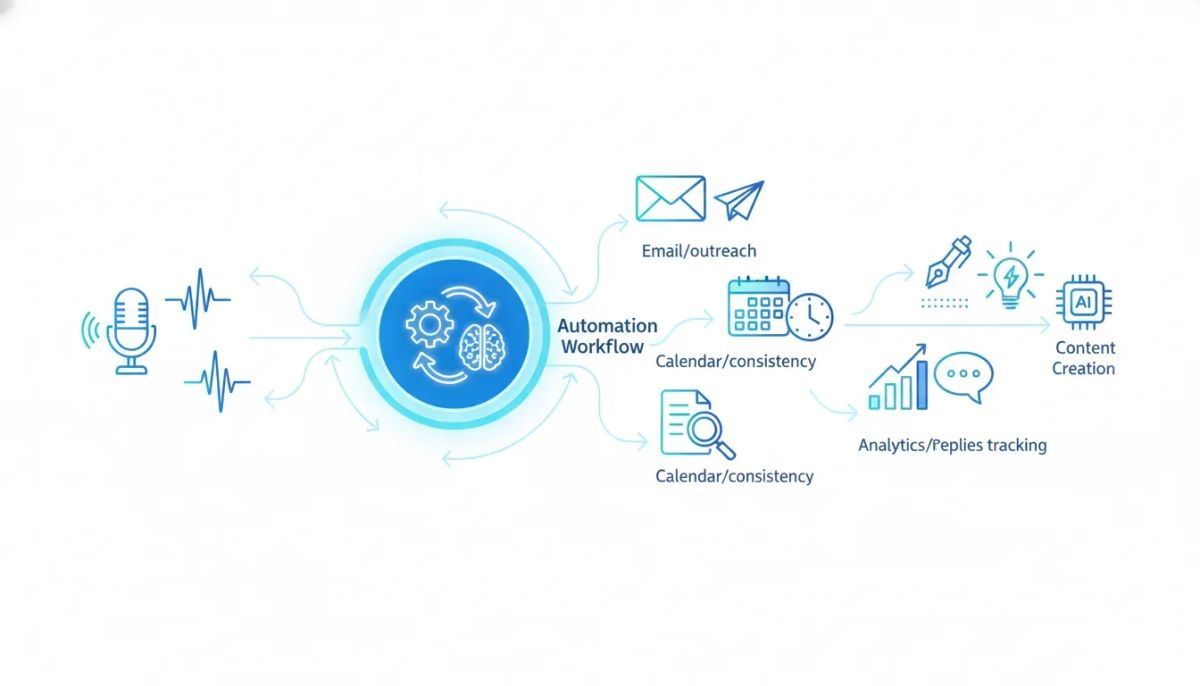
If you want to grow a personal brand, get booked on podcasts, and stay consistent with content, the hard part usually is not strategy. It is the manual work.
You have to figure out your positioning, research the right shows, find host contact details, write pitches, send follow-ups, track replies, and keep publishing content your audience actually cares about. That is why most founders either stop halfway or hand the whole process to an agency.
This is exactly the problem BrandPod is trying to solve.
In this workshop, the team walked through how to set up BrandPod’s podcast outreach automation from end to end, from domain verification and sender setup to outreach rules, follow-up timing, and automated content generation.
The result is a system that can handle much of what a PR agency does for founders, but inside one platform and with far less manual work.
Stop Guessing Your Brand Strategy — Get Research-Driven Insights
Brandpod reveals exactly where your audience is listening, reading, and attending, then helps you build content and outreach that puts your voice front and center. From target podcast lists to keyword-based topic ideas, it gives you a blueprint to grow your personal brand with confidence.
See Brandpod in ActionWhy this starts with your story, not your outreach
Before any podcast pitching happens, there is an important setup step. You need your story and messaging dialed in.
That is why the workshop stressed completing Story GPT first. This step is meant to pull out what makes you distinct in your market, your experience, your perspective, your expertise, and the reasons someone should feature you instead of another expert who sounds the same.
That matters because personal branding is not about competing on price or credentials alone. It is about clarity.
When your messaging is clear, your outreach gets sharper. Your content gets stronger. Your interviews become more memorable.
In practical terms, Story GPT does the kind of extraction work that a branding or PR agency would usually do in onboarding. It helps define:
- Your unique value
- Your key experiences and differentiators
- Your point of view
- The themes you should carry into podcasts, events, and content
If you skip this step, the rest of the system has less to work with.
What the podcast outreach system actually does
At a high level, the outreach workflow is built around two pieces.
- Research agents identify podcast opportunities based on your story, audience, and niche.
- Automation agents write pitches, send them, follow up, and hand replies back to you when a host responds.
The platform pulls in podcast opportunities on a recurring basis. In the workshop, the team explained that the system typically surfaces around 30 podcast opportunities at a time, based on what is trending in your industry with your target audience, specifically on iTunes.
Each opportunity is then categorized by fit, usually as:
- Strong fit
- Moderate fit
- Weak fit
This fit score is based on the story and positioning information you provided earlier.
That is what allows you to control how aggressive or selective your outreach should be.
Semi-automated vs fully automated outreach
One of the first decisions you make inside BrandPod is whether you want semi-automated outreach or fully automated outreach.
Semi-automated outreach
In semi-automated mode, the system does the research and writes the pitches and follow-ups for you, but it does not send them automatically.
Instead, it places email drafts in your mailbox so you can review them and click send yourself.
This is a good fit if you want more control, or if you want to edit messaging before anything goes out.
One detail matters here. Follow-up timing only starts once you send the draft. So if you leave drafts sitting for a week, the follow-up clock does not start until the day you actually send them.
Fully automated outreach
In fully automated mode, the system does all of the following on your behalf:
- Finds podcast opportunities
- Writes personalized pitches
- Sends the initial outreach
- Waits for a reply during the time window you set
- Sends follow-ups automatically if no reply comes in
- Notifies you when someone responds
If you want to be mostly hands-off, this is the mode built for that.
The team also made an important point here. These are not generic AI emails thrown together with a basic prompt. The pitch and follow-up structure was built around methods PR agencies have used for years, then tested against real host feedback.
That distinction matters because many podcast hosts can spot a lazy AI pitch immediately. And when that happens, the result is usually the same, archive and ignore.
How outreach quality is handled
A recurring theme throughout the workshop was that more volume only helps if the quality stays high.
The team was clear on this. Sending more emails does not help if the emails sound generic or careless. In that case, volume works against you.
That is why the outreach flow tries to combine both:
- Enough volume to improve your odds
- Enough specificity to still feel personal and relevant
There was also an example shared from a user who got positive host feedback because the email felt thoughtful and specific, not like a mass-produced AI pitch.
That is the bar the system is aiming for.
Choosing who to target, strong, moderate, or weak fit
Inside the automation settings, you can decide which podcast opportunities should be included in automated outreach.
You can target:
- Strong fit only
- Strong and moderate fit
- Strong, moderate, and weak fit
The practical guidance shared in the workshop was simple.
Start with strong and moderate fit if you want a good balance between relevance and reach.
If you want to cast a wider net, you can include weak fit podcasts too. That may help you get early traction faster, especially if your main goal is to start getting booked and build momentum.
Another useful detail, if you manually search for specific podcasts and add them yourself, those will be picked up by automation regardless of fit score. That makes sense because you are explicitly telling the system you want those opportunities.
The setup step most people avoid, domain verification
The least exciting part of the workflow is also one of the most important, email setup.
To send outreach through the platform, you need to connect a sending domain and verify it with DNS records.
That means adding records like:
- CNAME records
- MX record
- TXT records
The workshop described this accurately. It is mostly copying and pasting. Not hard, just tedious.
Best practices for your sending domain
There were several practical recommendations here worth keeping.
- Use a subdomain, not your root domain
- Do not use a subdomain that is already connected elsewhere, such as HighLevel, Mailgun, or another platform
- Choose a neutral subdomain like mail.yourdomain.com, email.yourdomain.com, outreach.yourdomain.com, or even something shorter like m.yourdomain.com
- Do not use reply as your subdomain, because the system appends reply automatically for replies
For example, if your sending subdomain is mail.yourdomain.com, the reply route becomes reply.mail.yourdomain.com. That keeps things cleaner.
Cloudflare vs GoDaddy
The team also noted that some registrars propagate DNS changes faster than others. Cloudflare tends to update quickly. GoDaddy can take longer. That does not mean anything is wrong, just that activation may take more time.
Once the domain is active inside settings, you can move on to sender identity.
Setting up your sender identity and signature
After domain verification, the next step is configuring how your emails appear.
You will choose:
- Your from name
- Your from email
- Your email signature
- Whether the outreach is written in first person or third person
First person vs assistant mode
This is one of the more interesting strategic choices in the system.
You can have emails written:
- As if they are coming directly from you
- As if they are being sent by an assistant on your behalf
In assistant mode, the pitch might open with language like this:
I’m Sarah, the executive assistant for [Founder Name]. I’m reaching out because I believe your audience would find value in [Founder Name]’s perspective on...
The workshop did not push one mode as universally better. The presenter shared that first-person outreach has worked well in her own brand journey, while many others have reported stronger results when an assistant sends the outreach.
The practical advice was to choose the format that feels most natural to you.
And there was one more candid point. If you are nervous about going fully automated, assistant mode can reduce some of that pressure. It gives a little distance if something needs editing later.
Keep your signature simple at first
The team gave a strong deliverability warning here.
When you are warming up a brand-new sending domain, keep your signature minimal. Too many links in a cold email can increase the chance of getting filtered into spam.
That means:
- Avoid loading your signature with multiple website or social links
- Use no links if possible at the start
- If you must include one, keep it to a minimum
- Avoid attachments and unnecessary images in early outreach
This is especially important because every sender is starting with a fresh subdomain in this workflow.
How the follow-up sequence works
Once automation is configured, BrandPod runs outreach through a staged pipeline.
The sequence looks like this:
- Added to account
- Pitch sent
- Follow-up 1 sent
- Follow-up 2 sent
- Follow-up 3 sent
- Longer-term nurture
- Re-engagement email
- Additional follow-ups
- Marked lost if no response ever comes
The initial follow-ups are meant to be respectful and brief. They are not designed to badger hosts. They get shorter over time and are written to gently reopen the conversation.
Recommended follow-up timing
The recommended range shared in the workshop was three to seven days between follow-ups.
Why that range?
- Less than three days can feel annoying
- More than seven days can make the original outreach easy to forget
So the practical sweet spot is:
5 days
You can mix those intervals based on preference.
Stop Guessing Your Brand Strategy — Get Research-Driven Insights
Brandpod reveals exactly where your audience is listening, reading, and attending, then helps you build content and outreach that puts your voice front and center. From target podcast lists to keyword-based topic ideas, it gives you a blueprint to grow your personal brand with confidence.
See Brandpod in ActionNurture mode matters more than people think
If a host does not reply after the pitch and three follow-ups, the opportunity does not disappear. It moves into a longer nurture stage.
The recommendation was to leave opportunities there for roughly 90 to 180 days, or three to six months, before trying again.
That is a useful reminder. No reply does not always mean no interest. It can just mean bad timing, a packed production schedule, or a host who saw the email and meant to come back later.
After the nurture period, the system can re-engage them with a fresh email and another short follow-up sequence.
What happens when a host replies
This is where the automation hands control back to you.
When a podcast host replies:
- You get a notification sent to the email address you used for your BrandPod account
- The actual reply appears in your BrandPod mailbox
- The opportunity is automatically removed from automation
From that point on, you handle the conversation manually.
You can then move the opportunity through your pipeline yourself, booking, confirming, preparing, or closing it as needed.
There is one more detail here. If you manually move an opportunity at any point, that also breaks it out of automation. The system flags that opportunity as manual so you can tell it is no longer being handled by automated follow-up logic.
What gets checked before an automated email is sent
In fully automated mode, the system does not blindly email every result. It checks for a few key conditions first.
For example, it looks for things like:
- Whether the podcast accepts guests
- Whether a usable email address is available
- Whether that opportunity is already in your pipeline
- Whether the opportunity matches the fit level you selected
If a podcast does not have a contact email available, the system may direct you to the website instead so you can use a contact form manually.
This is more common with events, but it can happen with podcasts too.
How many emails go out, and why that limit exists
The workshop also covered deliverability safeguards.
Right now, outreach is throttled at a maximum of five emails per hour per account. That is intentional.
The reason is simple. Email reputation matters. Since these campaigns are sent through a shared infrastructure setup on the back end, the platform has to protect both your sender reputation and the system-wide ability to send reliably.
That is also why some settings are intentionally not fully customizable yet. If too many accounts trigger spam complaints, everyone gets affected.
So the system is conservative early on. It is built to protect sending quality while domains warm up.
The deliverability details most founders ignore
The most practical section of the workshop may have been the discussion on email deliverability.
There were two key points.
1. Keep cold outreach clean
As mentioned earlier, avoid:
- Too many links
- Attachments unless necessary
- Heavy signatures
- Extra formatting that makes the email look promotional
2. Include a lightweight opt-out line
The team explained that a classic unsubscribe link does not make much sense in this kind of personal outreach. These are not newsletter-style marketing blasts. They are personal pitches to hosts.
But there still needs to be a way for someone to say no cleanly.
So the system adds a short postscript along the lines of:
If this is not the right fit or the timing is off, just let me know and I will stop reaching out.
The point is not formality. The point is deliverability. A reply is much better than getting marked as spam.
If someone replies to opt out, they are automatically removed from automation.
Podcast reviews are still part of the process
One part of the workflow is not automated end to end yet, podcast reviews.
That is because leaving a review on platforms like Apple Podcasts or Spotify usually requires a direct login on your end.
But the review copy is still generated for you inside the platform.
You can find those under outreach tracking, then podcast reviews. From there, you can copy and paste them when you want to add that extra touch.
This is especially useful for higher-priority podcasts. It is a small manual step that can help the outreach feel more considered.
The bonus feature, automated content creation
The surprise announcement in the workshop was content automation.
This works a little differently from podcast outreach, but it follows the same logic. The platform uses ongoing audience research to decide what content should be created.
Specifically, BrandPod’s ICP research identifies the search terms your audience is using each week. You can then tell the system to automatically turn those topics into content.
What content can be created automatically
Depending on your plan and settings, the system can create:
- Blog posts
- Email newsletters
- LinkedIn posts
- Facebook posts
- Other social content formats supported in your account
How it works on Pro plans
On Pro, you can choose how many topics to use each time research runs, up to 30.
For example, if you choose five topics and select blog posts, newsletters, LinkedIn, and Facebook, the system can create a full batch of content around those topics and export it to your Google Drive.
You also get an email notification letting you know new content is ready.
That content remains available in bulk content history inside the platform as well.
How it works on Lite plans
On Lite, the system works from one topic at a time per agent run, based on your selected formats.
Instead of exporting to Google Drive, it places the content in your content history inside the platform. You still get an email notifying you that fresh content is waiting.
Why your brand voice still matters
One subtle but important distinction came up during the workshop.
Your brand voice is used for content generation, but not for podcast pitches and follow-ups.
That is intentional.
The outreach emails follow structures the team already knows work for this use case. Too much variation can weaken results. So the system keeps outreach close to tested patterns.
But for blog posts, newsletters, and social content, your default brand voice is used. That is why it is worth setting up your brand voice properly before turning on content automation.
Inside the platform, that setting currently lives under brand profile and brand voices.
What this looks like in practice for founders and agencies
There were two clear use cases discussed throughout the session.
For founders
If your goal is to get your own message out, this system gives you a repeatable way to:
- Clarify your positioning
- Find relevant podcasts
- Pitch consistently
- Follow up without dropping balls
- Keep creating search-aligned content based on your audience’s interests
That makes it easier to build authority over time without manually managing every moving part.
For agencies
If you are an agency, especially a marketing agency that wants to offer PR-style services, the system gives you a way to deliver outreach and content support at much lower overhead.
That was one of the main positioning points in the workshop. Instead of doing all the research and outreach manually for each client, you can turn on automations, supervise the outputs, and focus your time where it matters most.
That does not remove strategy from the process. It removes repetitive execution.
A practical setup order if you want to do this right
If you are setting this up for yourself, the cleanest order looks like this:
- Complete your story and messaging setup first
- Connect a dedicated sending subdomain
- Verify DNS records
- Set your sender identity and simple signature
- Choose first person or assistant mode
- Pick semi-automated or fully automated outreach
- Select which fit levels to target
- Set follow-up timing and nurture windows
- Save your automation settings
- Reconnect or confirm Google Drive if you want content exported there
- Turn on content automation if you want ongoing topic-based content generated
- Rerun your research agents to trigger the new workflow
That last step matters. Automation starts after fresh research runs.
Why this approach works better than guessing
The strongest idea behind the whole workshop was simple. Your brand grows faster when your outreach and content are based on what your audience is already paying attention to.
That includes:
- What they search for
- What podcasts they listen to
- What topics are already relevant in your niche
- Which media channels are worth your time
This is where BrandPod fits naturally. At its best, it is not just helping you send emails or produce content. It is helping you base those actions on audience research instead of assumptions.
That is a much better starting point for building authority than posting into the void and hoping something lands.
FAQ
Do I need to review every email before it goes out?
Only if you choose semi-automated mode. In that setup, BrandPod writes the pitches and follow-ups, but you review and send them manually. In fully automated mode, the system sends them for you and only notifies you when someone replies.
What is the best fit filter to start with for podcast outreach?
The recommended starting point is strong and moderate fit podcasts. That gives you a good balance of relevance and volume. You can include weak fit opportunities too if your priority is wider reach.
Should my outreach come from me or from an assistant?
Either can work. Some people prefer first-person outreach because it feels direct. Others see better response rates when emails come from an assistant on their behalf. Choose the version that matches how you want to show up.
What follow-up timing should I use?
A three to seven day gap between follow-ups is the suggested range. Less than three days can feel too aggressive. More than seven days can make the original pitch easy to forget.
What happens when a podcast host replies?
You get a notification at the email address used for your BrandPod account, and the actual reply appears in your BrandPod mailbox. The opportunity is then removed from automation so you can manage the conversation manually.
Do I need a separate sending domain?
You should use a separate subdomain for outreach, such as mail.yourdomain.com or outreach.yourdomain.com. Do not use your root domain, and do not reuse a subdomain that is already connected to another platform.
Can I include links in my signature?
You can, but it is better to keep signatures very simple when your new subdomain is still warming up. Too many links can hurt deliverability in cold outreach.
Does BrandPod automate content creation too?
Yes. Based on your audience research and search trends, the platform can automatically generate blog posts, newsletters, and social content. On Pro plans, it can export that content to Google Drive. On Lite plans, it saves content inside your content history.
Is my brand voice used in the outreach emails?
No. The outreach emails use tested pitch structures instead. Your brand voice is used for content generation, including blogs, newsletters, and social posts.
Can agencies use this for clients?
Yes. The workflow is useful for agencies that want to offer podcast PR or authority-building services without handling every step manually. It helps reduce repetitive work while still keeping strategy and oversight in human hands.
If your current personal brand process depends on you remembering every follow-up, inventing content topics from scratch, and manually hunting down podcasts one by one, you do not have a system yet. You have a backlog.
A research-first workflow changes that.
And if you want help finding the podcasts your audience already listens to, the topics they already search for, and the outreach opportunities most worth pursuing, BrandPod is built for exactly that.
Stop Guessing Your Brand Strategy — Get Research-Driven Insights
Brandpod reveals exactly where your audience is listening, reading, and attending, then helps you build content and outreach that puts your voice front and center. From target podcast lists to keyword-based topic ideas, it gives you a blueprint to grow your personal brand with confidence.
See Brandpod in Action


