
Agent Logs Integration with Conversation AI

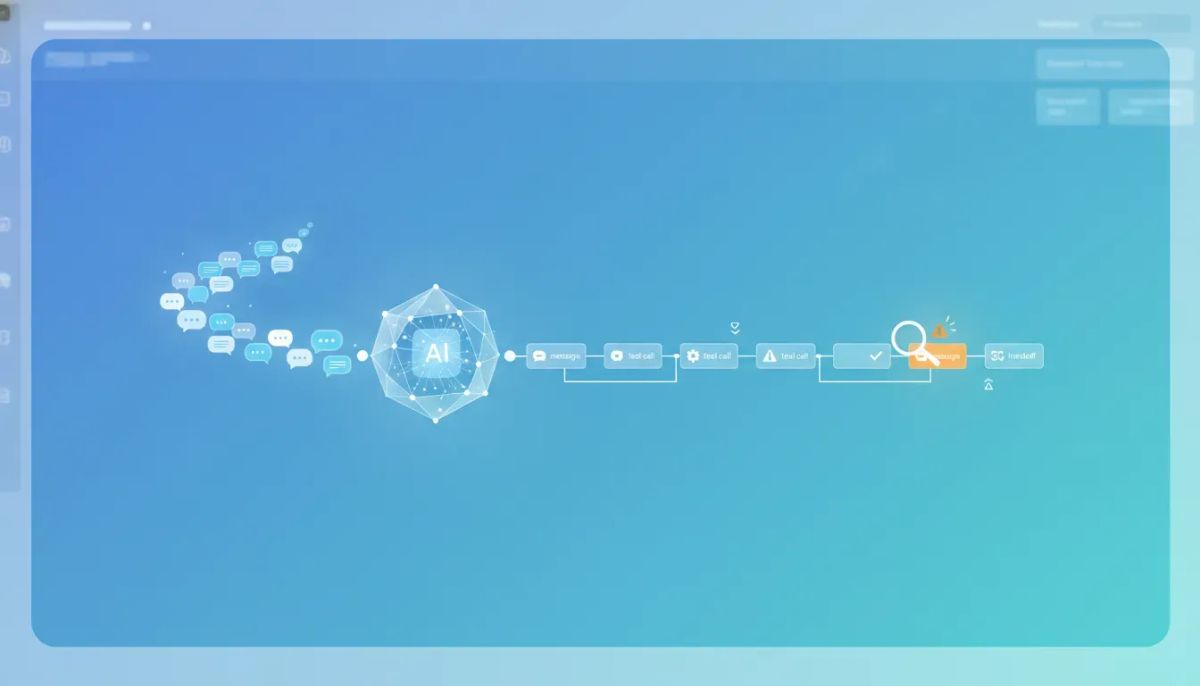
When AI starts handling real conversations inside your business, one question shows up fast: what exactly is it doing?
That question matters whether you are running support, building automations, managing client accounts, or scaling agency systems inside HighLevel. If an AI employee gives the wrong answer, takes too long, misses a tool call, or hands a conversation off at the wrong moment, you need more than a surface-level conversation history. You need to inspect what happened turn by turn, step by step, and ideally do it without bouncing between a bunch of disconnected tools.
That is where the agent logs integration with Conversation AI changes the game.
Instead of treating AI like a black box, this integration gives support teams, operators, and builders a consistent place to debug prompts, inspect tool behavior, track latency, review token usage, and understand how a conversation actually unfolded. It brings the operational side of AI into the same working environment people already use every day.
Why agent logs matter in real-world AI operations
AI sounds simple when the demo goes well. A message comes in, the system replies, a task gets completed, and everyone is happy.
But in production, things get messier.
A contact asks a vague question. The AI looks something up in the knowledge base. It decides whether a calendar is relevant. It may call a tool. It may escalate to a human. It may answer correctly but slowly. Or it may answer quickly but miss the context completely.
Without agent logs, troubleshooting usually turns into guesswork. You see the final response, but not the decision path behind it. You know something went wrong, but not whether the issue came from:
- The prompt design
- The LLM response itself
- A failed or delayed tool call
- A knowledge base lookup that returned poor context
- A routing or handover decision
- Latency somewhere in the chain
- Unexpected token usage or cost
That kind of uncertainty slows everyone down. It affects support resolution, automation performance, customer experience, and confidence in the system.
What this integration does is give you a reliable operational view of your AI conversations inside HighLevel, so you can stop guessing and start inspecting.
A single place to debug AI conversations
One of the biggest practical benefits here is consolidation.
Support ops teams and builders need one consistent place to work. Not one tab for the CRM, another for prompt behavior, another for logs, another for tools, and another for trying to reconstruct a conversation after the fact.
With agent logs integrated into Conversation AI, the workflow becomes much cleaner. You can stay inside the tools you are already using and trace what happened from beginning to end.
That matters for teams working inside GoHighLevel because AI is not separate from the rest of your operations. It touches the CRM, messaging, calendar flows, knowledge base content, automation logic, and human support handoffs. When everything connects, debugging becomes a lot more practical.
Instead of asking, “Where do I even start?” you can start exactly where the issue happened.
Inspect conversations turn by turn
The core idea is simple and powerful: you can inspect how your AI employees handled a conversation turn by turn, step by step.
That level of visibility is what turns Conversation AI from a novelty into an operational system.
Rather than only seeing the customer-facing messages, you can follow the actual internal path of execution. That includes not just what the user said and what the AI replied, but what happened in between.
This is the difference between reading a final answer and understanding the reasoning path that produced it.
For teams managing HighLevel workflows and automations, that distinction is huge. If your AI is helping qualify leads, answer support questions, route inquiries, or schedule appointments, every decision point matters. A single missed lookup or a bad tool result can change the outcome of the entire interaction.
What you can review inside the logs
The agent logs give you access to the elements that matter most when you are diagnosing AI behavior. That includes:
- User messages so you can see the exact input that triggered the AI
- LLM replies so you can review generated responses in context
- Tool calls to inspect when the AI attempted to use connected functions or systems
- Knowledge base lookups to understand what information the AI searched or retrieved
- Calendar identification for scheduling-related decisions and actions
- Human handover events to see when and why the conversation escalated
- Latency data to identify delays in the interaction flow
- Token usage to help monitor model activity and resource consumption
That combination is what makes the feature useful across technical and operational roles.
A builder may care most about prompts and tool behavior. A support operator may care most about what the contact experienced and where the thread broke down. A team lead may care about patterns across multiple agents. The logs support all three.
Using the execution graph to understand what happened
One of the most helpful parts of this setup is the execution graph.
When you open a trace, you can walk the execution timeline and see the sequence of events in the conversation. Instead of a flat thread, you get a more structured view of the AI’s activity.
This is especially useful when conversations involve multiple actions or branching decisions.
For example, a contact sends a message. The AI interprets intent. It checks the knowledge base. It attempts a tool call. It identifies a relevant calendar. Then it either answers directly or triggers a human handover. In a normal conversation view, those underlying steps are mostly invisible. In an execution graph, they become inspectable.
That visibility helps answer practical questions like:
- Did the AI use the knowledge base before answering?
- Was a tool called successfully or did it fail?
- Did latency come from the model or a downstream system?
- Did the AI identify the right calendar?
- At what point did the conversation shift to a human?
For AI debugging, that kind of step-by-step trace is often the difference between solving the problem in minutes and chasing it for hours.
The Complete Operating System for Growth
Join over 60,000+ agencies and businesses using HighLevel to capture more leads and close more deals. Start your trial today and get instant access to the Nexus Hub resources.
Claim Your Free Trial & BonusesFrom contact issues to root cause in fewer steps
Another big improvement is how quickly you can move from a person record to the underlying AI activity.
When a contact had an AI conversation, you can identify that quickly, drill into the logs, and go from “this person had an issue” to “this is what happened in the thread” in a lot fewer steps.
That sounds small until you think about day-to-day operations.
In most CRM and support environments, the painful part is not just the bug itself. It is the time spent connecting the dots across systems. Someone reports a problem. You find the contact. You look up the conversation. You try to determine whether AI handled it. Then you search through disconnected data to reconstruct the sequence.
By tightening that loop, HighLevel makes AI support and debugging much more operationally efficient.
For agencies managing multiple sub-accounts or businesses running high volumes of conversations, reducing those steps matters. It saves time, improves issue resolution, and makes teams more willing to rely on automation because they know they can inspect what happened when something goes sideways.
Filter and search across agents
As soon as you have more than one AI agent in play, visibility becomes even more important.
You may have separate agents for lead qualification, appointment booking, support, reactivation, or general front-desk inquiries. In an agency setup, that can multiply quickly across clients and use cases.
The ability to filter and search across agents makes the logs much more than a single-thread troubleshooting tool. It turns them into an operational layer for your AI systems.
That gives teams a way to:
- Find specific conversations faster
- Compare behavior across agents
- Spot patterns tied to one workflow or use case
- Investigate issues that affect multiple contacts
- Get clearer insights into how different AI employees are performing
When you are scaling HighLevel agency systems, this kind of consistency matters. It is not enough to launch AI automations. You also need a manageable way to monitor and improve them.
Why this matters for support ops and builders
This integration is useful because it serves both sides of the AI implementation equation.
For support ops
Support teams need context fast. They need to know what happened, where the problem occurred, and whether the issue came from AI behavior, a workflow dependency, or a handoff moment. Agent logs give them a clear trail to follow.
For builders
Builders need to debug prompts, test tools, review latency, and inspect token usage. They need to understand not just that something broke, but why the logic produced the output it did. The trace and execution graph support that kind of analysis directly.
For agencies and operators
If you are responsible for implementation strategy, SaaS operations, or client success, this kind of logging makes AI more governable. It becomes easier to maintain standards, troubleshoot client issues, and improve system performance over time.
That is a major step forward for CRM and marketing automation environments where AI is becoming part of the day-to-day delivery model.
AI employees need accountability
The phrase “AI employees” is useful because it reframes how these systems should be managed.
If an employee is part of your business operations, you do not just look at final outcomes. You also want visibility into process, decision-making, and performance. The same is true here.
AI employees need accountability.
That does not mean micromanaging every response. It means giving teams the ability to inspect behavior when needed, improve systems intelligently, and create confidence around automation.
Without that visibility, AI adoption often stalls after the first few edge cases or support failures. People lose trust because they cannot explain what happened.
With integrated logs, trust becomes easier to build because the system is no longer opaque.
What this changes inside HighLevel workflows and automations
Inside HighLevel, AI does not operate in isolation. It sits inside broader business systems that include lead management, messaging, scheduling, support processes, and agency delivery workflows.
That means any improvement in AI observability has a ripple effect across the platform.
Here is what becomes more practical when agent logs are integrated with Conversation AI:
- Faster debugging when an automation does not behave as expected
- Better prompt refinement because you can inspect responses in context
- More reliable tool usage through clearer visibility into calls and outcomes
- Improved support handling by tracing handovers and thread history
- Greater operational confidence when deploying AI at scale
For GoHighLevel users building serious agency systems or internal automation stacks, this is the kind of feature that helps move AI from experimentation into dependable infrastructure.
The bigger takeaway
The biggest takeaway is simple: observability makes AI usable at scale.
It is easy to get excited about AI when it responds well in ideal conditions. The real test is what happens when a conversation is complex, a system dependency slows down, a contact needs a human, or a response does not make sense. That is where logging and traceability stop being nice-to-have features and start becoming essential.
By giving teams a consistent place to inspect conversations, open traces, review execution timelines, search across agents, and connect contact issues to the actual thread behavior, HighLevel is making Conversation AI much easier to operate in the real world.
And that is the real shift here. This is not just about seeing more data. It is about making AI behavior understandable enough to support, improve, and trust.
FAQ
What is the agent logs integration with Conversation AI?
It is a way to inspect how AI conversations are handled inside HighLevel, including the step-by-step execution of a thread. It helps teams review messages, LLM replies, tool calls, knowledge base lookups, calendar identification, human handovers, latency, and token usage.
Who is this feature most useful for?
It is especially useful for support ops teams, builders, agencies, and operators managing AI inside HighLevel. Support teams can troubleshoot contact issues faster, while builders can debug prompts, tools, and execution flow more effectively.
What can I see in an execution trace?
You can walk the execution timeline of a conversation and inspect elements such as user messages, AI replies, tool calls, knowledge base lookups, calendar-related actions, and human handover events. This helps reveal how the AI reached a result.
Can I search and filter across multiple AI agents?
Yes. The integration supports filtering and searching across agents, making it easier to investigate issues, compare performance, and locate the right conversations quickly.
Why does this matter for HighLevel workflows and automations?
Because AI is often connected to CRM activity, marketing automation, scheduling, support operations, and agency systems. Better visibility into AI behavior makes those workflows easier to debug, improve, and scale reliably.
Does this help with resolving contact-specific issues?
Yes. You can quickly identify which contacts had AI conversations, drill into the logs, and move from a reported issue to the underlying thread behavior in fewer steps.
How does this improve trust in AI employees?
It makes AI behavior more transparent. Instead of treating the system like a black box, teams can inspect what happened, understand why it happened, and make informed improvements. That accountability helps build confidence in automation.
For teams serious about HighLevel, GoHighLevel automation, and scalable AI operations, this kind of visibility is not just a helpful add-on. It is part of building a system you can actually run with confidence.



