
Opportunity Smart Lists Live in HighLevel: A Better Way to Organize and Manage Your Pipeline

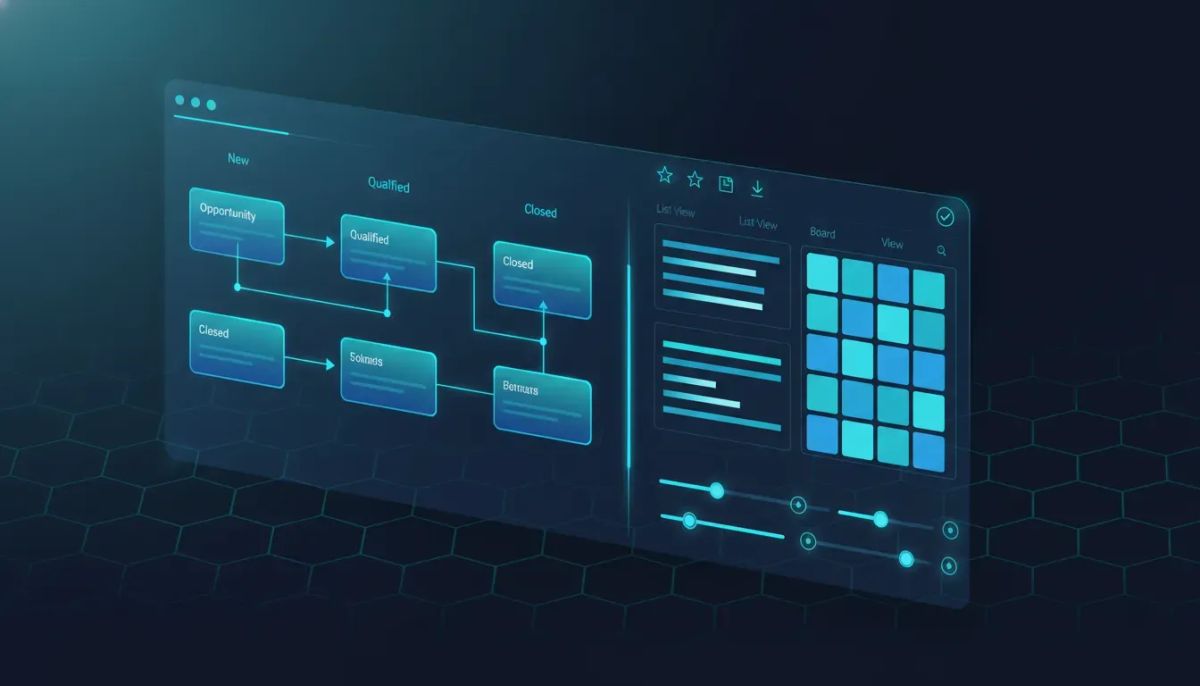
Opportunity Smart Lists have officially arrived in HighLevel, and this is one of those updates that makes a core part of the platform feel a whole lot more usable.
If your team spends time inside Opportunities every day, this release matters. A lot. It brings a more structured Smart List system to opportunity management, gives you cleaner separation between list views and board views, and makes it much easier to save exactly how you want to work.
That means saved filters, saved sorting, custom field configurations, sharing controls, pipeline-level defaults, duplicate views, CSV export support, and a much more organized experience overall.
In short, Opportunity Smart Lists help turn a busy pipeline into something your team can actually navigate with confidence.
The Complete Operating System for Growth
Join over 60,000+ agencies and businesses using HighLevel to capture more leads and close more deals. Start your trial today and get instant access to the Nexus Hub resources.
Claim Your Free Trial & BonusesWhy this release is such a big deal
HighLevel has always been powerful when it comes to CRM, marketing automation, and agency operations. But power only goes so far if day-to-day usability gets messy, especially in a fast-moving sales environment.
Opportunities are where a lot of important work happens. Sales teams are tracking deals. Agencies are managing follow-up. Account managers are checking status. Operators are trying to understand pipeline health. And when everyone needs different information at the same time, a one-size-fits-all view quickly becomes a bottleneck.
That is exactly what this update improves.
Opportunity Smart Lists give teams a way to create structured, reusable views around the data that matters most. Instead of repeatedly rebuilding filters or sorting every time you open the pipeline, you can now save those settings into a view that makes sense for your workflow.
It sounds simple, but operationally, this is huge.
What Opportunity Smart Lists actually do
At the core, this feature brings Smart Lists into the Opportunities area of HighLevel and separates them cleanly from board views.
That separation matters because list-style work and board-style work are not always the same.
A board view is great when you want to move deals visually through stages and get a quick snapshot of where things stand. A Smart List is better when you need precision. You may want to sort by value, isolate records owned by a specific user, filter by stage, or focus on a particular type of opportunity that needs action right now.
With this release, you can create those focused views and keep them available for repeated use.
Key capabilities include:
- Saved filters for opportunities
- Saved sorting preferences
- Saved field configurations
- Clear separation between list views and board views
- Control over where Smart Lists appear
- Pipeline-level default views
- Improved sharing and permissions management
- Duplicate Smart List support
- CSV export support
- Save as new and discard changes options
That is a very complete first release, and it shows that the team thought through the real-world use cases instead of shipping a bare-bones version.
How this changes the day-to-day experience inside Opportunities
The best product updates are the ones that remove friction from work people are already doing. Opportunity Smart Lists fit that category.
Imagine the difference between opening a pipeline and seeing everything mixed together, versus opening a tailored view that already shows:
- Only the opportunities relevant to your role
- The sort order you care about most
- The fields you need to evaluate next steps
- A clean structure that matches your process
That is where this feature earns its value.
For sales teams, this can mean faster prioritization.
For agencies, it can mean cleaner client pipeline management.
For admins and operators, it can mean more consistency across users and subaccounts.
For anyone scaling SaaS operations or managing multiple users in HighLevel, it can reduce the usual chaos that shows up when every person builds their own workaround.
Saved filters, sorting, and field configurations
One of the strongest parts of this release is the ability to save not just filters, but also sorting and field configuration into a reusable view.
That combination matters because useful lists are rarely built on filters alone.
You might want to filter for a certain stage, then sort by most recent activity, and display only the fields your team actually needs. If those preferences disappear every time you leave the page, the workflow gets repetitive fast.
Now you can save that setup as a view and come back to it whenever needed.
This is especially valuable for:
- Sales follow-up lists where reps need a prioritized queue
- Manager review views focused on ownership, stage, or opportunity status
- Operations reporting views that highlight the fields most relevant to team performance
- Agency client-specific workflows where each pipeline may need slightly different handling
In other words, Smart Lists help turn Opportunities into a more intentional workspace instead of a generic data table.
Sharing and permissions are easier to manage
Another major improvement is the ability to manage sharing and permissions more easily.
That may not sound flashy, but from an implementation and scaling perspective, it is one of the most important parts of the whole update.
When teams grow, view sprawl becomes real. Different users need different access. Some lists should be personal. Some should be shared with a sales team. Some should become standard operating views at the pipeline level.
Opportunity Smart Lists make that more manageable.
You now have more control over how views are shared and where they appear. That helps create a cleaner agency system and reduces confusion, particularly in multi-user HighLevel environments.
For agencies serving clients through GoHighLevel, this creates better opportunities to standardize process. You can build useful views, define where they belong, and make it easier for users to stay aligned with the intended workflow.
Pipeline-level defaults bring consistency
One of the standout additions here is the ability to set a pipeline-level default.
This is a big operational win.
Defaults shape behavior. If a team opens a pipeline and lands in the right view automatically, the system starts doing more of the heavy lifting. That leads to fewer mistakes, better adoption, and less time spent answering basic process questions.
For example, if a certain pipeline is mostly handled by appointment setters, closers, or account managers, you can configure the default view in a way that matches how that team actually works.
Even without getting overly technical, the advantage is clear: better defaults create better habits.
That is something every HighLevel admin, agency owner, or operations lead can appreciate.
Duplicate Smart Lists, Save as New, and Discard Changes
There are a few smaller features in this release that deserve attention because they improve usability in a very practical way.
Duplicate Smart List support
This allows you to quickly create another view based on an existing one. Instead of building from scratch every time, you can duplicate a Smart List and make small changes.
That is perfect when you want a similar view for a different owner, stage, or sorting preference.
Save as New
Sometimes you want to experiment without overwriting the original. Save as New gives you that flexibility.
You can preserve a reliable view while creating a variation for a new process or team need.
Discard Changes
This is one of those quietly useful features that prevents accidental messes. If you make edits to a Smart List and decide they are not worth keeping, you can discard them instead of manually trying to get back to the previous setup.
Together, these features make the Smart List experience feel much more polished and much more forgiving.
CSV export support adds practical reporting value
CSV export support is another welcome addition.
When you have a highly filtered and properly sorted Smart List, being able to export that exact dataset is incredibly useful. It gives teams another way to analyze, share, or archive opportunity data outside the platform when needed.
This can support:
- Internal reporting
- Team reviews
- Client updates
Manual audits and cleanup processes
For agencies running client operations in HighLevel, exports can also be useful when combining pipeline data with broader business reporting processes.
The key point is that the export becomes more valuable because the view itself is now more intentional.
The Complete Operating System for Growth
Join over 60,000+ agencies and businesses using HighLevel to capture more leads and close more deals. Start your trial today and get instant access to the Nexus Hub resources.
Claim Your Free Trial & BonusesHow to enable Opportunity Smart Lists in HighLevel
This feature is currently available through Labs.
To turn it on:
- Go to your subaccount Labs inside HighLevel.
- Enable Opportunity Smart Lists.
- Navigate to Opportunities.
- Start building and using your Smart Lists.
That is it. Once enabled, the feature is available and ready to use.
If you are rolling this out across client accounts or internal team environments, it is worth testing it in a controlled setup first so you can define naming conventions and defaults before broader adoption.
Best practices for using Opportunity Smart Lists well
The feature itself is straightforward, but how you implement it can make a big difference.
Here are a few smart ways to approach it inside GoHighLevel.
1. Create views around real roles, not random ideas
Build Smart Lists based on how people actually work.
Think in terms of:
- Sales rep follow-up
- Closer priority queue
- Manager oversight
- Missed opportunity recovery
- Pipeline cleanup
If a Smart List does not clearly support a user or process, it probably does not need to exist.
2. Keep naming conventions simple
If your team uses dozens of saved views, naming gets important fast.
Clear, consistent names make adoption easier. A good naming system helps everyone understand what a Smart List is for without opening it first.
3. Use pipeline defaults strategically
Default views should reinforce the most common workflow, not just the most detailed one.
Choose defaults that help users orient quickly and take action, especially if the pipeline is shared across a team.
4. Avoid overbuilding
Just because you can create a lot of Smart Lists does not mean you should.
Start with the high-value views that solve real friction. Expand only when a new view clearly improves execution.
5. Pair Smart Lists with HighLevel workflows and automations
Opportunity Smart Lists become even more useful when your pipelines are supported by solid HighLevel workflows and automations.
If automations are creating, updating, or routing opportunities consistently, then your Smart Lists become more trustworthy and actionable.
That is where implementation strategy really matters. Clean automation plus clean views equals a much stronger CRM system.
Why this matters for agencies and SaaS operations
If you run an agency on HighLevel, this update has real downstream impact.
Agency teams often need to balance internal usability with client simplicity. Opportunity Smart Lists can help bridge that gap.
You can create more refined operational views behind the scenes while still keeping the overall pipeline experience manageable for clients or team members who do not need every layer of detail.
This also supports scaling.
As HighLevel agency setup grows more sophisticated, little improvements in structure become major wins. Better views reduce support requests. Better defaults improve adoption. Better sharing controls make system administration easier.
And because opportunities sit at the center of many sales and service processes, improvements here tend to ripple across the whole account.
A cleaner Opportunities experience is a stronger CRM experience
What makes this release exciting is not just the feature list. It is the fact that it improves clarity.
Clarity inside a CRM is never a small thing.
When teams can quickly find the right opportunities, sort them properly, save their working views, and share those views with the right people, the system becomes easier to trust.
And when people trust the system, they use it better.
That leads to better follow-up, better visibility, and better execution across the board.
For a platform like HighLevel, which already powers CRM, marketing automation, and agency systems all in one place, that kind of usability gain carries real weight.
Where to get help
If you want additional guidance, HighLevel has a help document available through the support site. Searching for smart lists opportunities in the HighLevel help center should bring you to the right resource.
If you are implementing this as part of a bigger CRM cleanup or agency systems project, it can also help to document how your team should use each Smart List so adoption stays consistent.
And if you are still building out your overall setup, this is a great time to tighten up your opportunity stages, workflows, and ownership rules alongside the new view structure.
Final thoughts
Opportunity Smart Lists are one of those updates that feel immediately useful.
They give HighLevel users more control, more structure, and a much better way to work inside Opportunities without adding unnecessary complexity.
The highlights are easy to appreciate:
- Structured Smart Lists for opportunities
- Saved filters, sorting, and field setups
- Sharing and permission controls
- Pipeline-level defaults
- Duplicate views, Save as New, and Discard Changes
- CSV export support
- Quick enablement through Labs
If your team lives in the pipeline, this is well worth enabling and testing right away.
And if you are still exploring what HighLevel can do across CRM, marketing automation, and agency operations, this is another strong example of the platform continuing to mature in ways that make day-to-day execution better.
If you have not started yet, this could be a good moment to begin a HighLevel free trial and see how features like Opportunity Smart Lists fit into your sales process. And if you want templates, resources, and implementation support, joining the Nexus Hub community can help you move faster with a cleaner setup.
FAQ
What are Opportunity Smart Lists in HighLevel?
Opportunity Smart Lists are saved list views inside the Opportunities area of HighLevel. They let you save filters, sorting, and field configurations so you can quickly return to a structured view of your pipeline data.
How do I enable Opportunity Smart Lists?
Go to the subaccount Labs section in HighLevel, enable Opportunity Smart Lists, and then head to Opportunities to start using the feature.
Can I share Opportunity Smart Lists with my team?
Yes. The feature includes improved sharing and permissions controls, making it easier to manage who can access specific views and where those views appear.
Can I set a default Smart List for a pipeline?
Yes. HighLevel now allows pipeline-level default views, which helps teams land in the most relevant Smart List automatically when working inside a pipeline.
Does Opportunity Smart Lists support CSV exports?
Yes. You can export Smart List data to CSV, which is helpful for reporting, auditing, or sharing filtered opportunity data outside the platform.
Can I duplicate a Smart List instead of rebuilding it from scratch?
Yes. Duplicate Smart List support is included, making it easy to create a similar view and adjust it for another use case.
What is the difference between a board view and a Smart List in Opportunities?
Board views are ideal for visually moving and reviewing opportunities by stage. Smart Lists are better for structured list-based work where filtering, sorting, and custom field visibility are more important.
The Complete Operating System for Growth
Join over 60,000+ agencies and businesses using HighLevel to capture more leads and close more deals. Start your trial today and get instant access to the Nexus Hub resources.
Claim Your Free Trial & Bonuses


