HighLevel Chat Flow Builder: Call Transfer and Contact Update for Voice and Conversation AI

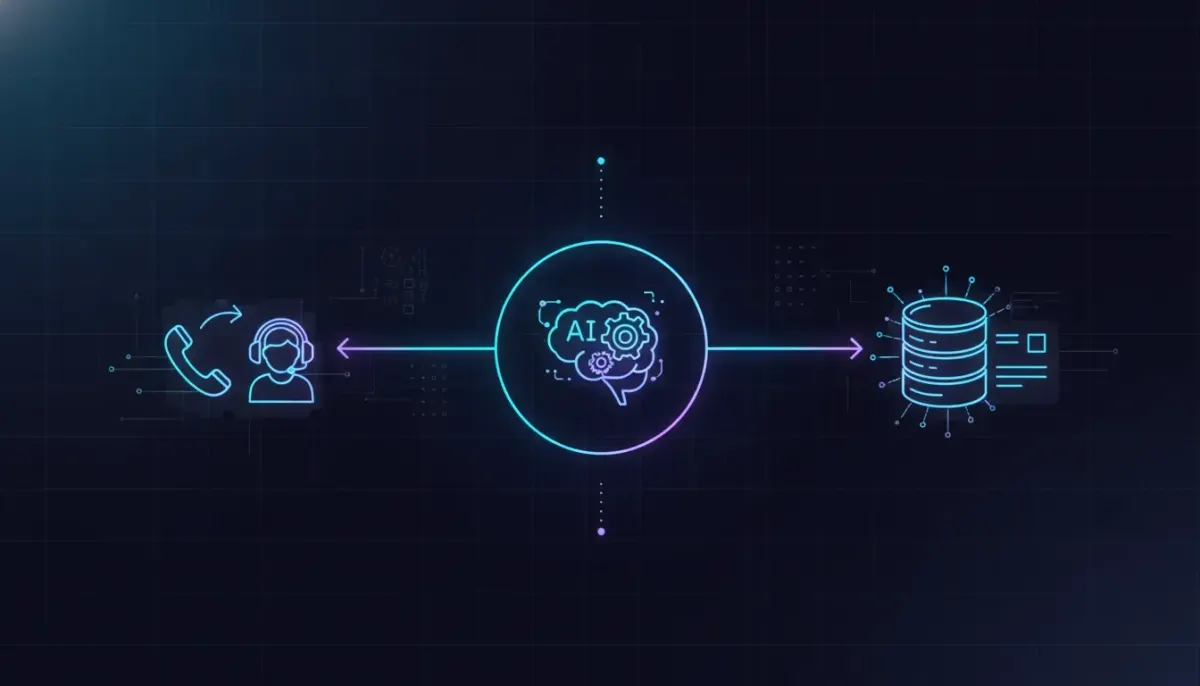
HighLevel just made the Chat Flow Builder for voice and conversation AI agents much more practical for real business use. Two native actions have been added that solve common workflow gaps without requiring awkward workarounds: Call Transfer and Update Contact Field.
These updates matter because they improve two of the most important parts of any AI-powered customer journey. First, they help an AI agent hand a live caller to the right person at the right moment. Second, they make it easier to capture and store contact data cleanly inside your CRM as the conversation happens.
If you are using HighLevel or GoHighLevel to power agency systems, marketing automation, customer communication, or SaaS operations, these additions make your workflows more useful, more accurate, and easier to scale.
Why these new Chat Flow Builder actions matter
When businesses start using voice AI and conversation AI, they usually run into the same two challenges pretty quickly.
- The AI can handle a lot, but sometimes a real person needs to step in.
- The AI can gather information, but that data needs to land in the right CRM fields automatically.
That is exactly what these new native actions address.
Instead of patching together custom logic or relying on external workarounds, HighLevel now gives you built-in controls directly inside the Flow Builder. That means less friction during implementation, cleaner automation design, and a better experience for both businesses and their customers.
Call Transfer: native live handoffs inside HighLevel workflows
The first new action is Call Transfer. This allows your AI agent to transfer an active voice call directly within the workflow.
In practical terms, that means your AI can speak with a caller, determine what they need, and then route them to a human agent, a department, or an outside phone number without needing some custom setup stitched together behind the scenes.
This is a big step for businesses that want to use AI as the first layer of conversation while still keeping live support available when needed.
What Call Transfer can do
- Transfer a caller to a live human agent
- Send the call to a specific department
- Route the call to an external number
- Control exactly when the transfer happens in the flow
- Define what the AI says before the handoff
- Automatically pass extension numbers or IVR digits
That last point is especially useful. In many real-world phone systems, transferring a caller is not just about dialing a number. Sometimes the system needs an extension, menu selection, or IVR input to send the caller to the correct destination. Being able to pass those digits automatically makes the process much smoother.
Why native call transfer is such a meaningful upgrade
When call routing is handled natively inside HighLevel workflows and automations, setup becomes more reliable. You are no longer forcing the platform to imitate a feature it was not built to do. Instead, the handoff becomes part of the conversation logic itself.
That creates several advantages:
- Cleaner workflow design: You can build the entire customer path in one place.
- Better customer experience: The AI can explain the handoff before it happens.
- More precise routing: Transfer conditions can be based on intent, need, or stage in the conversation.
- Less technical overhead: No custom workaround means less maintenance and faster deployment.
For agencies managing multiple clients inside GoHighLevel, that matters even more. Repeatable systems are what make agency setup and scaling possible. A native transfer action is easier to standardize across accounts than a one-off custom fix.
Where Call Transfer fits in real business workflows
Think about how often a voice AI agent gets most of the way through a conversation before a human needs to take over.
Here are a few common examples:
- A lead wants to speak with sales after initial qualification
- A support request needs escalation to a live rep
- A caller needs a department such as billing, scheduling, or service
- An AI receptionist gathers information, then passes the call to the right team member
- An outside office or partner line needs to receive the call after the AI handles intake
Before a feature like this, there was often a disconnect between the AI conversation and the live transfer experience. Now that handoff can happen inside the same flow logic.
That means your AI agent can not only detect intent, but also take the next action immediately. It can collect context, provide a transition message, and then route the call where it needs to go.
The importance of what the AI says before transferring
One of the more useful details in this update is the ability to control the message the AI gives right before the transfer.
That may sound small, but it has a major effect on call quality.
If a caller suddenly hears dead air or an unexplained transfer tone, the experience feels clunky. But if the AI says something natural like letting the caller know it is connecting them to the correct team, the interaction feels intentional and professional.
This gives businesses a chance to preserve brand tone even during a handoff. It also reduces confusion and helps the caller understand what is happening next.
The Complete Operating System for Growth
Join over 60,000+ agencies and businesses using HighLevel to capture more leads and close more deals. Start your trial today and get instant access to the Nexus Hub resources.
Claim Your Free Trial & BonusesUpdate Contact Field: more precise CRM updates during conversations
The second new action is Update Contact Field. While HighLevel already had the ability to work with contact data, this update gives much more precise control over how those fields are updated inside the flow.
That precision is what makes the feature valuable.
Instead of loosely capturing information and hoping it lands in the right place, you can now clearly define which contact field should be updated as the conversation unfolds. This includes both standard fields and custom fields.
What Update Contact Field allows you to do
- Update standard contact fields directly in the workflow
- Update custom contact fields with specific conversation data
- Define exactly what information should be captured
- Keep contact records updated automatically throughout the interaction
For CRM and marketing automation, this is a foundational improvement. Better data capture leads to better segmentation, better follow-up, better reporting, and better customer journeys.
Why precise contact updates matter inside GoHighLevel
In most businesses, a conversation is only valuable if the information from that conversation can be used later.
If a lead shares key details but they do not make it into the CRM correctly, your team loses context. Automations may fail. Follow-up messages may be off target. Sales reps may need to ask the same questions again. That creates friction and weakens trust.
With this new HighLevel action, the AI can collect details and write them directly into the right contact fields as the conversation happens. That means the CRM record stays current without depending on manual updates after the call.
This is particularly helpful for agencies building scalable systems for clients. Consistent field mapping is one of those behind-the-scenes best practices that makes workflows work reliably across lead generation, appointment booking, nurture campaigns, and internal handoffs.
Examples of contact fields that can be updated
The update itself focuses on giving you exact control over the field being changed, which opens up a lot of possibilities depending on how your CRM is structured.
Examples might include:
- Name or business information
- Email address or phone number corrections
- Service interest
- Preferred location or department
- Lead source details
- Qualification status
- Internal notes stored in custom fields
- Any custom intake information tied to your process
The important point is not a specific field list. The real value is that the workflow can now intentionally update the exact field you want, rather than treating CRM updates as a vague afterthought.
How these two actions work together
The real power here shows up when Call Transfer and Update Contact Field are used together in the same conversation flow.
Imagine this sequence:
- The AI answers an inbound call.
- It asks a few questions to understand the caller's needs.
- It captures important details and stores them in the correct contact fields.
- It determines the right destination based on the caller's intent.
- It gives a clear transition message.
- It transfers the live call to the correct person, department, or number.
That is a much more complete automation path than simply having an AI answer basic questions. It turns the AI into a functional front desk, intake assistant, and routing layer all at once.
For businesses, this means fewer dropped opportunities and better organized contact records. For agencies, it means stronger implementation strategies that connect AI conversations with CRM data and human follow-up.
What this means for HighLevel agency setup and scaling
If you build inside HighLevel for clients, these updates are not just feature additions. They are system improvements.
One of the biggest obstacles in agency operations is creating solutions that are both powerful and repeatable. Custom hacks can work once, but they often become difficult to maintain across multiple sub-accounts, industries, and use cases.
Native actions change that equation.
With built-in call transfer and cleaner contact field updates, agencies can develop more standardized onboarding and deployment frameworks for:
- AI receptionist systems
- Lead qualification funnels
- Support triage workflows
- Appointment routing processes
- Sales handoff automations
- CRM data hygiene strategies
That supports better SaaS operations, more reliable automation outcomes, and a smoother handoff between AI and human teams.
Best practices for using these new HighLevel actions
To get the most out of these updates, a few implementation principles matter.
1. Be intentional about transfer conditions
Do not transfer every call at the first sign of complexity. Build clear logic around when a handoff should happen. The goal is to let the AI handle what it can, then transfer only when a human is genuinely the best next step.
2. Write a strong pre-transfer message
Use the AI's transition message to keep the call feeling smooth and professional. A brief explanation before the transfer can reduce confusion and improve caller confidence.
3. Map CRM fields before building the flow
If you are using Update Contact Field, decide ahead of time which pieces of information belong in which fields. This avoids messy records and makes future automation much easier.
4. Use custom fields strategically
Custom fields are powerful, but only if they are named and organized clearly. Keep your CRM structure clean so your workflows stay understandable as they scale.
5. Think beyond the conversation itself
The best HighLevel workflows do not end when the call ends. Updated contact fields should feed downstream automation such as follow-up sequences, pipeline movement, internal notifications, and reporting.
A more complete AI workflow inside GoHighLevel
What stands out about this update is that it pushes HighLevel's voice and conversation AI closer to being a fully operational business tool, not just an experimental feature.
AI is most useful when it can do three things well:
- Understand what the person needs
- Take the correct action
- Store the right information for what happens next
Call Transfer handles the action. Update Contact Field handles the record-keeping. Together, they help connect conversation intelligence with real workflow execution inside the CRM.
That is exactly the direction businesses and agencies need if they want automation to support actual operations rather than just surface-level engagement.
FAQ
What is the new Call Transfer action in HighLevel Chat Flow Builder?
It is a native workflow action that allows a voice AI agent to transfer an active call to a human agent, department, or external number directly inside the flow. It removes the need for custom transfer workarounds.
Can the AI control what happens before a call is transferred?
Yes. You can decide when the transfer happens and define what the AI says before the handoff. You can also pass extension numbers or IVR digits automatically when needed.
What does Update Contact Field do in GoHighLevel?
It gives you precise control over updating CRM contact data during a conversation. You can write information to both standard and custom contact fields as the interaction happens.
Why is updating contact fields during a conversation important?
It keeps the CRM accurate in real time, reduces manual entry, and supports better follow-up automation, segmentation, internal handoffs, and reporting.
Are these features useful for agencies managing client accounts in HighLevel?
Absolutely. Native actions make workflows easier to implement, replicate, and maintain across multiple client accounts. That supports stronger agency systems, better scaling, and cleaner SaaS operations.
Final takeaway
These two additions may sound simple on the surface, but they solve real operational needs inside HighLevel.
Call Transfer makes live handoffs part of the workflow instead of a technical compromise. Update Contact Field makes conversation data more structured and usable inside the CRM. Put them together, and you get a more capable AI system that can route conversations intelligently and keep records current at the same time.
For anyone building with HighLevel workflows and automations, this is the kind of update that improves both implementation quality and day-to-day business performance. It makes voice and conversation AI more connected to the rest of your process, which is exactly where automation becomes genuinely useful.