New AI Extract Data Action in Workflows

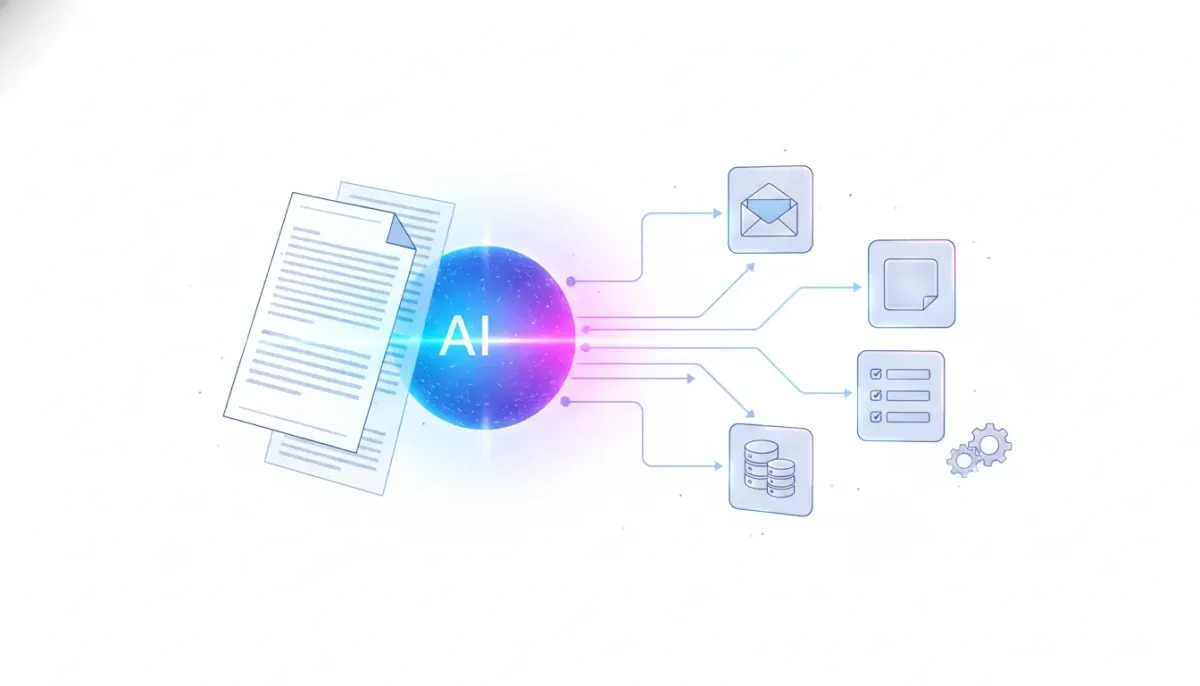
HighLevel just added a simple but powerful capability to workflows: AI Extract Data. If you have ever wished a workflow could read incoming text, pull out the important details, and hand those details to the rest of your automation, that is exactly what this is built to do.
The idea is straightforward. Information comes in as unstructured content, like an email, a reply message, or a block of text. Instead of manually reading it or trying to build a brittle parser with fixed rules, you can now ask AI to identify the exact fields you need and turn them into usable workflow variables.
That means less manual entry, less cleanup, and a much smoother way to move from incoming communication to action inside your CRM and automations.
What the AI Extract Data action actually does
At its core, this workflow action takes a piece of content and pulls structured information out of it.
Think about all the messages that hit a business every day. A prospect replies with company details. A lead sends over budget information. A customer fills in a message with their role, business name, and project requirements. Normally, that information sits inside plain text until someone reads it and transfers it into the CRM, or until a custom parser tries to guess what belongs where.
Now, HighLevel workflows can handle that step with AI.
You define what you want extracted. For example:
- Company name
- Job title
- Budget
- Opportunity details
- Any other specific business information you need
Once the action runs, the extracted values become variables inside the workflow. From there, you can use them in other workflow steps, update records, create opportunities, trigger follow-up actions, or feed the data into other parts of your HighLevel system.
Why this matters for HighLevel workflows and automations
This update is important because a lot of automation breaks down when data is messy. Structured form submissions are easy. Unstructured human replies are not.
That gap has always created friction in CRM and marketing automation. A lead replies with useful information, but the system cannot do much with it unless someone manually interprets the message or a developer builds complicated parsing logic.
The new AI Extract Data action changes that by letting AI do the interpretation work.
Instead of forcing every input into a rigid format, you can let people respond naturally and still capture what matters. That is a big win for:
- Agency systems that need to process inbound lead data fast
- Sales operations that rely on clean opportunity information
- CRM automation that depends on accurate field mapping
- SaaS operations where incoming customer messages need to trigger downstream workflows
In other words, this is not just a convenience feature. It helps bridge the space between natural communication and structured automation.
A practical example: turning a reply into an opportunity
One of the clearest examples is outbound outreach.
Say you send an initial message asking a prospect for business information. They reply with a paragraph that includes their company name, their role, what they are looking for, and how much they expect to spend.
Without AI extraction, someone has to read that reply and manually create or update the opportunity. Even with partial automation, that process often involves copy-pasting and human review.
With this new HighLevel workflow action, the process becomes much cleaner:
- An inbound reply arrives.
- The workflow triggers.
- The AI Extract Data action reads the message.
- It pulls out the exact items you asked for, such as company name, job title, and budget.
- Those values are stored as workflow variables.
- The workflow uses those variables to create or update an opportunity in the CRM.
That is the real value here. The incoming message does not need to be perfectly formatted. The automation can still understand it well enough to keep your pipeline moving.
One of the best use cases: email parsing
If there is one standout use case for this feature, it is email parsing and extraction.
Email has always been a common source of valuable business information, but it is also one of the most annoying inputs to automate. Traditional parsing often requires patterns, delimiters, fixed formatting, or external tools. The moment an email changes structure, the parser can fail.
With AI Extract Data, you can approach email very differently.
Instead of trying to parse the message using rigid rules, you simply send the email content into a workflow and tell AI what to identify. The workflow can trigger when the email comes in, run the extraction step, and then pass the structured data into the next automation steps.
That means you can effectively replace older parsing setups with an AI-powered process that is far more flexible.
For many teams, this can simplify operations around:
- Lead intake
- Contact creation
- Opportunity creation
- Internal handoff processes
- Inbox-to-CRM automation
Instead of asking, “How do we parse this email format?” the better question becomes, “What data do we want AI to extract from this email?”
The Complete Operating System for Growth
Join over 60,000+ agencies and businesses using HighLevel to capture more leads and close more deals. Start your trial today and get instant access to the Nexus Hub resources.
Claim Your Free Trial & BonusesHow extracted data becomes useful inside your CRM
Extraction is only half the story. The real power comes from what happens next.
Once HighLevel turns that incoming text into variables, your workflow can do all the things HighLevel workflows already do well. You can route, update, tag, notify, create records, or trigger additional automation based on the extracted values.
Here are a few ways that can play out in practice:
Create contacts automatically
If an inbound message contains a name, company, or role, that information can feed directly into a contact record. This helps keep your CRM current without relying on manual input.
Build or update opportunities
If the message includes sales context, like budget or business intent, the workflow can use that information to create an opportunity or enrich an existing one.
Support qualification workflows
If you are trying to classify leads, extracted data can help determine whether a contact should move into a sales sequence, a nurture path, or a different pipeline stage.
Power internal notifications
Once the key details are structured, your workflow can send a clean summary to the right team member rather than forwarding an unorganized email and hoping someone interprets it correctly.
Feed follow-up automations
Because the extracted values live as workflow variables, they can personalize future messages and actions throughout your HighLevel automation system.
Why agencies should pay attention
For agencies using GoHighLevel to manage client operations, this kind of feature has obvious value.
Agencies live and die by systems. The more reliably you can turn incoming communication into structured CRM activity, the more scalable your client delivery becomes. Manual handoffs may work for a small account load, but they break quickly as volume increases.
AI extraction helps agencies create more resilient setups by reducing the need for team members to interpret every inbound message. It can support:
- HighLevel agency setup for lead capture and sales intake
- Client CRM implementation where inbox activity needs to sync with pipeline management
- Agency scaling by reducing repetitive admin work
- SaaS reselling models where streamlined automations improve the perceived value of the platform
This is especially helpful when building systems for clients who are not always disciplined about forms and data entry. Real businesses communicate in messy, inconsistent ways. Your automations need to handle that reality.
Best practices for using AI Extract Data in HighLevel
To get the most out of this action, it helps to be intentional about what you ask AI to extract.
Be specific about the fields you need
If your workflow only needs a company name and budget, do not overcomplicate it. Focus the extraction on the exact fields that matter to the next step.
Match extraction to action
Every extracted value should have a purpose. If a field is not going to update the CRM, create an opportunity, trigger routing, or personalize communication, it may not be necessary.
Use it where human language creates friction
This action shines when people write naturally. If your input is already structured through a form, standard field mapping may still be the simplest path. AI extraction is most useful when the content arrives as free-form text.
Build workflows around business outcomes
Do not stop at extraction. Think through the full automation path. What should happen after the data is pulled? Create a contact? Update a pipeline? Alert sales? Start a nurture sequence? The action is strongest when it is part of a complete system.
Test with real-world messages
Use examples that reflect how leads and customers actually communicate. That helps ensure your workflow is designed around realistic input rather than ideal formatting.
What this replaces in older automation setups
Before this kind of feature, teams often had to cobble together workarounds.
That usually meant one of three things:
- Manual data entry by a team member
- Custom parsing logic that only worked on strict message formats
- External tools used to clean and transform data before sending it into the CRM
Each option came with tradeoffs.
Manual entry costs time and introduces mistakes. Rule-based parsing is fragile. External tools add complexity to your stack and create more points of failure.
By handling extraction directly inside HighLevel workflows, this feature can reduce those layers and make your automation stack cleaner. It keeps more of the process inside one platform, which is exactly what you want when optimizing CRM, marketing automation, and agency operations.
The bigger shift: from form-first automation to communication-first automation
There is a broader trend behind this feature.
Traditional automation has often depended on people submitting information in neat, predefined formats. But real business communication rarely looks like that. Prospects reply to messages in their own words. Customers send details through email. Sales conversations unfold in natural language.
AI changes the game because it allows automations to work with that natural input instead of fighting against it.
That is why this HighLevel update matters beyond a single workflow action. It points toward a more flexible model for CRM and marketing automation where systems adapt to communication, not just forms.
For businesses and agencies building scalable processes, that opens the door to automations that feel more human on the front end while staying structured on the backend.
Where this fits in a strong HighLevel implementation strategy
If you are serious about HighLevel workflows and automations, features like this should not be treated as isolated tricks. They work best when they are part of a broader implementation strategy.
A strong setup usually includes:
- Clear lead sources and trigger points
- Well-defined CRM fields and pipeline stages
- Automations that route information to the right records
- Consistent follow-up systems
- Internal visibility for sales or service teams
AI extraction strengthens that framework by making it easier to capture useful data from natural messages. It is one more layer that helps businesses operate faster without sacrificing accuracy.
And for agencies, it is another way to deliver smarter systems that clients immediately understand. When an inbox message turns into a contact or opportunity automatically, the value is obvious.
FAQ
What is the AI Extract Data action in HighLevel workflows?
It is a workflow action that uses AI to pull specific pieces of information from incoming text and turn them into structured variables you can use in your automation.
What kind of data can it extract?
It can extract the items you define, such as company name, job title, budget, opportunity details, or other business information found inside a message or email.
Can this be used for email parsing?
Yes. Email parsing is one of the strongest use cases. Instead of relying on strict formatting rules, you can send email content into a HighLevel workflow and let AI identify the data you need.
How does the extracted data get used afterward?
Once extracted, the data becomes available as workflow variables. You can use those variables to create contacts, create or update opportunities, route leads, send notifications, or trigger additional automations in your CRM.
Who benefits most from this feature?
Businesses and agencies that handle inbound replies, lead qualification, email-driven intake, or CRM updates from unstructured communication will likely get the most value from it.
Is this better than manual parsing or external tools?
In many cases, yes. It can reduce the need for manual data entry, replace fragile parsing rules, and simplify your stack by keeping more of the process directly inside HighLevel workflows.
Final thought
The new AI Extract Data action is one of those updates that sounds simple at first, but has a lot of practical impact. It gives HighLevel users a cleaner way to turn messy, real-world communication into structured CRM data and useful automation.
If you are building systems inside GoHighLevel, this is the kind of feature that can save time, reduce friction, and make your workflows feel much smarter. Whether you are running internal operations or scaling an agency, the ability to extract key information from incoming text and immediately put it to work is a meaningful step forward.
Used well, it can help turn inbound messages into action without all the manual effort in between.