
Google Drive Integration for Knowledge Base

One of the easiest ways to slow down AI adoption inside a business is to make the setup process annoying.
If your team has to download a file from one place, upload it somewhere else, repeat that process every time a document changes, and then hope everything stays current, there is going to be friction. And friction is what kills momentum.
That is exactly why the new Google Drive integration for Knowledge Base matters.
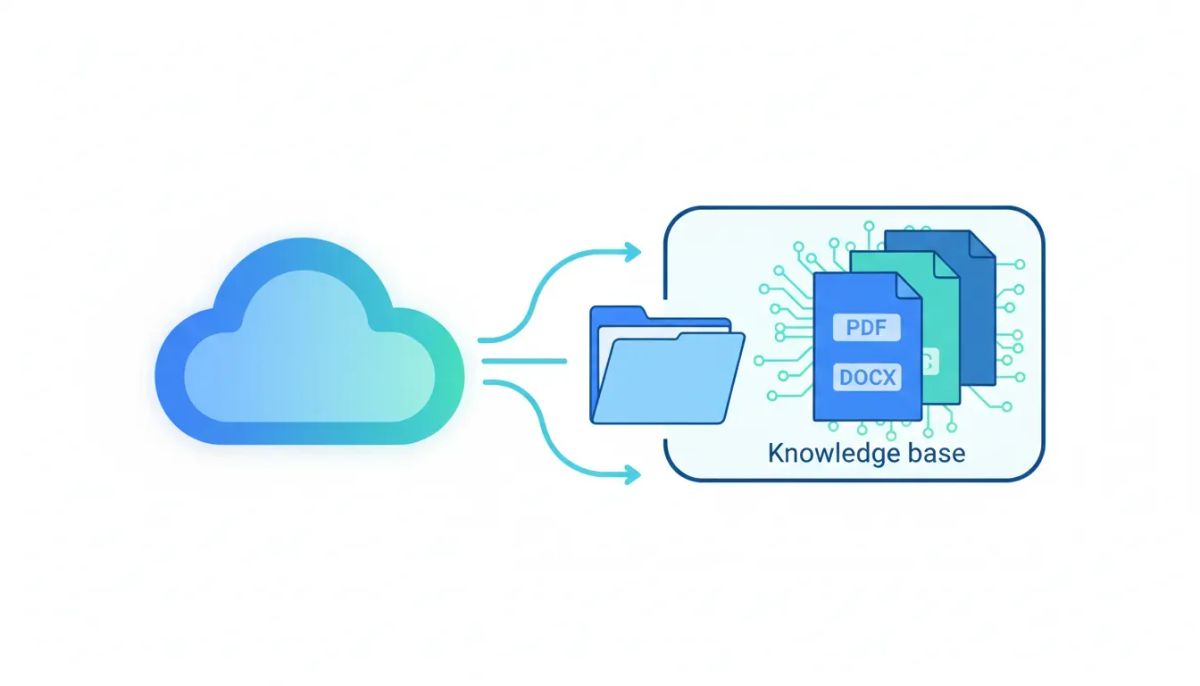
Inside HighLevel, you can now connect Google Drive directly to your AI-powered Knowledge Base and import documents without the old manual back-and-forth. PDFs, Google Docs, DOCX files, and similar files can now come straight from Drive into your knowledge system, making onboarding faster, updates easier, and the entire setup a lot more practical for real businesses and agencies.
I am super pumped about this one because it solves a very real problem. It is not flashy for the sake of being flashy. It removes a bottleneck.
The Complete Operating System for Growth
Join over 60,000+ agencies and businesses using HighLevel to capture more leads and close more deals. Start your trial today and get instant access to the Nexus Hub resources.
Claim Your Free Trial & BonusesWhy this update matters
Before this integration, getting content into the Knowledge Base meant a manual process.
That usually looked something like this:
- Find the document in Google Drive
- Download it to your computer
- Go into the Knowledge Base
- Upload the file manually
- Repeat the process every time the document changed
That may not sound terrible if you only have one file. But most businesses do not operate with one file.
They have product guides, onboarding docs, SOPs, training materials, service explanations, pricing sheets, internal FAQs, sales documents, and help center resources spread across folders and shared drives. Once you multiply the manual upload process across all of that content, it quickly becomes a drag on productivity.
For agencies using HighLevel to build AI solutions, customer support flows, and automated client systems, that drag gets even worse. Every extra step adds time to setup. Every avoidable task cuts into margins. Every outdated file creates risk.
So this update is really about one thing: reducing friction.
And when you reduce friction in your CRM, marketing automation, and SaaS operations, you make it easier to deploy better systems faster.
What the Google Drive integration for Knowledge Base does
At its core, this feature lets you connect Google Drive to your Knowledge Base and import files directly into your AI-powered knowledge system.
That means the platform is no longer relying only on manually uploaded files. Instead, your existing Drive documents can become part of the same centralized knowledge setup you are already using inside HighLevel.
The supported file types called out in this update include:
- PDFs
- Google Docs
- DOCX files
- Other similar document formats
That matters because these are the exact types of documents most teams already use to store the information they want their AI tools to reference.
In other words, instead of reworking your entire content process to fit the platform, the platform now fits much more naturally into the way your team already works.
Direct imports remove unnecessary busywork
The first major capability here is direct import from Google Drive.
This is the feature that eliminates the old download-and-upload cycle. Once your drive is connected, you can bring those documents directly into the Knowledge Base without the extra handling in between.
That sounds simple, and it is, but simple is exactly what makes it powerful.
Good agency systems are not built only on big strategic ideas. They are built on dozens of small operational improvements that save time, reduce mistakes, and make implementation smoother. Direct import checks all three boxes.
For teams running multiple client accounts, this can help standardize how knowledge is gathered and loaded into AI systems. For internal teams, it can help centralize information without forcing a duplicate file management process.
And for anyone building inside GoHighLevel, it creates a much more natural bridge between stored documentation and AI tools that depend on quality source material.
Manual resync support keeps content usable
The second key feature is manual resync support.
This is important because documentation is never truly finished. Teams revise things. They add new details. They clean up language. They update policies, features, or product information.
If your Knowledge Base is meant to power AI responses, then keeping that information aligned with your current documents matters a lot.
Manual resync gives you a way to refresh the connection when needed. That means when a source document in Google Drive changes, you have a mechanism to bring those updates into the Knowledge Base without restarting the entire process from scratch.
That creates a more practical workflow for ongoing maintenance.
Instead of treating Knowledge Base setup like a one-time project, you can treat it like a living system. And that is the right mindset if you want reliable AI performance over time.
A unified multi-source Knowledge Base is a big win
One of the strongest parts of this update is that Google Drive content does not live in isolation.
Documents imported from Drive can work alongside websites, FAQs, and other sources already uploaded into the Knowledge Base. That creates a unified multi-source environment instead of a scattered collection of disconnected inputs.
This is a big deal.
Most businesses do not keep all their best information in one place. Some of it lives on the website. Some of it lives in internal docs. Some of it lives in support resources. Some of it lives in sales materials or onboarding files.
If your AI-powered Knowledge Base can combine those sources into one usable system, you get a much more complete foundation for automation.
That can lead to better outcomes across a range of use cases, including:
- AI assistants using both public website content and private reference docs
- Support systems that combine FAQ entries with detailed operational documentation
- Sales enablement setups that pull from product pages and internal collateral
- Agency implementations that merge client assets from multiple content locations
For HighLevel users focused on workflows and automations, this kind of knowledge consolidation is especially valuable. The stronger your data foundation, the more useful your AI-driven systems become.
Why faster onboarding matters for agencies and teams
The update also makes onboarding and setup faster, which is one of those benefits that touches everything.
When implementation is easier, adoption improves. When adoption improves, teams actually use the tools. And when tools actually get used, the business gets value from the software instead of just paying for it.
Inside HighLevel agency setup and scaling, speed matters a lot.
If you are onboarding clients into AI-powered systems, every minute spent manually moving files is a minute you are not spending on strategy, optimization, or delivering better outcomes. Agencies need repeatable implementation strategies, not fragile workflows built around copy-paste admin work.
This Google Drive integration helps move Knowledge Base setup closer to that ideal.
It gives teams a more efficient starting point and reduces the chance that key documents get skipped simply because loading them feels tedious.
That may sound small, but in operations, small frictions often create the biggest failures. A feature that helps teams get from zero to usable faster is a feature that can have outsized impact.
The Complete Operating System for Growth
Join over 60,000+ agencies and businesses using HighLevel to capture more leads and close more deals. Start your trial today and get instant access to the Nexus Hub resources.
Claim Your Free Trial & BonusesHow this fits into a smarter HighLevel implementation
If you are using HighLevel as the operating system for your agency or business, this feature fits neatly into a broader pattern: centralize information, simplify setup, and support automation with better source data.
That is really the underlying strategy.
AI is only as useful as the knowledge behind it. Marketing automation is only as good as the systems feeding it. CRM workflows perform better when the platform has access to accurate, current business information.
So even though this update is specifically about Google Drive integration for Knowledge Base, the larger value is operational.
It supports better implementation in areas like:
- CRM enablement, by making reference material easier to organize
- Marketing automation, by supporting AI tools with stronger source content
- SaaS operations, by reducing manual maintenance work
- Agency systems, by making client onboarding more repeatable
- Knowledge management, by combining multiple content sources in one place
That is the kind of improvement that compounds. One less manual step here often means fewer delays, fewer errors, and better consistency later.
Best practices for using Google Drive with Knowledge Base
Even though the update itself is straightforward, there are a few practical ways to get more out of it.
1. Start with your highest-value documents
You do not need to import everything all at once. Focus first on the documents that answer the most common questions or contain the most important business information.
That could include service descriptions, process docs, onboarding guides, or core support materials.
2. Keep your source documents clean
If your Drive files are messy, inconsistent, or outdated, your Knowledge Base will reflect that. The easier your documents are to understand, the more useful they become when brought into an AI-powered system.
3. Use the multi-source setup intentionally
Since Drive documents can work alongside websites and FAQs, think about how those sources complement each other. Public pages may provide general information, while internal docs may provide deeper detail.
That combination can create a more complete knowledge environment.
4. Resync when important updates happen
Manual resync exists for a reason. If a key document changes, make sure your Knowledge Base reflects it. Fresh information makes for better system performance and fewer downstream issues.
5. Build this into your agency SOPs
If you run client implementations in GoHighLevel, add this feature to your standard onboarding checklist. The more you systemize it, the easier it becomes to scale.
What this means for AI-powered knowledge systems
The bigger takeaway here is that AI tools become much more useful when they are connected to the documents businesses already rely on every day.
Teams do not want to create content twice.
They do not want one version in Google Drive and another version sitting separately in a knowledge tool, slowly drifting out of alignment. They want a system where their existing documentation can power new capabilities without doubling the workload.
That is what makes this update so practical.
It turns Google Drive from a storage location into an active content source for your AI-powered Knowledge Base. It supports a more connected ecosystem inside HighLevel. And it helps bridge the gap between where information lives and where automation needs it.
That is a meaningful step forward for anyone serious about implementation.
Why I am excited about this feature
Some updates are cool because they look impressive. Others are exciting because they remove real pain.
This one falls squarely into the second category.
Manual file handling is not where your team should be spending energy. If the goal is better automation, stronger AI support, and smoother operations, then the platform needs to reduce unnecessary effort wherever possible.
This integration does exactly that.
It makes the Knowledge Base easier to populate, easier to maintain, and easier to use as part of a broader HighLevel system. It also helps agencies and businesses move faster, which is always a win.
So yes, I am genuinely pumped the team got this done.
Final thoughts
The new Google Drive integration for Knowledge Base is a simple feature with very practical value.
It removes the need for manual downloads and uploads, supports direct import of common document types, includes manual resync support, and works alongside your existing website and FAQ sources inside a unified Knowledge Base.
For businesses using HighLevel, that means faster onboarding, cleaner setup, and a stronger foundation for AI-powered systems.
For agencies, it means a better way to standardize implementation and reduce admin friction as you scale.
And for teams trying to build smarter automations, it means your existing knowledge can now flow more naturally into the tools that need it most.
If you are building inside GoHighLevel and want a smoother way to manage AI knowledge sources, this is absolutely worth putting into your workflow. If you have not started yet, a HighLevel free trial is a natural next step. And if you want implementation help, templates, and proven agency systems, the Nexus Hub community is a smart place to keep the momentum going.
FAQ
What is the Google Drive integration for Knowledge Base?
It is a HighLevel feature that lets you connect Google Drive to your AI-powered Knowledge Base so you can import documents directly instead of manually downloading and uploading them.
What file types can be imported from Google Drive?
The update specifically mentions PDFs, Google Docs, and DOCX files, along with similar document types.
Does this replace other Knowledge Base sources in HighLevel?
No. Google Drive content works alongside other existing sources such as websites and FAQs, creating a unified multi-source Knowledge Base.
Is there a way to update imported content after a document changes?
Yes. The feature includes manual resync support, which helps bring updated Google Drive content back into the Knowledge Base when needed.
Why is this useful for agencies using GoHighLevel?
It reduces setup friction, speeds up onboarding, and helps agencies create more repeatable implementation processes for AI-powered client systems.
How does this help with AI and automation?
AI tools perform better when they have access to accurate source information. By connecting Google Drive documents directly to the Knowledge Base, businesses can use existing documentation more efficiently inside HighLevel workflows and automations.
The Complete Operating System for Growth
Join over 60,000+ agencies and businesses using HighLevel to capture more leads and close more deals. Start your trial today and get instant access to the Nexus Hub resources.
Claim Your Free Trial & Bonuses


