
How to Use WordPress with HighLevel Snapshots: A Practical Guide for Agencies
Discover how to use HighLevel snapshots to bundle entire WordPress sites for faster agency scaling. This guide covers step-by-step setup, deployment workflows, and best practices to help you standardize client builds, automate onboarding, and integrate WordPress with HighLevel CRM.

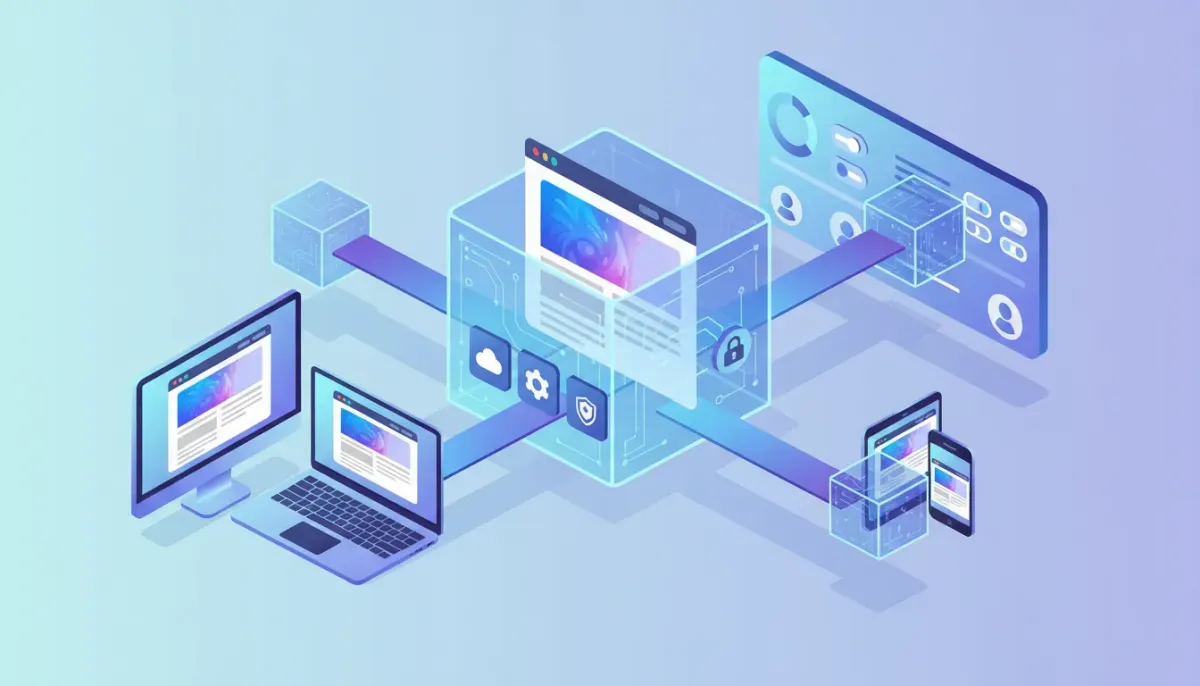
HighLevel now supports bundling entire WordPress sites into snapshots. For agencies and consultants using HighLevel (GoHighLevel, GHL), this change makes it faster to clone, deploy, and standardize WordPress builds across clients. This guide explains what WordPress support in snapshots means, when to use it, step-by-step setup and deployment processes, common pitfalls, and actionable best practices for scaling agency operations.
Start Your HighLevel Trial + Get Instant Nexus Hub Access
Build, scale, and optimize your business with HighLevel. Start a free trial using this link to get automatic access to the Nexus Hub community, templates, and implementation resources.
Start Free TrialWhat are HighLevel snapshots and why WordPress support matters
A snapshot is a packaged configuration of an account or property that captures settings, funnels, templates, automations, and now complete WordPress sites. Snapshots let agencies replicate a pre-built system quickly. With WordPress included, you can now export a whole WordPress site—pages, themes, plugins, settings, and content—then import that package into another HighLevel account or client environment.
This capability matters because agencies frequently deploy the same foundational WordPress setup across clients: a preferred theme, SEO plugins, forms, analytics, and required integrations. Snapshots speed up deployments, reduce repetitive setup work, and help maintain consistent standards across client sites.
Who should use WordPress snapshots
- Agencies scaling client deployments who want consistent, repeatable WordPress builds.
- Freelancers managing multiple client sites who need faster onboarding and fewer configuration errors.
- Teams building templates for niche industries (restaurants, dental, real estate) that require rapid site launches.
- SaaS operators using HighLevel for CRM and marketing automation who want integrated WordPress landing pages and site content within the same ecosystem.
Benefits of bundling WordPress into snapshots
- Speed: Launch new sites in minutes rather than hours.
- Consistency: Ensure the same theme, plugin versions, and settings across clients.
- Template reuse: Create industry-specific boilerplates you can copy and customize.
- Integration: Combine WordPress sites with HighLevel workflows, automations, and CRM pipelines.
- Operational efficiency: Reduce onboarding time and minimize setup mistakes.
Step-by-step: Create a reusable WordPress snapshot
The exact UI labels may vary, but the high-level process follows these stages: prepare the source, create the snapshot, export, and then import into target accounts. The checklist below outlines practical steps to make a clean, reusable WordPress snapshot.
- Build a clean source siteStart with a sandbox or staging WordPress installation. Install your preferred theme and page builder and only the plugins you intend to include. Configure global settings such as permalinks, site title, time zone, and business identity elements.
- Remove client-specific itemsDelete test content, API keys, payment credentials, analytics property IDs, and any private or PII. Replace these with placeholders where necessary. This keeps the snapshot reusable and compliant.
- Standardize configurationSet up preferred SEO settings, caching rules, security plugins, image optimization, and backup schedules. Decide on default media sizes and global CSS variables. Install and activate any integrations you want available (for example, tracking or forms) but leave specific account-level credentials blank.
- Create the snapshot in HighLevelUse the platform’s snapshot creation workflow and select the WordPress option. Include themes, plugins, database content, and settings. Give the snapshot a clear name and version so your team can track updates.
- Test import into a staging accountImport the snapshot into a sandbox or staging HighLevel account to verify the site restores correctly. Check permalinks, plugin activation, media library integrity, and front-end pages.
- Document post-import stepsCreate a checklist for final steps every time the snapshot is deployed: attach licenses, update URLs, reconfigure tracking IDs, enable SSL, and test forms.
Deploying a snapshot to a client: recommended workflow
Use this standardized deployment workflow to minimize mistakes when rolling out a WordPress snapshot for a client.
- Provision a new HighLevel account or site property for the client.
- Import the WordPress snapshot into that account via the snapshots tool.
- Replace placeholder data with client-specific content: company name, logo, contact details, images, and copy.
- Update domain and DNS: point the client domain to the hosting endpoint and verify SSL. If using custom hosting, update server and database connection settings as required.
- Re-enter license keys and API credentials for premium plugins and third-party tools.
- Run search-and-replace on URLs if content contains absolute links from the source environment. Use WP-CLI if available to safely update serialized data.
- Test everything: forms, lead capture, automations, funnel flows, tracking pixels, and site speed.
- Connect to HighLevel automations and CRM: ensure forms and lead capture send data to the client’s HighLevel pipelines and triggers.
Example: safe WP-CLI search-replace (recommended for serialized data)
wp search-replace 'https://staging.example.com' 'https://clientdomain.com' --all-tables --skip-columns=guid --recurse-objectsThis command updates URLs across the database and handles serialized data properly. Adjust flags based on your environment and always back up the database before running search-and-replace.
Integrating WordPress snapshots with HighLevel automations
Once a WordPress site is deployed, you can connect forms, booking pages, and lead capture directly into HighLevel workflows. Use HighLevel’s automations to create tasks, assign leads to pipelines, send SMS and email follow-ups, and trigger onboarding sequences. For agencies this ties website behavior to CRM activity and recurring revenue processes.
Typical automation triggers include:
- Form submissions creating new contacts and assigning to sales reps
- Appointment bookings creating calendar events and follow-up reminder sequences
- Payment events triggering onboarding workflows and invoices
- Lead scoring rules that automatically move prospects through funnels
Best practices and checklist before distributing snapshots to clients
Use the checklist below to avoid common issues and ensure a smoother rollout:
- Remove sensitive data such as email addresses, demo PII, and API keys from the source site.
- Standardize plugin versions and test compatibility with your target PHP and MySQL versions.
- Document license activation steps because premium plugins often require domain-based keys.
- Limit snapshot size by excluding large media files or using external storage for high-volume assets.
- Include a README inside the snapshot documentation listing required post-import tasks.
- Back up the original site before creating or applying snapshots.
- Test backups and restores periodically so you know the snapshot is reliable.
Pitfalls and troubleshooting
Plugin or theme licensing
Many premium plugins and themes use license keys tied to domains. After importing a snapshot you must re-enter licenses or move them to the client domain. Include instructions in your deployment checklist for license activation.
Start Your HighLevel Trial + Get Instant Nexus Hub Access
Build, scale, and optimize your business with HighLevel. Start a free trial using this link to get automatic access to the Nexus Hub community, templates, and implementation resources.
Start Free TrialSerialized data and broken links
Replacing URLs in the database can break serialized arrays if done with naive search-and-replace tools. Use WP-CLI or reliable migration tools that handle serialized content to avoid corrupted widget settings or theme options.
Server environment mismatch
The source site might run PHP, MySQL, or server-level modules that differ from the target hosting. Verify PHP version, memory limits, file permissions, and required extensions before importing. If the target hosting does not match, plugins may fail or produce warnings.
Large media library
Including a large uploads folder inflates snapshot size and can cause import failures or long transfer times. Consider using an external CDN or media offload service and exclude raw media from snapshots where appropriate.
Multisite and subfolder setups
WordPress multisite setups and subsites add complexity. Confirm compatibility before exporting. Some snapshot systems may not fully support multisite or might require special handling for subdomain or subdirectory configurations.
Agency workflows: templates, automation, and scaling
To maximize efficiency, treat snapshots as part of a broader agency operating system. Build a small number of core templates for common industries and maintain versioned snapshots for each. Combine these with HighLevel automations to create a predictable client onboarding pipeline:
- Template creation: Build base snapshots for different packages (basic, pro, e-commerce) including distinct plugin sets and configurations.
- Onboarding automation: When a new client signs, trigger a workflow that provisions a client account, imports the correct snapshot, and assigns tasks to the implementation team.
- Implementation checklist: Use a task list that covers domain setup, license activation, content replacement, and QA testing.
- Client handoff: Automatically create an instructional email or portal entry showing the client how to access their site and where to update content.
Security and compliance considerations
When creating and sharing snapshots, be mindful of security and legal requirements:
- Remove any user accounts with elevated privileges or replace them with standardized service accounts.
- Sanitize forms and ensure GDPR or local privacy requirements are respected for included sample data.
- Secure credentials and never store production API keys in shared snapshots.
- Audit plugins for known vulnerabilities and keep an update policy for deployed client sites.
When not to use a WordPress snapshot
Snapshots are powerful, but they are not always the right tool:
- Complex custom integrations that require manual server configuration or custom provisioning scripts.
- Large bespoke e-commerce sites with heavy catalogs and unique checkout flows.
- Sensitive client data that cannot be generalized or must remain isolated.
Checklist: Pre-deployment and Post-deployment
Pre-deployment
- Remove PII and test content
- Confirm plugin, theme, and PHP compatibility
- Clear caches and transient data
- Document license and API credential steps
- Back up source site and test snapshot restore
Post-deployment
- Update domain, DNS, and SSL
- Re-enter plugin and theme licenses
- Run WP-CLI search-replace for URLs if needed
- Connect forms and events to HighLevel CRM and automations
- Perform QA: forms, pages, checkout, and tracking
Scaling tips for agencies using HighLevel and WordPress snapshots
- Version your snapshots so you can deploy a tested release or roll back to previous stable snapshots.
- Maintain a change log documenting plugin or theme upgrades and configuration changes.
- Train your team on the snapshot import workflow and post-import checklist to ensure consistent quality.
- Use HighLevel Nexus Hub or a shared repository for templates, funnels, and snapshot documentation the team can access.
- Automate repetitive tasks with HighLevel workflows: trigger account creation, snapshot import, and QA notifications automatically.
Conclusion and next steps
WordPress support in HighLevel snapshots streamlines agency workflows by packaging entire WordPress sites into reusable templates. Use snapshots to enforce consistency, accelerate deployments, and connect sites directly to HighLevel CRM and automations. Prepare clean source builds, document post-import steps, and include license and environment checks in your process to avoid common pitfalls.
For agencies ready to scale: create versioned templates, integrate snapshot imports with onboarding automations, and centralize resources (for example, Nexus Hub or an internal template library). If you are evaluating the platform, consider a trial to test snapshot and automation workflows end-to-end before applying them to live clients.
FAQ
Can I include the WordPress media library in a snapshot?
Yes, media can be included, but large uploads increase snapshot size and transfer time. Consider offloading heavy assets to a CDN or excluding raw media from the snapshot and importing it separately.
Will plugin and theme licenses transfer with a snapshot?
No. Most premium licenses are domain-tied and must be reactivated on the client domain after deployment. Include license activation steps in your snapshot documentation.
Does snapshot import handle serialized data and complex settings?
Proper snapshot and migration tools handle serialized data, but when performing manual search-and-replace you should use WP-CLI or a migration plugin that supports serialized arrays to avoid corrupting stored settings.
Can I use snapshots with multisite WordPress?
Multisite setups add complexity. Some snapshot systems do not fully support multisite or require special handling. Test a multisite export/import in a staging environment before production use.
How do I connect deployed WordPress forms to HighLevel CRM automations?
Configure your form plugin or integration to send form submissions to HighLevel using native integrations, webhooks, or APIs. After connecting, use HighLevel automations to create contacts, assign tasks, and trigger sequences based on form events.
Where can my team find templates and implementation help?
Maintain an internal repository or use resources like Nexus Hub for community templates and implementation guidance. Document your snapshot versions, deployment checklists, and common troubleshooting steps.
Start Your HighLevel Trial + Get Instant Nexus Hub Access
Build, scale, and optimize your business with HighLevel. Start a free trial using this link to get automatic access to the Nexus Hub community, templates, and implementation resources.
Start Free Trial


