
Simplified Website Compliance: Cookie Consent, Data Subject Requests, Accessibility, and Practical Steps for Agencies
Compliance is no longer a checkbox—it’s an ongoing process. This guide breaks down modern web compliance into practical steps, covering cookie consent, data subject requests, accessibility, legal documents, and agency implementation across 150+ global regulations.


Compliance used to be something you could file away and forget. Not anymore. Regulations have multiplied, enforcement is getting smarter, and the expectations from users are higher than ever. If you build, manage, or advise on websites, you now juggle cookie consent rules across jurisdictions, data subject requests, privacy documents, accessibility requirements, and the new complexities created by chatbots and recording technologies.
This guide breaks those topics down into clear, practical steps you can actually implement. It explains the core rules, the common pitfalls, and shows how to create a defensible, repeatable process that keeps you and your clients protected without draining hours or budget.
What this guide covers
- How cookie consent management works and what to look for
- Data subject requests: automating verification and response
- Legal documents you need and how to produce them efficiently
- Digital accessibility: the difference between a widget and full WCAG compliance
- Technical realities: geofencing, VPN detection, continuous scans, and analytics impact
- How agencies should package, price, and deliver compliance services
- Practical checklist and an FAQ drawn from real Q&A
Cookie consent management: the rules you actually need to follow
At its simplest, cookie consent management is how you tell visitors what you track, why you track it, and how they can accept or refuse that tracking. The nuance comes from where the visitor is located. The rules follow the user's location, not where your business is registered.
Key historic milestones
- GDPR (EU, 2018) made opt-in consent mandatory for most tracking activities.
- California led the US wave, and since then many U.S. states have introduced their own versions.
- Today there are 150+ global regulations and, as of January 1, twenty U.S. states with some form of cookie consent or consumer privacy law.
The cookie banner you slapped on a site three years ago likely does not meet current expectations. There are five functional things a modern consent solution must handle:
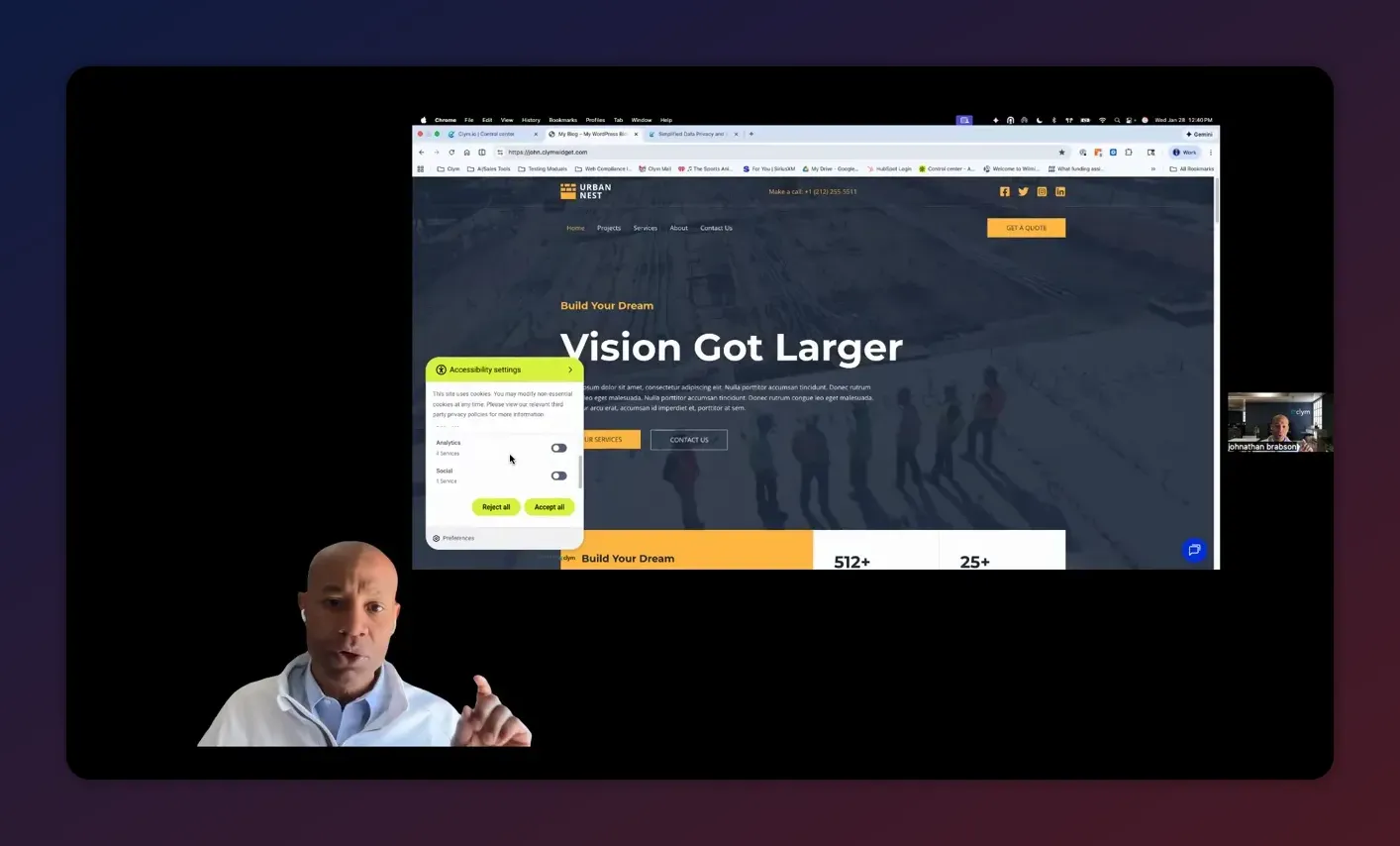
- Transparent classification: Automatically detect cookies and categorize them (necessary, analytics, advertising, social, etc.), then present that to the user in clear language.
- Zero cookie loading: The tool should be able to block nonessential cookies until consent is explicitly granted (critical for GDPR regions).
- Opt-in vs opt-out: EU-style laws generally require opt-in (no tracking until the user consents). U.S. laws are often opt-out based, meaning you can start tracking but must provide a clear, easy opt-out.
- Preference management: Users must be able to choose granular preferences—not just "accept all" or "reject all"—and change those preferences later.
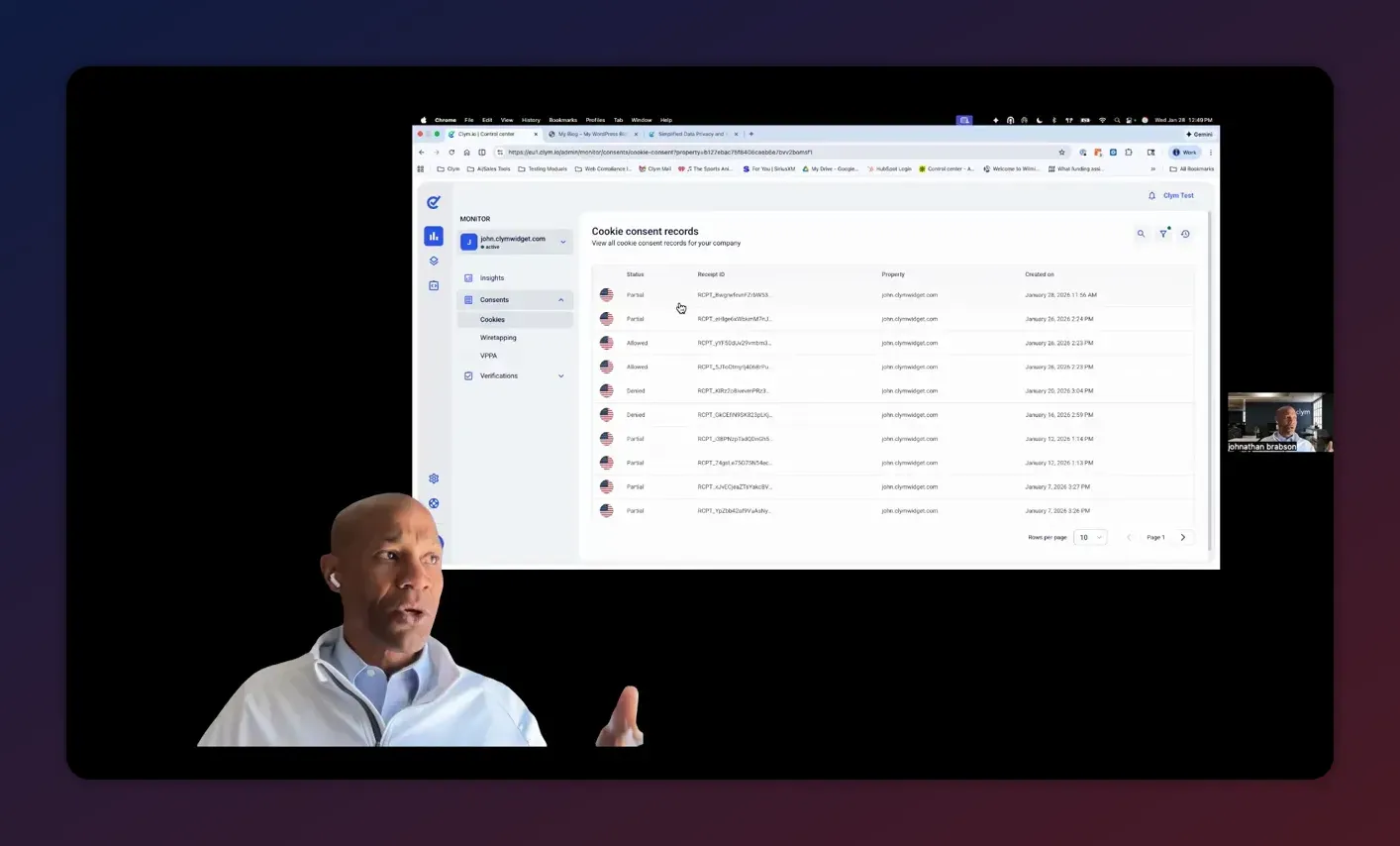
- Audit trail / legal proof: Save a timestamped receipt of the user's choices with context: where they were, what they accepted, and which version of the policy was active. This is your CYA feature.
Example: a site that visitors from the United Kingdom see must present opt-in choices and block nonessential cookies until consent. The same website may present a different experience to visitors from Tennessee. A jurisdiction-aware tool dynamically adapts to these rules, reducing friction for visitors where no consent is required and protecting you where it is.
Best practices for cookie consent
- Use automated scanning to detect new cookies and services whenever you update the website or add third-party scripts.
- Keep language plain; legalese reduces comprehension and increases risk.
- Keep a version history for the policy and consent receipts.
- Provide a visible, easy way for users to change their preferences at any time.
- Whitelist URLs when necessary (example: payment providers or subdomains that require specific handling).
Data subject requests: practical automation and verification
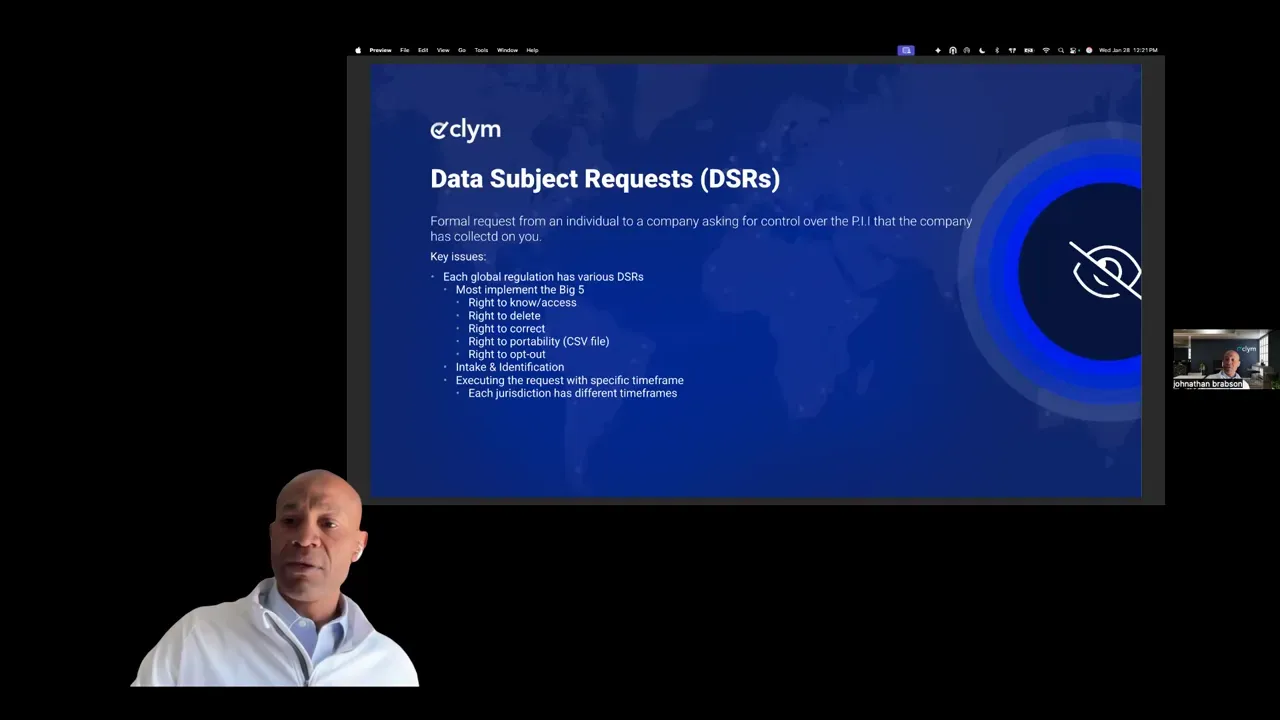
Data subject requests (DSRs) are the mechanism by which individuals exercise control over their personal information. Typical rights include:
- Right to know (what you have)
- Right to delete
- Right to correct
- Right to portability
- Right to opt out of sale or sharing
Processing DSRs is more than accepting emails. You must validate identity, track the request, comply within jurisdiction-specific timelines, and keep records of the action taken.
A practical DSR flow
- Visitor submits a request through a dedicated form or portal (not a random support email).
- System triggers an automated identity verification email or other verification mechanism.
- Once verified, the system notifies the data privacy officer or the responsible person inside your organization, with jurisdiction and deadline information.
- DSR is executed and the action is logged with timestamps and evidence.
This approach reduces manual errors and audit risk. It also creates a clear path to compliance that can be documented when regulators or plaintiffs ask for proof.
Verification and timelines
Different regulations set different response timelines. California gives businesses a set timeframe (for example, 45 days in many cases) to respond to a verified request. The tool you use should surface the jurisdiction and countdown timer to the person who must act.
Why verification matters
A business that deletes data based on an unauthenticated email could be subject to fraud and disputes. A simple automated verification step—tokenized email, short challenge questions, or other proof—dramatically reduces that risk.
Legal documents: generation, storage, and version history
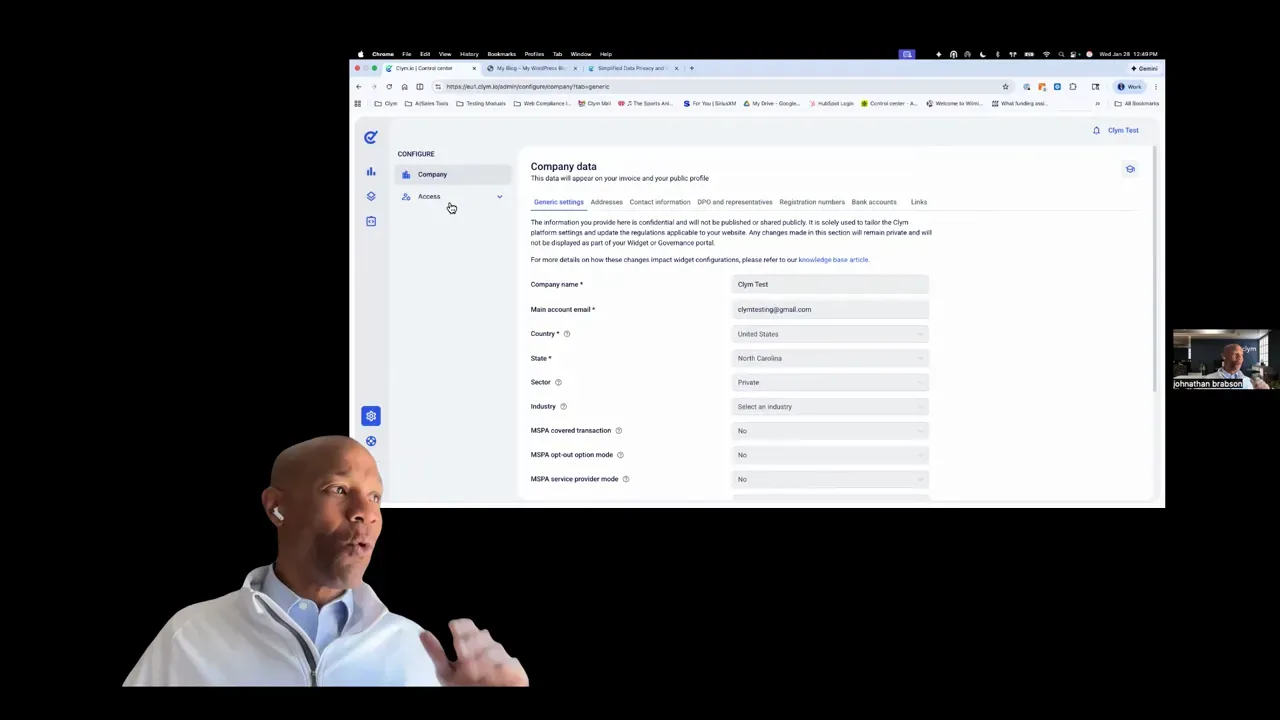
Privacy policies, terms of service, cookie policies, data processing agreements, and accessibility statements are all essential components of a modern governance package. A few practical points:
- Not every jurisdiction requires the same documents or the same wording. A good tool determines which documents are necessary based on the company profile and where it operates.
- Use a generator to produce the initial drafts. A generator reduces attorney time, which reduces legal costs. Always get a lawyer to sign off on the final documents.
- Keep a full version history of every policy. If someone claims they consented to X, you can show exactly what they saw and when.
Customization matters. You should be able to add custom clauses in terms of service or any other document. When the law changes, you want a notification system that calls out what altered so the attorney's review is faster and cheaper.
Digital accessibility: beyond widgets and why it matters
Accessibility is no longer optional. Websites are considered places of public accommodation. That means similar obligations to physical storefronts when it comes to people with disabilities.
WCAG basics
The Web Content Accessibility Guidelines define accessibility in four principles: perceivable, operable, understandable, and robust. Most modern legal frameworks reference WCAG AA standards as the baseline.
Important dates to note: Section 508 and other federal standards have been part of the law for decades, but enforcement is ramping up. Beginning April 2026, entities that receive federal funds and have a population over 50,000 must adopt AA standards. That timeline matters for public institutions, universities, and vendors that work with them.
Why accessibility matters beyond legal risk
- 78 percent of people with disabilities will leave a site that does not work for them and never return. That is lost revenue and lost influence.
- There are roughly $500 billion in after-tax disposable income among people with disabilities in many markets. Making your site accessible is not just legal risk management; it is smart business.
- There are tax incentives and credits for accessibility-focused improvements. Discuss details with a tax professional.
Widgets vs full remediation
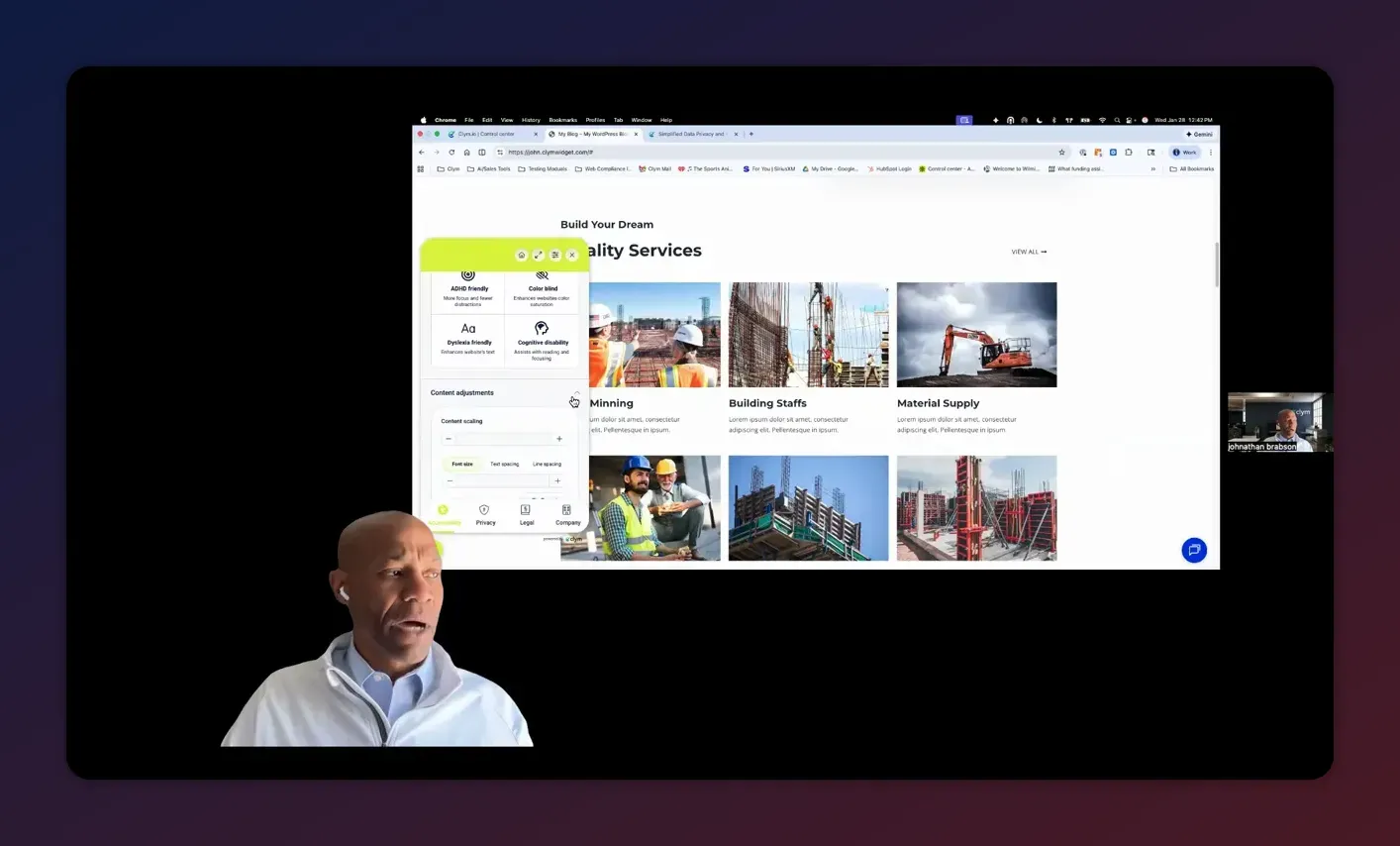
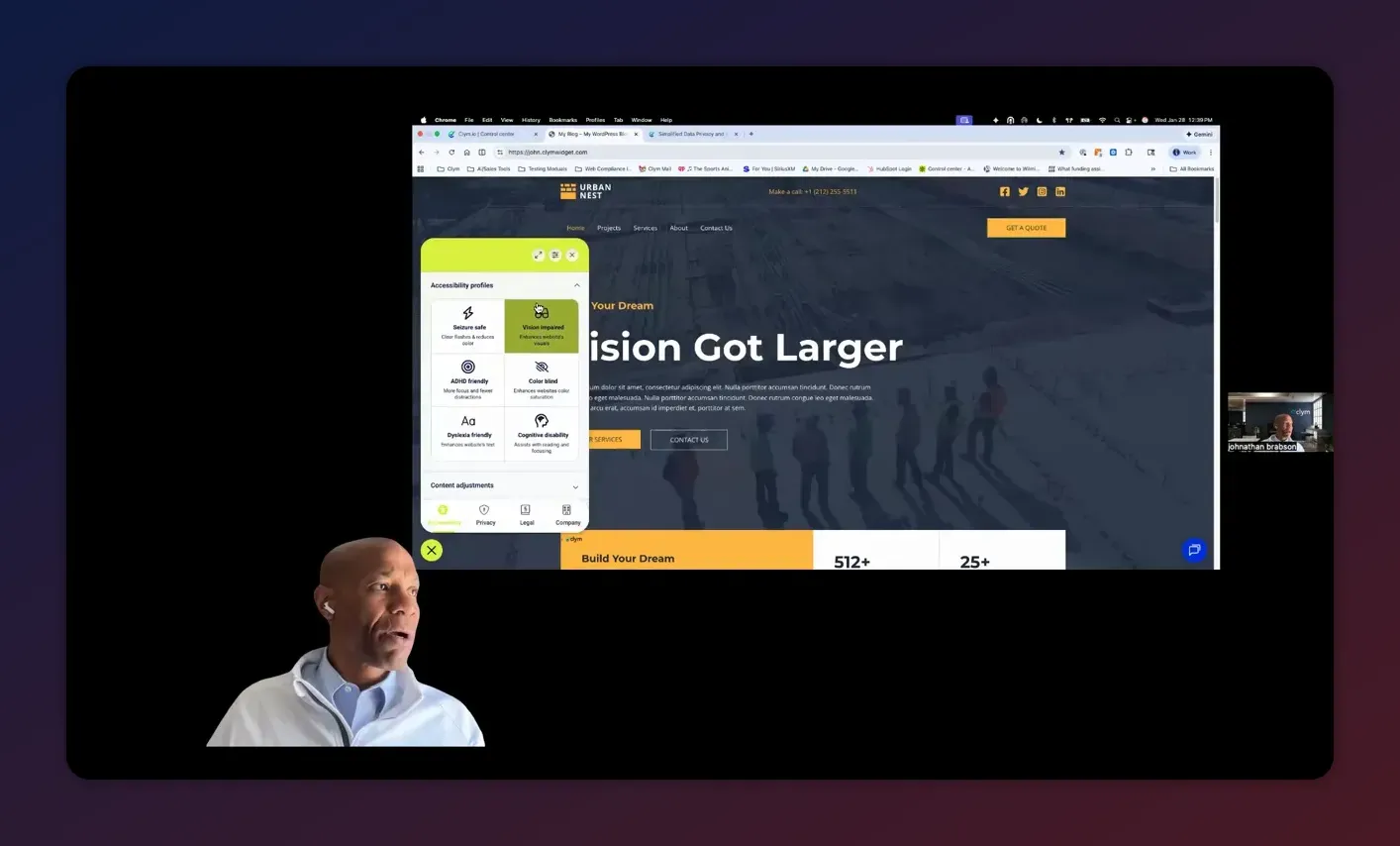
Accessibility widgets help visitors change their experience—larger text, colorblind modes, dyslexia-friendly fonts, line spacing, focus indicators, text magnifiers, and more. These are great for immediate usability improvements, but they do not make your site WCAG compliant by themselves. WCAG relies on proper semantic HTML, ARIA labels, alt text, keyboard navigation, and underlying code quality.
Think of the widget as a fast, visible improvement and a reasonable-effort defense if a complaint appears. Real compliance requires code changes and ongoing testing.
Accessibility auditing and remediation
Run automated scans that point out missing alt tags, malformed aria attributes, label issues, focus problems, and insufficient contrast. Combine automated scans with manual testing (screen readers, keyboard-only navigation, real users) and a prioritized remediation backlog. Provide clients with a practical roadmap and a time-bound plan for fixes.
Geofencing, VPN detection, continuous scans, and analytics impact
A jurisdiction-aware compliance solution hinges on accurately detecting the visitor's location. Most modern tools use geofencing and IP detection to decide which rules apply. This allows the same domain to present different consent flows based on the visitor's residence.
Common questions about detection
Streamline Your Compliance – Free Clym Trial
Manage data privacy, accessibility and transparency across 150+ global regulations with one simple integration. Clym’s all‑in‑one platform handles compliance requirements for your business specifics and user locations.
Start Free Trial- How does geofencing handle VPNs? Use VPN detection. If a visitor appears to be using a VPN, require them to turn it off or present an alternate experience. This avoids capturing incorrect jurisdictional choices and gives you cleaner audit records.
- Do compliance checks affect analytics? Basic checks do not typically skew analytics in a significant way. However, if users explicitly opt out of tracking, that opt-out should be respected and those sessions should not feed consented analytics or marketing pixels.
- How often should you scan the site for new cookies? Continuous scanning (24-hour) is ideal. Every time you add or update third-party scripts you risk introducing new cookies and trackers.
Practical implementation for agencies
If you run an agency, you have three problems to solve for each client:
- Make the client compliant across relevant jurisdictions
- Keep the client compliant as laws and site code change
- Monetize the service without endless billable hours
Here are practical patterns that work well:
One portal per client vs centralized accounts
Most compliance platforms treat each client as a separate account. That gives clean separation for policies, consent records, and pageview billing. For agencies with many small clients, you can discuss consolidated options with the provider—some platforms will propose tailored plans based on aggregate pageviews.
Reseller or referral models
Two common agency partnerships exist:
- Reseller: You manage the client relationship and buy the service at a discount, then bill the client. Typical discount examples include a 20 percent partner discount.
- Referral: You refer the client via an affiliate link and receive a percentage of the recurring revenue, often in the 30–35 percent range.
Both models are valid. Reseller gives you more control and margin. Referral is easiest to start with and generates passive monthly income.
Onboarding and governance portals
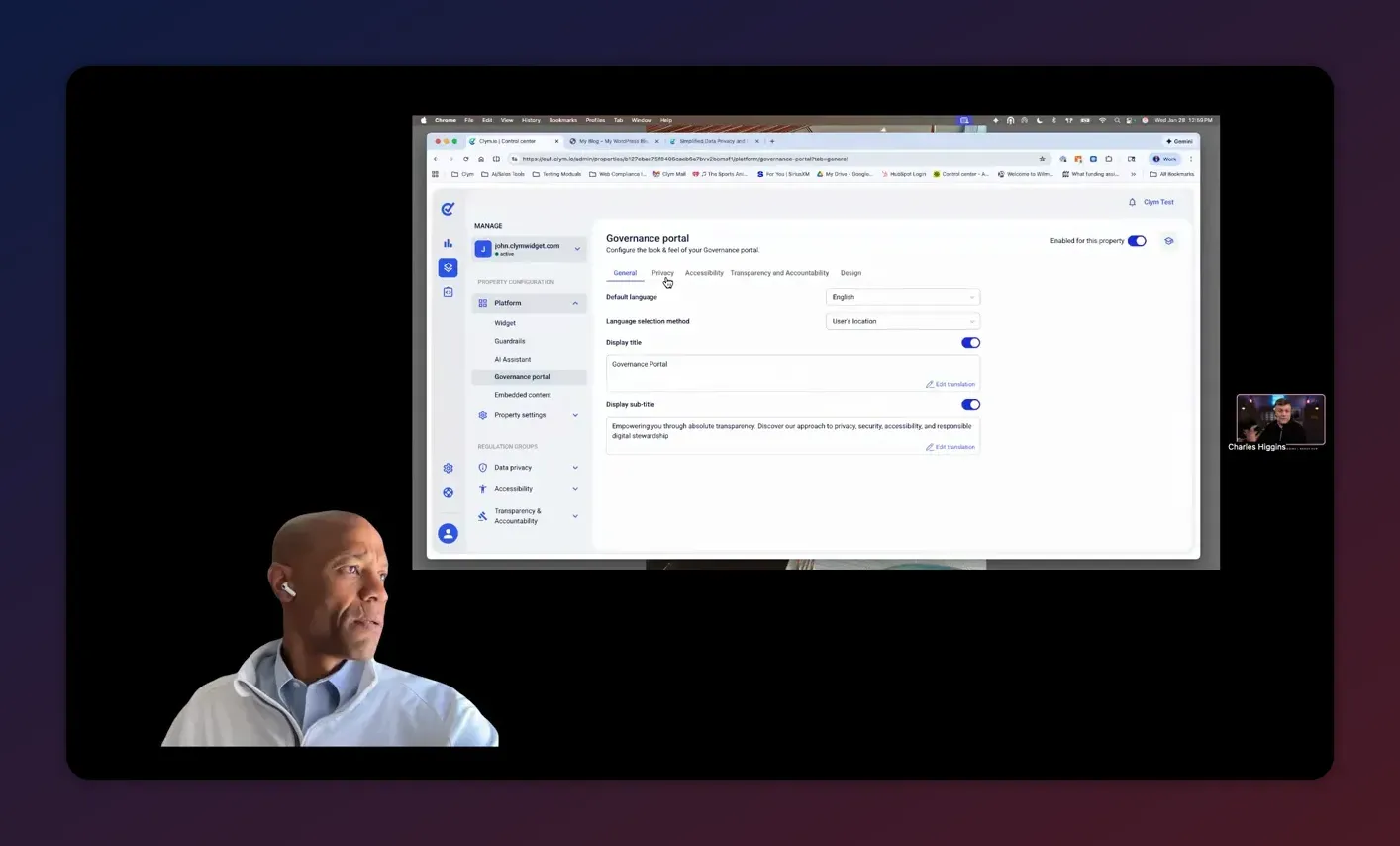
Set up a governance portal where all client documents, policies, accessibility statements, and DSR tools are centralized. Share that portal with stakeholders and make it the canonical place for compliance evidence.
Tools that help—what to look for
Not all compliance toolkits are created equal. Look for platforms that combine the following feature set into a single pane of glass:
- Jurisdiction-aware cookie consent with dynamic presentation
- Automated cookie and tracker scanning with categorization
- DSR portal with verification flows and notification to data officers
- Privacy policy, TOS, cookie policy, DPA, and accessibility statement generators with versioning
- Accessibility scans, remediation suggestions, and a widget that improves user experience
- Wiretapping and chatbot recording consent prompts to cover voice or conversation recording requirements
- Reseller and referral partner programs
These features reduce overhead, lower legal costs, and make the solution consumable by both internal teams and clients.
Step-by-step checklist: what to do this week
- Run a site compliance scan to get a baseline score for cookie consent, privacy docs, and accessibility.
- Install a jurisdiction-aware cookie consent tool that supports zero cookie loading for GDPR regions.
- Create or update privacy policy, TOS, and cookie policy using a generator; send them to an attorney for review.
- Set up a DSR portal and verification flow so requests arrive in a structured way and are timestamped.
- Deploy an accessibility widget for immediate user-facing improvements and plan a code-level remediation roadmap for WCAG AA issues.
- Enable continuous scanning so you detect new cookies and changes as you update scripts or add third-party tools.
- Educate internal stakeholders and document your processes in one governance portal for easy evidence retrieval.
FAQ
Can I whitelist a specific URL instead of an entire domain?
Yes. Modern consent platforms allow URL-level whitelisting so you can treat a subpath or payment endpoint differently without affecting the rest of the domain.
Do cookie consent tools automatically scan my site for cookies?
Yes. The best tools perform an initial scan and then continuous scans. They detect cookies and categorize them in real time so your presented consent options stay accurate as you add scripts.
How are privacy policy updates handled when new laws pass?
The platform should notify you when a relevant law changes. Many systems flag affected clauses and will present suggested updates. Always have an attorney review the final text, but generators and notifications speed the process and reduce legal time.
Does an accessibility widget make my site WCAG compliant?
No. Widgets improve the user experience and show a reasonable effort toward accessibility, but full WCAG compliance requires code-level fixes: semantic HTML, ARIA attributes, keyboard navigation, captions, and more. Use a widget as a stopgap and remediation roadmap as your long-term solution.
How does geofencing work and what about VPNs?
Geofencing uses IP detection to determine visitor jurisdiction and presents the correct consent flow. If a visitor uses a VPN, some platforms detect that and can require the visitor to disable the VPN before accepting preferences. This prevents incorrect jurisdictional consent records.
If the compliance scanner checks pages, will those scans skew my Google Analytics data?
Scans from the compliance platform are usually not significant enough to skew analytics. However, if a user explicitly opts out of tracking, those sessions should be excluded from analytics as the consent flow dictates.
Is the pageview limit based on unique or total pageviews, and what happens if bad actors inflate pageviews?
Most plans count total pageviews. If you exceed a plan limit, the widget may stop functioning unless you upgrade. Platforms recognize brute-force traffic patterns and will work with you to adjust limits or filter malicious traffic so your compliance remains uninterrupted.
Can I add custom clauses to generated documents and keep version history?
Yes. You can customize generated documents, add clauses, and the system should keep full version history so you can demonstrate which text was live at any given time.
Do I need separate accounts for multiple businesses?
Typically yes—each company is treated as a separate account to keep consent, policies, and audit data isolated. For agencies with many clients, talk to the provider about consolidation options or partner pricing based on aggregate usage.
Are there reseller or referral programs for agencies?
Yes. Reseller models provide a partner discount (example: 20 percent) so you can bill clients directly. Referral programs offer recurring commissions (example: 35 percent) and are easier to get started with. Some providers also include complimentary growth-tier packages for partners.
Final notes and a practical perspective
Compliance is a moving target, but it does not have to be a crisis. Choose tools that are jurisdiction-aware, perform continuous scans, provide a clear DSR workflow, and centralize governance documents. Use widgets to improve user experience and buy time, but plan for code-level accessibility fixes to meet WCAG AA standards.
For agencies, compliance offers recurring revenue and a strong value-add to clients who would otherwise face risk and unexpected settlements. If you want an efficient way to offer compliance, package the tools as a service: install the widget, manage policies, automate DSRs, and maintain a governance portal for evidence.
One last practical tip: treat policies and consent as living artifacts. Update them when laws change, keep version history, and make it easy for users to exercise their rights. That transparency reduces complaints, boosts trust, and protects your agency and your clients.
If you want to try a governance portal, run a compliance score for a site, or explore reseller/referral options for your agency, many platforms offer free trials and onboarding. Start with a scan to prioritize the first fixes, then build an implementation backlog you can deliver in sprints.
Compliance is not a checkbox. It is a process. Make it repeatable and defensible, and you will protect yourself and your clients while creating a new revenue stream.
Streamline Your Compliance – Free Clym Trial
Manage data privacy, accessibility and transparency across 150+ global regulations with one simple integration. Clym’s all‑in‑one platform handles compliance requirements for your business specifics and user locations.
Start Free Trial


