
Toll-Free Verification for Political Campaigns: Updated Carrier Rules and How to Verify with HighLevel
Ensure your political messaging stays active with this guide to toll-free verification. Learn the latest carrier rules, required documentation like campaign tokens, and step-by-step instructions for submitting your verification through HighLevel to avoid campaign disruptions.

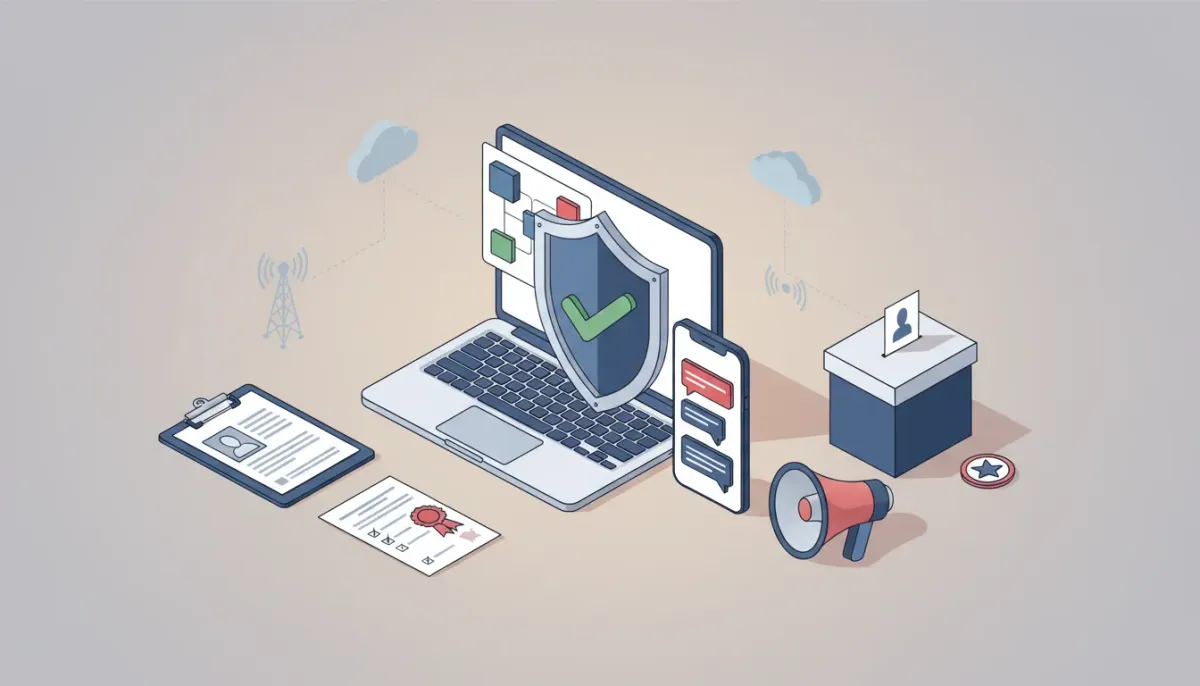
Sending political messages from a toll-free number now requires stricter verification with carriers and additional documentation. This guide explains what changed, who must comply, exactly what information and documents carriers expect, a practical checklist to prepare, step-by-step submission guidance when using HighLevel, and recovery paths if a verification is rejected. Use this to get compliant fast and avoid campaign delivery disruptions.
Start Your HighLevel Trial + Get Instant Nexus Hub Access
Build, scale, and optimize your business with HighLevel. Start a free trial using this link to get automatic access to the Nexus Hub community, templates, and implementation resources.
Start Free TrialWhat is toll-free verification and why it matters
Toll-free verification is a carrier-level process that confirms the identity and authorization of the organization sending SMS or voice traffic from toll-free numbers. Carriers require verification to reduce spam, fraud, and unlawful political influence. For political messaging, carriers now enforce stricter controls because of regulatory and reputational risk.
If you fail to verify a toll-free number properly, carriers can block or suspend messaging, causing missed campaign communications and lost fundraising or mobilization opportunities. Verifying ahead of time keeps messages flowing and reduces the chance of rejections or long delays.
What changed: updated carrier requirements for political messaging
Carriers updated their policies to demand additional verification fields and explicit proof of political authorization for any toll-free number used to send political or election-related content. Key changes to be aware of:
- Additional business fields are required during submission (tax ID, business entity type, full legal name, address, and contact information).
- Campaign verification token or similar credential is required for political use cases. This token proves the sender is an authorized political organization or acting on behalf of one.
- All existing verified toll-free numbers used for political messaging may need re-verification to meet the new rules.
- Stricter documentation for political senders, such as campaign registration numbers, committee documents, or authorization letters, will be required.
These updates are effective as of recent carrier policy rollouts in mid-February and apply to both new and existing toll-free verifications intended for political messaging.
Who must comply
Comply if you fall into any of these categories:
- Political candidates, campaign committees, and party organizations.
- Political action committees (PACs) and Super PACs.
- Political consultants, agencies, or vendors sending on behalf of campaigns.
- Issue advocacy organizations sending targeted election-related content.
- Any entity sending content that could reasonably be interpreted as political or election-focused.
If you are unsure whether a message is political, treat it conservatively and complete the political verification path. It is safer to verify than to risk blocking.
Complete document and data checklist to prepare before submission
Prepare the following items before starting a toll-free verification. Having everything ready reduces back-and-forth and speeds approval.
- Legal business name and DBA (doing business as) if applicable.
- Tax ID or EIN for the entity sending messages.
- Business address and phone (physical address preferred).
- Authorized representative details (name, title, government ID, email, phone).
- Campaign registration documentation for political entities (e.g., FEC committee number, state-level registration, or equivalent).
- Campaign verification token or CV token provided by the issuing authority or carrier partner. If the token is issued by a registry, obtain it before submission.
- Letter of authorization if a vendor or agency is submitting on behalf of the campaign. The letter should be signed by the campaign and clearly state permission to send messages.
- Proof of identity for the authorized signer (government ID) and proof of organizational authority (articles of incorporation, bylaws, or certificate of formation).
- Sample message copy showing opt-out language and campaign content.
Tip: Keep all documents as high-quality PDF or PNG files. Make sure business names match exactly across documents. Mismatched names are a common reason for rejection.
Step-by-step: Submitting toll-free verification in HighLevel
HighLevel (GoHighLevel) provides tools to manage numbers, automations, and verifications. The following steps outline a practical submission flow using HighLevel features and agency best practices. Exact UI labels may differ depending on product updates, but the workflow applies generally.
- Collect documentation and campaign token using your internal onboarding checklist. Store documents in a secure folder linked to the client in HighLevel.
- Add or select the toll-free number in HighLevel under the phone numbers or numbers section.
- Open the verification flow for that number and choose the political/election use case if prompted.
- Fill required fields exactly as they appear on legal documents: legal business name, EIN, address, authorized contact details, and campaign committee info.
- Upload supporting documents — campaign registration, letter of authorization, identity, and business formation documents.
- Enter the campaign verification token in the designated field. If the platform requests an additional verification code, paste the token as provided by your campaign registry or carrier.
- Provide a message sample and confirm opt-out language is present and functional (for example: Reply STOP to opt out).
- Submit and monitor status. Track updates in the number management section and assign an internal owner to follow up if the carrier requests clarification.
HighLevel automations can help here: create a workflow to alert stakeholders when verification status changes and to auto-archive submitted documents in the client's folder.
Typical processing times and status meanings
Processing times vary by carrier and completeness of documentation. Expect the following general timeline:
- Initial submission to carrier review: 1-5 business days.
- In review to approved: 3-14 business days on average for complete submissions.
- If additional documentation requested: clock resets on resubmission; expect another 3-10 business days after correction.
Common status labels and what they imply:
- Pending / Submitted: Carrier has received the request and is beginning review.
- In Review: Carrier is validating documents and tokens.
- Approved / Active: Number is authorized for the declared use.
- Rejected / Denied: Submission was incomplete or documentation did not meet carrier requirements. A reason should be provided—take corrective action and resubmit.
Common rejection reasons and how to fix them
Understanding why verifications fail helps you avoid delays. The most frequent issues:
- Mismatched names between legal documents and the submitted business name. Fix: Use exact legal names and standardized abbreviations.
- Missing or invalid campaign token. Fix: Request the correct token from the issuing registry or campaign authority and re-enter it.
- Insufficient proof of authorization for vendors sending on behalf of a campaign. Fix: Provide a clear, signed letter of authorization including dates, allowed use cases, and authorized signatory.
- Poor document quality (blurry scans or cropped pages). Fix: Rescan or photograph documents at high resolution and ensure all text is legible.
- Incorrect business type entered (for example listing an individual instead of a registered committee). Fix: Reconfirm entity type and correct the form.
If a rejection gives a generic reason, request precise clarification from the carrier or your platform provider so you know exactly what to correct.
Best practices for political SMS compliance
Beyond verification, follow these practices to protect campaign delivery and reputation:
Start Your HighLevel Trial + Get Instant Nexus Hub Access
Build, scale, and optimize your business with HighLevel. Start a free trial using this link to get automatic access to the Nexus Hub community, templates, and implementation resources.
Start Free Trial- Always include clear opt-out language (Reply STOP to unsubscribe) and honor opt-out requests immediately.
- Keep message content transparent about who is sending the message and why (identify the committee or sponsor where required).
- Maintain auditable records of consent, message copies, send times, and recipient lists for regulatory compliance.
- Limit message frequency to avoid spam complaints and subscriber fatigue.
- Segment lists carefully—ensure messages are targeted only to appropriate recipients and that consent requirements are met for each segment.
- Test sends using a non-political or internal number before turning on a political campaign toll-free number to ensure formatting and tags are correct.
HighLevel features such as workflows, tags, and saved message templates make it easier to implement these best practices at scale.
Agency operations: scaling verification across multiple campaigns
Agencies managing multiple political clients can streamline the process with these strategies:
- Standardized intake forms to collect all required fields and documents consistently at client onboarding.
- Verification templates that pre-fill common fields and reduce manual entry errors.
- Centralized tracking board inside HighLevel to monitor verification status across clients, assign owners, and record deadlines.
- Batch preparation of documents for clients that share vendors or legal counsel to speed submission.
- Maintain an escalation playbook that lists carrier contacts, expected timelines, and required follow-up steps for rejections.
For agencies using HighLevel, joining community resources like Nexus Hub can provide templates, checklists, and peer support to implement these systems faster.
Troubleshooting and escalation: what to do if verification is delayed or denied
- Read the rejection reason carefully and map it to the document checklist. Often a specific missing page or mismatch is the culprit.
- Confirm the campaign token with the issuing registry or the campaign administrator. Tokens are sensitive and must be copied exactly.
- Resubmit with corrected documents using a new, clearly named file set (for example: "ClientName_EIN_AuthLetter.pdf").
- Open a support ticket with HighLevel or your platform provider if carrier responses are unclear or if the carrier is taking longer than the stated timeline.
- Escalate to carrier contacts if available through your provider. Authorized platforms may have direct carrier relationships and can request prioritized reviews for urgent campaign needs.
- Consider backup options such as sending non-political messages from the toll-free number while political use is unresolved, or temporarily routing political sends through a different compliant number type that meets requirements.
Practical examples
Example submission packages for a campaign might include:
- Small-state candidate: State campaign registration form + letter of authorization + EIN + authorized signatory ID.
- National PAC: FEC committee registration number + articles of incorporation + EIN + campaign verification token + signed authorization for the vendor.
Always tailor the package to the authority that issued the campaign token or the carrier’s explicit list of acceptable documents.
How HighLevel can help
HighLevel is designed for agencies and teams that need to manage phone numbers, automations, and compliance tasks at scale. Use HighLevel to:
- Store and organize verification documents within client records.
- Automate status alerts so account managers receive notifications on status changes.
- Build workflows that route verification tasks, collect required files, and manage sign-offs.
- Use templates for message consent and opt-out language to ensure consistency across campaigns.
Consider starting a HighLevel free trial to test number management and verification workflows for your agency. For implementation support and ready-made templates, the Nexus Hub community offers resources and peer guidance tailored to agency scaling and compliance.
What is a campaign verification token and where do I get one?
A campaign verification token is a unique credential carriers or registries require to confirm a sender is an authorized political entity. Tokens are typically issued by a campaign registry, regulatory body, or a carrier partner. Obtain it from the campaign committee, the issuing authority (for example a national or state registration service), or through your platform provider if they manage token distribution.
Do existing toll-free numbers have to be re-verified for political messaging?
Yes. If you intend to send political or election-related content from a toll-free number, carriers may require re-verification under the updated rules. Even previously approved numbers should be reviewed to confirm they meet the new documentation and token requirements.
How long does verification usually take?
Initial reviews often take 1-5 business days, with full approval commonly between 3 and 14 business days for complete submissions. If additional documentation is requested, expect further delays. Timeframes vary by carrier and the completeness of your package.
What happens if a verification is rejected?
A rejection typically includes a reason. Correct the specific issue (for example mismatched names or missing token) and resubmit. If the reason is unclear, escalate to your platform provider or carrier contact for clarification and next steps.
Can agencies submit verifications on behalf of campaigns?
Yes, but carriers usually require a signed letter of authorization from the campaign that explicitly allows the agency to submit and send messages on their behalf. Include contact details for campaign signatories and ensure the authorization letter is dated and signed.
Summary and next steps
Toll-free verification for political campaigns demands careful preparation: exact business data, campaign verification tokens, and well-organized supporting documents. Carriers are enforcing stricter rules to reduce risk, and both new and existing numbers used for political messaging may need re-verification.
Practical next steps:
- Create a verification intake checklist and collect all documents before submitting.
- Ensure exact name matches and valid campaign tokens are included.
- Use HighLevel to store documents, automate follow-ups, and manage verification statuses.
- Join Nexus Hub or similar resource communities for templates and agency workflows.
- If a submission is rejected, follow the rejection reason closely, correct it, and resubmit immediately.
Following these steps will minimize downtime and keep your campaign communications compliant and effective.
Start Your HighLevel Trial + Get Instant Nexus Hub Access
Build, scale, and optimize your business with HighLevel. Start a free trial using this link to get automatic access to the Nexus Hub community, templates, and implementation resources.
Start Free Trial


