
Disable Mandatory Profiles in Your Community: Profile Requirement Controls | Pinnacle AI



Photo by Samantha Borges on Unsplash
Asking new members to complete a profile right away helps with identification and moderation. But that required step can turn away people who want to explore first. We created a simple setting that gives you control over whether new members must finish their profile before participating.
Why change the profile requirement?
Making profile completion optional lowers friction during onboarding. It can increase early engagement and reduce drop off from people who want to see value before committing time to fill out details. At the same time, keeping the requirement on helps maintain consistency and trust inside the community. This new control lets you choose the balance that fits your group.
Where to find the setting
Here’s how to enable or disable mandatory profiles in your community. The flow is short and can be changed at any time.
Steps
Click Save to apply your changes.
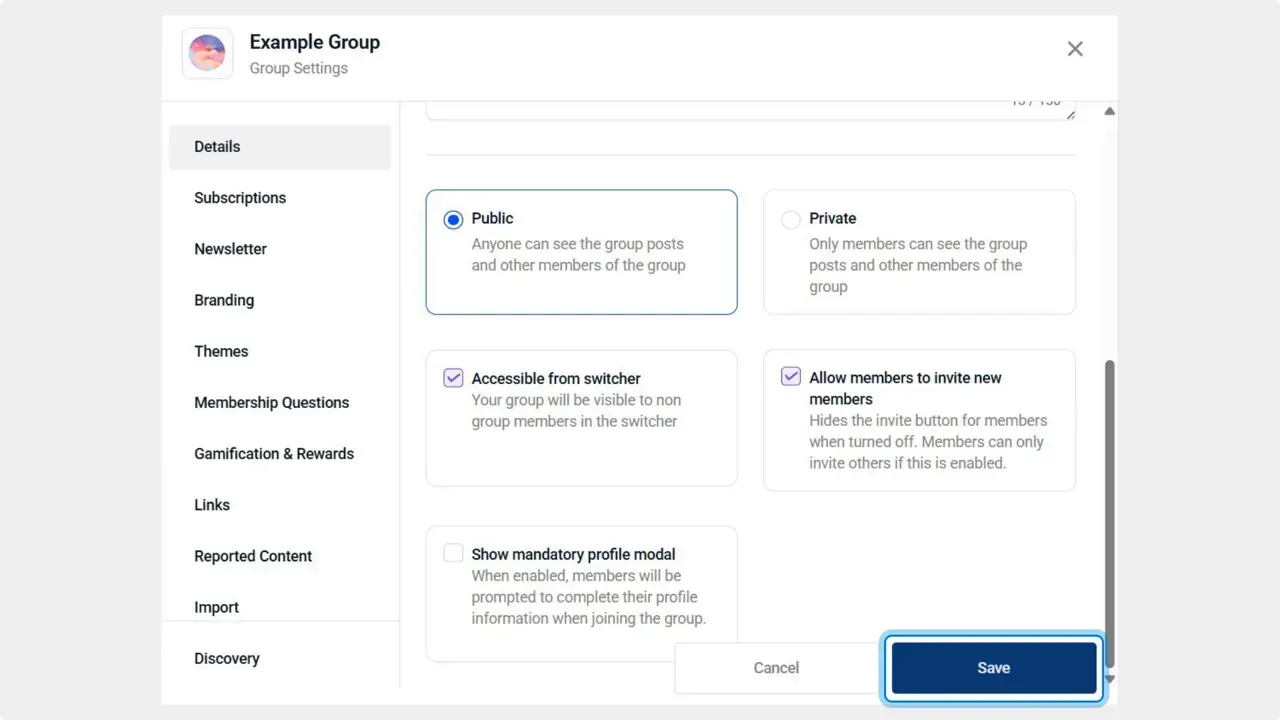
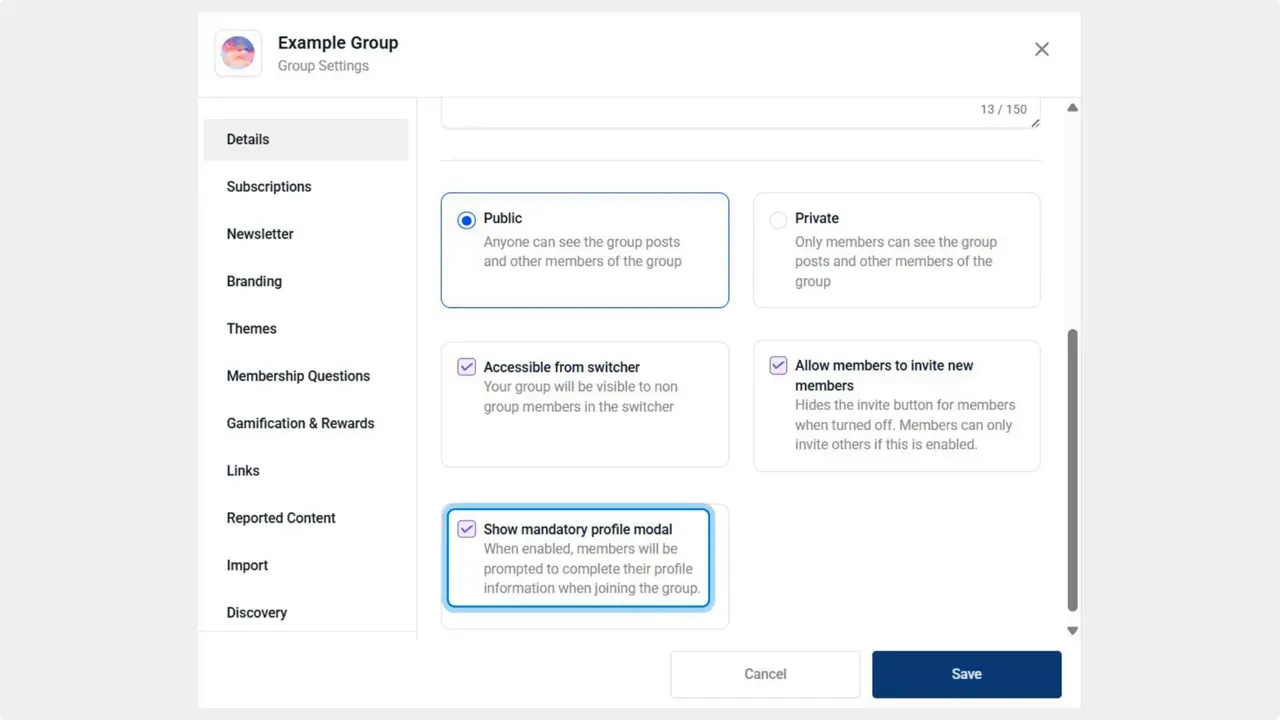
Toggle Show Mandatory Profile Modal. Turn it on to require profile completion at sign up, or turn it off to allow participation without a completed profile.
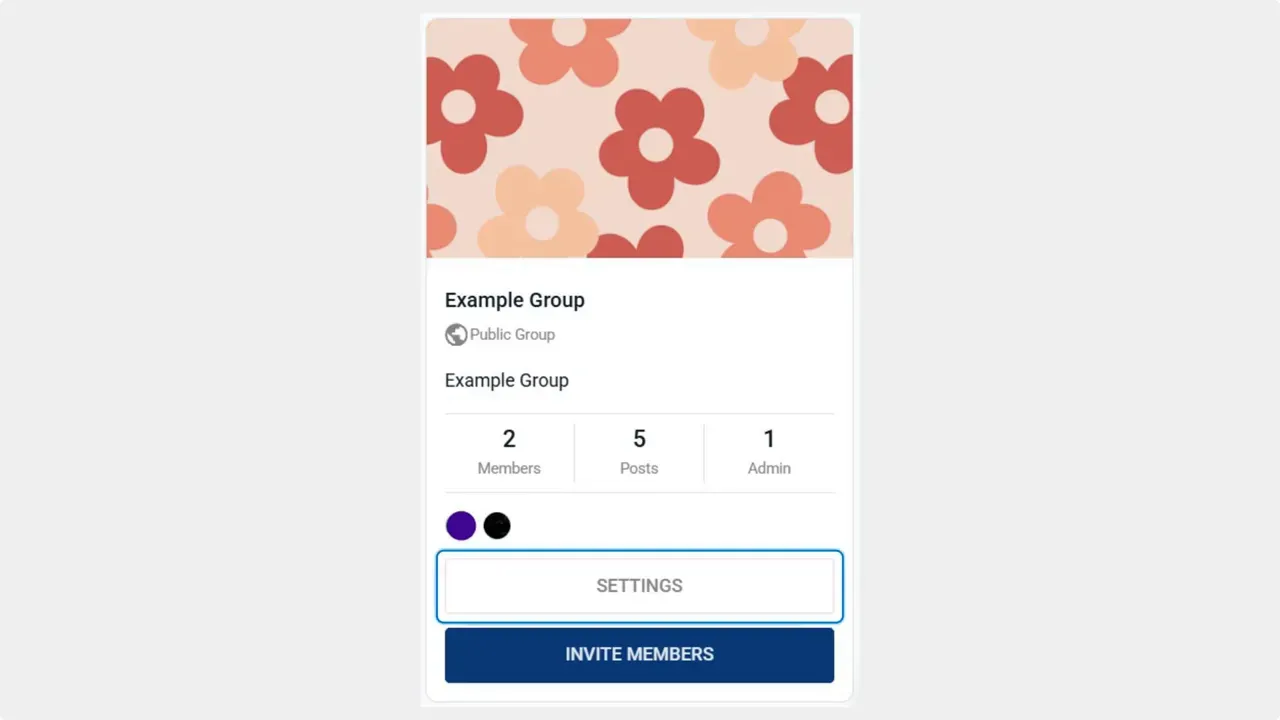
Click Settings for that community.
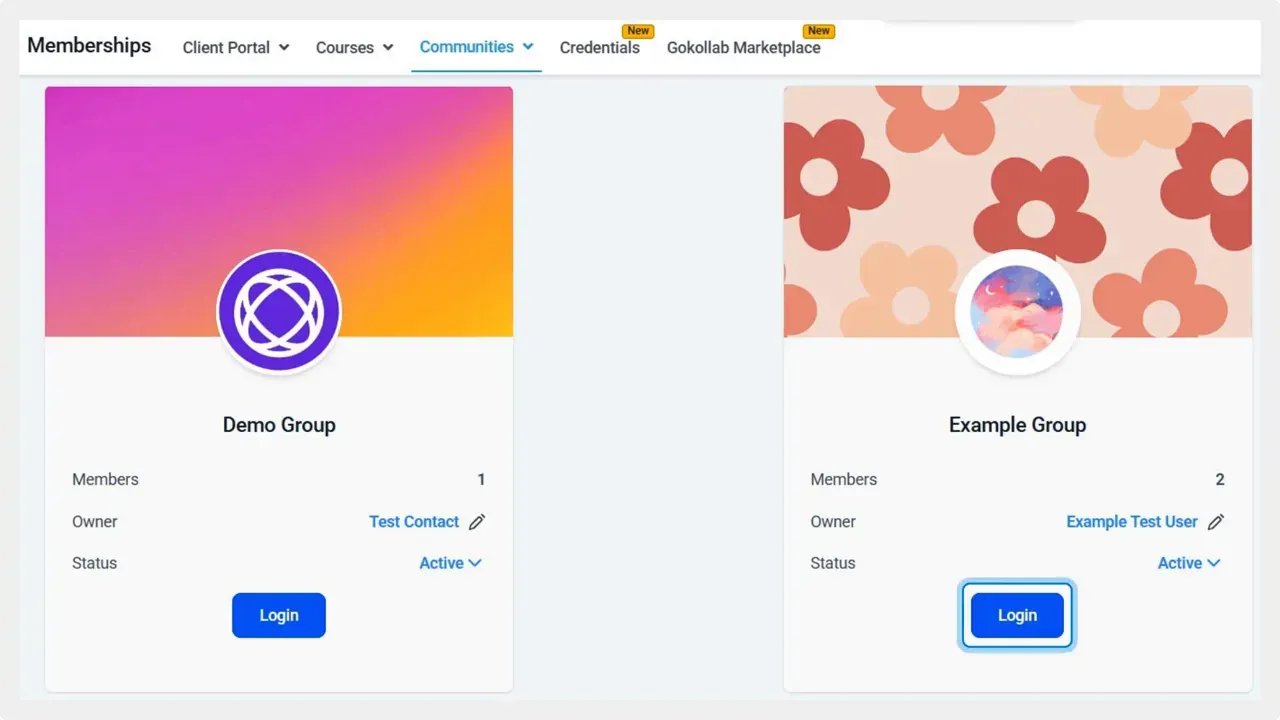
Open Memberships and go to Communities. Locate the group you want to edit.
Best practices and use cases
Decide based on the goals for each community. For private or professional groups where identity matters, keep the modal enabled. For larger public communities where early interaction is the priority, consider disabling it.
If you turn the requirement off, consider these complementary steps:
- Use gentle reminders. Prompt members later to complete their profiles using in-app messages or periodic banners.
- Limit sensitive actions. Keep moderation tools or sensitive features behind profile completion if identity matters for those actions.
- Keep branding consistent. Maintain your brand voice in onboarding flows and messages so members still recognize your community experience.
Quick checklist before changing the setting
- Decide whether identity verification is critical at join time.
- Plan follow-up prompts to encourage profile completion later.
- Test the experience after saving to ensure messages and branding appear as intended.
FAQ
Why would we disable mandatory profiles?
Disabling mandatory profiles reduces friction for new members and can increase early engagement. It helps people explore the community before committing to filling out details.
How do we re-enable mandatory profiles later?
Go back to Memberships > Communities, open the group, click Settings, toggle Show Mandatory Profile Modal on, and click Save. Changes take effect immediately.
Will members still be able to edit their profile if the modal is disabled?
Yes. Disabling the modal only affects whether the profile is required at sign up. Members can still access and update their profile at any time.
Can we require profiles for certain actions even if the modal is off?
Yes. Keep sensitive features or moderation functions tied to profile completion while allowing general participation. That gives flexibility without sacrificing security.
Final thoughts
This setting hands you a simple lever to shape onboarding and member experience. Toggle it based on your community goals and use reminders or feature gates to encourage profiles when needed. We design these controls to keep your brand and member journey consistent.
Pinnacle helps teams manage communities and membership flows with straightforward controls. Use this setting to match onboarding to your audience.
This article was created from the video Disable Mandatory Profiles in Your Community: Profile Requirement Controls | Pinnacle AI



