
New TikTok DMs and Comment Automation Workflows

TikTok offers a casual, high-engagement way to reach people. To help businesses respond faster, we added workflow options to automate TikTok direct messages and comment replies. This guide shows how the automation works and how to set it up so your audience feels taken care of and your posts get more visibility.
Table of Contents
- How the automation works
- Automating TikTok DMs
- Automating TikTok comment replies
- What this update delivers
- Best practices for TikTok automation
- Tips to protect tone and brand
- How do we trigger automated DM replies for TikTok?
- How do we automate replies to TikTok comments?
- Will automation affect our reach on the For You page?
- What should we automate and what should remain manual?
- Can we customize the interactive messages and comment replies?
- How do we monitor and improve automated replies?
How the automation works
Workflows let you trigger actions when people message or comment. You pick a trigger, add filters, and choose the TikTok action you want the workflow to perform. The main triggers we use are Customer Replied for DMs and TikTok Comment(s) on a Reel for comments.
Automating TikTok DMs
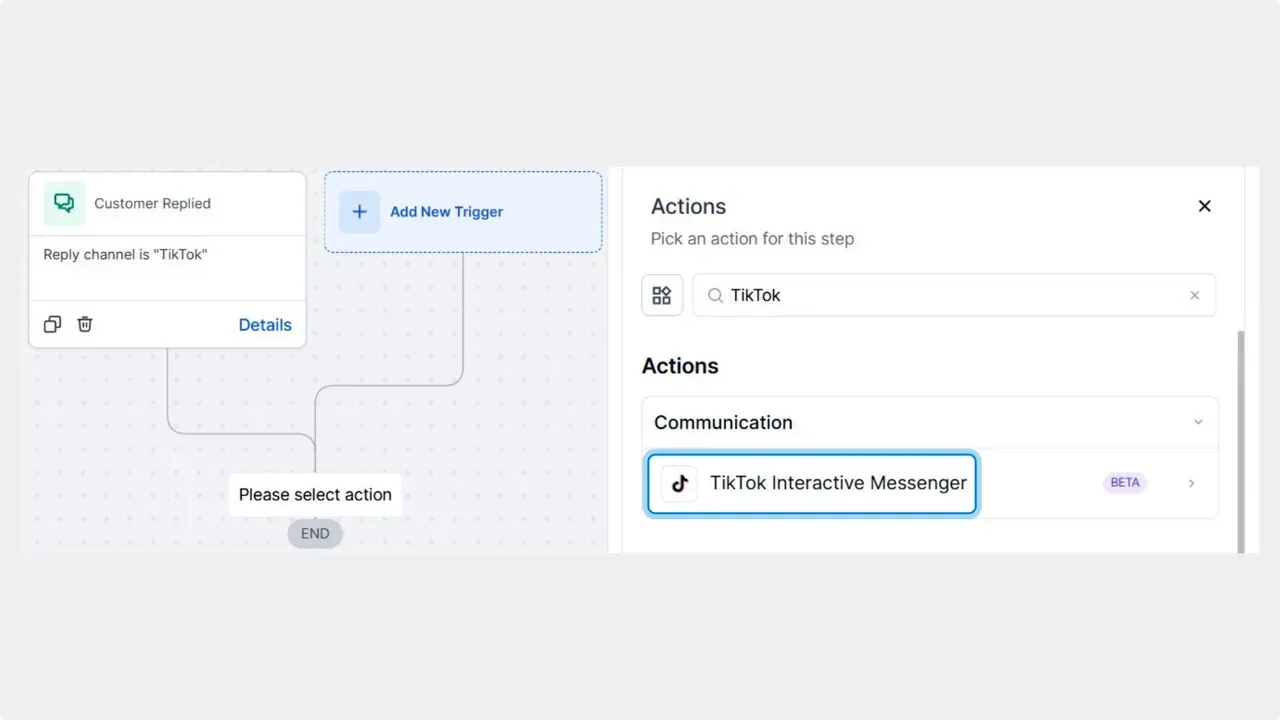
- Set the trigger to Customer Replied. This tells the workflow to start when someone replies to your account.
- Add a filter so the reply channel is TikTok. This ensures the automation only runs for TikTok messages.
- Choose the action TikTok interactive messages.
- Configure your automated response. Set the text, buttons, or quick replies that match the conversation flow you want.
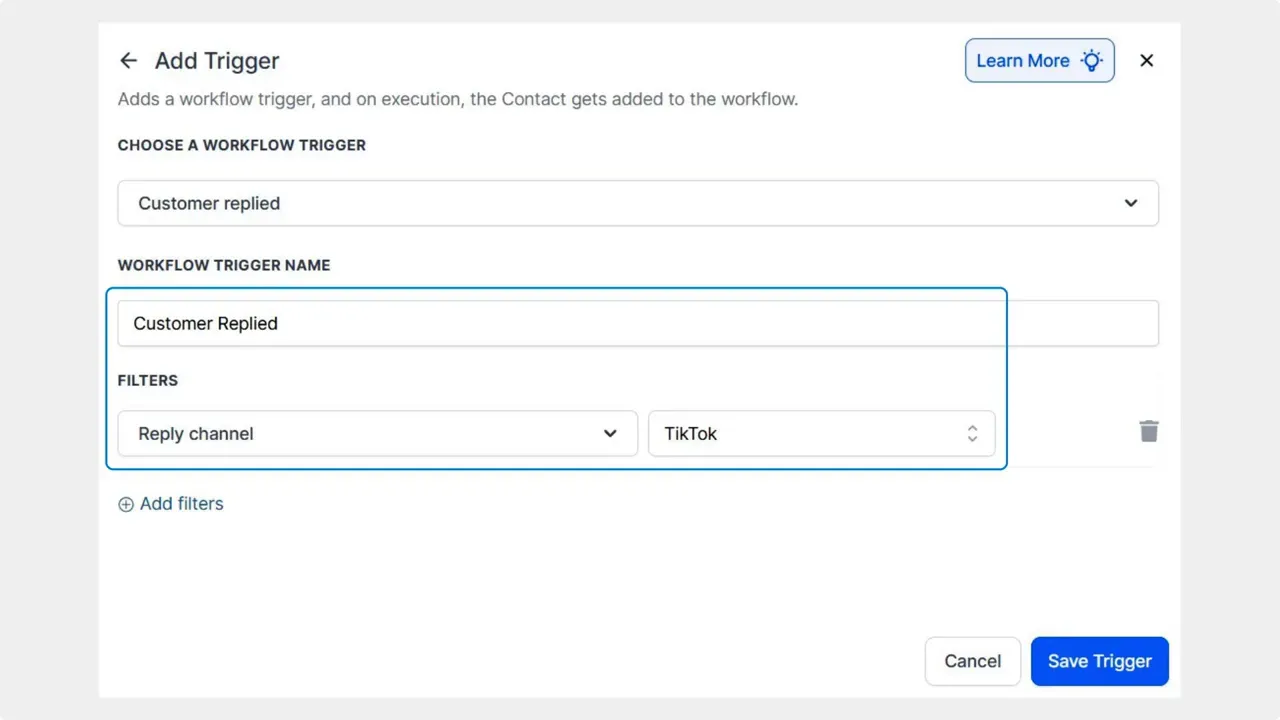
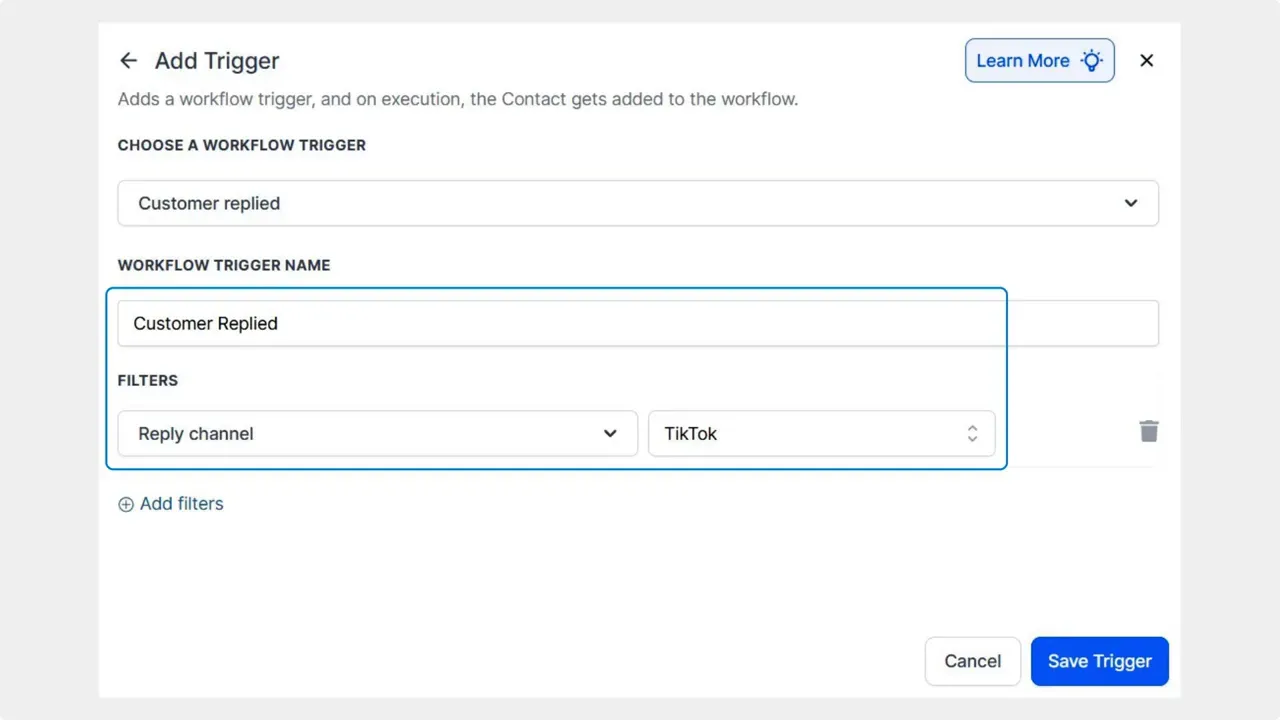
With this setup, basic questions and first-touch replies can be handled automatically. That frees your team to focus on more complex customer needs.
Automating TikTok comment replies
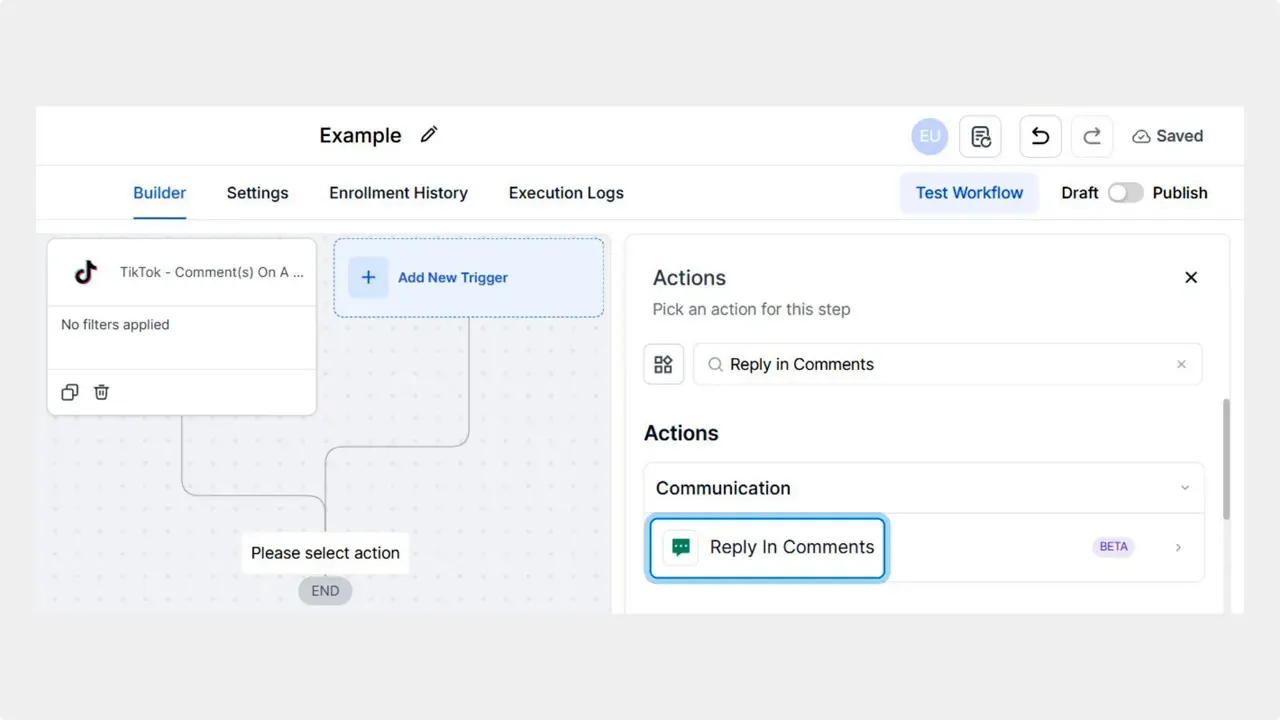
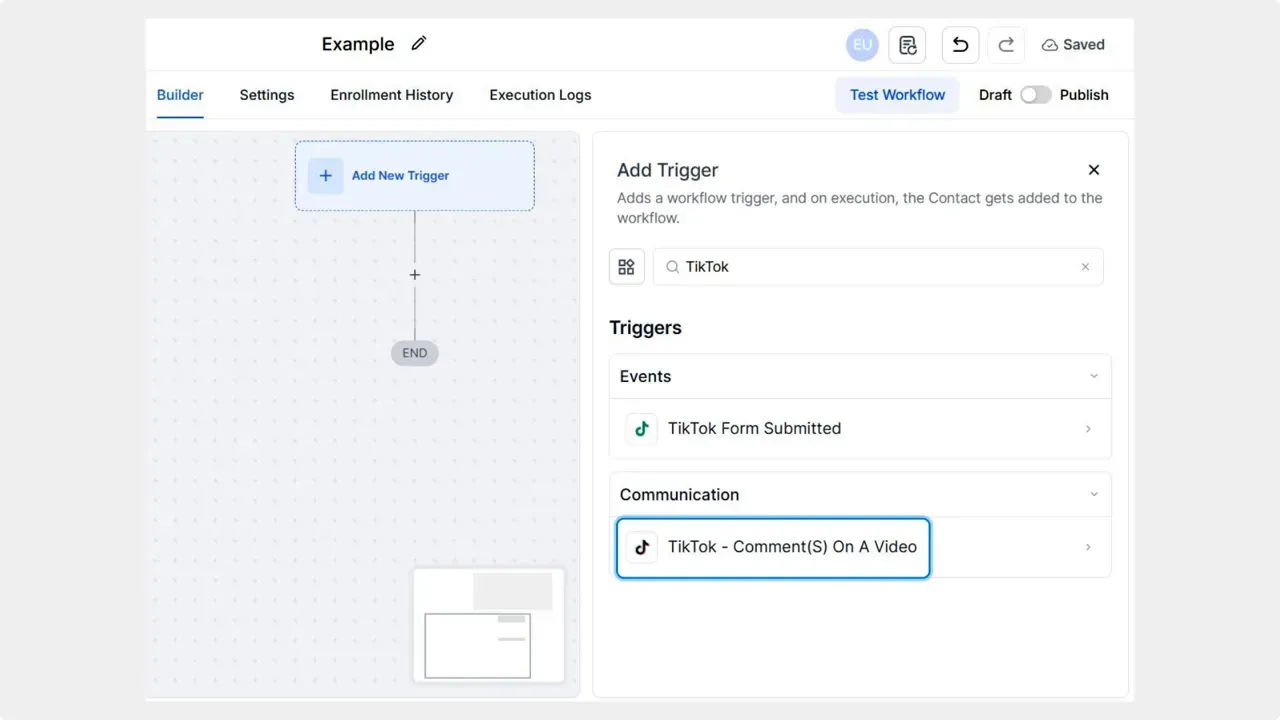
- Set the trigger to TikTok Comment(s) on a Reel. This activates the workflow when a comment appears on a selected reel.
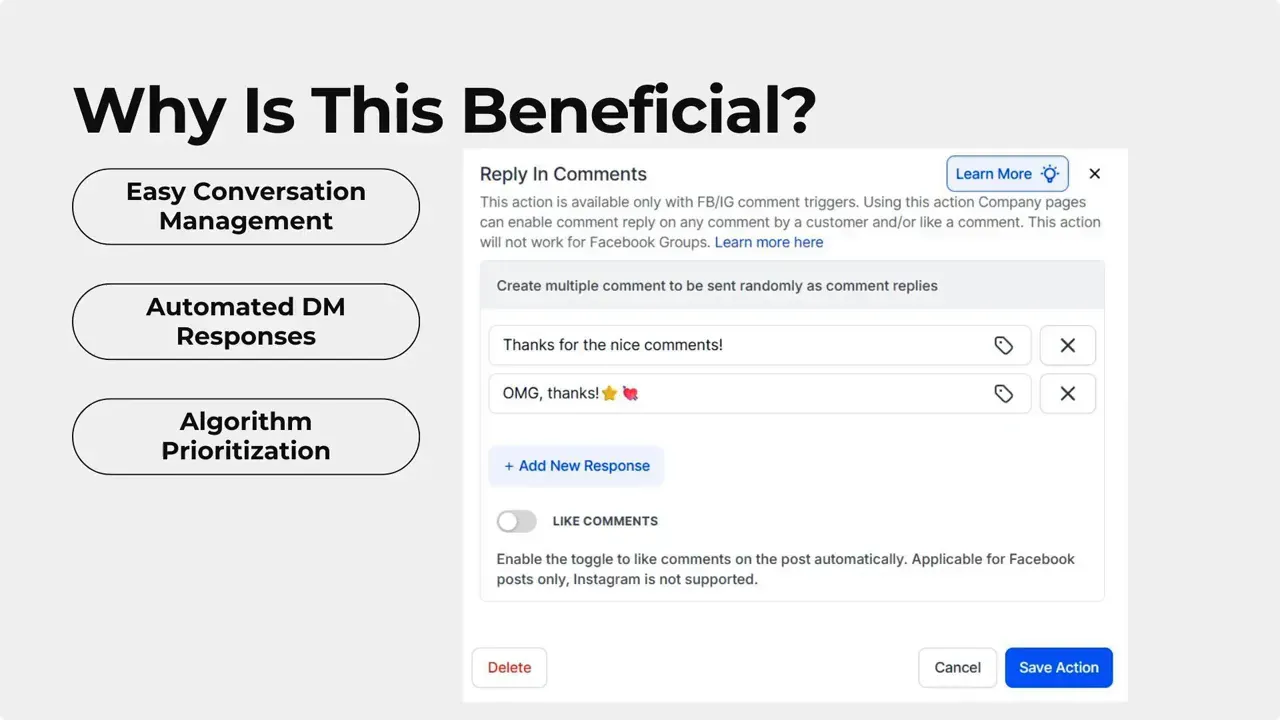
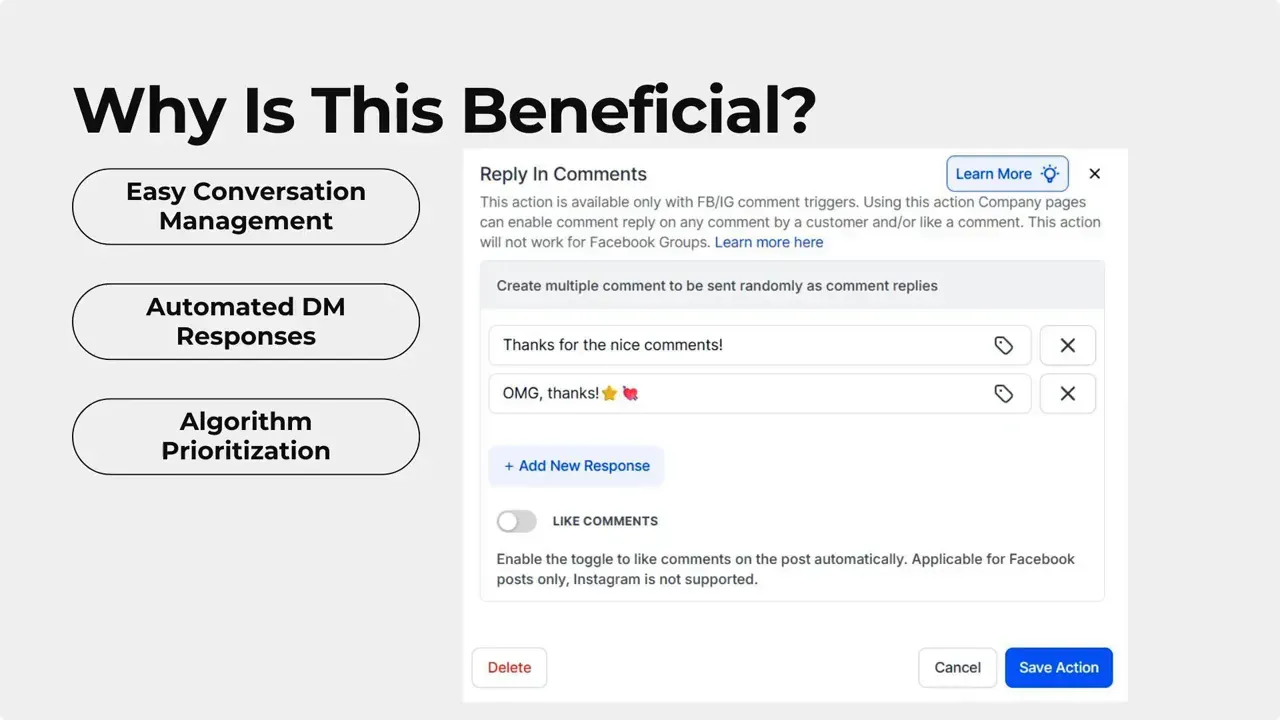
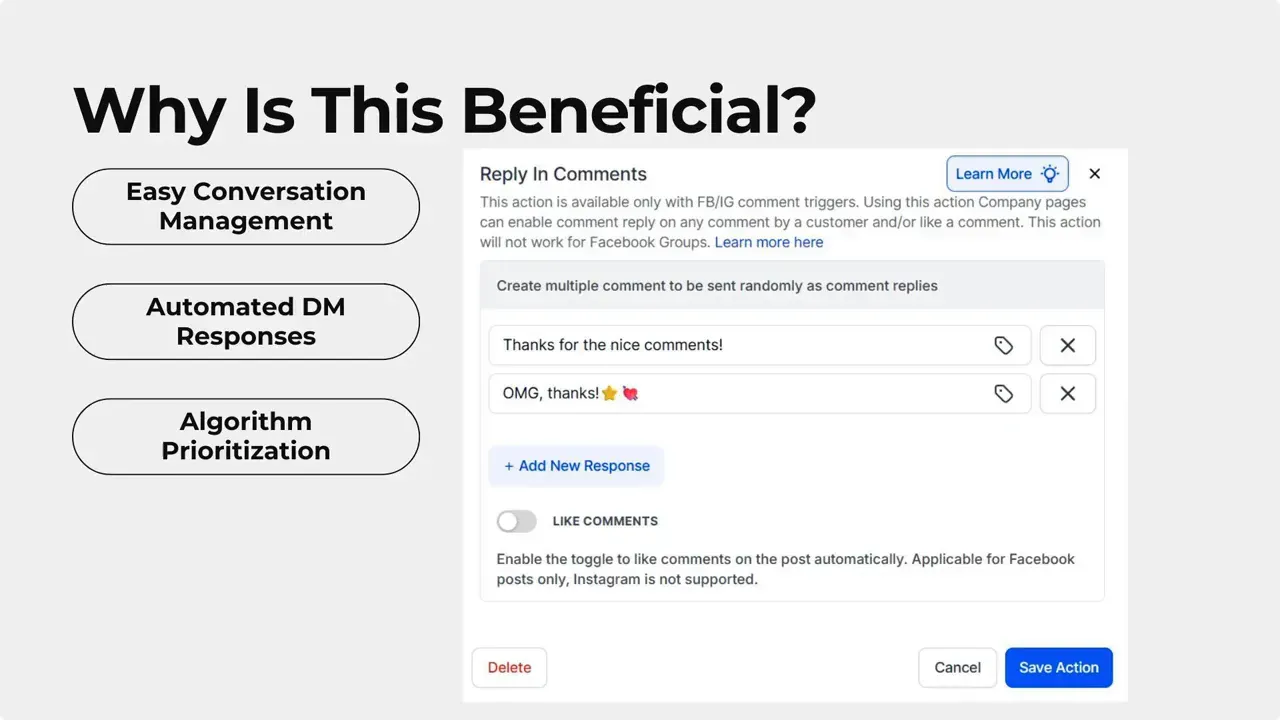
- Add the action Reply in Comment to post an automated comment reply.
- Write friendly, concise replies that invite further engagement or point users to useful resources.
What this update delivers
- Faster responses to DMs and comments. People get timely replies.
- More consistent engagement across your TikTok account.
- Better chances to appear on the For You page, since activity and replies can positively affect reach.
- Scalable conversation management that saves time for small teams and agencies.
Best practices for TikTok automation
- Keep automated replies short and helpful. Use a clear call to action when appropriate.
- Offer quick reply options in DMs so users can self-serve common requests.
- Monitor automated replies regularly and update them based on real user interactions.
- Use automation for routine responses, and route complex issues to a person.
- Test different reply texts to see which ones drive more engagement and conversions.
Tips to protect tone and brand
Use language that matches your TikTok presence. Be casual but professional. Avoid sounding like a chatbot. Add personality but keep answers accurate.
How do we trigger automated DM replies for TikTok?
Set the workflow trigger to Customer Replied and add the filter Reply channel is TikTok. Then choose the TikTok interactive messages action and configure your automated response.
How do we automate replies to TikTok comments?
Use the trigger TikTok Comment(s) on a Reel and add the Reply in Comment action. Write the reply text and activate the workflow to reply automatically to new comments.
Will automation affect our reach on the For You page?
Timely engagement can help post activity and visibility. Automating replies makes accounts more active and responsive, which can support better reach. It is not a guaranteed ranking change but can contribute positively to performance.
What should we automate and what should remain manual?
Automate routine questions, confirmations, and simple onboarding steps. Keep nuanced support requests, disputes, and any sensitive conversations for human agents. Use automation to reduce load, not to replace human judgment.
Can we customize the interactive messages and comment replies?
Yes. Configure message text, buttons, and quick replies for interactive messages. For comment replies, write messages that fit the tone of the post and invite further engagement.
How do we monitor and improve automated replies?
Review conversation logs regularly, test variations of replies, and update workflows based on user feedback. Track metrics like response time, comment engagement, and follow-up messages to measure impact.
Need help setting up workflows?
We built these tools to make conversation management easier. Automation helps your audience feel taken care of and helps you connect with a larger audience without adding complexity. If you want step by step assistance, our team is ready to help.



