
RCS Messaging for Agencies: How to Use Rich Communication Services with HighLevel
Learn how to implement RCS messaging in HighLevel to enhance agency communications. This guide covers the benefits of rich media and verified branding, step-by-step setup instructions, and how to use automated workflows and SMS fallbacks to improve client engagement and trust.

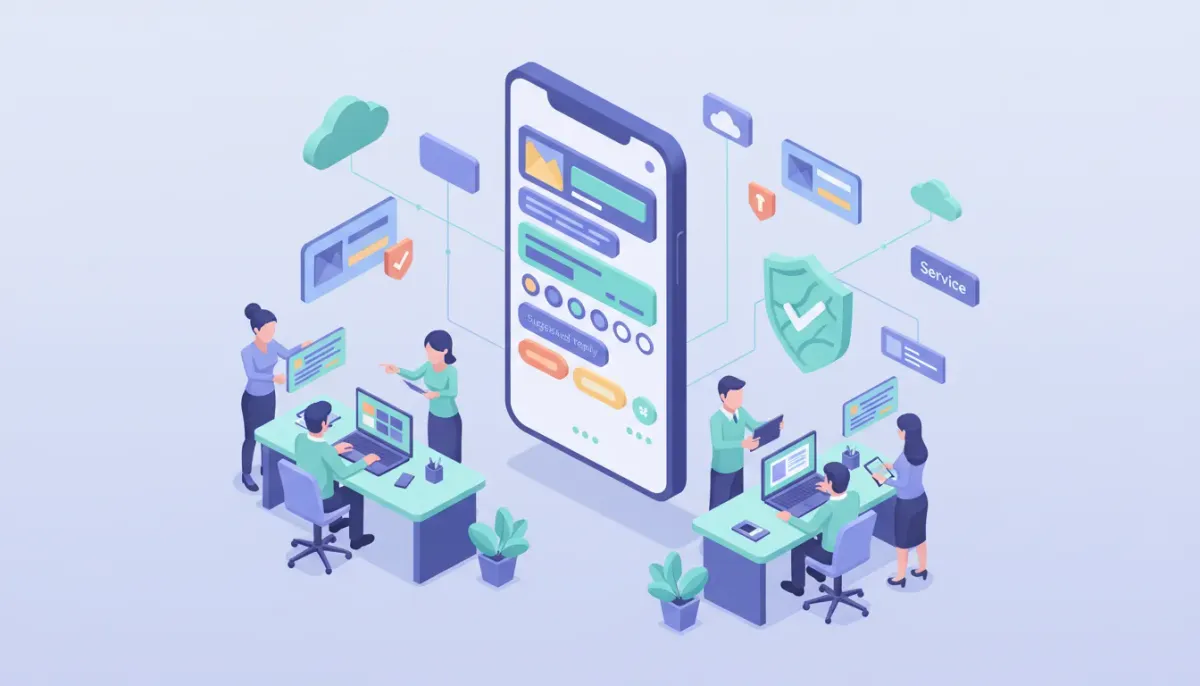
RCS (Rich Communication Services) is the next-generation business messaging channel that expands what SMS can do. For agencies and marketers using HighLevel (GoHighLevel), adding RCS to your communications stack unlocks richer media, two-way conversational features, and better engagement — while still working across most phones. This guide explains what RCS is, why it matters, how it compares to SMS and MMS, and step-by-step recommendations for implementing RCS inside HighLevel including approval requirements, workflow setup, templates, compliance, and best practices.
Start Your HighLevel Trial + Get Instant Nexus Hub Access
Build, scale, and optimize your business with HighLevel. Start a free trial using this link to get automatic access to the Nexus Hub community, templates, and implementation resources.
Start Free TrialWhat is RCS and why it matters for agencies
RCS (Rich Communication Services) is an upgrade to traditional SMS that supports rich media, structured messages, read receipts, typing indicators, suggested replies, and other interactive elements similar to modern chat apps. Unlike platform-specific apps, RCS is carrier-based and designed to be interoperable across devices.
For agencies and marketers, the benefits are practical:
- Higher engagement: Rich cards, images, and suggested actions raise click-through and response rates compared with plain SMS.
- Improved branding: Verified business name, logo, and branded templates create trust and reduce spam perception.
- Two-way conversational flows: More natural customer conversations, with quick replies and structured inputs.
- Better analytics: Read receipts and richer event signals give clearer performance data.
RCS vs SMS vs MMS: Quick comparison
Knowing where RCS fits helps decide when to use it and when to fall back to SMS.
- SMS: Universally supported, lightweight, high deliverability. Limited to text and links; minimal branding.
- MMS: Supports images and longer text but inconsistent carrier behavior and higher costs.
- RCS: Supports images, carousels, suggested replies, buttons, and verified business identity. Offers app-like experience inside the default messaging client on supported devices. Requires carrier and platform support and usually a more involved onboarding process.
Who should adopt RCS first?
RCS is especially valuable for agencies and businesses that:
- Send high volumes of customer messages (transactional notifications, reminders, appointment confirmations, promotions).
- Need better conversion per message and higher trust from recipients.
- Want to run two-way conversational flows without requiring customers to install an app.
- Operate internationally where RCS support is available and consistent.
How RCS works with HighLevel (GoHighLevel)
HighLevel integrates RCS as an advanced messaging channel alongside SMS and MMS so agencies can use automations, workflows, and CRM features with RCS-enabled messages. Typical benefits when using RCS through HighLevel include:
- Automations and workflows remain the same: triggers, tags, and sequences can deliver RCS messages or fall back to SMS when needed.
- Template management: Create approved RCS message templates and manage them from the platform.
- Two-way conversations handled inside the HighLevel inbox, so replies are captured in the CRM and can trigger follow-up actions.
- Reporting: Read and delivery events feed into analytics for A/B testing and optimization.
Approval and onboarding: what to expect
RCS adoption involves extra setup steps compared to SMS. Carriers and RCS providers often require proof of business identity, message templates, and sometimes manual review. Typical requirements include:
- Business verification: Official business name, website, logo, and contact details.
- Sender profile: A verified display name and branding assets.
- Template approval: Pre-approved message templates for marketing or transactional content.
- Volume expectations: Providers may prioritize high-volume senders or established accounts for early access.
- Regulatory registrations: Some regions require A2P registration or other carrier-level compliance steps.
Because onboarding can involve manual review, plan for at least a few days to several weeks for approval depending on region and provider. Agencies should prepare documentation ahead of time to speed this process.
Step-by-step checklist: Preparing your agency for RCS
Use this checklist to prepare for RCS activation and to streamline approval.
- Confirm eligibility: Ensure your account’s messaging history and volume meet provider criteria. High-volume agencies are often prioritized.
- Gather business documentation: Website URL, business registration documents, logo files, and a working support phone or email.
- Define use cases: Decide whether RCS will be used for transactional alerts, appointment reminders, marketing, or conversational support.
- Draft message templates: Create short, focused templates that include a clear CTA. Prepare fallback SMS versions.
- Choose phone numbers: Determine whether to use existing numbers, new dedicated numbers, or toll-free numbers. Confirm RCS support for the number types in your target countries.
- Map workflows: Design HighLevel automations that send RCS messages and define fallback logic to SMS/MMS if RCS is unavailable.
- Plan compliance: Confirm opt-in capture, opt-out handling, and regional regulations like TCPA and GDPR.
- Test and iterate: Start with a small pilot cohort, track delivery and engagement, then scale gradually.
How to set up RCS messaging inside HighLevel
The exact UI steps may change over time, but here is a practical implementation framework you can follow inside HighLevel:
- Request RCS access from your account team or support channel. Be ready to provide business docs and expected volume details.
- Configure sender profile with business name and logo. This creates a verified identity that appears to recipients.
- Create RCS message templates in HighLevel’s message template area. Include fallbacks for SMS/MMS where necessary.
- Build or update workflows to use RCS steps. Add conditional logic to detect device or carrier support and fall back to SMS.
- Test with internal numbers first to verify rendering, quick replies, and tracking events.
- Monitor analytics and adjust templates and scheduling based on engagement data and deliverability signals.
Sample HighLevel workflow pattern
A typical workflow when sending appointment reminders:
- Trigger: Appointment scheduled or upcoming date approaches.
- Action: Send RCS message template with appointment details, confirmation button, and map card.
- Condition: If RCS not supported or not delivered within X minutes, send fallback SMS template.
- Action: If recipient taps Confirm, update appointment status and create a task for staff if canceled or rescheduled.
- Action: Log all replies into the CRM and tag contact for follow-up automation.
Message types and content ideas that work well in RCS
RCS supports several message formats. Use them to improve conversions and reduce friction.
- Verified business cards: Show brand name and logo to increase trust.
- Rich media cards: Use images or carousels to showcase offers or product features.
- Suggested replies: Provide one-tap responses like Yes, No, Reschedule.
- Action buttons: Link to booking pages, payment flows, directions, or forms.
- Interactive forms: Collect short inputs (dates, times, simple choices) without needing a web form.
Templates: Examples and best practices
Keep RCS templates concise, actionable, and compliant. Here are a few examples and why they work.
- Appointment reminder: "Reminder: Your 2:00 PM dental appointment with Dr. Lee on June 4. Tap Confirm or Reschedule." (Include Confirm/Reschedule buttons.)
- Order update: "Your order #12345 is out for delivery. Track shipment or contact support." (Include tracking button and map card.)
- Promotional offer: "Flash Sale: 25% off select services today. View deals" (Use carousel to show multiple services.)
- Survey / NPS: "How was your visit today? Tap 1-5 to rate." (Suggested replies make response easy.)
Fallback strategy: RCS unavailable or unsupported
Even as RCS adoption grows, not all recipients will be able to receive RCS messages. A reliable fallback strategy is essential.
- Detect support: Use delivery signals or device detection to decide channel.
- Design graceful fallbacks: Convert RCS rich content to a clear SMS message plus link when needed.
- Preserve CTAs: Use short links or mobile landing pages to keep CTAs consistent across channels.
- Monitor failures: Track undelivered RCS messages and reasons so you can refine templates or registration details.
Compliance, consent, and best practices
Follow these rules to avoid regulatory or carrier issues:
- Obtain explicit opt-in for promotional messages and keep records of consent.
- Honor opt-out requests promptly and across all channels.
- Follow regional laws such as TCPA in the U.S., GDPR in Europe, and local messaging regulations.
- Avoid prohibited content like illegal goods, deceptive language, or misleading subject matter.
- Respect time windows for sending messages—no late-night marketing unless explicitly permitted.
Deliverability tips for higher engagement
To get the best performance from RCS messages:
Start Your HighLevel Trial + Get Instant Nexus Hub Access
Build, scale, and optimize your business with HighLevel. Start a free trial using this link to get automatic access to the Nexus Hub community, templates, and implementation resources.
Start Free Trial- Keep messages short and actionable. Rich content should support the CTA, not distract from it.
- Use verified branding to reduce spam complaints and increase open rates.
- Segment recipients and personalize content to improve relevance and response rates.
- Monitor metrics such as delivery rate, read receipts, CTA clicks, and replies to optimize campaigns.
- Test frequently with small cohorts and iterate on template wording and design.
Pitfalls and common mistakes to avoid
Agencies new to RCS commonly run into these problems:
- Assuming universal support: Not all devices and carriers support RCS yet. Always plan a fallback.
- Poor template design: Overly long or cluttered RCS templates reduce clarity and performance.
- Incomplete compliance: Missing opt-in records or ignoring opt-outs invites penalties and carrier blocks.
- Rushing approval: Skipping required documentation slows onboarding; prepare everything in advance.
- Ignoring analytics: RCS provides richer signals — use them to refine messaging rather than abandoning tried practices.
Scaling RCS for agency clients
When scaling RCS across multiple clients inside HighLevel, follow these operational best practices:
- Standardize templates for common use cases (appointments, confirmations, deliveries) and localize them per client.
- Use master workflows and clone them into client accounts to reduce setup time.
- Maintain a compliance log for each client including opt-ins, template approvals, and sender registrations.
- Train support teams to respond quickly to RCS replies and manage conversational flows inside the HighLevel inbox.
- Join communities like Nexus Hub for templates and implementation resources that speed client onboarding.
Checklist to request RCS access (for HighLevel users)
Provide this to your account manager or support team when asking for RCS activation:
- Business legal name and website
- High-level account ID or client accounts to enable
- Estimated monthly message volume
- Primary use cases and sample templates
- Preferred phone numbers or number strategy
- Brand assets (logo in required format)
- Contact person and support phone or email
When to test and how to measure success
Start with a pilot group (1–5% of your audience) and measure these KPIs:
- Delivery rate for RCS vs fallback SMS
- Read rate (where available)
- Click-through rate on buttons and links
- Conversion rate for desired actions (appointments confirmed, purchases completed)
- Reply rate and average response time
- Complaint and opt-out rates
Use A/B tests on message layout, CTA buttons, and suggested reply labels to determine what performs best for each client or demographic.
Summary: Is RCS right for your agency now?
RCS is a powerful upgrade from SMS that can significantly improve engagement, build trust through verified branding, and support richer conversational experiences. It is especially useful for agencies that send large volumes of messages and want better conversion per contact.
Evaluate RCS if you:
- Have defined use cases that benefit from rich media or quick replies
- Can meet the documentation and approval requirements
- Are prepared to implement reliable fallbacks and compliance safeguards
If you use HighLevel, prepare the documents listed in the checklist, map RCS templates into your workflows, and start with a focused pilot to measure lift before scaling across clients.
FAQ
Will RCS replace SMS entirely?
No. RCS offers richer capabilities but is not universally supported. SMS remains essential as a fallback for unsupported devices, and both channels should be used together as part of a hybrid messaging strategy.
Do I need new phone numbers for RCS?
Not always. Some providers allow existing numbers to be enabled for RCS, while others prefer dedicated numbers or toll-free numbers. Confirm with your provider and plan for number management at scale.
How long does RCS approval take?
Approval times vary by region and provider. It can take anywhere from a few days to several weeks depending on documentation completeness and manual review queues. Preparing assets in advance shortens the timeline.
Is RCS supported on iPhone?
Recent platform updates have increased interoperability across Android and iOS. Support status may change by OS version and region, so test recipient rendering and fallback behavior before large sends.
How does pricing compare to SMS?
RCS pricing can be different from SMS and depends on carriers, providers, and message types. Expect variable pricing for rich media or interactive features. Get a pricing breakdown from your messaging provider before scaling campaigns.
Where can I get templates and implementation help?
HighLevel users can leverage built-in templates and community resources like Nexus Hub for ready-made templates, workflows, and implementation guides. Working with an experienced implementation partner helps accelerate approvals and optimize performance.
Final notes
RCS presents a major opportunity for agencies to modernize client communications inside HighLevel. With richer messaging, clearer branding, and improved conversational features, RCS can boost conversions and streamline customer interactions — if implemented with proper approvals, fallbacks, and compliance. Prepare the required documentation, start small, and use HighLevel workflows to automate and scale effectively. If you are ready to explore RCS, collect the checklist items above and reach out to your HighLevel account rep or support channel to begin the onboarding process.
Start Your HighLevel Trial + Get Instant Nexus Hub Access
Build, scale, and optimize your business with HighLevel. Start a free trial using this link to get automatic access to the Nexus Hub community, templates, and implementation resources.
Start Free Trial


