
New Mobile App Experience: Faster, Smarter, Tailored to Your Workflow

Photo by Georgiy Lyamin on Unsplash
Pinnacle rebuilt the mobile app to make running your business feel effortless. It is cleaner, faster, and smarter. The interface matches how teams actually work, and powerful features are now easier to reach from your phone.
What changed at a glance
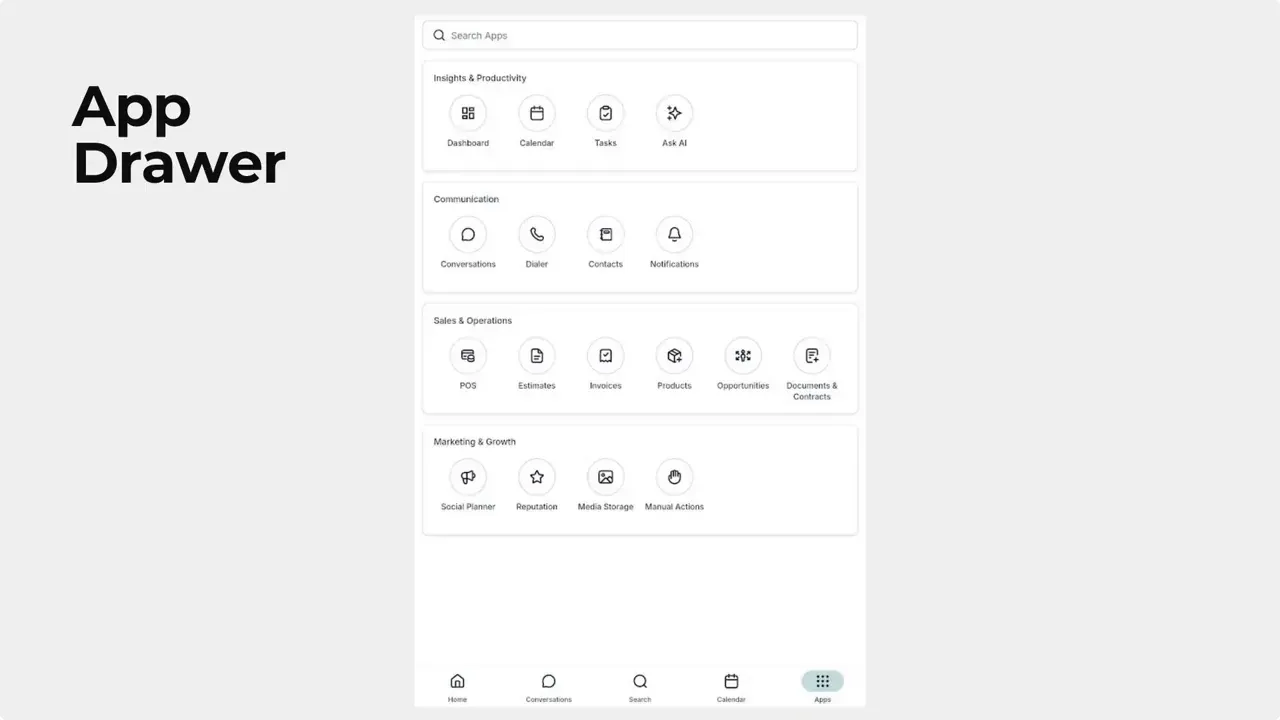
- App drawer replaces left navigation — tools are organized into smart categories for quicker access.
- Universal Search — type a single word and find results across conversations, contacts, and opportunities.
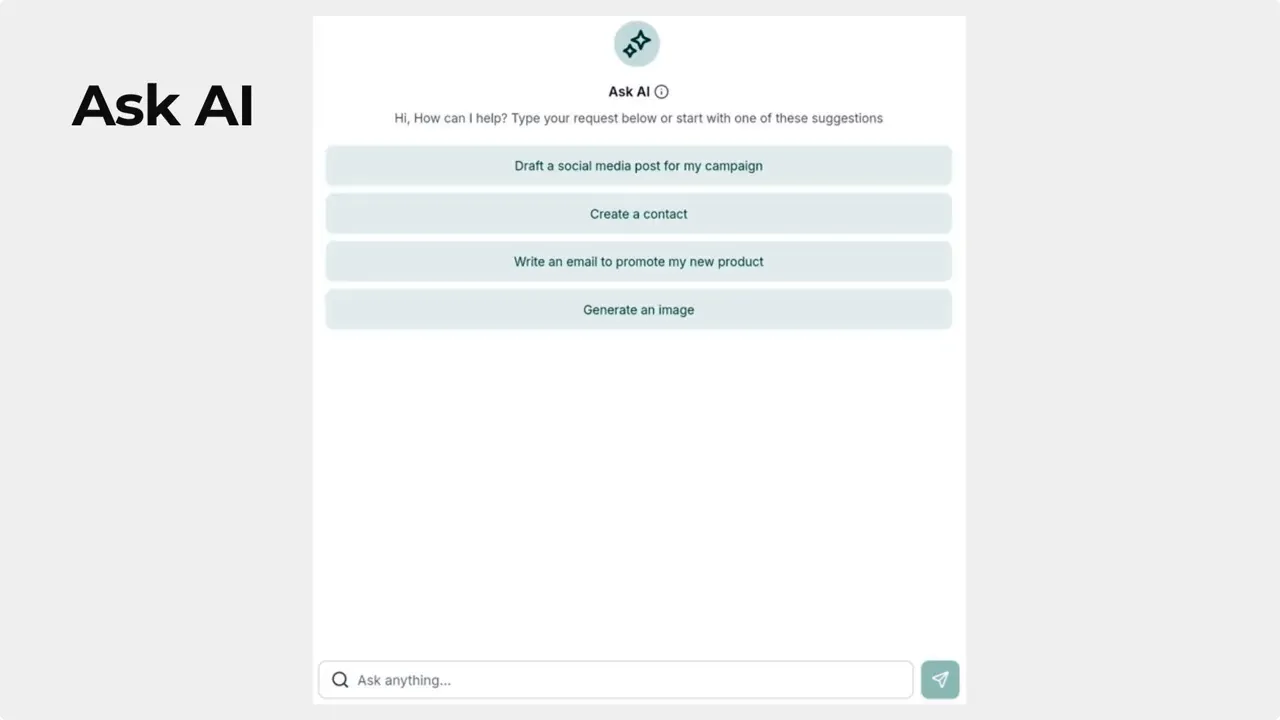
- AI on mobile — access Ask AI and Chat History directly from the app.
- Custom homepage — pin up to four frequently used modules and reorder them with a six dot bar.
- Performance and usability — the app is faster and more intuitive for on-the-go work.
The new app drawer
The old left-hand navigation is gone. In its place is a compact app drawer that groups tools into meaningful categories. It reduces scrolling and makes it easier to jump between functions.
Find what you need with a single word
The search works across conversations, contacts, and opportunities. Enter a single keyword and the app pulls up relevant items from multiple places. That means fewer taps and faster results.
AI features and chat history on mobile
All AI capabilities are available on the mobile app. Ask AI for content or responses, and review past exchanges in Chat History. Keeping past interactions accessible helps maintain context and keeps follow-ups accurate.
Customize your homepage — pin your top modules
The homepage now supports quick access to up to four of your most-used modules. Pinning and arranging them gives you a home screen that matches your workflow.
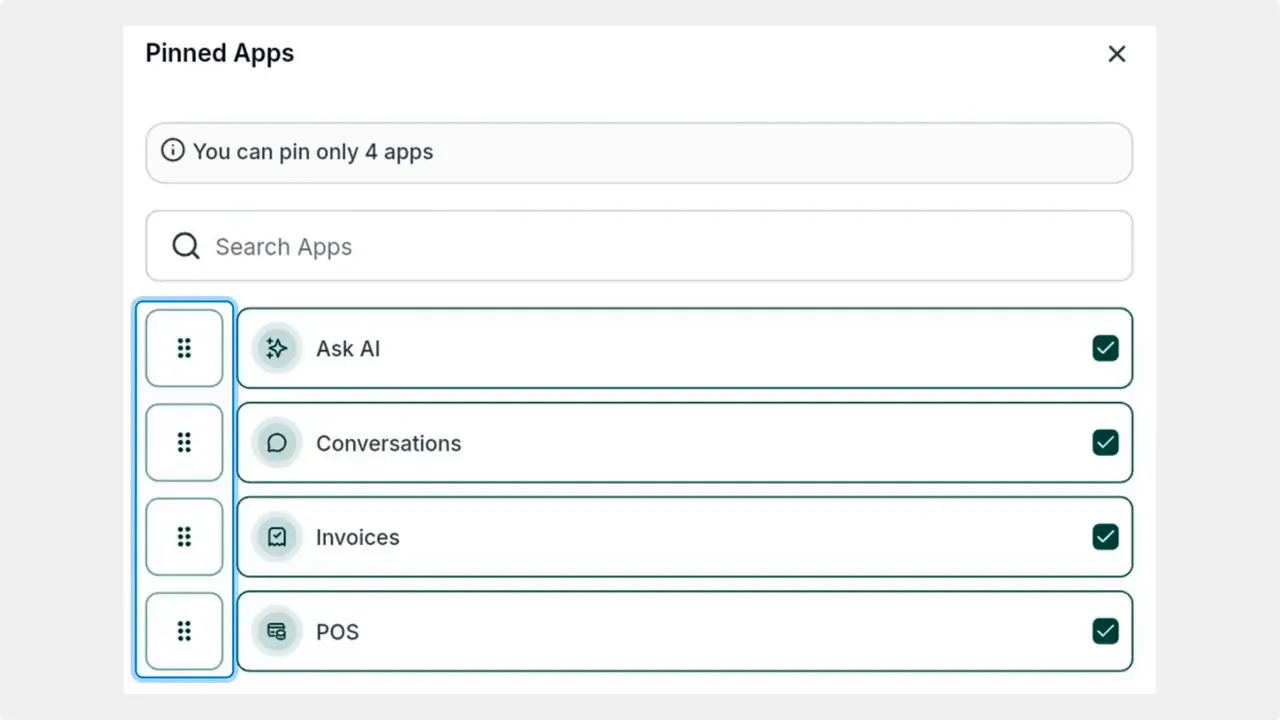
How to pin and reorder apps
- Open the homepage and tap the pencil icon in the pinned apps area.
- Select or unselect the apps you want quick access to. You can add up to four.
- Use the six dot bar to drag items into the order you prefer.
- Close the module once you are satisfied with the layout.
Why these changes matter
- Less friction — fewer taps and faster navigation get work done quicker.
- Better context — universal search and chat history keep information together.
- More control — customize the homepage to match how your team uses the app.
- On-the-go power — AI features on mobile let teams generate content and responses from anywhere.
How do we pin apps to the homepage?
Open the homepage, tap the pencil icon in pinned apps, then select or unselect apps. You can pin up to four. Use the six dot bar to rearrange them and close the module when done.
How many apps can we pin to the homepage?
You can pin up to four modules to the homepage for quick access.
What does the universal search cover?
The search pulls results from conversations, contacts, and opportunities. Typing a single keyword surfaces relevant items across those areas.
Are AI features available on mobile?
Yes. All AI capabilities are accessible from the mobile app, and Chat History keeps past interactions available for reference.
Can we reorder pinned apps after adding them?
Yes. Use the six dot bar next to each pinned app to drag items into the order you prefer.
Final note
The new mobile app turns your phone into a practical business command center. It reduces friction, centralizes critical information, and puts AI tools where your team works. We built these updates to make business easier to manage on the go.
This article was created from the video New Mobile App Experience: Faster, Smarter, Tailored to Your Workflow



