
How to Use Whisper Messages in IVR and Scale Outbound Voice AI with HighLevel
Learn how to use whisper messages in HighLevel workflows to give agents instant context during IVR transfers. This guide covers setting up private audio prompts, scaling outbound Voice AI across countries, and following best practices to improve conversion rates and caller experiences.

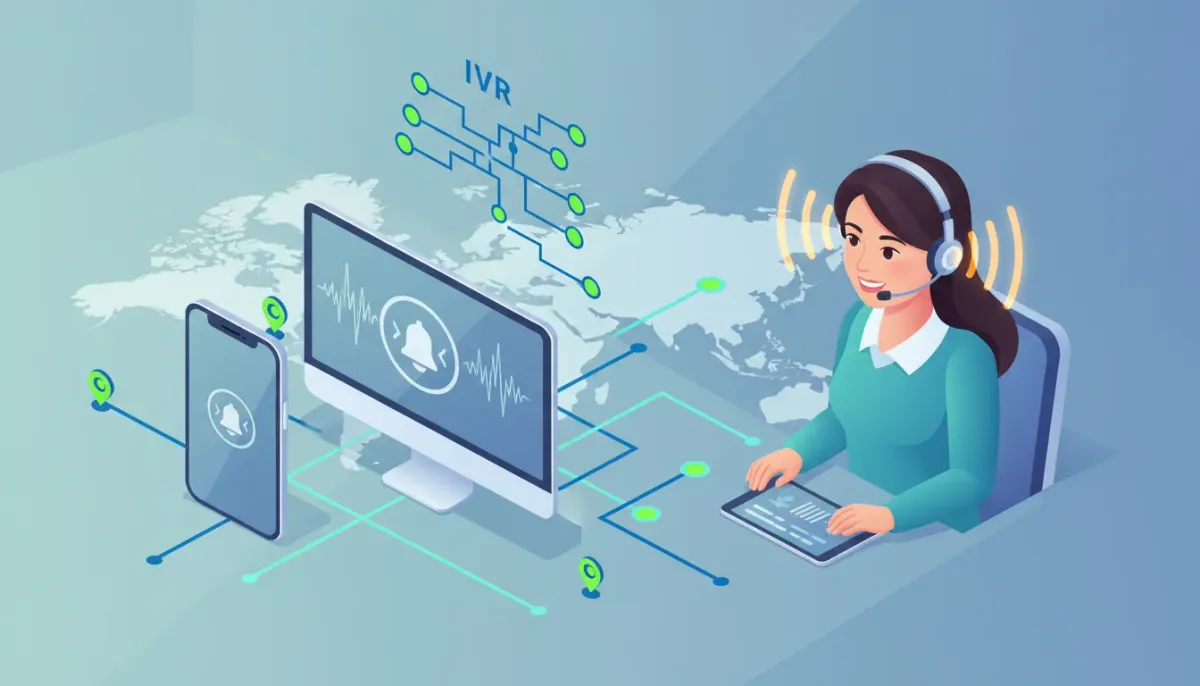
Whisper messages and expanded outbound Voice AI create higher-converting phone experiences for agencies, support teams, and sales operations. This guide explains what whisper messaging is, why it matters for IVR routing, how to configure it inside HighLevel workflows, and how to scale Voice AI outbound campaigns safely and effectively across countries with new limits.
The Complete Operating System for Growth
Join over 60,000+ agencies and businesses using HighLevel to capture more leads and close more deals. Start your trial today and get instant access to the Nexus Hub resources.
Claim Your Free Trial & BonusesWhat is a whisper message and why it matters
A whisper message is a short, private audio prompt played to the person answering a call before bridging the caller. The caller does not hear it. Whisper messages provide immediate context to the agent, improving personalization and reducing awkward openings.
Benefits include:
- Faster, more relevant responses: The agent knows the nature of the call on pickup (sales, support, appointment).
- Improved conversion: Personalized context increases first-call resolution and booking rates.
- Better routing and prioritization: Agents can triage high-value callers immediately.
- Smoother handoffs: When calls transfer across teams, whispers give essential background without exposing it to the caller.
Key terminology
- IVR (Interactive Voice Response): Automated menu system that routes inbound calls.
- Call Connect step: The workflow action that places or transfers calls in HighLevel.
- Whisper message: Private audio for the answering agent only.
- Voice AI outbound: Automated outbound calls using AI-driven voice or conversational agents.
- Location-level limits: Daily and rate restrictions applied per account location.
Common use cases
- Appointment confirmation: "This is a 2 PM appointment for Sarah L., press 1 to confirm." The agent hears intent before answer.
- Sales lead routing: "Lead from Google Ads, $1,200 monthly MRR, product interest: SEO." Gives sales rep context instantly.
- VIP support: "Premium customer. Order #12345. Priority escalation allowed."
- Callback transfers: When transferring from IVR to live agent, whisper provides the reason for transfer.
How to configure whisper messages in HighLevel workflows (step-by-step)
Setting up whispers inside HighLevel workflows is straightforward. Use the Call Connect step in your workflow and add a whisper message. Follow these practical setup steps:
- Create or open an existing workflow in HighLevel where inbound calls are routed via IVR.
- Add a Call Connect step where you want to transfer the call to a live agent or team.
- In the Call Connect settings, look for the whisper message field. Enter a short, targeted message for the agent.
- Use dynamic variables to personalize. Common variables: client name, appointment time, source, lead score, and recent activity. Example template:
“Caller: {{contact.first_name}}; reason: appointment request at {{appointment.time}}.” - Choose call handling options: ringing timeout, fallback route, and whether to record the agent side.
- Save and test with a mock call to verify that only the agent hears the whisper and that the caller is silently bridged after.
Whisper message best-practice examples
- Sales lead: "Inbound lead from Meta Ads. Product interest: dental marketing. Budget: high." (short, 3-6 seconds)
- Appointment: "Appointment: John P., 10 AM today, new patient." (names and times only)
- Support: "Support ticket #4567. Unresolved payment issue." (ticket references help)
Design principles for effective whisper messaging
Keep whispers short, actionable, and privacy-compliant.
- Length: 2 to 6 seconds is ideal. Longer whispers can delay call bridging and frustrate callers.
- Clarity: Use explicit keywords: "appointment," "billing," "VIP," so agents respond quickly.
- Avoid sensitive data: Do not include full credit card numbers, Social Security numbers, or other private data in the whisper.
- Use structured variables: Standardize variable names in workflows so messages stay consistent across locations and templates.
- Fallbacks: If dynamic data is missing, provide a sensible default: "Caller: unknown; category: general inquiry."
Scaling outbound Voice AI: What changed and why it matters
Voice AI outbound capabilities now support broader, global use with expanded daily thresholds and same-country calling across locations. These updates make it realistic to run larger outbound campaigns for appointment reminders, lead qualification, and surveys using automated voice agents.
Key changes to be aware of:
- Higher daily limits per location: Daily limits increased substantially (for example, from 100 to 1,000 calls per location). Check account settings for exact numbers.
- Same-country calling: Outbound calls can now originate and terminate within the same country outside the U.S., enabling domestic campaigns in many territories.
- Improved call rate control: More flexible rate limits to prevent carrier throttling while supporting higher throughput.
- Number provisioning options: Larger number pools and upgraded outbound phone number capabilities to avoid warm-up issues and blocking.
How to plan a scaled Voice AI outbound campaign
Scaling outbound voice safely requires intentional design around consent, throttling, number rotation, and monitoring. Use this step-by-step framework:
- Segment your audience: Prioritize warm leads and opted-in contacts. Avoid cold lists unless consent exists.
- Choose locations and phone numbers: Assign calls to the appropriate location so same-country calling rules apply.
- Set daily and hourly limits: Configure conservative rates initially (for example, 10-20 calls/hour/number) and scale up after performance validation.
- Rotate numbers: Use a pool of numbers to distribute call volume and reduce carrier filtering risk. Keep caller ID consistent per campaign when possible.
- Test at low volume: Run small proof-of-concept batches to measure answer rates, AI agent performance, and complaint rates.
- Monitor metrics: Track answer rate, opt-out rate, call duration, transfer rate to live agents, and complaint ratios.
- Automate escalation: Route high-intent answers to human agents using whisper context so live follow-up is immediate.
- Document carriers and countries: Keep a spreadsheet of allowed destinations, special carrier rules, and required opt-in language per country.
Legal and compliance considerations
Voice campaigns cross multiple regulatory frameworks. Noncompliance can result in blocked numbers, fines, or account suspension. Key compliance focus areas:
- Consent: Document explicit prior consent for automated outbound calls where required. Maintain consent timestamps and source.
- Do Not Call lists: Suppress contacts on national and carrier DNC lists in each target country.
- Call hours: Respect local calling windows (avoid late night calls). Configure call schedules in HighLevel per location.
- Opt-out mechanism: Provide a simple way to opt out, and honor requests immediately.
- Recording notices: In jurisdictions requiring dual-party consent, ensure proper announcements or disable recordings as necessary.
- Local regulations: Countries vary widely on automated calling; verify rules before launching outside your primary market.
Common pitfalls and how to avoid them
Avoid these frequent mistakes when implementing whisper messaging and outbound Voice AI.
- Overloading whispers: Long or complex whispers delay bridging and reduce caller experience. Keep it brief and actionable.
- Missing variables: Not accounting for null values in dynamic messages leads to awkward whispers. Use safe defaults.
- No fallback routing: If no agents answer, ensure IVR has proper voicemail or call-back workflows to avoid lost leads.
- Ignoring local rules: Launching global outbound campaigns without local compliance causes rapid blocking and reputation damage.
- Exceeding rate limits: Hitting carrier or platform limits results in dropped calls. Gradually increase volume while monitoring API responses and call failures.
- Poor number management: Using a single number for very high volume causes higher risk of filtering. Use number pools and progressive warm-up.
Testing and rollout checklist
Use this checklist to validate configuration before a full rollout.
- Verify whisper text quality and length across representative scenarios.
- Confirm dynamic variables populate correctly and have fallbacks.
- Test call routing and fallback behavior for unanswered or busy agents.
- Validate recordings and consent prompts comply with local law.
- Run a small outbound batch and measure answer, completion, and opt-out rates.
- Audit error logs for rate-limit or carrier rejections and adjust pacing.
- Document escalation flow from AI to human agents and ensure whisper informs the agent immediately.
- Review analytics after initial campaign and update whisper scripts for clarity or brevity based on performance.
Metrics to track for continuous improvement
Focus on metrics that measure both technical health and business impact:
- Answer rate: Percentage of calls that are answered.
- Conversion rate: Actions taken after transfer (bookings, sales, support resolutions).
- Agent pickup time: Time between call ringing and agent speaking.
- Drop rate: Calls terminated unexpectedly due to limits or errors.
- Complaint and opt-out rate: Negative feedback or opt-outs per 1,000 calls.
- Fallback activation: How often calls go to voicemail or callback workflows.
Implementation example: Appointment reminders + whisper transfer
Example workflow to combine outbound Voice AI with whisper messages for appointment confirmations:
The Complete Operating System for Growth
Join over 60,000+ agencies and businesses using HighLevel to capture more leads and close more deals. Start your trial today and get instant access to the Nexus Hub resources.
Claim Your Free Trial & Bonuses- Outbound Voice AI places a call to the contact to confirm an upcoming appointment. The AI asks the contact to press 1 to confirm or 2 to reschedule.
- If the contact presses 2 or asks to speak to an agent, the workflow uses Call Connect to transfer to a live scheduler.
- The Call Connect whisper message plays: "Appointment transfer: {{contact.first_name}} for {{appointment.time}}; reschedule requested." Agent picks up informed, streamlines the conversation, and confirms or reschedules.
- If the agent does not answer within the timeout, the workflow sends a task or SMS follow-up to the contact to confirm status.
Scaling tips for agencies using HighLevel
Agencies implementing these features across clients and locations should adopt repeatable processes:
- Template whisper scripts: Create standardized templates in Nexus Hub or your internal playbook for appointment, sales, and support whispers.
- Location-based configs: Manage call hours, number pools, and daily limits at the location level to reflect local rules.
- Automated monitoring: Build dashboards for quick visibility into call health across clients and automate alerts for rate-limit warnings or high complaint rates.
- Training kit: Provide agents short training on interpreting whispers and following a consistent opening script after receiving a whisper.
- Operational runbook: Document escalation paths for blocked numbers, carrier issues, and compliance requests.
How to increase limits or request higher capacity
If your campaign needs exceed default limits, take these steps:
- Audit current usage and identify precise capacity needs per location.
- Prepare evidence of compliance: consent records, call scripts, and DNC suppression practices.
- Contact platform support with specifics: desired daily call volume, target countries, and use case.
- Be prepared to implement rate limiting, number rotation, and carrier-level warm-up processes as required.
Practical examples of whisper templates
Use these short, practical templates as starting points. Replace variables with your system fields.
- New lead: "{{contact.first_name}} from {{lead.source}}; interest: {{lead.product}}; lead score {{lead.score}}."
- Appointment: "Appointment for {{contact.first_name}}, {{appointment.date}} at {{appointment.time}}."
- VIP: "VIP customer. Account {{account.id}}. Priority escalation permitted."
- Support transfer: "Support transfer: ticket {{ticket.id}}; issue: {{ticket.summary}}."
Next steps and resources
To implement these features, configure your HighLevel workflows and Call Connect actions, test thoroughly, and maintain compliance records. Agencies looking for ready-made templates and community support can explore Nexus Hub for workflow templates and implementation guides.
Consider starting a HighLevel free trial to test whisper messaging and Voice AI outbound on your own workflows and locations.
FAQ
Can whisper messages be recorded?
Whisper messages themselves are audio prompts played only to the answering agent. Whether they are recorded depends on your call recording settings. In many systems recording captures the bridged call with the caller and agent. If you record calls, the whisper may or may not be included in that recording depending on platform configuration. Always check recording and consent requirements for your target jurisdiction before enabling recordings.
How do I personalize whisper messages safely?
Use structured variables for safe fields like first name, appointment time, lead source, and ticket ID. Avoid including sensitive personal data in whispers. Implement fallbacks for missing data (for example, "unknown" or a category) and sanitize inputs to prevent injection of unintended text.
What if I need to call customers in other countries?
Same-country calling enables domestic outbound in more countries, but international calling still requires verification. Review local regulations, ensure consent, and check carrier restrictions and per-country rate limits. Use location-level settings and number provisioning aligned with the destination country.
What happens if I exceed outbound call limits?
Exceeding platform or carrier limits usually results in rate limiting, failed call attempts, or temporary blocking of numbers. Monitor API responses and call failure logs. To prevent disruptions, scale volume gradually, use number pools, and request higher limits from the platform with compliance documentation.
How should I train agents to respond after a whisper?
Train agents to open with a consistent script that acknowledges the whisper context. For example: "Hi, this is [Agent Name] with [Company]. I see you're calling about [reason]. How can I help?" Keep openings brief and focused so the agent can act on the whisper intent immediately.
Summary
Whisper messages in IVR and expanded Voice AI outbound capabilities are powerful tools for improving call relevance, conversion rates, and operational scale. Design short, privacy-conscious whispers, test workflows thoroughly, and scale outbound campaigns with proper consent, number management, and rate controls. Agencies using HighLevel can leverage workflows, location settings, and Nexus Hub templates to accelerate deployment and maintain compliance while delivering a better caller and agent experience.
The Complete Operating System for Growth
Join over 60,000+ agencies and businesses using HighLevel to capture more leads and close more deals. Start your trial today and get instant access to the Nexus Hub resources.
Claim Your Free Trial & Bonuses


