
Did You Know You Can Boost Sales with One-Click Upsells in HighLevel?
Boost your average order value by mastering one-click upsells in HighLevel. This guide covers the step-by-step setup for funnels, essential automation triggers, and best practices to increase revenue and streamline the checkout experience for your customers.

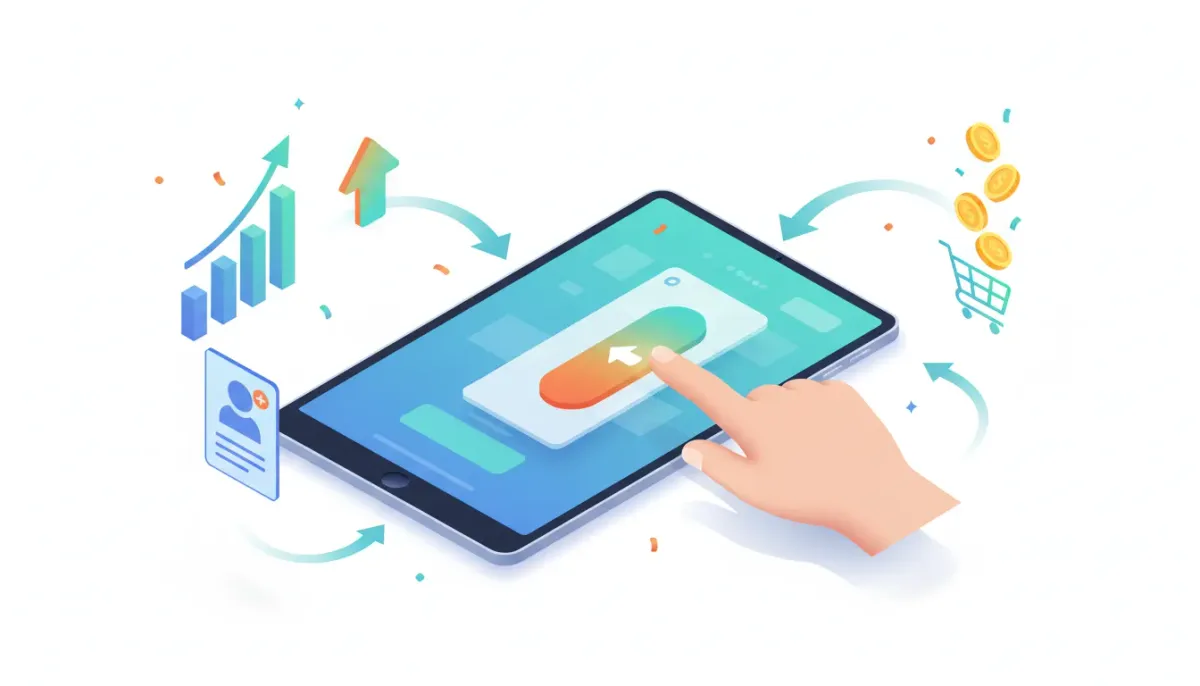
- Why one-click upsells work and the revenue lift they provide
- How one-click upsells function inside HighLevel (GHL)
- Step-by-step setup for a funnel with a one-click upsell
- Testing, automations, and payment triggers to close the loop
- Examples, best practices, and tracking metrics
- Common issues and quick fixes
- FAQ
Why one-click upsells are a high-impact revenue lever
One-click upsells are one of the most efficient ways to increase average order value without increasing traffic. The idea is simple: after a customer completes an initial purchase, present a complementary offer on the next page and let them add it to their order with a single click. Because payment information is already captured, there is no re-entry friction, which dramatically improves conversion on add-ons and higher-ticket offers.
The Complete Operating System for Growth
Join over 60,000+ agencies and businesses using HighLevel to capture more leads and close more deals. Start your trial today and get instant access to the Nexus Hub resources.
Claim Your Free Trial & BonusesFor agencies and SaaS businesses running funnels in HighLevel, this is a powerful tactic to monetize users who are already primed to buy. Whether you sell digital courses, coaching, software plans, or physical products, a clear one-click upsell can turn a low-ticket conversion into a more profitable customer relationship.
How one-click upsells work in HighLevel
In HighLevel, one-click upsells are implemented inside multi-step websites and funnels. The flow looks like this:
- Visitor lands on your funnel’s sales page and completes the initial purchase via an order form or checkout pop-up.
- After payment, the funnel redirects the buyer to the next step — commonly a thank you or confirmation page.
- That page displays an upsell offer. When the buyer clicks the upsell button, HighLevel charges the already-stored payment method and adds the upsell product to the existing order instantly.
The key HighLevel mechanics involved are the order element for the initial purchase, adding the upsell product to the upsell page, and configuring the upsell button action to trigger a one-click upsell/downsell product charge.
Step-by-step: Set up a one-click upsell in HighLevel
The following steps walk through configuring a basic funnel with a one-click upsell. These instructions assume you have products and pricing already configured in HighLevel.
1. Choose a funnel with multiple steps
Pick a website or funnel that contains at least two steps: a primary purchase page (or pop-up) and a subsequent upsell page such as a thank you page or offer page. Multi-step funnels are essential because the one-click upsell relies on the post-purchase redirect and stored payment details.
2. Add the main product to the initial page
On the sales page, add an order element (or use a pop-up with an order form). Select the product you want to sell as the main offer and set the price. This captures the buyer’s payment method and creates the first transaction.
3. Build the upsell page
Create the second page in the funnel — typically a thank you page that the buyer sees immediately after checkout. Under the product section for that page, add a different product than the one sold on the first page. This product will be the upsell.
4. Add persuasive copy and an upsell button
Populate the upsell page with short, benefit-focused copy, an optional demo or testimonial video, and a clear call-to-action button. Be sure to include the upsell price and exact benefits so buyers know what they are getting and how much it will cost.
5. Configure the button to trigger one-click upsell
Select the upsell button and, in the button action settings, choose one-click upsell/downsell product. From the product list, select the product you added to this page. Once configured, the button will charge the stored payment method and attach the product to the buyer’s order with a single click.
6. Redirect and test the full flow
Make sure your funnel redirects from the order completion to the upsell/thank you page. Then run a test purchase. After completing the initial checkout, you should land on the upsell page and be able to add the upsell immediately by clicking the button without re-entering card details.
Testing, automations, and payment triggers
Setting up the upsell button is only half of the job. The rest is about automation and ensuring customers receive the right communications for each product they buy.
Build HighLevel workflows that respond to specific payment triggers. For example:
- Trigger: Payment completed for Product A. Action: Send order confirmation email and add tag "Bought Product A".
- Trigger: Payment completed for Upsell Product B. Action: Send second confirmation email, add access to course or scheduling link for coaching, and add tag "Bought Upsell B".
- Trigger: Payment failed. Action: Notify customer, retry process, and notify support.
Use the CRM and contact timeline to track these events. Tags and custom fields let you segment customers by what they purchased for future campaigns and lifecycle automations. If your upsell unlocks additional services — like a coaching session or add-on features — tie those activations into your workflows so access is granted automatically.
Examples that convert
Some offer pairings consistently outperform others because they complement the initial purchase and deliver clear, immediate value.
- Low-ticket course + one-on-one coaching: Sell a $49 course and present a one-click upsell for personalized coaching at $297. Customers who purchased the course are already invested in the topic, making coaching a natural next step.
- Basic software plan + add-on features: Offer a low-cost monthly plan and an upsell for premium integrations, onboarding, or additional seats. Because the buyer already paid for the base plan, the incremental cost feels smaller and more defensible.
- Physical product + warranty or accessories: After checkout, offer an extended warranty, gift wrap, or complementary accessory with a one-click add to order.
Think about lifecycle value. The best upsells improve the customer’s experience and increase retention, not just immediate revenue.
Best practices for one-click upsells
Follow these guidelines to keep conversions high and customer trust intact.
The Complete Operating System for Growth
Join over 60,000+ agencies and businesses using HighLevel to capture more leads and close more deals. Start your trial today and get instant access to the Nexus Hub resources.
Claim Your Free Trial & Bonuses- Be transparent about price. Always show the cost and any recurring billing clearly on the upsell page so there are no surprises.
- Keep the offer relevant. The upsell should complement the main purchase and solve a clear problem or enhance the product experience.
- Use social proof. Short testimonials or results on the upsell page reduce hesitation and increase the perceived value of the add-on.
- Limit steps. One-click is powerful because it removes friction. Keep the upsell page focused and make the decision simple: yes or no.
- Segment post-purchase messaging. Your email and SMS flows should reflect what the customer actually bought. Use product-specific workflows in HighLevel to trigger the right messages.
- Test pricing and placement. Try different price points, headlines, and timings (immediate thank you page vs. a small delay) to find the best conversion mix.
Metrics to track
To understand the impact of your one-click upsells, track these metrics regularly:
- Upsell conversion rate. Percentage of buyers who accept the upsell after the initial purchase.
- Average order value (AOV). Overall increase in AOV attributable to upsells.
- Revenue per visitor. Helps you quantify how much a funnel's profitability improves.
- Refund and chargeback rates. Monitor these closely to ensure upsells are delivering expected value and do not increase disputes.
- Customer lifetime value (LTV). Over time, upsells that enhance retention will boost LTV more than one-off offers.
Troubleshooting common issues
If something doesn’t behave as expected, check these common sources of error:
- Redirect settings. Make sure the order completion redirect is pointed to the upsell/thank you page so the one-click process can occur.
- Product mismatch. Confirm that the upsell product on the second page is a different SKU from the first and that the button is linked to the correct product.
- Workflow triggers. Verify that your payment triggers in HighLevel are tied to the correct product IDs so notifications and access are sent correctly.
- Payment failures. If the stored payment method fails on the upsell, have a workflow that handles retries and notifies the buyer.
- Testing with sandbox vs. live. Use a test card for sandbox purchases or run a small live test to confirm the full flow, including real payment confirmations and email notifications.
Where this fits in your agency or SaaS operations
For agencies using HighLevel to scale client funnels, one-click upsells are a plug-and-play tactic that increases revenue without more ad spend. They integrate cleanly with HighLevel workflows, CRM segmentation, and downstream activations like course enrollment or session booking.
When implementing across multiple clients, create templates in your agency account or the Nexus Hub library so you can deploy a tested upsell funnel quickly. This standardization speeds rollout and ensures consistent tracking and automation across clients.
Legal and customer experience considerations
One-click upsells reduce friction, which is great, but it also raises expectations about clarity and consent. Make sure your upsell pages:
- Clearly state the price and whether any charges are recurring.
- Provide a straightforward way to contact support or cancel if needed.
- Follow payment and consumer protection rules applicable to your region and payment processor.
Next steps: roll this out and iterate
Start small: pick one funnel, add a single relevant upsell, and measure. Use the data to refine your copy, price, and placement. Once you find a winning combination, template it into your HighLevel agency setup and scale across clients or products.
If you haven’t already, consider starting a free trial of HighLevel to experiment with funnels, one-click upsells, and workflows firsthand. Joining community resources such as the Nexus Hub can accelerate implementation by providing templates, examples, and support from other HighLevel users and agencies.
How does one-click upsell charge a customer without asking for payment again?
When a buyer completes the initial order, their payment details are securely stored and associated with that transaction. The one-click upsell button calls the stored payment method and charges it for the additional product. Because HighLevel already has the buyer's payment details from the first purchase, there is no need to re-enter card information.
Can I offer multiple upsells after the initial purchase?
Yes. You can create sequential upsell pages (upsell, downsell, additional offers) after the initial purchase. Each upsell page must have its own product configured, and each upsell button should be set to trigger the one-click upsell/downsell action for its respective product. Monitor conversion and refund rates closely as you add more offers.
Will customers know what they are being charged for?
Transparency is essential. Always display the upsell price and a concise description on the upsell page. Use clear language about whether the charge is one-time or recurring. Also ensure your payment confirmation emails and workflow notifications explicitly state which products were purchased.
What automations should I set up after an upsell purchase?
At minimum, create product-specific workflows that:
- Send an order confirmation email for the upsell product.
- Tag the contact for segmentation and future campaigns.
- Grant access to any product or schedule required services (course access, coaching session links, software feature activation).
- Handle payment failures and notify support.
Does this work with all payment gateways in HighLevel?
One-click upsells rely on the payment processor integration used by your HighLevel account. Most major payment gateways supported by HighLevel will work, but verify compatibility and test in a sandbox or with a low-value transaction to confirm the upsell charge behaves as expected.
Final thoughts
One-click upsells are a straightforward, high-impact tactic for agencies and product owners using HighLevel. They reduce friction, increase revenue per buyer, and can be fully automated using HighLevel workflows and payment triggers. Keep your offers relevant, be transparent about pricing, and automate the follow-up so customers receive the value they expect.
If you want to implement this in your funnels, try it on one live funnel, measure the uplift, then template the winner across your agency or product catalog. And if you’re exploring options, the free HighLevel trial and the Nexus Hub community are solid next steps for templates and implementation support.
The Complete Operating System for Growth
Join over 60,000+ agencies and businesses using HighLevel to capture more leads and close more deals. Start your trial today and get instant access to the Nexus Hub resources.
Claim Your Free Trial & Bonuses


