
Bank transfers (ACH) now supported for US and Canada accounts via NMI
Learn how to enable ACH bank transfers via NMI in HighLevel for US and Canada accounts. This guide covers setup steps, automation workflows, and best practices to lower processing fees and improve retention for your agency’s recurring revenue.

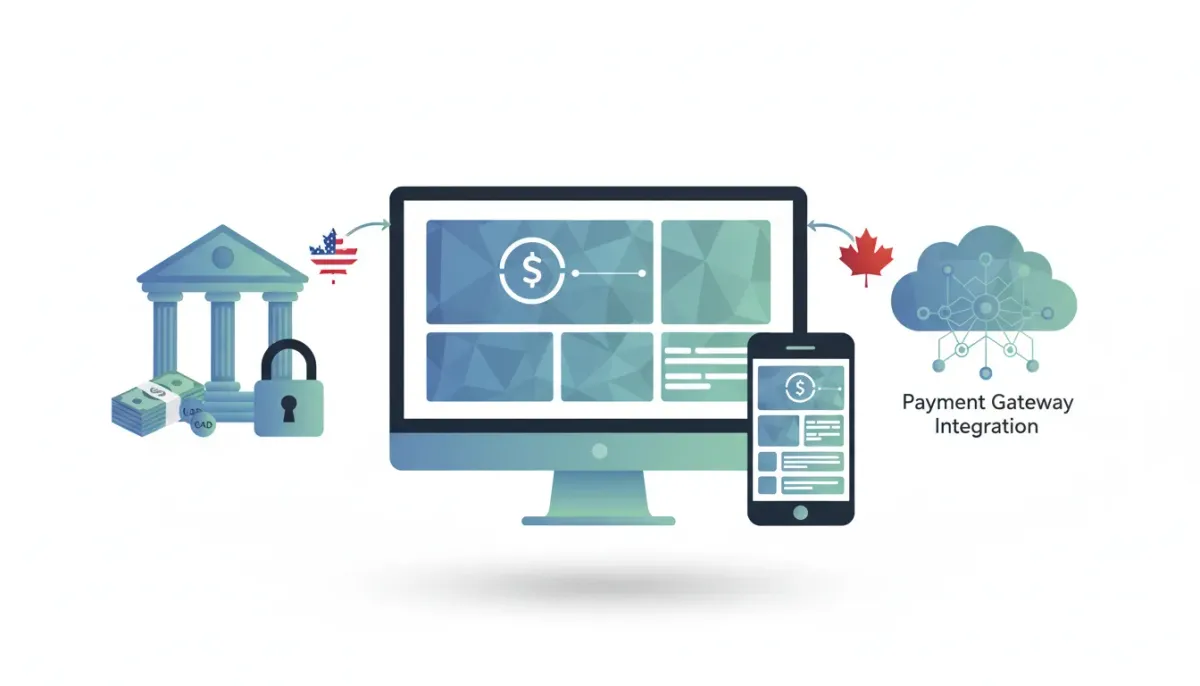
Big-picture update: NMI now supports ACH bank transfers for US and Canada accounts inside HighLevel. That means you can accept ACH payments directly through NMI, connect bank accounts, and integrate those payments into your HighLevel CRM, workflows, and recurring billing systems.
The Complete Operating System for Growth
Join over 60,000+ agencies and businesses using HighLevel to capture more leads and close more deals. Start your trial today and get instant access to the Nexus Hub resources.
Claim Your Free Trial & BonusesWhy ACH support matters for agencies and businesses
ACH (Automated Clearing House) transfers are bank-to-bank payments that are often cheaper and more convenient than card processing for large-ticket or recurring charges. For agencies and SaaS operators using HighLevel, adding ACH through NMI opens up practical advantages:
- Lower processing costs. ACH fees are typically a flat low fee or a small percentage, which improves margins on subscription billing and retainers.
- Higher authorization limits. Many clients prefer ACH for larger payments that would otherwise incur higher card fees or hit card limits.
- Improved client experience. Clients can pay directly from a bank account without entering card details, which reduces friction for recurring billing.
- Better retention for recurring revenue. ACH reduces failed payment rates from expired or canceled cards when paired with proper verification and workflows.
What changed: NMI + HighLevel ACH capability
NMI has added support for ACH transactions in the US and Canada when used as a payment provider in HighLevel. If you already use NMI for card processing, this update lets you enable bank account payments so your clients can pay via ACH. HighLevel's billing, client records, and automation systems can then treat those ACH transactions like other payments, but with the fee and settlement differences that bank transfers bring.
Who this applies to
This is available for US and Canadian merchant accounts connected to NMI. If your NMI account is set up for those regions, you can enable ACH bank transfers and start accepting bank payments from your clients.
How to enable ACH with NMI in HighLevel
Enabling ACH is straightforward. HighLevel provides documentation to guide you through setup. The quickest way to find the support article is to visit the HighLevel help center and search for nmiach or go to help.cohighlevel.com and look up NMI ACH integration.
At a high level, here are the steps you'll take:
- Confirm eligibility. Make sure your NMI merchant account supports ACH and is registered for US or Canada banking.
- Connect NMI to HighLevel. If you haven’t already, set up NMI as a payment provider inside HighLevel’s payment settings.
- Enable bank account payments. In your NMI settings inside HighLevel, enable the US bank or CA bank account option to accept ACH.
- Complete any verification requirements. NMI may require additional documents or bank verification steps to activate ACH processing.
- Test a transaction. Run a small test to verify the flow, settlement timing, and reporting inside HighLevel.
If you run into issues, consult the HighLevel help doc (search nmiach) or reach out to NMI support. The help article includes screenshots and additional troubleshooting tips for common setup snags.
How ACH payments behave inside HighLevel
Once enabled, ACH transactions will show up in your CRM and payment history just like card payments, but there are a few important differences to keep in mind:
- Settlement times. ACH settlements typically take longer than card transactions. Expect a delay of 1 to 3 business days depending on the bank and whether same-day ACH is used.
- Reversals and returns. ACH returns can happen if the bank account is closed or lacks funds, and they may take longer to resolve than card chargebacks.
- Verification workflows. You should include verification steps, such as micro-deposits or instant verification, to reduce the risk of returns and fraud.
- Reporting differences. ACH will show distinct transaction types in NMI and HighLevel payment logs, so build reporting that accounts for processing time and returns rate.
Practical use cases for agencies using HighLevel
Here are real-world ways agencies and SaaS operators can take advantage of ACH support inside HighLevel:
- Retainer and monthly subscription billing. Replace or supplement card billing with ACH for clients who prefer bank payments. You can use HighLevel workflows to send invoices, collect ACH authorization, and automate renewals.
- Large one-off invoices. For projects or setup fees that are substantially larger than normal, ACH reduces fees and client friction.
- Client onboarding flows. During onboarding you can present ACH as an option and use HighLevel automations to verify accounts and trigger services once payment clears.
- Agency Payouts and vendor payments. If you manage payouts through your merchant account, ACH can help with paying vendors or contractors more cost-effectively than cards.
Integrating ACH into HighLevel workflows and automations
HighLevel shines with automations. Once ACH is enabled through NMI, you can integrate bank payments into your existing workflows to create a seamless experience:
- Automated invoices. Use templates to send invoices with ACH payment options and links to provide bank account authorization.
- Conditional workflows. Trigger services or onboarding steps only after an ACH payment status updates to successful in the CRM.
- Collections workflows. Build follow-up sequences for ACH payments that are pending, returned, or failed, with different messages and escalation paths.
- Subscription management. Manage recurring ACH billing in the same subscription module you use for card billing, while tracking different settlement timing and fee structures.
Best practices and compliance considerations
Accepting ACH requires careful handling to minimize risk and remain compliant. Here are recommended best practices when enabling ACH through NMI in HighLevel:
- Use verification mechanisms. Implement micro-deposits or instant bank account verification to confirm ownership before charging a client.
- Obtain clear authorization. Keep signed authorizations or recorded electronic consent for recurring ACH debits to protect against disputes.
- Watch settlement windows. Build your service delivery timelines around ACH settlement delays to avoid delivering services before funds are actually cleared.
- Monitor returns and disputes. Track ACH returns separately to analyze patterns and update workflows or client underwriting accordingly.
- Stay PCI-aware. While ACH is not card-based, you should still follow secure handling of payment data and ensure your processes meet relevant data security standards.
Troubleshooting and common issues
When enabling ACH through a payment gateway like NMI, agencies sometimes hit the same roadblocks. Here are common issues and how to address them:
- Account eligibility. If ACH options don't appear, confirm that your merchant account is provisioned for ACH processing in the US or Canada.
- Verification delays. Micro-deposits can take a couple of days to verify. Use clear messaging so clients understand the process and expected timelines.
- Failed transactions. For insufficient funds or closed accounts, set up automated notifications and a follow-up playbook in HighLevel to chase payment or swap to cards.
- Reporting discrepancies. Because settlement timing differs, reconcile NMI statements and HighLevel payment logs regularly to ensure accounting accuracy.
- Integration errors. If HighLevel is failing to register ACH payments, double-check your NMI API keys, credentials, and the exact payment method settings inside HighLevel.
How ACH support scales agency operations
Offering ACH as a payment option is not just a payments move; it is an operational lever for agencies looking to scale. Here is why:
- Lower cost of recurring revenue. When your subscription fees or retainers are processed via ACH, you keep more revenue in the business, enabling reinvestment in growth.
- Smoother onboarding for enterprise clients. Many mid-market and enterprise clients prefer ACH. Supporting bank transfers can win larger contracts.
- Operational efficiency. Automating ACH verification and billing inside HighLevel reduces manual bookkeeping and administrative overhead.
- Flexible pricing strategies. You can offer incentives for ACH payments such as reduced fees or discounts since your processing cost is lower, which helps with client acquisition and retention.
Next steps: enable ACH and optimize your systems
If ACH is not yet part of your payments stack, this is a practical time to evaluate adding NMI ACH support in HighLevel. Start by confirming merchant eligibility, then enable the option and test flows in a sandbox or low-risk client scenario.
Once live, use HighLevel workflows to standardize how you collect bank authorizations, verify accounts, and manage billing. Over time, measure metrics like failed payment rate, average settlement time, and net processing cost to capture the ROI of switching some volume to ACH.
The Complete Operating System for Growth
Join over 60,000+ agencies and businesses using HighLevel to capture more leads and close more deals. Start your trial today and get instant access to the Nexus Hub resources.
Claim Your Free Trial & BonusesHelpful resources
HighLevel provides documentation to configure NMI ACH. Search the help center for nmiach or visit help.cohighlevel.com and look up NMI ACH to find the step-by-step guide and troubleshooting tips.
For merchant-specific questions such as underwriting, limits, or required documents, contact NMI support or your acquiring bank for clarification.
Grow with HighLevel
HighLevel is built to help agencies centralize CRM, marketing automation, and payments. Enabling ACH through NMI is another tool in that toolkit to reduce costs and improve payment acceptance options. If you haven’t explored everything HighLevel offers yet, consider trying a free trial to test payment flows and set up automations tailored to your agency’s billing model.
If you want templates, example workflows, and implementation support, the Nexus Hub community provides resources and ready-made automations that can accelerate ACH onboarding and recurring billing setups.
FAQ
Which countries are supported for ACH via NMI in HighLevel?
Currently this support is for US and Canada merchant accounts connected to NMI. Make sure your NMI account is provisioned for ACH processing in the appropriate country.
How long do ACH payments take to settle?
ACH settlement is typically 1 to 3 business days depending on the bank and whether same-day ACH is used. Plan workflows and service delivery around these timing differences.
Can I use ACH for recurring subscriptions in HighLevel?
Yes. ACH can be used for recurring billing when set up through NMI and configured inside HighLevel subscriptions. Include verification steps and clear authorization records to protect against returns.
Are ACH fees lower than card fees?
Generally yes. ACH fees are usually lower than card processing fees, often a flat fee or a small percentage. Exact rates depend on your acquiring bank and NMI pricing plan.
How do I verify a bank account for ACH?
Verification commonly uses micro-deposits (tiny amounts deposited to the account that the account holder confirms) or instant verification services. Follow NMI’s and HighLevel’s guidance to implement verification before charging.
Where can I find setup instructions?
Search the HighLevel help center for nmiach or visit help.cohighlevel.com and search NMI ACH to find the step-by-step documentation and troubleshooting tips.
What should I do if an ACH payment is returned?
Create a follow-up workflow in HighLevel that notifies the client, attempts a retry if appropriate, and escalates to collections based on your agency’s policy. Track returns separately to identify patterns and update underwriting criteria.
Can I offer a discount for ACH payments?
Yes. Offering a small discount or incentive for ACH payments is an effective way to move volume away from higher-cost card processing and improve margins.
Closing thoughts
Adding ACH support through NMI for US and Canada accounts is a practical upgrade for agencies using HighLevel. It lowers processing costs, improves payment options for clients, and integrates with HighLevel’s automation capabilities to streamline billing and onboarding. With proper verification and workflows in place, ACH can meaningfully improve margins and scale recurring revenue operations.
If you haven’t enabled it yet, check the HighLevel help center (search nmiach), confirm your merchant eligibility, and test ACH flows as part of your billing strategy. For templates and implementation help, consider Nexus Hub and the HighLevel free trial to get hands-on and start optimizing your payments stack.
The Complete Operating System for Growth
Join over 60,000+ agencies and businesses using HighLevel to capture more leads and close more deals. Start your trial today and get instant access to the Nexus Hub resources.
Claim Your Free Trial & Bonuses


