
MoltClaw (OpenClaw) Integration Guide for HighLevel: WhatsApp AI Assistant Setup, Workflows, and Best Practices
Learn how to integrate the MoltClaw AI assistant with HighLevel to automate WhatsApp conversations. This guide covers setting up workflows for lead qualification and appointment booking, ensuring seamless human handoffs and improved agency efficiency using GoHighLevel.

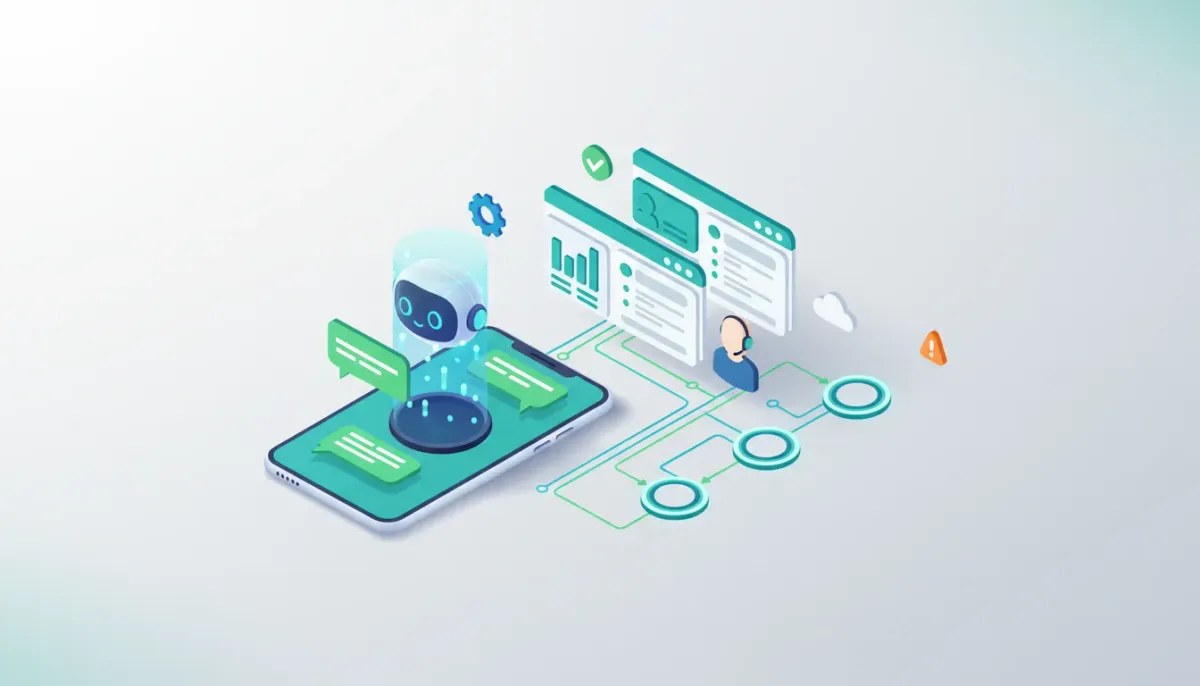
This guide explains how to add an AI conversational assistant like MoltClaw (OpenClaw) to a HighLevel (GoHighLevel, GHL) setup using WhatsApp and automation workflows. It covers prerequisites, step-by-step setup, example automations for agencies, prompt and fallback strategies, monitoring, and common pitfalls. Use this guide to qualify leads faster, automate appointment booking, and scale agency operations with reliable AI-driven conversations.
Start Your HighLevel Trial + Get Instant Nexus Hub Access
Build, scale, and optimize your business with HighLevel. Start a free trial using this link to get automatic access to the Nexus Hub community, templates, and implementation resources.
Start Free TrialWhat this integration does and who it is for
What it does: Connects a conversational AI assistant to your HighLevel CRM and WhatsApp channel so inbound messages can be handled automatically, triggers workflows, captures lead data, and escalates to human agents when needed.
Who it is for: Marketing agencies, local businesses, and SaaS operators using HighLevel who want to automate lead qualification, appointment scheduling, customer support, and two-way WhatsApp conversations while keeping data inside their GHL environment.
Why integrate MoltClaw/OpenClaw with HighLevel?
- Increase lead capture and qualification speed. AI handles initial questions 24/7 and updates CRM records in real time.
- Reduce manual touchpoints. Automate booking, follow-ups, and basic support without added staff.
- Seamless use of GHL workflows. AI can trigger existing HighLevel automations, appointments, tags, and pipeline moves.
- Consistent brand experience. Customize the assistant’s tone and responses to match agency clients.
Before you start: prerequisites checklist
- Active HighLevel account (agency or client-level) with access to workflows and automations.
- WhatsApp Business number enabled via an approved provider (example: Twilio or other WhatsApp Business API provider).
- MoltClaw/OpenClaw account or access to a similar conversational AI platform that supports WhatsApp and webhooks.
- API keys for MoltClaw and HighLevel (or user credentials with permission to create webhooks and custom fields).
- Defined lead qualification fields inside HighLevel (example: interest, budget, timeline, source).
- A test contact or phone number for validation before going live.
High-level integration architecture
The typical data flow looks like this:
- Customer sends WhatsApp message to your business number.
- WhatsApp provider forwards message to MoltClaw via the platform’s incoming webhook.
- MoltClaw processes intent, responds to the user, and sends structured data to HighLevel using HighLevel API or webhooks.
- HighLevel triggers workflows, updates CRM records, books appointments, or notifies team members based on conditions.
- Escalation to human agent occurs when MoltClaw flags low-confidence answers, triggers keywords, or when a handoff action is requested.
Step-by-step setup
1. Prepare HighLevel
- Create or identify custom fields that the AI will update (example fields: Lead Intent, Budget Range, Booking Date, Last Message).
- Create workflow templates you want the AI to trigger (examples: New Lead Welcome, Qualified Lead Sequence, Missed Appointment Follow-up).
- Set up a team inbox or user for escalations so messages can reach human agents when needed.
2. Configure WhatsApp channel
- Provision a WhatsApp Business API number through your provider (Twilio, META Business API partner, or other supported vendor).
- Ensure the provider forwards incoming messages to MoltClaw or supports connecting MoltClaw as a webhook target.
- Test incoming message delivery to confirm MoltClaw receives message events.
3. Set up MoltClaw conversational flows
- Define primary intents: lead capture, appointment booking, pricing question, support request, FAQ.
- Design a qualification script: greeting, one-line value offer, qualification questions (interest, timeline, budget), and closing steps (book appointment or escalate).
- Create confidence thresholds and fallback responses so the AI can escalate to human agents when unsure.
4. Connect MoltClaw to HighLevel
- Use MoltClaw outbound webhooks or built-in HighLevel connector to push structured data (JSON) into HighLevel.
- Map incoming fields from AI to corresponding HighLevel custom fields and tags.
- Trigger the appropriate HighLevel workflow via API call or by setting a tag that launches an automation.
5. Configure fallback and handoff rules
- Define triggers for handoff: negative sentiment, low confidence, user requests to speak to human, or complex topics.
- Set up automatic notifications to Slack or email for handoff events and include conversation context and contact link.
- Prepare agents with a standardized handoff summary so they can pick up the conversation without repeating questions.
6. Test end-to-end
- Send test messages from various user personas to verify conversation logic and CRM updates.
- Confirm HighLevel workflows run as expected and appointments are created correctly.
- Validate fallbacks and human handoff work smoothly under different scenarios.
Example automation: WhatsApp lead qualification and appointment booking
Below is a simplified workflow you can implement combining MoltClaw and HighLevel:
- Trigger: Incoming WhatsApp message.
- AI Greeting: "Hi, this is [Brand]. How can I help you today?"
- Qualification Questions (AI asks up to three): Service needed, timeline, budget range.
- Scoring: If answers meet qualification threshold, AI creates a HighLevel contact, fills custom fields, and adds tag "Qualified-AI".
- Booking: AI queries the available calendar and offers time slots. When user confirms, AI creates an appointment in HighLevel and sends confirmation via WhatsApp.
- Workflow: HighLevel triggers a follow-up sequence and a confirmation SMS or email, and assigns the deal to the proper pipeline stage.
- Handoff: If confidence < threshold or user says "speak to human," AI flags the contact and notifies the agent with the chat transcript.
Sample webhook payload to send contact data to HighLevel
{
  "contact": {
    "firstName": "Jane",
    "lastName": "Doe",
    "phone": "+15551234567",
    "email": "jane@example.com",
    "customFields": {
      "lead_intent": "website_design",
      "budget_range": "$2k-$5k",
      "timeline": "1-2 months"
    },
    "tags": ["whatsapp", "ai_qualified"]
  },
  "conversation": {
    "lastMessage": "I'd like to book a call next week.",
    "source": "whatsapp",
    "confidence": 0.93
  }
}
Prompt and persona recommendations for reliable AI behavior
Set a clear system prompt to control tone and constraints. Use structured prompts that specify:
- Brand voice: friendly, concise, professional.
- Scope: only answer product, pricing, booking, and qualification questions. Defer policy, legal, and complex support to humans.
- Data capture rules: always request phone and email if missing; map budget and timeline to specific custom fields.
- Escalation rules: escalate when confidence < 0.75 or when user requests human support.
Example short system instruction: "You are the brand assistant for [Company]. Be concise, confirm contact details, ask these three qualification questions, and if qualified, offer calendar slots. Escalate to 'human_agent' when unsure."
KPIs to track after launch
- Lead capture rate: Number of new contacts created by AI per day.
- Qualification rate: Percentage of AI-handled leads meeting qualification criteria.
- Appointment conversion: Percentage of qualified leads who booked a meeting.
- Escalation rate: Percentage of conversations handed to human agents.
- Average response time: Time from initial message to AI first response.
- Customer satisfaction: Optional post-interaction rating or NPS for AI interactions.
Common pitfalls and how to avoid them
1. Over-automation without clear fallbacks
Problem: AI handles everything and fails silently on edge cases, creating frustrated users.
Fix: Implement conservative confidence thresholds and explicit escalation triggers so human agents are pulled in early when needed.
2. Poor mapping between AI fields and HighLevel custom fields
Problem: Data lands in the wrong place or is stored inconsistently, making workflows fail.
Fix: Create a field mapping document before integration and test every field with sample payloads. Use rigid field names and formats.
3. Neglecting compliance and message templates
Problem: WhatsApp messages violate template rules or privacy policies, putting the account at risk.
Fix: Use pre-approved message templates for outbound notifications and ensure user consent is captured for conversational marketing. Follow WhatsApp and provider guidelines.
4. Ignoring rate limits and costs
Problem: High message volume causes throttling or unexpected fees from the WhatsApp provider or AI service.
Start Your HighLevel Trial + Get Instant Nexus Hub Access
Build, scale, and optimize your business with HighLevel. Start a free trial using this link to get automatic access to the Nexus Hub community, templates, and implementation resources.
Start Free TrialFix: Monitor usage, introduce rate limiting for automated outbound pushes, and budget for messaging and model costs. Consider batch notifications for low-priority messages.
Best practices for agencies using GHL with AI assistants
- Template reuse: Build modular conversational flows and reuse them across clients with simple variable swaps for brand voice and scheduling links.
- Client onboarding checklist: Capture number provisioning, message templates, consent language, and SLA for human handoffs during client setup.
- Documentation: Keep runbooks for message mapping, escalation paths, and troubleshooting common edge cases.
- Training agent teams: Provide agents with handoff summaries and recommended responses so they can pick up conversations quickly.
- Security: Limit API keys and use role-based access inside HighLevel to control who can modify workflows and field mappings.
Testing checklist before going live
- Verify WhatsApp inbound and outbound messages flow correctly through MoltClaw.
- Confirm HighLevel receives and records contact data in the right fields.
- Test every workflow trigger that depends on AI-generated tags or fields.
- Validate appointment booking results in calendar event with correct timezone.
- Simulate edge cases: ambiguous user replies, abusive language, and system failures to ensure safe fallbacks.
- Confirm notification and handoff systems notify the right agents with full context.
Cost and resource considerations
Budget for three primary costs: WhatsApp provider fees, AI platform usage (per message or per token), and any development/configuration work for mapping to HighLevel. Model usage can be the largest variable—optimize by limiting unnecessary tokens, using lower-cost models for mundane tasks, and caching common responses.
Where to find templates and support
If you are using HighLevel, check existing workflow templates and calendar booking automations as a starting point. Nexus Hub and other HighLevel communities offer pre-built templates, script examples, and implementation guides that accelerate deployment. For MoltClaw or other assistant platforms, look for demo forms, private beta signups, or developer docs from the vendor for webhook details and sample payloads.
Quick escalation playbook
- Flag the contact with a "human_required" tag and include a short summary of the issue.
- Send immediate notification to on-call agent via the channel your team monitors (email, Slack, or HighLevel SMS).
- Include the last 10 messages and AI confidence score in the notification so the agent knows context.
- On pickup, agent updates the contact record and removes the "human_required" tag after resolution.
Summary and next steps
Integrating an AI assistant like MoltClaw into HighLevel using WhatsApp can dramatically reduce manual workload, speed up lead qualification, and improve conversion rates when implemented carefully. Prioritize robust fallback logic, strict data mapping, and thorough testing. Start with a single use case—lead qualification or booking—and expand automation as confidence grows.
To get started: provision a WhatsApp Business number, define the qualification flow, set up MoltClaw to push contact data to HighLevel, and run a controlled pilot with a small segment of traffic.
Frequently asked questions
How does MoltClaw connect to HighLevel and trigger workflows?
MoltClaw sends structured webhook payloads or uses a direct API connector to create or update contacts in HighLevel. By updating custom fields or applying tags, MoltClaw triggers HighLevel workflows that run automations, send messages, or create appointments. Map fields and tags during setup so the right workflows fire automatically.
Can the AI book appointments directly in HighLevel calendars?
Yes. When MoltClaw has access to available slots or queries an availability API, it can create appointments by calling HighLevel appointment endpoints or by setting the correct fields and tags that trigger a booking workflow. Validate timezone handling and double-book prevention during testing.
What are the privacy and compliance concerns with WhatsApp and AI?
Key concerns include obtaining user consent for messaging, avoiding unapproved message templates for outbound notifications, and storing personal data securely. Use provider-approved templates, capture opt-in where required, minimize sensitive data in chat transcripts, and use role-based API keys for access control.
How do I measure whether the AI assistant is effective?
Track KPIs such as lead capture rate, qualification rate, appointment conversion, average response time, and escalation rate. Monitor customer feedback or ratings if possible. Compare results against previous manual handling metrics to determine uplift.
What’s the best way to handle multilingual conversations?
Enable language detection and either route to the appropriate model or set the AI persona to respond in the detected language. For languages with limited support, prefer quick handoffs to human agents. Maintain translated versions of qualification scripts and templates for consistency.
Can agencies reuse MoltClaw flows across multiple HighLevel client accounts?
Yes. Build modular conversational components and parameterize brand variables such as name, scheduling links, and tone. Use separate API credentials and field mappings per client to keep data isolated. Templates and Nexus Hub resources can accelerate scaling across clients.
Next actions
To move from planning to production: create a minimal pilot flow, provision WhatsApp and API credentials, map fields, and run a week-long pilot with monitoring. If you use HighLevel and want accelerated templates or implementation support, consider starting a HighLevel free trial and joining the Nexus Hub community for templates, walkthroughs, and agency-level resources.
Start Your HighLevel Trial + Get Instant Nexus Hub Access
Build, scale, and optimize your business with HighLevel. Start a free trial using this link to get automatic access to the Nexus Hub community, templates, and implementation resources.
Start Free Trial


