
Manual Reviews in Reputation: Capture and Display Feedback from Anywhere



Photo by Jon Tyson on Unsplash
Reviews shape how customers see our brand. They build trust and help people decide to buy. Not every review comes from a connected platform, though. We added a simple way to record feedback collected offline or from platforms that are not integrated with Reputation. Here’s how to use manual reviews to strengthen your online presence.
Why manual reviews matter
Customers leave feedback in many places: paper comment cards, event kiosks, niche marketplaces, or third-party boards that don’t connect to Reputation. Manually adding those reviews lets us show a fuller picture of customer sentiment. That improves brand promotion and keeps review widgets consistent across our site and marketing materials.
Where to find the feature
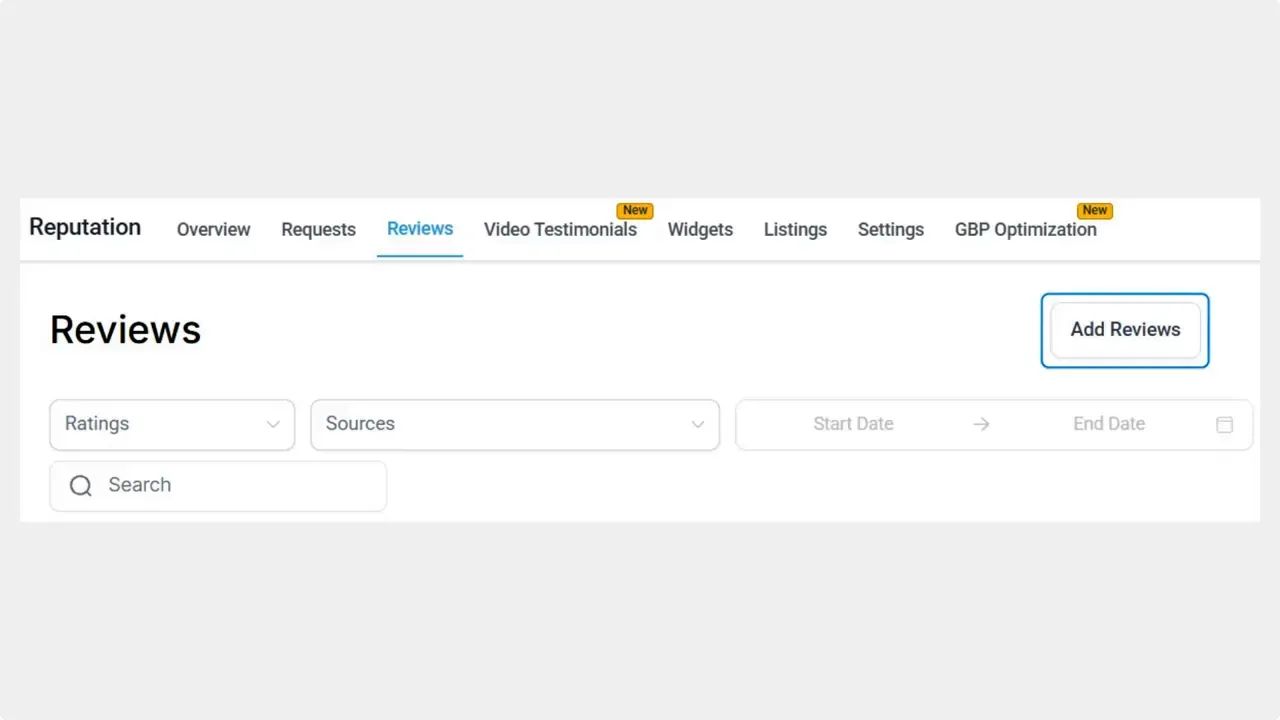
Open the Reputation section and select the Reviews tab. From there, click Add Reviews. You’ll see options to upload multiple reviews at once or to add a single review manually.
Two quick ways to add reviews
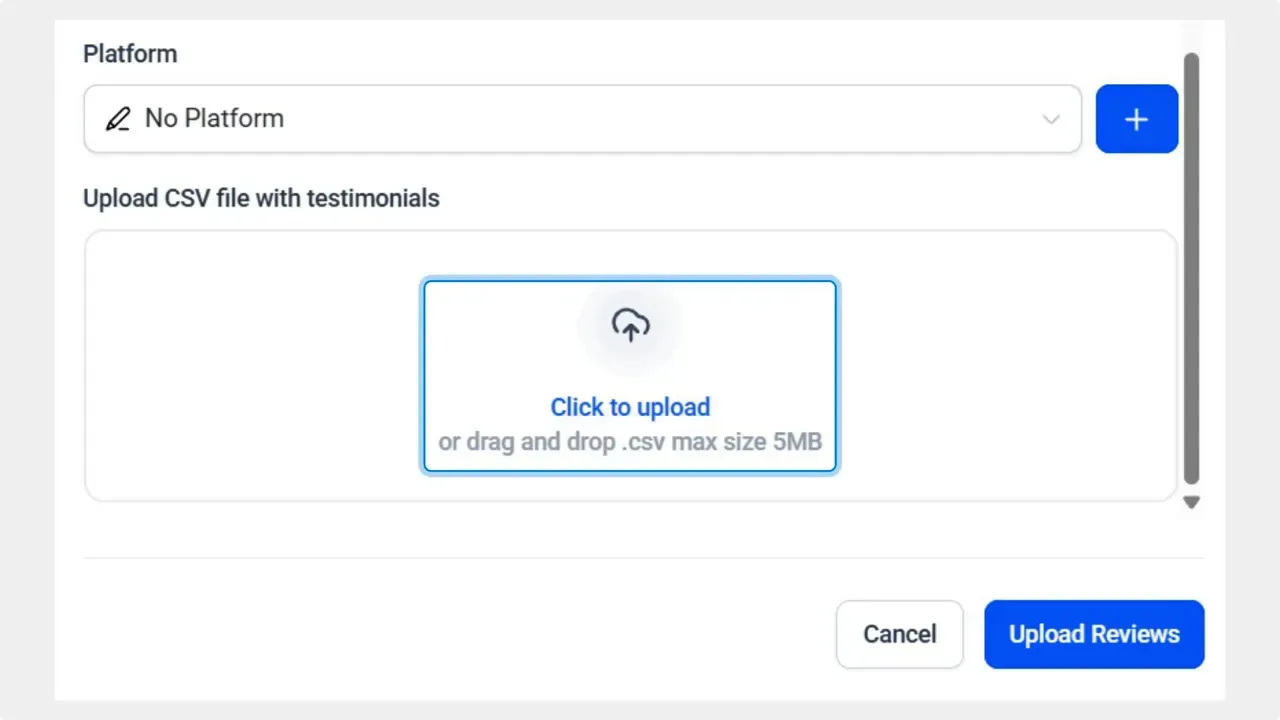
1. Upload a CSV for batch imports
Use the Upload CSV option when you have many reviews to add. Select the review platform if prompted, then upload your CSV file. This is ideal for importing feedback collected at events or from an external source all at once.
2. Add a review manually for single entries
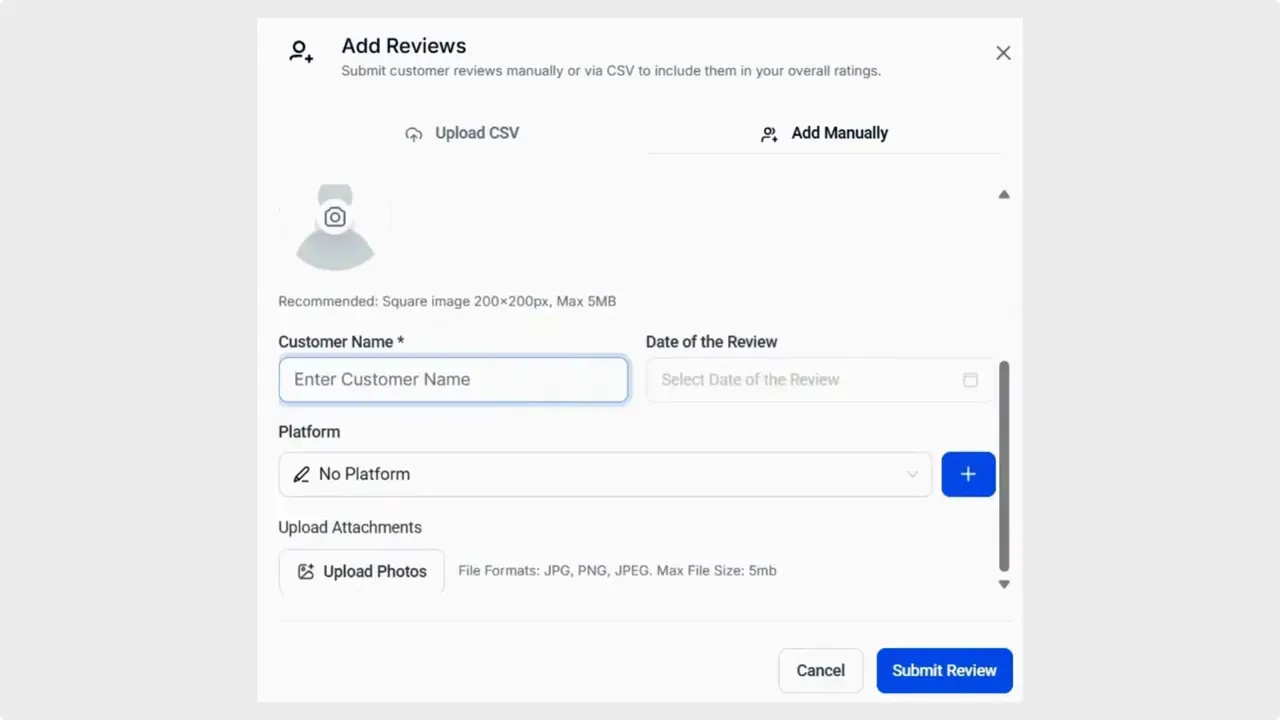
Choose Add Manually to enter one review at a time. Fill in the rating, customer commentary, and the reviewer’s name. Add any extra fields you want, then click Submit Review.
What happens after you add reviews
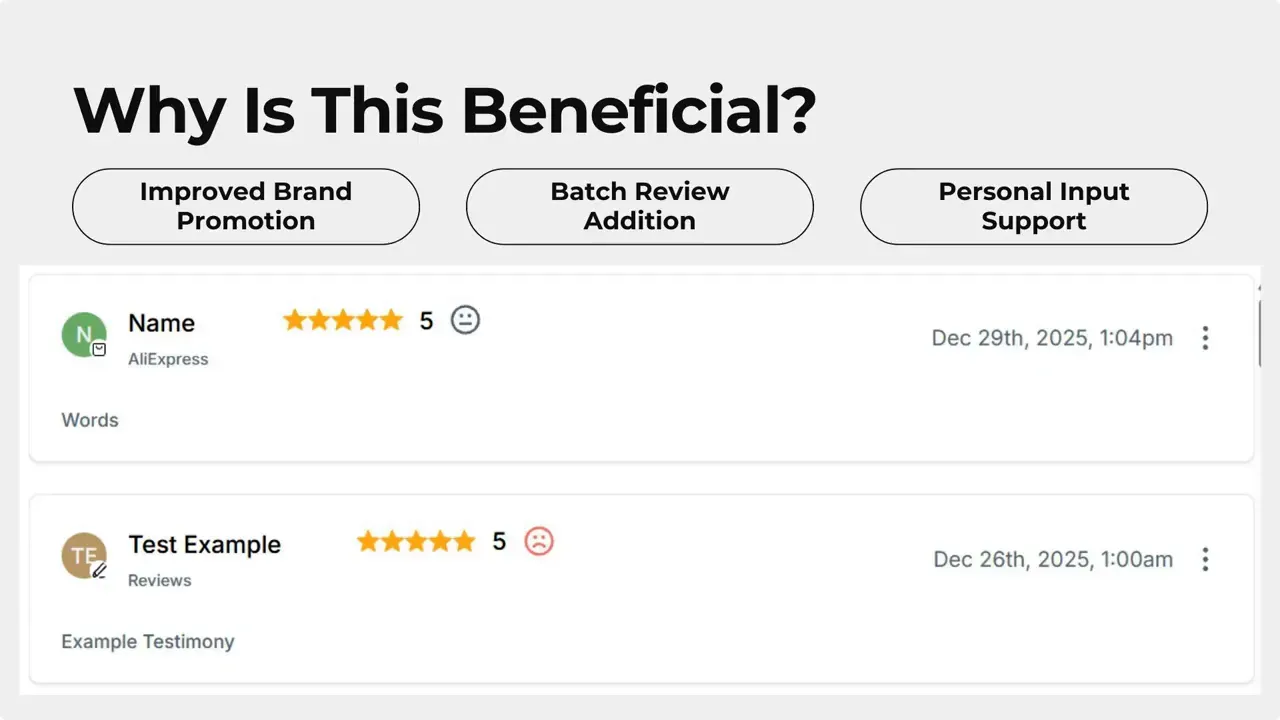
Manually added reviews appear in your Review Widgets alongside reviews pulled from integrated platforms. That means one cohesive display that combines fetched feedback with manual and batch entries from unconnected sources.
Practical uses and creative ideas
- Collect feedback at trade shows, pop-up shops, or in-person consultations and add those comments to your widgets.
- Import reviews from niche platforms or message boards that Reputation does not connect to.
- Use a QR code at events to have people submit feedback on a tablet, then add those responses as manual reviews to keep everything consistent.
Best practices
- Keep CSV files standardized. Include columns for rating, reviewer name, date, and full comment to ensure a smooth import.
- Verify consent. Make sure reviewers agreed to have their feedback displayed publicly.
- Maintain accuracy. Double-check manual entries for spelling and context before submission.
- Monitor widgets after upload to confirm reviews display correctly across pages and components.
How do we upload multiple reviews at once?
Use the Upload CSV option under Add Reviews. Select the platform if prompted, then upload your file with columns for rating, reviewer name, date, and comment.
Can manually added reviews show in our Review Widgets?
Yes. Manual reviews appear in Review Widgets along with reviews fetched from integrated platforms, giving one combined display.
What fields are required for a manual review?
At minimum, enter the rating, the customer comment, and the reviewer name. Additional fields can be included as needed.
Can we add in-person event feedback?
Yes. Add single reviews manually after events, or collect responses in a CSV for batch upload. This keeps event feedback visible with your other reviews.
Are there any limits on which platforms we can represent when uploading?
You can assign a platform label during CSV upload if needed. Manual reviews are meant to support feedback from platforms not connected to Reputation, so they can represent almost any source.
Final notes
This feature makes it easier to collect and display reviews from any source. Use it to simplify review collection and to present a more complete picture of customer sentiment across all touchpoints.

This article was created from the video Manual Reviews in Reputation: Add and Display Non-Integrated Feedback



