
LevelUp Day Restream: 300+ Releases, Massive AI Upgrades, and What You Need to Know



We just pulled off one of the most intense product pushes in our history. Over 150 people on the team poured countless late nights and weekends into shipping more than 300 improvements, features, and integrations. If you want a single place that captures what changed, why it matters, and how to start using the new tools today, this is it.
We’re firing on all cylinders across product, performance, security, UX, AI, integrations, commerce, calendars, and more. My goal here is simple: walk you through the big wins, explain what they enable for you and your clients, and give practical examples you can act on this week.

Table of Contents
- Topline metrics and why they matter
- AI: The focus and the strategy
- Agent Studio, Funnel AI, and the content creation pipeline
- Ask AI and MCP integrations
- Performance, reliability, and UX
- Security, compliance, and infra
- Support and developer experience
- Marketplace, integrations, and templates
- Prospecting, audits, and local marketing features
- Communities, courses, and client portal
- Branding, templates, and the builder experience
- Chat widget, DMs, and social workflows
- Email marketing updates
- Ads manager, tracking, and reporting
- Wallet, payments, and commerce
- Calendars, WhatsApp, and appointment power-ups
- Funnels and websites
- Phone system and voicemail UX
- Snapshots, versioning, and restore
- Contacts, custom objects, and smart lists
- Workflows renaissance
- WordPress, hosting, and LC plugin
- Reputation management and reviews
- Payments and documents
- Pricing changes and AI cost model
- How to prioritize the new features — a practical ramp
- Stories from the team and the secret project
- Manifesto and why this matters
- Quick checklist to get started now
- Where to find more details and next steps
- FAQ
- Final notes and how we’ll support you
Topline metrics and why they matter
Before we dive into the features, here are the numbers that show the platform is working for real businesses.
- 2.2 million active businesses powered on the platform
- 6.9 billion leads produced this year (up from 2.3 billion)
- 2 billion opportunities created (up from 505 million)
- 179 million appointments booked through the platform (up from 62 million)
- $4.2 billion in sales enabled across our ecosystem (aiming to help you reach $9 billion)
These are not vanity numbers; they are a signal of scale. As the platform scales, so does the opportunity to build AI-first automations and resell managed services at scale. That is why nearly everything in this release centers on AI, performance, and closing gaps agencies tell us about every day.
AI: The focus and the strategy
AI is not a buzzword for us; it is the single biggest lever for our ecosystem right now. Businesses want to buy AI because it offsets labor. When you sell a tool that can reduce repetitive work, save time, and create revenue outcomes, the conversion conversation changes.
We leaned into AI across three main pillars: lead-facing AI (Voice AI, Conversations), creation-facing AI (Agent Studio, Email/Blog/Funnel builders), and orchestration AI (Workflows AI, Ask AI, MCP integrations). That means your clients get automation that engages customers directly, and you get tools that let you create and deploy at agency speed.
Voice AI: real voice agents, outbound capability, and full control
Voice AI continues to be one of the most transformational pieces of technology we’ve shipped. Voice used to be simple: miss call, text back. That was great. Now we can answer calls, converse, and take action on behalf of a business.
- Adoption so far: 514,000 agents created, a 51 percent jump since last level up.
- Calls answered: over 4.6 million calls handled by AI through the platform.
- Appointments booked: around 20,000 appointments secured from AI-handled calls.
Key capabilities added:
- Prompt evaluator for agents so you know how effective an agent is the moment you create it.
- Multi-LLM support: choose ChatGPT, Claude, Gemini, or other supported models as the backend for voice agents.
- Increased prompt lengths (2,000 to 4,000 words) so agents can have broader instruction sets and richer context.
- MCP integration to pull CRM data into conversations in real time so agents can answer specific customer questions and update records.
- Public APIs to create, update, and manage voice agents programmatically — giving you full control to build custom experiences.
- Voice chat widget: drop a voice-first widget on your site so visitors can actually talk to an agent live from the browser.
- AI outbound calls: we now support outbound calling by AI with guardrails in place and a system prompt you can control.
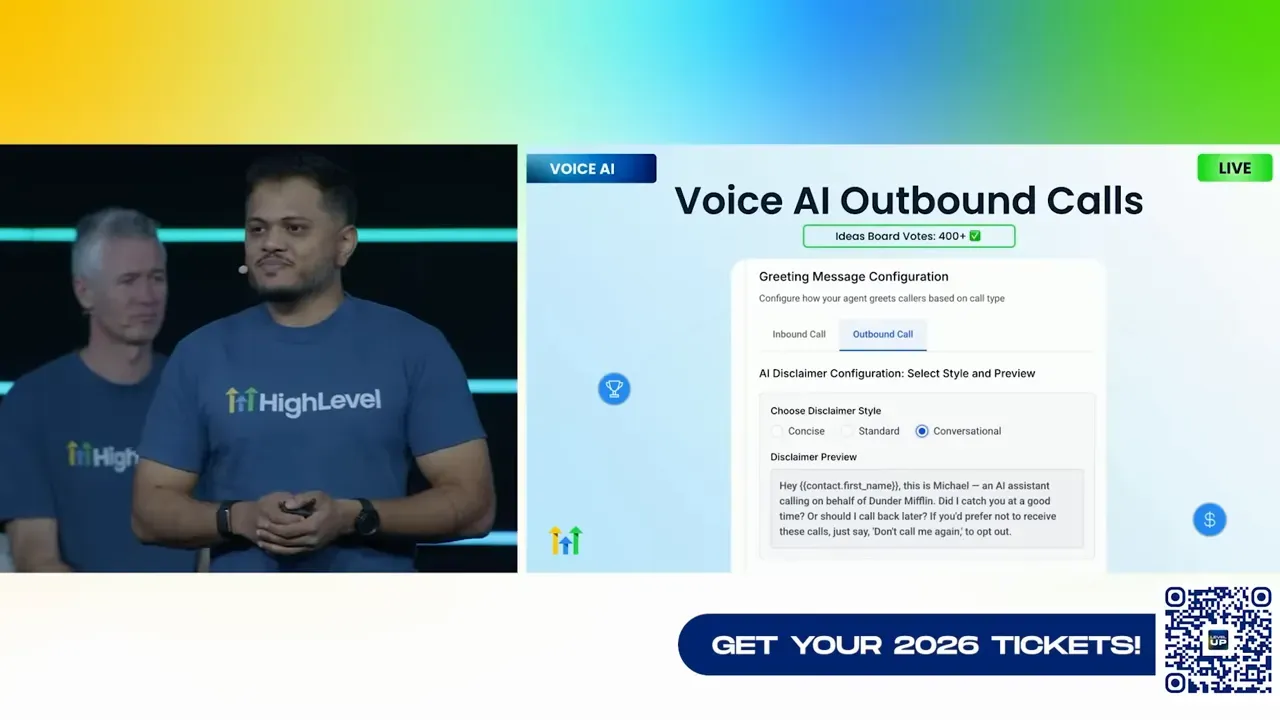
The outbound calling piece is the one we took our time on. Telephony is regulated and messy. We built vendor partnerships and controls so you don’t get hit by the wild west. You will see a measured rollout with controls to keep you safe and options to relax those controls as the product matures.
Conversations AI: mature, battle-tested, and richer
Our Conversations AI has been live longer than many of the new models, and it is a very mature system. Here are the highlights you should know and start using immediately.
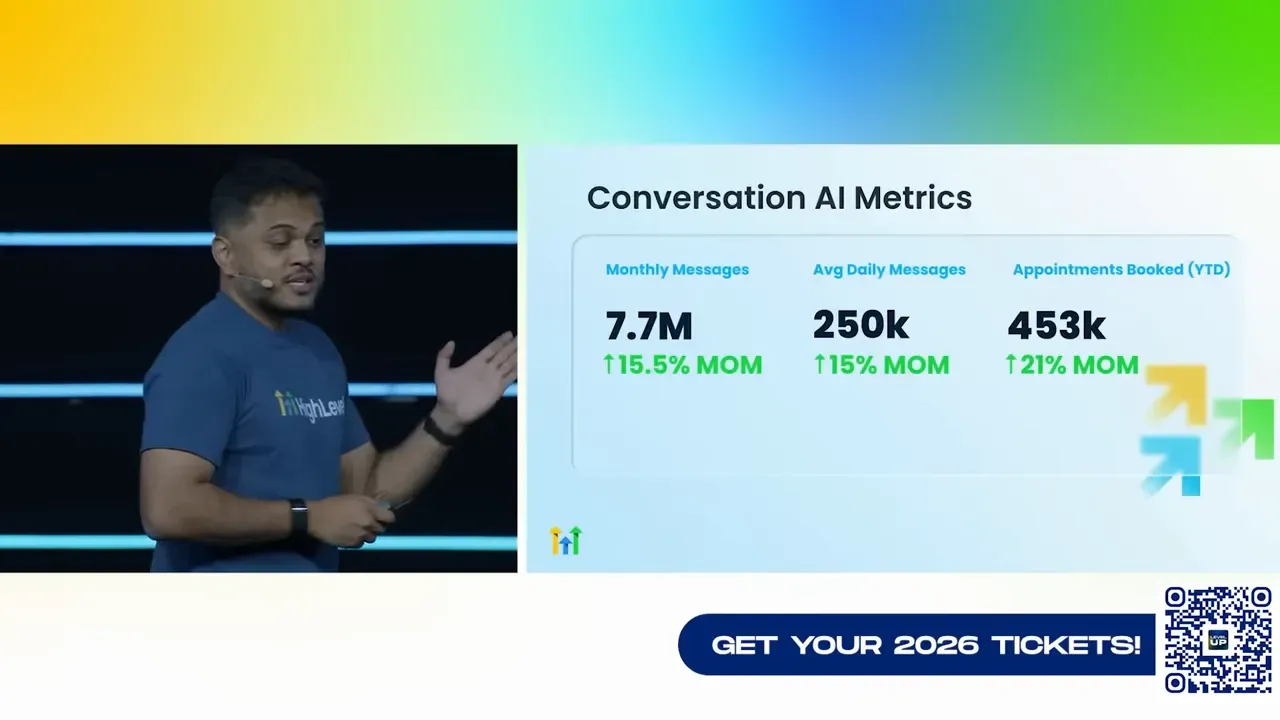
- Processes 7.7 million messages overall and roughly 250,000 messages per day on average.
- Has booked 453,000 appointments via AI-driven conversations.
- Added a flow-based builder so bots can be built to obey a specific nurture or qualification sequence.
- Multi-calendar booking: AI will infer which calendar to use based on the conversation context and available calendars — no complicated setup required.
- Image and voice understanding for DMs and messages so the AI can reply intelligently to media and voice notes.
- Transcripts and summaries for all conversations, plus a visible Ideas Board vote count next to features so you know your feedback mattered.
- Smart follow-up flows: configure how many follow-ups and frequency when a conversation goes idle.
- Public APIs and multiple LLM support.
Practical example: for a spa salon with multiple service calendars, the AI can now route and book the correct service without you mapping calendars by hand. That’s going to reduce friction for operators and increase appointment capture.
Large context windows and knowledge base + memory
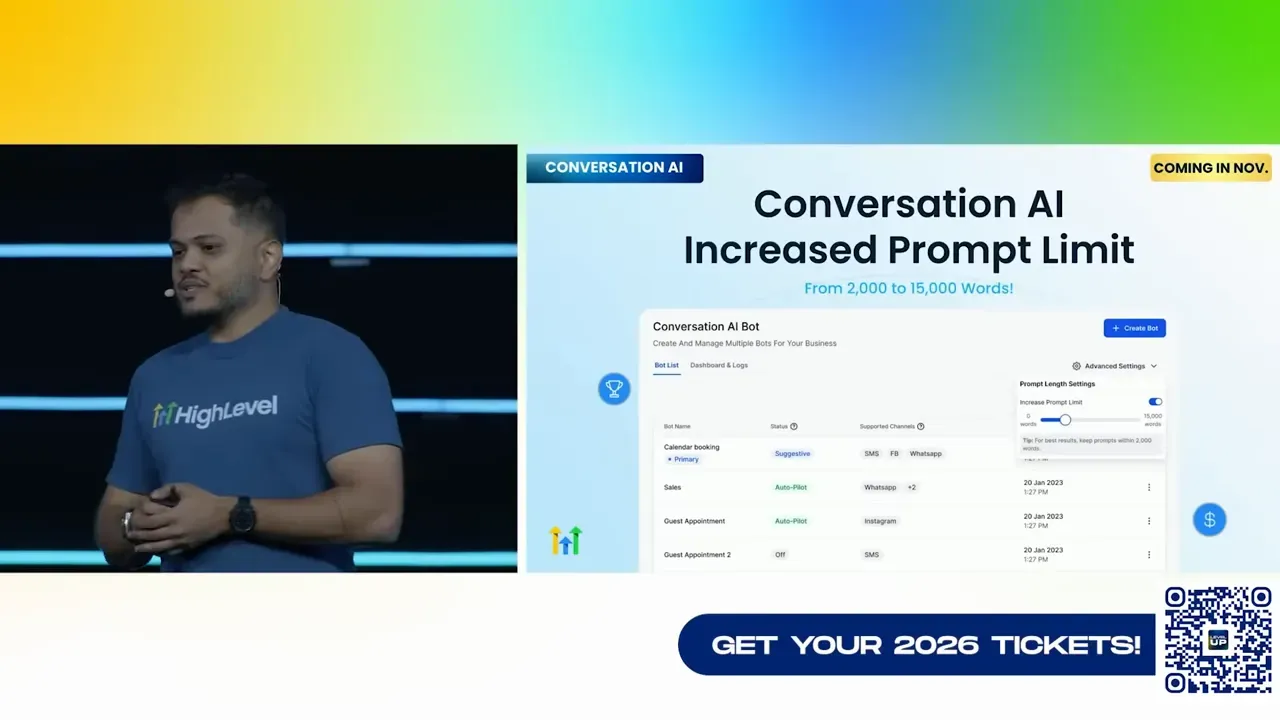
One of the game changers we rolled out across the AI suite is significantly larger context windows and a proper knowledge base plus memory. For Conversations AI, the prompt limit jumped from 2,000 to 15,000 words. That allows you to design much more complex agents with deeper contextual understanding.
- Knowledge base supports websites, tables, CSV, rich text, PDFs, docs, and web search indexing so agents can learn from more sources.
- Memory is being introduced so AI agents remember contacts and user-specific details across interactions — fewer repetitive clarifying questions and better personalization.
When you combine knowledge base indexing and memory, agents get smarter over time and deliver more accurate responses that reflect your client’s business rules.
Agent Studio, Funnel AI, and the content creation pipeline
Content creation was a central focus for this release. We wanted to make it easy for agencies and marketers to generate high-quality assets — not just single outputs but full campaigns, funnels, emails, pages, and social media posts.
Agent Studio
Agent Studio lets you compose, train, and deploy multi-step agents that can create videos, images, social posts, or execute complex tasks like building an email campaign, segmenting contacts, and previewing the send — all from one agent. You can think of Agent Studio as your bespoke automation authoring tool that connects creative models and distribution channels in one place.
- Prebuilt templates for common agency tasks.
- Support for multiple generative models like SORA, Vio, and others — pick the one that produces the output you like.
- Tools integrated directly into MCP so content created by agents can be scheduled, published, and measured.
Funnel AI
Funnel AI aims to match the usability of builders like Loveable and Replit. We brought in expert help to make sure it competes at parity or better. The workflow in Funnel AI looks like a conversation: start with a prompt, iterate, and the system builds a to-do list or page layout. You can give it a URL and ask it to make your page look like that one, change color schemes, or restructure elements.
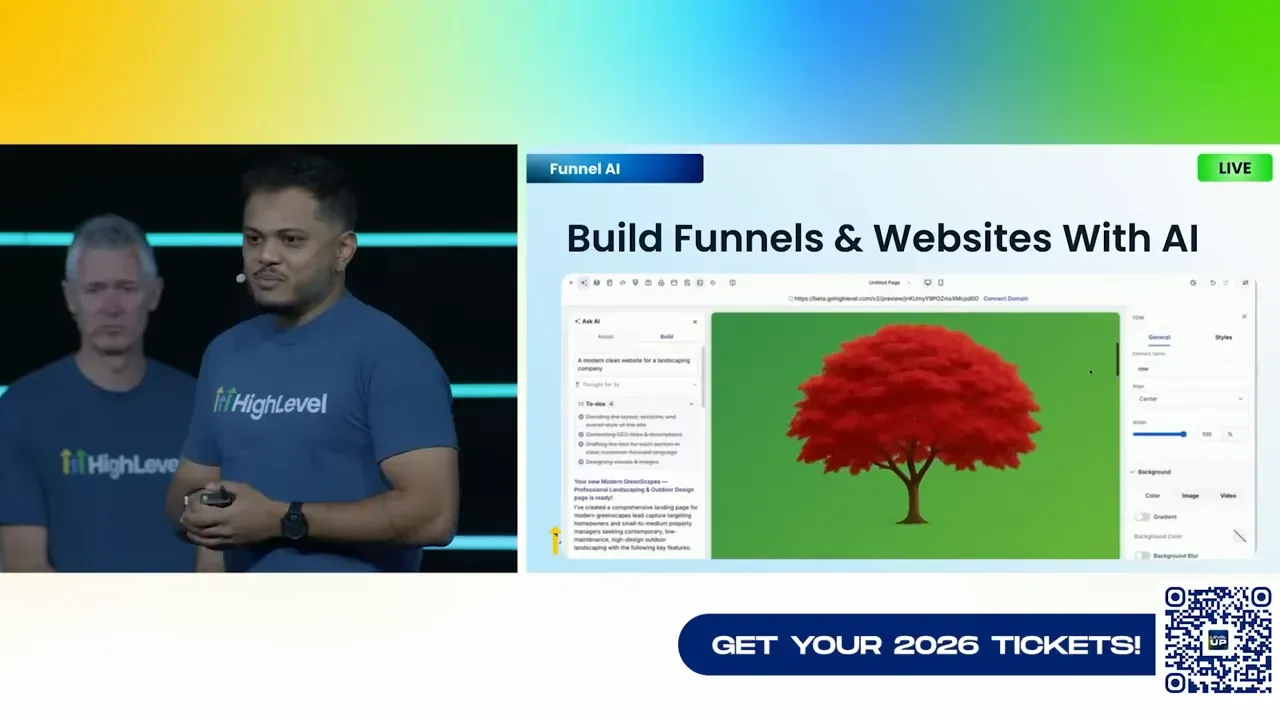
Why this matters: your agency can now prototype a funnel in minutes, tweak the design with natural language, and publish the result — massively shortening time-to-delivery for clients.
Email, Blog, and Workflow AI
We upgraded email builder AI, blog AI, and embedded AI into workflows so content creation is part of your automation. Key points:
- Email AI can build, translate, and optimize CTAs automatically.
- Blog AI creates SEO-optimized posts from within the platform, saving time and improving search potential.
- Workflows AI now supports in-builder chat with AI. You can highlight nodes, condense multiple messages into one, or ask for edits and the builder will modify selected nodes in place.
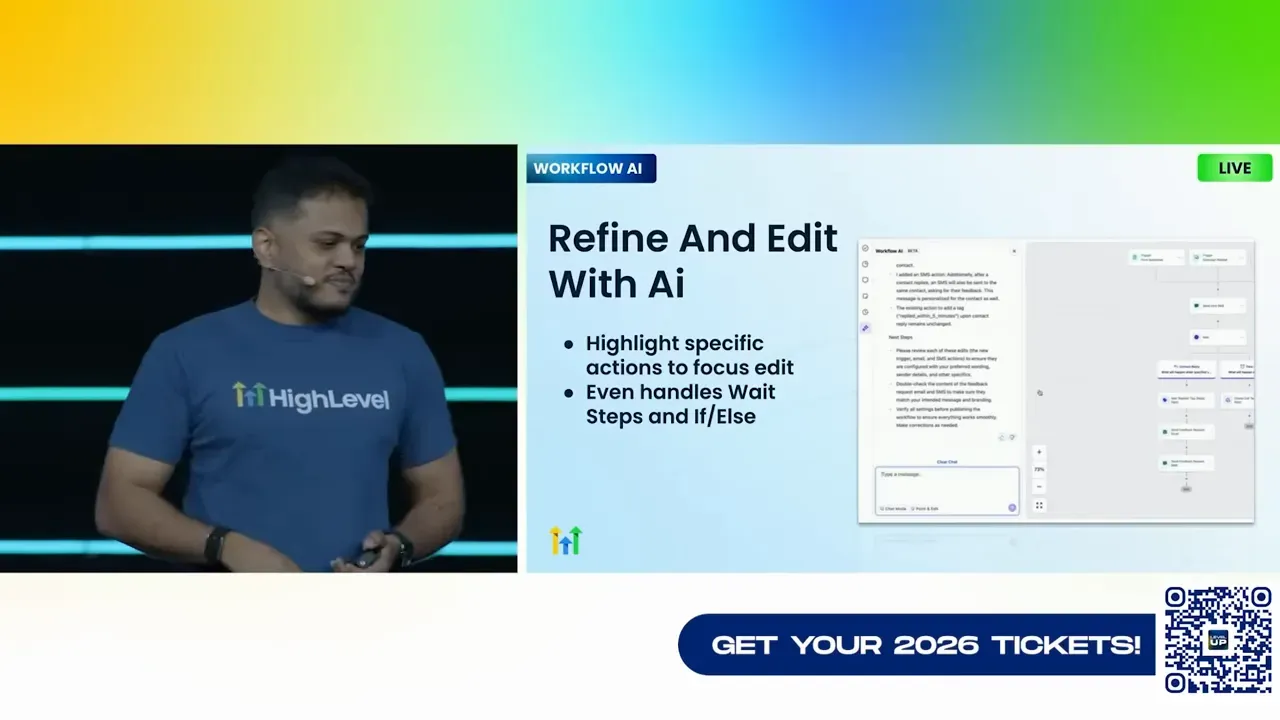
Example workflow scenario: build a three-step appointment nurture where the AI drafts SMS reminders, a follow-up email, and an upsell sequence. You review, ask for a condensed version, and the AI rewrites it — all inside the workflow builder. Then you publish with a single click.
Ask AI and MCP integrations
Ask AI becomes the single pane of glass for interacting with the AI agents you build. Every custom agent you create will surface inside Ask AI, so you can actually ask the system to perform tasks on your behalf across content creation, campaign buildouts, and operational automation.
The MCP improvements include 15 new tools so the agent builder’s output can be published directly to social planner, blogs, emails, and more. We also launched a ChatGPT connector under our Lead Connector brand to make HighLevel workflows accessible from within ChatGPT while preserving a gray-labeled experience for businesses who prefer that model.
Performance, reliability, and UX
We made a concentrated effort to fix the pain points you told us mattered most: speed, memory usage, crash rates, and confusing flows. This release includes deep backend work that you will feel immediately.
- Conversation pages are about 40 percent faster in common flows, and browser memory usage has been reduced to avoid crashes.
- Workflows error rate dropped to 0.000253 and trigger latency is effectively instantaneous.
- Funnels and pages saw major mobile speed improvements; we are actively auditing and removing templates that don’t pass our page speed checks.
- Social planner post failures dropped by 54 percent thanks to connection monitoring.
- Mobile app crash-free sessions are at 99.97 percent and load time is down substantially.
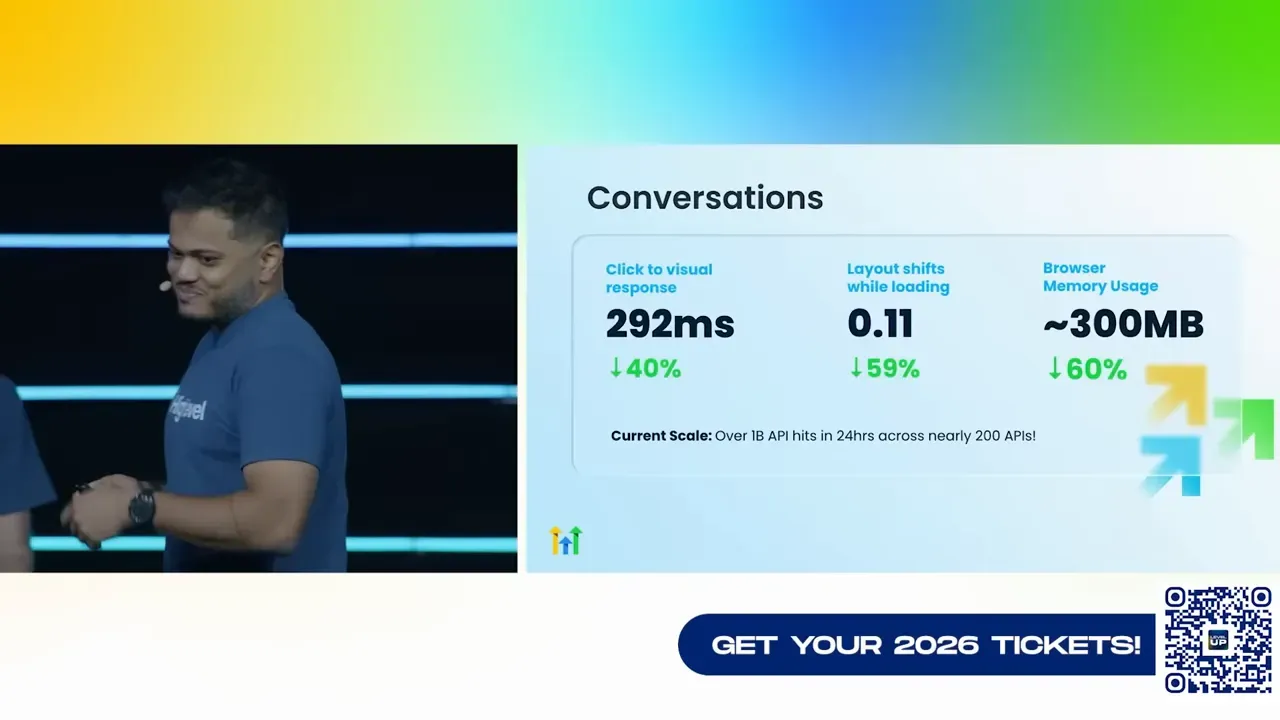
All of these give you a more reliable, predictable platform to run client campaigns and operations from. The result is less firefighting and more delivery.
Security, compliance, and infra
Security and compliance are foundational, not optional. Recent updates include:
- ISO 27001 certification achieved.
- HIPAA-ready features maintained and expanded.
- Progress toward SOC 2 Type 2 and GDPR readiness.
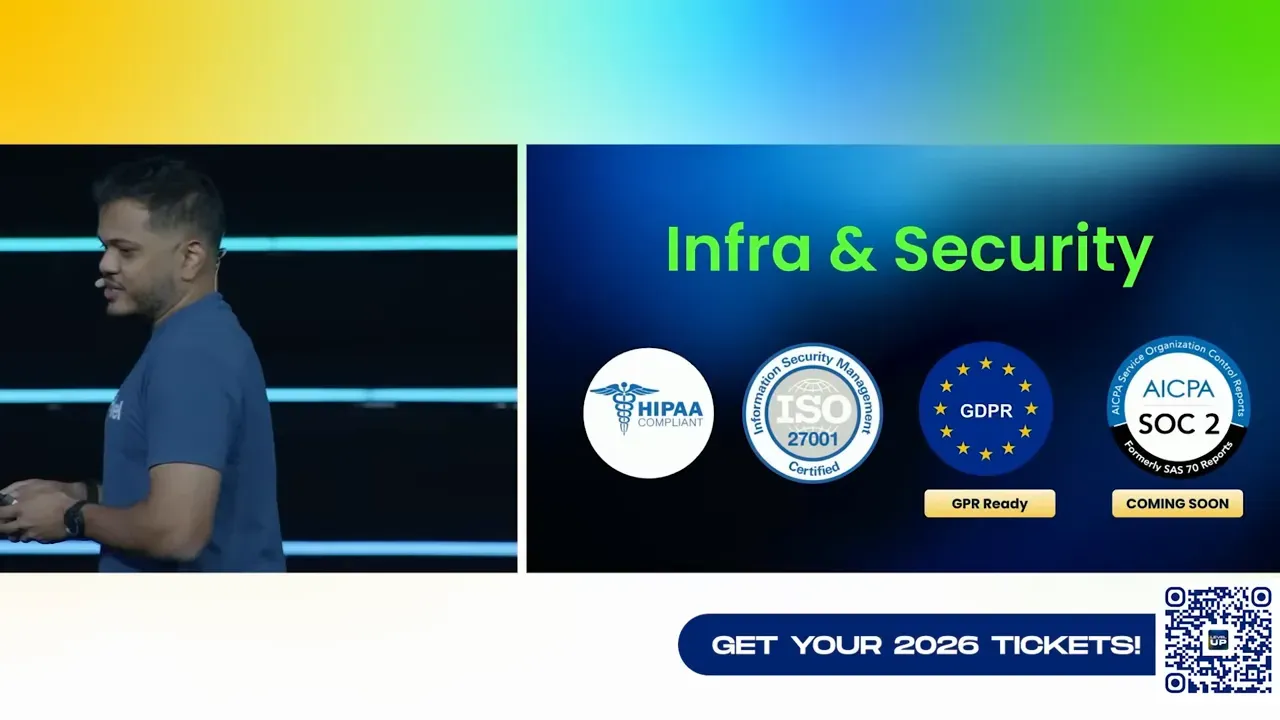
This work means you can confidently sell to regulated industries and larger clients who demand compliance controls.
Support and developer experience
We improved support metrics significantly because fast, helpful support matters when you're running campaigns and client deliverables.
- Average chat and Zoom response time is under two minutes, down 71 percent.
- Average CSAT for chat/Zoom support is 93 percent, up 8 percent.
- Escalations beyond L1 are under 10 percent, meaning most issues are solved quickly.
- Priority support continues to be a top-rated offering for agencies that need faster, deeper hand-holding.
On the developer side, we added a JavaScript and TypeScript SDK for marketplace apps and exposed AI product APIs so you can automate agent creation and control from custom tooling.
Marketplace, integrations, and templates
The marketplace keeps expanding: over 1,400 apps are available and 53 percent of subaccounts now have at least one marketplace app installed. That shows the ecosystem’s appetite for connecting existing tools into the platform and makes onboarding easier for businesses coming from other stacks.
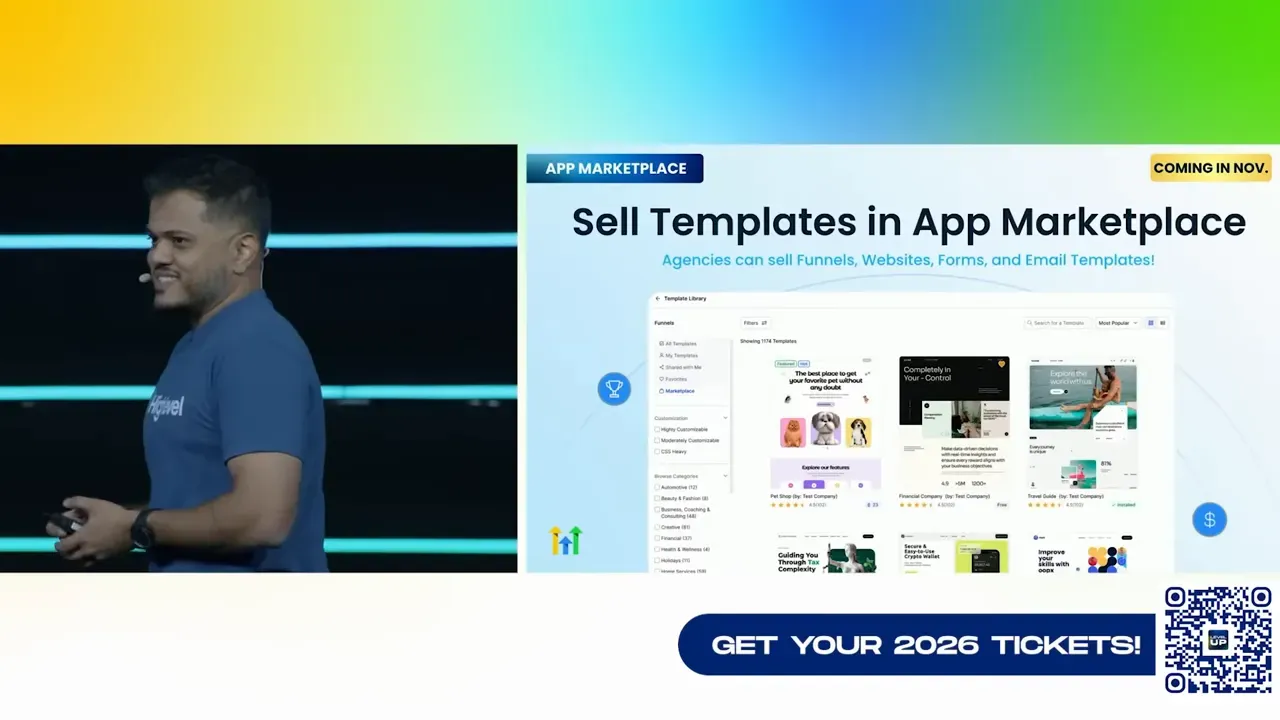
- New: ability to sell templates in the marketplace so designers and agencies can monetize prebuilt funnels, emails, and site templates.
- New SDK and dev partner support for building outbound integrations.
- Resell marketplace apps and include them in SaaS plans with margin control.
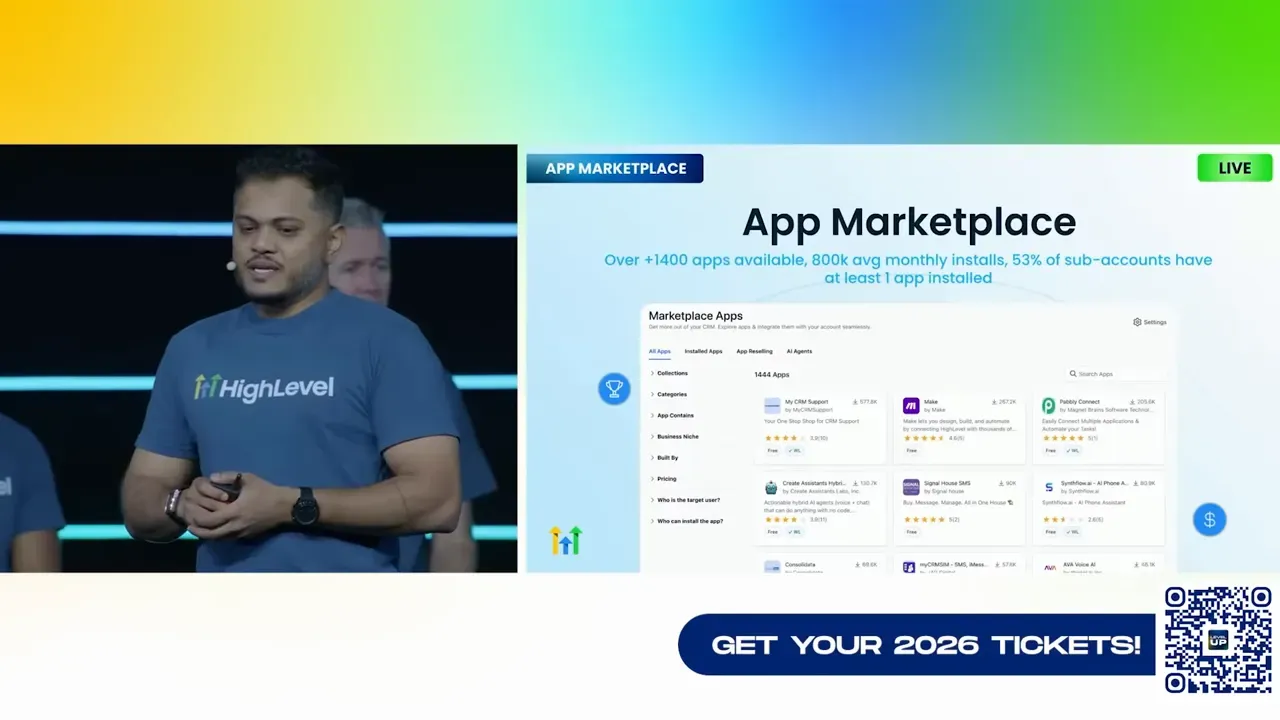
Pro tip: use templates as lead magnets. Publish template libraries and require sign up to access them. That conversion tactic drives signups and can fuel a SaaS growth loop for your agency.
Prospecting, audits, and local marketing features
We added bulk prospecting, multilingual marketing audits, local SEO audits, rank tracking, and customizable audit reports. If you offer local marketing services, these are immediate tools to package as lead-gen and audit offerings.
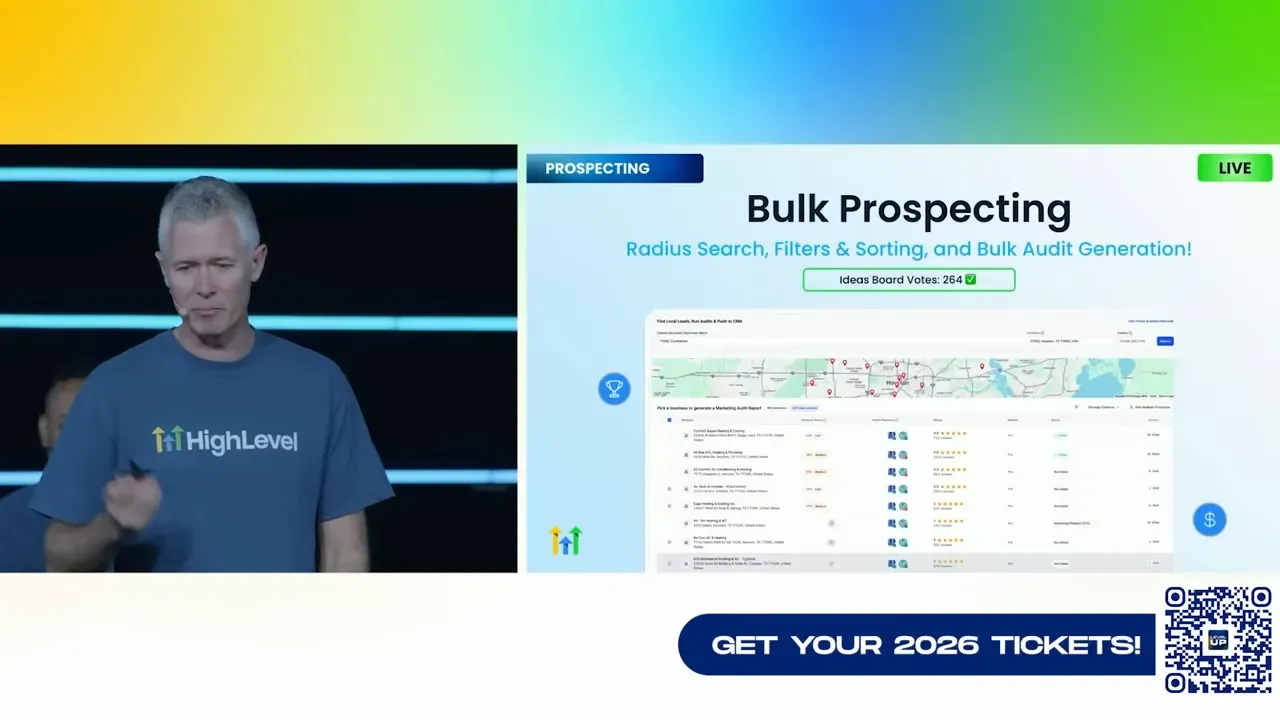
Offer a free multilingual audit as a lead magnet, then sell a fixed-price optimization bundle. The platform now supports the whole lifecycle from audit to implementation and tracking.
Communities, courses, and client portal
Communities and course creation went through major UX work. Highlights:
- Brand-new mobile app for communities and courses with faster course creation via one-step forms.
- Live interactive course sessions that persist as recordings for future students.
- Affiliate program for communities so you can reward and scale promotion.
- Client portal additions: dashboards, communities, courses, file management, invoices, appointments, and affiliates.
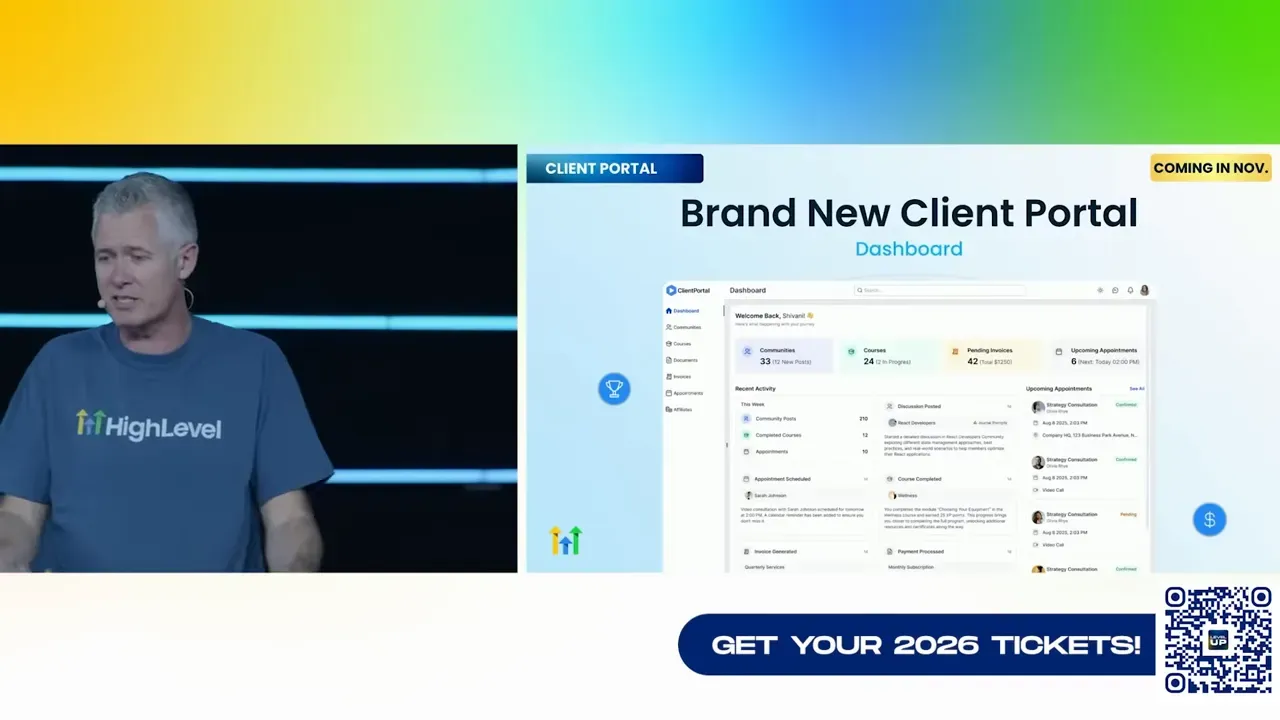
If you serve clients with training or membership models, the upgraded client portal and course UX are designed to reduce friction and improve retention.
Branding, templates, and the builder experience
Design consistency matters. We added global custom colors, custom fonts, brand boards, and snapshots that carry brand colors so nothing breaks when you pass a snapshot to a client.
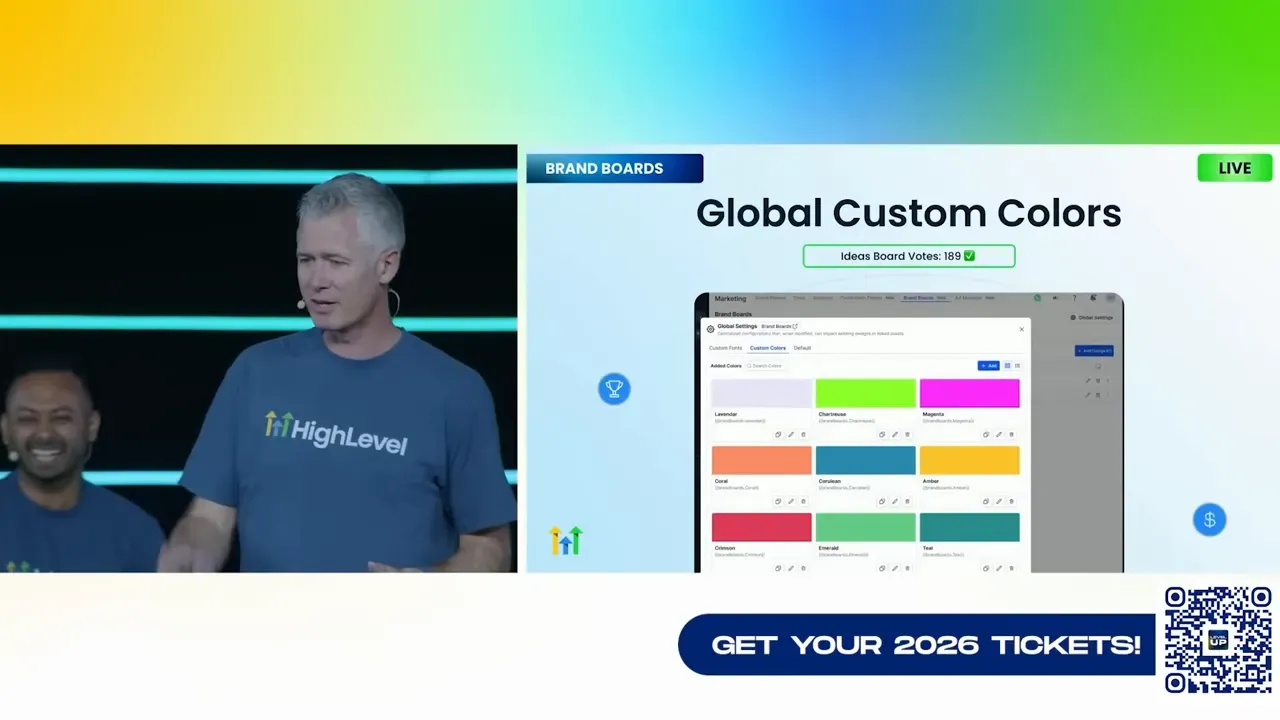
Snapshots now carry global color palettes and will update across the account when changed centrally. That means faster white-labelling and fewer brand inconsistencies for client accounts.
Chat widget, DMs, and social workflows
The chat widget now supports attachments, Instagram DM routing, and Instagram push notification enhancements. You can route website chats directly to Instagram DMs, respond to images, and queue comments and replies from the social planner.
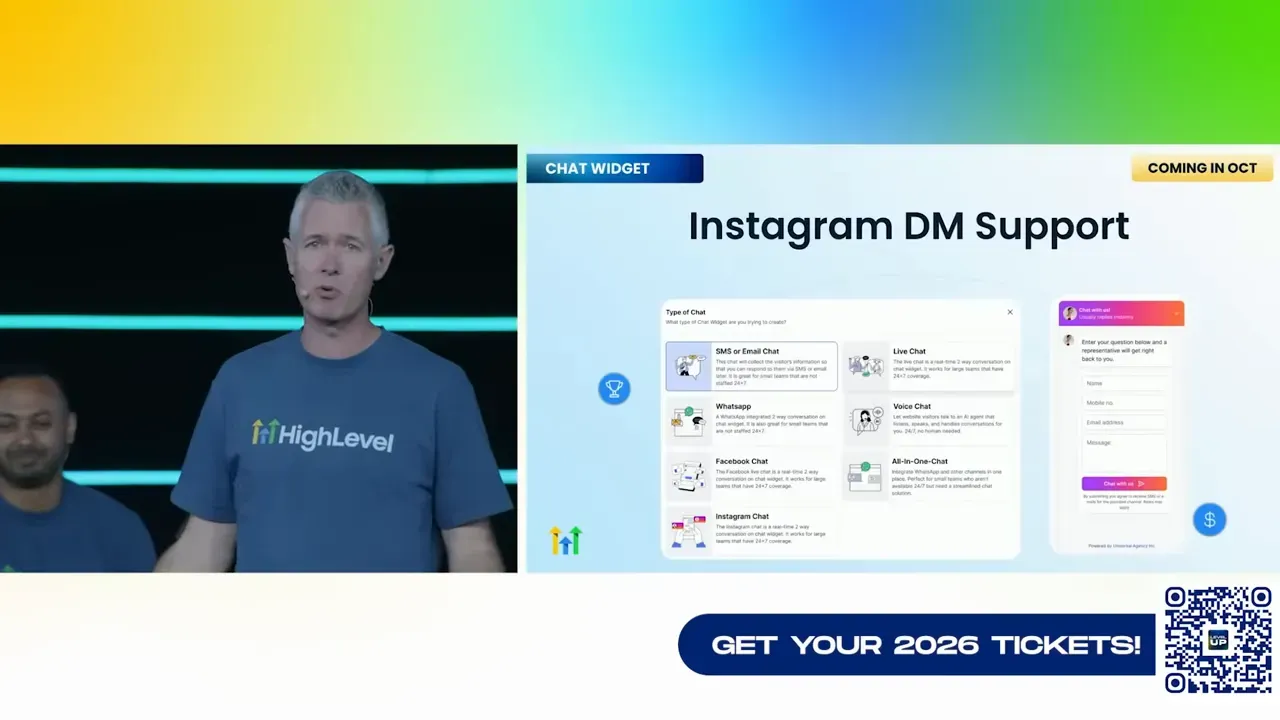
Social planner improvements include trend insights, comment replies, link shortening for push notifications, and better reliability overall.
Email marketing updates
Major email updates to look out for:
- Email AI integrated into workflows, so content generation is part of automation authoring.
- AI smart send chooses the best time to deliver messages.
- AI segmentation to automatically create engagement-based segments for higher conversion targeting.
- Domain warm-up tool to protect deliverability when you add a new sending domain.
- Unsubscribe management that separates marketing vs transactional or customer service opt-outs.
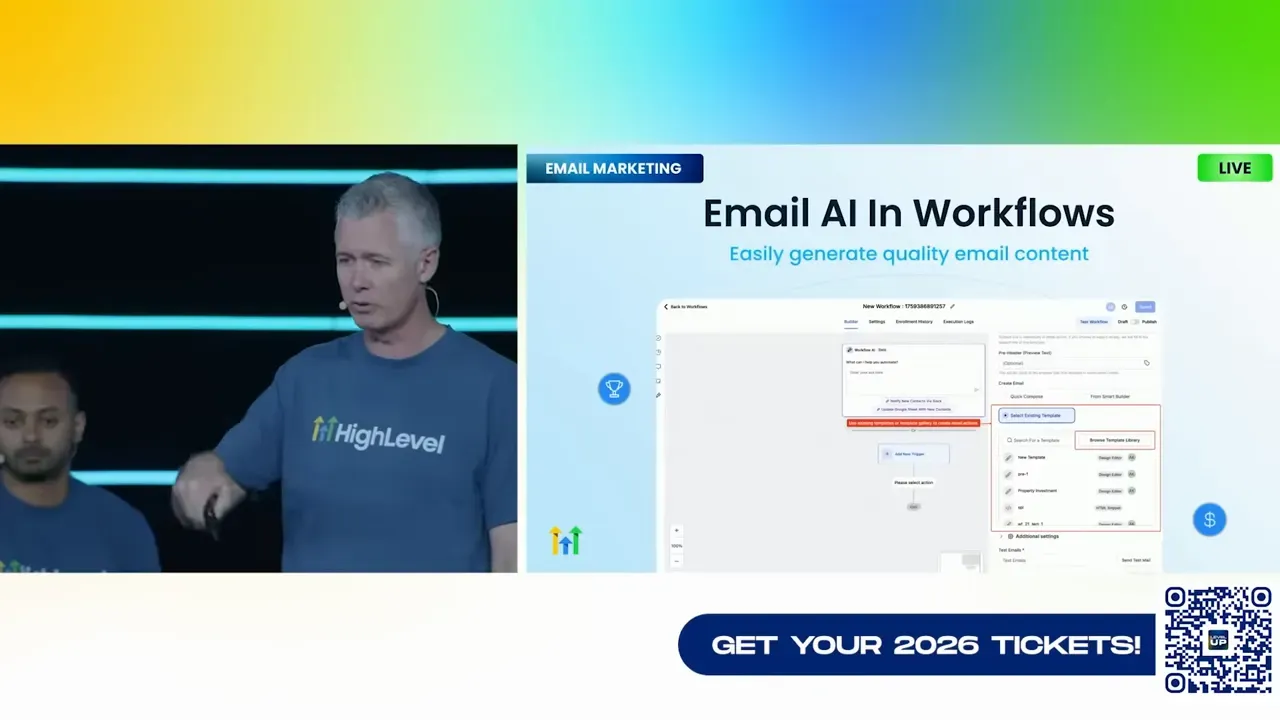
These give you the tools to run higher-converting email campaigns while protecting deliverability and compliance.
Ads manager, tracking, and reporting
Ads manager is now free for everyone and simplified to a form experience rather than requiring complex workflows. We added YouTube ad integrations, improved social trend insights, and comment reply flows.
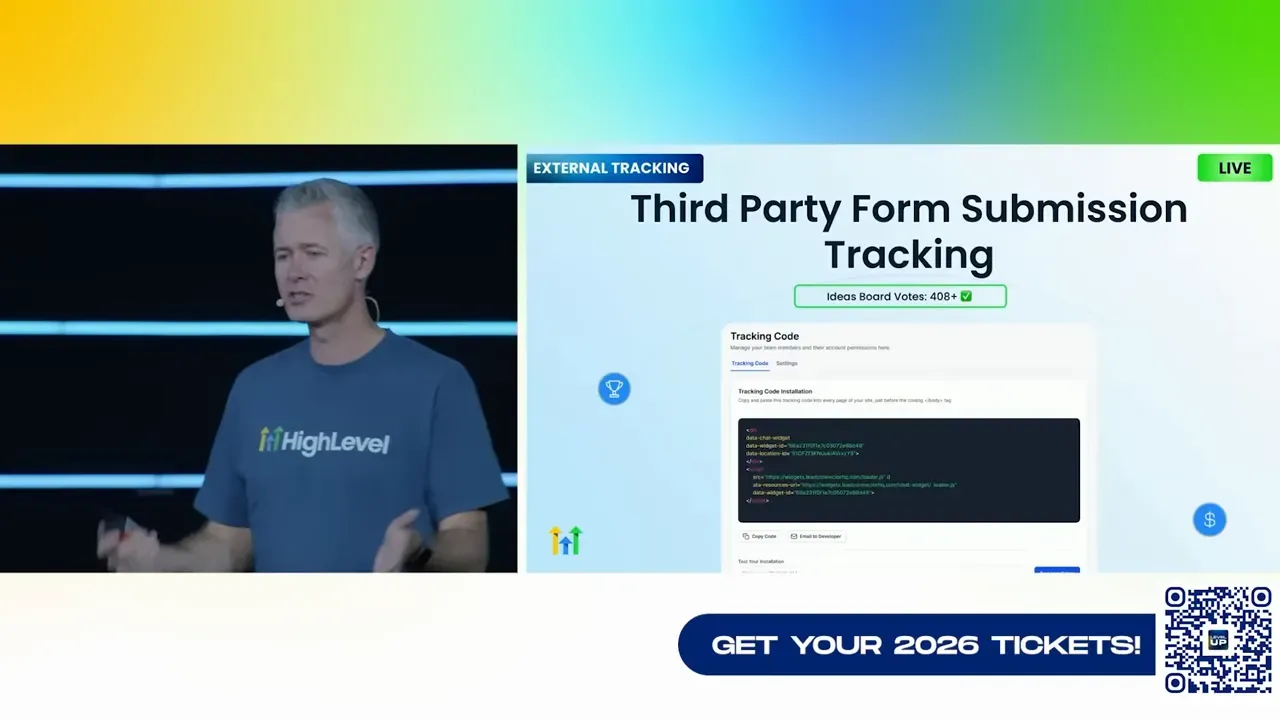
External tracking was introduced so you can drop a small script on third party sites and ingest form submissions and page visits directly into contact records. This unlocks lead attribution for external funnels and legacy sites without complex server-side work.
Wallet, payments, and commerce
Payments and commerce received a ton of updates. Highlights:
- Global tax compliance and automatic tax calculation for resellers worldwide.
- QuickBooks selective import and two-way sync for better accounting workflows.
- Recurring invoices in workflows, payment schedules for estimates, and multiple products per payment link.
- Multilingual checkout and 3DS authentication for secure payments.
- Bank transfers for NMI and Authorize.net, gift cards, and enhanced subscription controls.
- ShipStation integration, e-commerce triggers like abandoned cart, product bundling, product collections, custom shipping profiles, bulk product edits, and wish lists.
These improvements allow agencies to create fully operational storefronts and subscription flows inside client accounts and map revenue streams to opportunities and invoices for accurate reporting.
Calendars, WhatsApp, and appointment power-ups
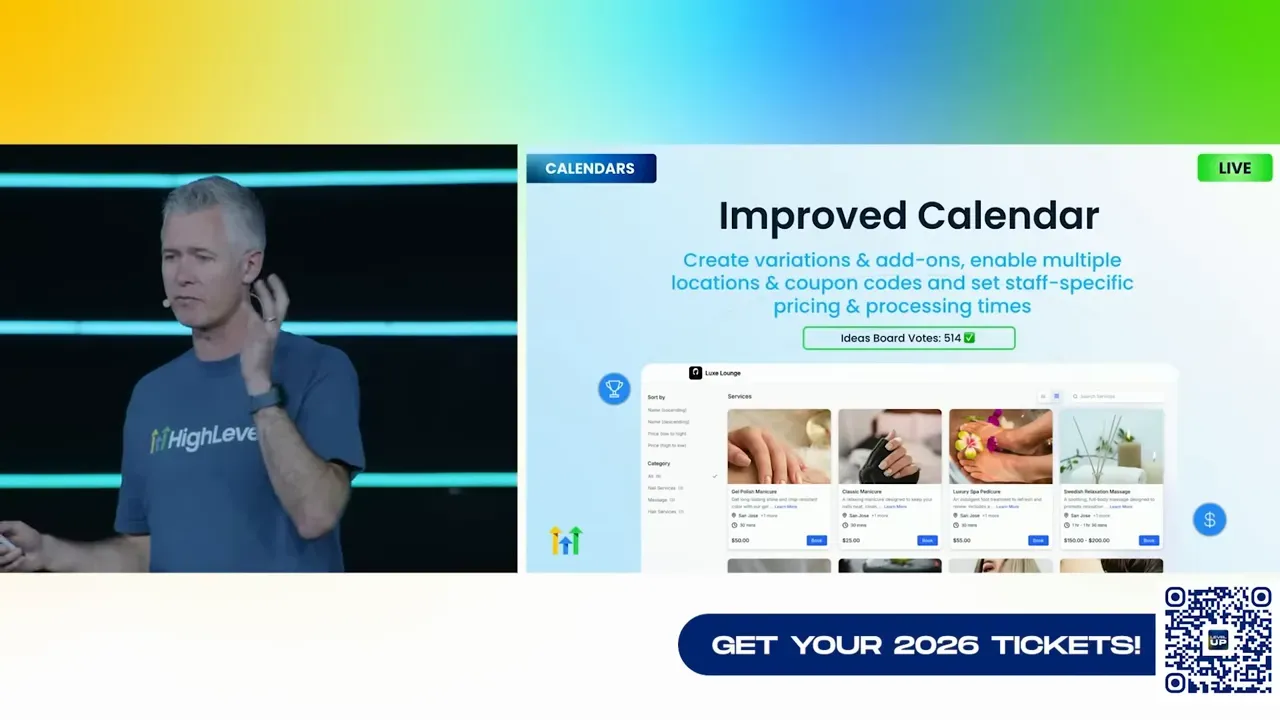
Calendar features were massively upgraded to support variations, add-ons, multiple locations, coupon codes, staff-specific pricing, unified schedule management, rental calendars, and transactional details inside appointment records.
WhatsApp integrations now allow sending forms through WhatsApp flows, internal notifications, countdown timers, and outbound voice calling via WhatsApp. That opens new omnichannel appointment workflows and support channels for high-touch clients.
Funnels and websites
We added multi-pop-up support, color gradients, inline form editing, pricing table and testimonials elements, QR code elements, universal elements, enhanced video elements, custom fonts, and more. Multi-path segments let you create nested URLs per domain for complex funnels.
Universal elements and improved template editing means you can manage global styling and content across funnels centrally, reducing maintenance overhead.
Phone system and voicemail UX
The phone system got navigation improvements, voicemail tabs on the dialer, IVR transfer support, quiet hours settings, and call dispositions directly on the call screen. RCS messaging is coming soon and represents a higher-fidelity message format similar to rich messaging on top of SMS.
Snapshots, versioning, and restore
Snapshots now support version management. That means you can version your account snapshots, restore previous versions, and maintain a proper release history for templates and client accounts. This is huge for agencies who maintain hundreds of white-label accounts and need rollback capability.

Contacts, custom objects, and smart lists
Contacts received new list views, customizable add-contact forms, persistent column sorting, identify duplicates flows, advanced smart list filters, personalized user views, and richer notes/tasks content. You can map submissions to custom objects or companies and build dashboards and reports around them.
Custom objects and companies can be renamed to suit your business model, and workflows for companies and custom objects are now supported. This brings CRM flexibility without sacrificing structure.
Workflows renaissance
Workflows had one of the biggest refreshes. Highlights include:
- Versioning, bulk restore, and the ability to review specific changes between versions.
- Auto-save with optional undo and redo.
- Trigger narrations and stats to understand how triggers perform without opening each node.
- Schedule triggers (cron-like), call-transcript generated triggers, and copy actions between workflows.
- Advanced mode drag-and-drop builder with free-form triggers and multi-trigger workflows — the Skunk Works secret project everyone loved.

Workflows now behaves like a true automation studio with the ability to prototype, version, and restore. For complex client automation, this reduces risk and encourages iteration.
WordPress, hosting, and LC plugin
WordPress hosting saw major upgrades: AI-driven page creation, raw HTML import, LC plugin enhancements like custom value support, native calendar, review widget, surveys, quizzes, and WordPress performance and uptime reporting. WordPress hosting is now included in snapshots so you can ship complete sites as part of account templates.
Reputation management and reviews
We added video testimonials, multiple SMS templates, multiple review links and emails, competitor analysis via AI, manual review imports, and retroactive review reply capabilities. Retroactive replies can be dripped so you don’t spam the system and can actually improve Google rank by addressing old reviews smartly.
Payments and documents
On the documents and payments side, improvements include:
- CSV invoice import and invoice-to-opportunity integration.
- Document expiration, signature enforcement (draw or typed), send documents via SMS for signatures, and ability to decline documents.
- Coupon workflow triggers, payment permissions, saved payment methods, and multilingual checkout support.
These features let you automate the entire closure process from proposal to signed estimate to paid invoice with better compliance and tracking.
Pricing changes and AI cost model
We listened to feedback on pricing and availability and made several important changes. The headline items:
- No plan changes — existing plan structures remain.
- Agent Studio is free to use; you only pay token costs for the underlying model usage.
- Conversation AI token-based pricing only.
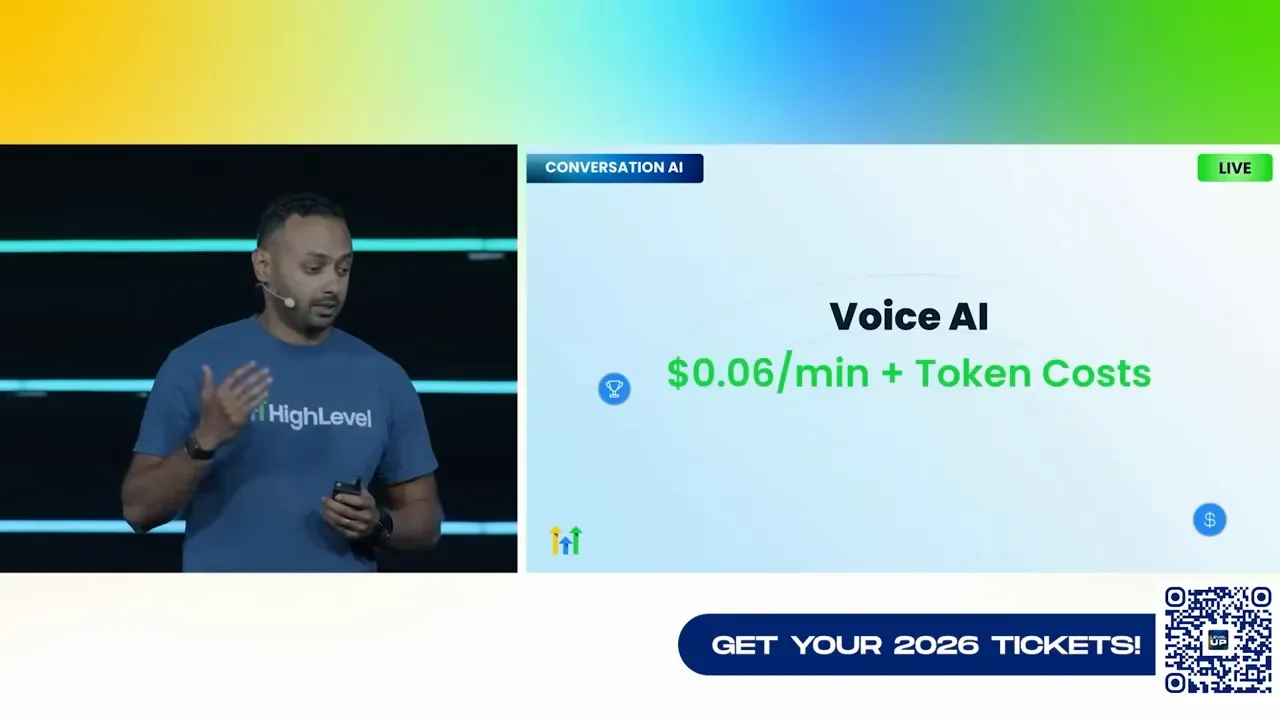
- Voice AI pricing is targeted to be the lowest in the industry: six cents a minute plus token costs. Until December, outbound calls are token-cost-only to accelerate adoption.
- Phone system fees removed.
- Custom objects made available across all plans.
- Ask AI, Workflow AI, AI business scanner, email builder AI, funnel and website AI, AI dashboard summaries, knowledge base AI, address autocomplete, and ad manager are free for all plans. No storage costs for the knowledge base.
Our aim is to make AI affordable for every agency and SMB so you can build revenue-generating products without unpredictable platform fees eating margins.
How to prioritize the new features — a practical ramp
With 300-plus changes, you need a plan to adopt what's most impactful quickly. Here is a 30/60/90 day adoption plan you can follow.
First 30 days — quick wins
- Enable Conversations AI for chat and IG DMs to capture missed leads. Turn on smart follow-ups for idle chats.
- Try Voice AI on inbound calls and enable the prompt evaluator to iterate quickly.
- Use Email AI inside workflows to accelerate production and test AI smart send for a handful of campaigns.
- Run a quick local SEO or multilingual marketing audit and package the audit into a low-cost lead magnet.
Next 30 days — medium bets
- Prototype a funnel using Funnel AI and publish it. Test A B landing page variants created by the AI.
- Use Agent Studio to automate a content pipeline — blog, social posts, and email sequences triggered by new blog posts.
- Switch social planner to the updated flows and set up comment reply automation.
- Implement snapshots with versioning for a couple of client templates to validate restores and rollbacks.
60–90 days — scale and productize
- Build an AI-powered offer for clients: automated lead capture via Voice AI + Conversation AI + Appointment booking + follow-up nurture that converts. Package this as an upsell or managed service.
- Resell templates and marketplace apps and add a recurring item into your SaaS plan pricing.
- Instrument reporting dashboards and create recurring listings or performance recaps for clients.
- Run a paid trial of outbound Voice AI campaigns in a controlled manner for appointment setting and lead qualification.
This phased approach balances low-hanging automation with strategic productization so you can capture value quickly and sustainably.
Stories from the team and the secret project
One of the highest applause moments came from a secret internal project built by a team that worked with customers directly. We call it the Skunk Works project, and it delivered a new advanced workflows mode: a drag-and-drop builder with free-form triggers, the ability to place triggers anywhere, copy/paste actions, and multiple triggers inside a single workflow.

That feature was kept secret even from the founders to make sure it was customer-tested and shipped without losing momentum. The takeaway is simple: building with customers and shipping iteratively works. If you want to preview advanced workflows, reach out and we’ll walk you through the best practices for migrating existing automations.
Manifesto and why this matters
We ended the day with a short manifesto that sums up the product philosophy going forward:
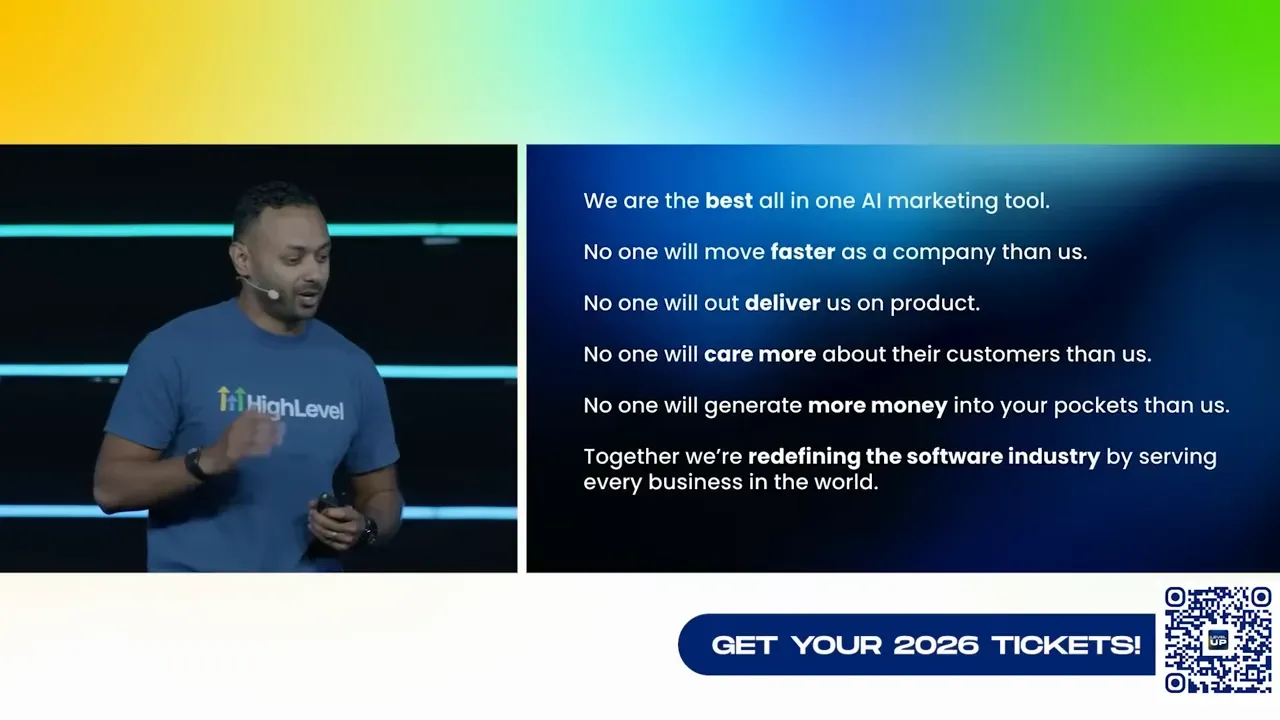
We are the best all-in-one AI marketing tool. No one will move faster than us as a company. No one will outdeliver us on product. No one will care more about their customers than us. No one will generate more money into your pockets than us. Together, we are redefining the software industry by serving every business in the world.
Those are bold words, but our investments in AI, performance, UX, compliance, and pricing are designed to make them real for you and your customers.
Quick checklist to get started now
- Enable Conversations AI for primary inbox channels and test the flow-based builder on a simple lead nurture sequence.
- Create an inbound Voice AI agent with a modest system prompt and use the prompt evaluator to refine it.
- Run a local SEO audit and export the report as a lead magnet for your outreach campaigns.
- Use the email builder AI within a workflow to generate a 3-email nurture sequence and schedule with AI smart send.
- Spin up a snapshot of your most common client build and save it to the marketplace as a template.
- Explore the ad manager and connect a test campaign for YouTube or Facebook via the simplified form flow.
Where to find more details and next steps
Every feature has documentation, ideas board counts, and usage guides. If you want to deep-dive into any area, use the product documentation, the ideas board votes are visible next to each release, and customer support is standing by with dramatically improved response times.
We’ll also be hosting more walkthroughs in the weeks ahead to make sure agencies and SMBs get practical how-tos on using AI in live campaigns. If you’re an agency looking to white-label or resell, check the MCP and marketplace SDK details and consider joining the certified admin community.
FAQ
What is Voice AI and how do I start using it?
Voice AI is an AI-powered telephony agent that can answer inbound calls, handle outbound calling with controlled guardrails, and interact with your CRM to answer customer queries and schedule appointments. To start, create a voice agent in the platform, use the prompt evaluator to fine-tune performance, and connect it to your phone numbers. For outbound campaigns, follow the recommended guardrails and test in a controlled pilot before scaling.
How does Conversations AI handle multiple calendars for appointments?
Conversations AI now supports multi-calendar booking by analyzing the conversation context and available calendars. You do not need to map each service to a calendar manually. The AI checks for context clues (service type, location, staff availability) and books the appointment on the correct calendar automatically. This reduces setup time for businesses like salons and medical practices with multiple staff and services.
What are the costs associated with Agent Studio and other AI tools?
Agent Studio itself is free to use; you only pay token costs for the underlying model usage. Conversation AI is token-cost-only. Voice AI is priced at a goal of six cents a minute plus token costs, but outbound calls will be token-cost-only until December to accelerate adoption. Many AI tools such as Ask AI, Workflow AI, email builder AI, funnel and website AI, and knowledge base AI are free for all plans — you mainly pay for model tokens if you use external LLMs.
Are there any free AI features I can use right away?
Yes. Several AI features are free for all plans including Ask AI, Workflow AI, the AI business scanner, email builder AI, funnel and website AI, AI dashboard summaries, and knowledge base AI with no storage costs. This allows you to experiment with content creation and automation without changing your plan.
How does the knowledge base and memory work?
The knowledge base indexes websites, tables, CSVs, PDFs, docs, and supports web search so agents can reference structured data. Memory stores context across interactions for contacts and users so agents remember preferences and past interactions, enabling more personalized, efficient conversations. Use these together to reduce repetition and improve conversion rates.
What compliance certifications does the platform have?
The platform is ISO 27001 certified and maintains HIPAA-readiness. We are actively working toward SOC 2 Type 2 and improving GDPR support. These certifications make it easier to serve regulated verticals and enterprise clients.
What changed in pricing and plan availability?
There are no structural plan changes. Instead, we adjusted pricing models to make AI accessible. Many AI features are free for all plans, custom objects are included for all plans, certain phone system fees were removed, and Voice AI has a competitive pricing model with a temporary promotional period for outbound calls. Token usage bills still apply when you leverage third-party LLMs.
Can I version and restore workflows and snapshots?
Yes. Workflows now include versioning, autosave, undo/redo, the ability to review changes between versions, and bulk restore capabilities. Snapshots support version management as well so you can maintain a release history for account templates.
How can agencies monetize the new features?
Agencies can monetize by packaging AI-driven offers as managed services, reselling templates and marketplace apps with margin, using templates as lead magnets, offering AI-powered audits and funnels, and charging for white-labelled implementations and priority support. The upgrades to payments, invoices, and ecommerce also let agencies add transaction revenue and subscription management services.
Final notes and how we’ll support you
This was a huge release cycle designed to give you leverage. Our philosophy is simple: build fast, listen to customers, and put the control back in your hands. The AI products are extensible via APIs and we made sure the platform continues to improve reliability and usability so you can deliver outcomes for clients consistently.
Over the coming weeks we will publish more deep-dive guides, video walkthroughs, and product labs. If you run into friction, open a support chat; response times are much faster and priority support is available for those who need white gloves. Experiment, ship faster, and let us know what you build. We want to help you keep more of the money you generate and make AI a practical part of your daily operations.
Now go play with the new toys, iterate on a small pilot, and scale what converts. See you at the next LevelUp where we’ll show what you shipped with the platform and celebrate wins together.



