
HighLevel + OpenAI: A Practical Guide to AI-Powered Workflows for Small Businesses and Agencies
Learn how to scale your agency or small business by combining HighLevel with OpenAI. This practical guide covers AI-powered workflows for lead qualification, personalized outreach, and content creation to help you increase efficiency and drive more revenue through smart CRM automation.

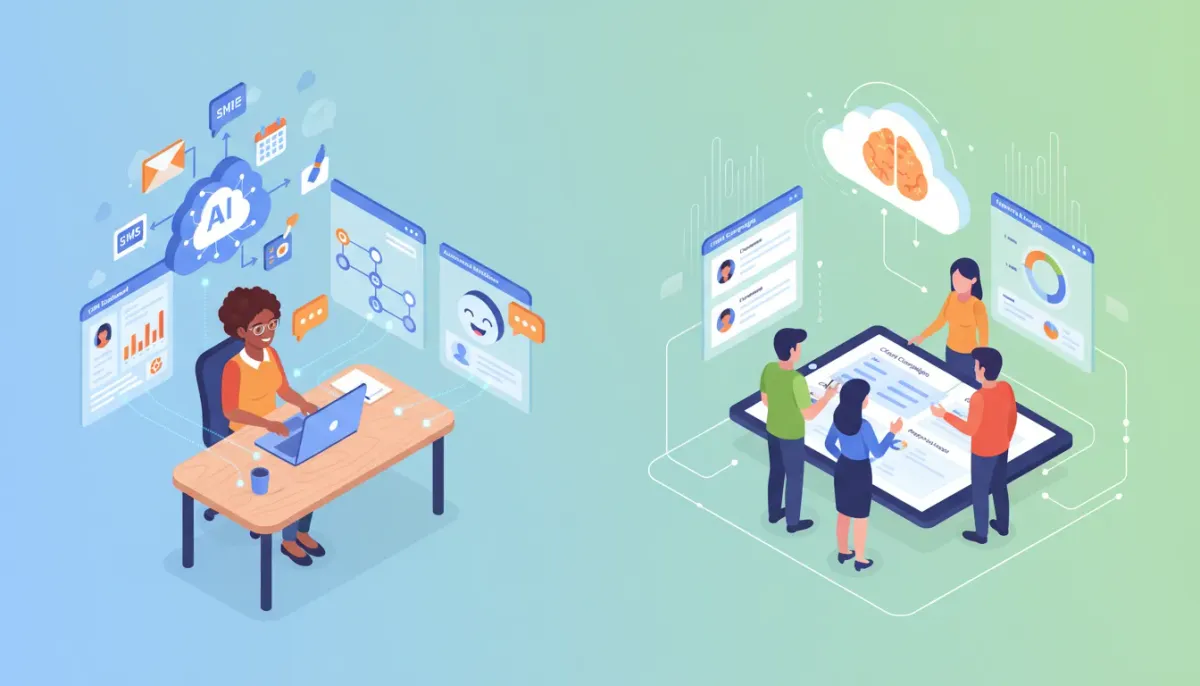
Small businesses and agencies face the same pressure: do more with less. Combining HighLevel (GoHighLevel) with modern AI capabilities makes automating lead generation, qualification, content creation, and client communications practical and cost effective. This guide explains what the integration enables, specific use cases, step-by-step implementation patterns, measurement tips, and common pitfalls to avoid.
What this integration means for SMBs and marketing agencies
At its core, using AI inside HighLevel lets teams automate cognitive tasks that previously required hiring specialized staff. That includes writing ad copy, qualifying leads through conversational funnels, drafting personalized emails and SMS messages, summarizing conversations, and generating insights from CRM data.
Who benefits most:
- Local businesses that need consistent, personalized outreach without adding headcount.
- Marketing agencies and SaaS operators that want to scale service delivery and create white-label offerings.
- Sales teams looking to automate qualification and follow-up while keeping human handoffs for high-value prospects.
Top AI use cases to build in HighLevel
Choose problems that are repeatable, measurable, and currently cost staff time or create friction.
1. Automated lead qualification
Use chatbots and conversational forms to gather intent, budget, timeline, and key needs. AI can interpret free-form answers to classify leads into quality tiers and trigger appropriate workflows.
2. Personalized outreach at scale
Generate tailored emails and SMS messages using variables from the CRM plus AI-driven tone and messaging personalization. This increases response rates while keeping manual effort low.
3. Content and ad copy generation
Produce multiple headline and ad variants, SEO-friendly blog outlines, and social posts instantly. Use AI to A/B test messaging combinations generated on demand inside HighLevel campaigns.
4. Meeting scheduling and follow-up
Automate the complete booking funnel: qualify, propose times, confirm, and send reminders. AI can draft context-aware confirmations and post-meeting summaries for both clients and internal teams.
5. Customer support and knowledge assistants
Deploy AI-driven help guides and chat assistants that pull relevant answers from your FAQ and CRM history, escalating to a human when necessary.
6. Sales enablement and call summarization
Use AI to summarize calls and extract action items, then create tasks and notes in the CRM automatically so follow-ups are consistent and tracked.
How to prioritize AI projects in HighLevel
Not every automation is worth building. Prioritize based on potential impact and effort.
- Map the process – Document each step of a human-driven workflow you want to automate.
- Estimate time and cost – Calculate staff hours saved and compare to automation build time.
- Define measurable outcomes – Examples: increase lead-to-appointment conversion by X%, reduce average response time to Y minutes, or decrease campaign creation time by Z hours/week.
- Start small – Pilot one workflow end-to-end before scaling.
Step-by-step: Building a typical AI-powered lead funnel in HighLevel
Below is a repeatable pattern that shows how to implement a lead funnel that qualifies, nurtures, and books appointments using HighLevel workflows and AI.
Step 1: Capture
- Use a HighLevel landing page, form, or chatbot to collect initial contact info.
- Include open-ended questions that let AI assess intent (for example, "Describe your biggest challenge").
Step 2: AI qualification
- Trigger a workflow that sends the form/chat responses to an AI step.
- AI classifies the lead: Hot, Warm, Cold, or Requires Human Review. Store the result in a custom field.
Step 3: Routing and personalized outreach
- Hot leads: immediately trigger an SMS + email with a personalized message and scheduling link.
- Warm leads: enroll in a short nurture campaign with AI-generated messages tuned to their stated pain points.
- Cold leads: add to low-touch education drip or a retargeting list.
Step 4: Human handoff
- When a lead is marked Hot or requests human contact, create an internal task with the AI summary and recommended talking points.
- Assign to a salesperson or account manager automatically.
Step 5: Post-meeting automation
- After a call, use AI to generate a meeting summary and next steps, then update the CRM and schedule follow-ups.
Practical prompt and template strategies
Treat prompts as living templates. Capture what works, version it, and reuse inside HighLevel workflows and campaign steps.
Example prompt patterns
- Lead summarizer: Summarize the lead's needs in 2-3 bullet points and assign priority (High/Medium/Low).
- Email personalizer: Create a 75-120 word follow-up email referencing the lead's stated problem and proposing three next steps.
- Ad variant generator: Produce five headline variants and three description variants tailored to the target audience and offer.
Store these prompt templates in a central library (Nexus Hub or your internal template folder). Use variables like {{first_name}}, {{service_interest}}, {{recent_interaction}} to keep personalization consistent.
Key metrics to track and how to measure ROI
To know if AI automations are working, track both efficiency and effectiveness metrics.
Efficiency metrics
- Time saved per task: Hours/week reclaimed from manual copywriting, qualification, or scheduling.
- Automation coverage: Percentage of leads that touch an AI-driven workflow.
- Average response time: Time from inbound lead to first outreach.
Effectiveness metrics
- Lead-to-appointment rate
- Appointment-to-sale conversion
- Revenue per lead or change in cost per acquisition
- Customer satisfaction or NPS after automations interact with customers
Calculate ROI by comparing labor cost saved plus incremental revenue from improved conversion against any API or platform fees. Use a 90-day rolling window to capture seasonality.
Pitfalls and how to avoid them
AI-powered automations are powerful but not foolproof. Avoid common mistakes below.
1. Over-automation
Problem: Removing human touch from high-value interactions reduces conversion. Solution: Always include easy escalation paths to a human, and reserve automation for lower-value touchpoints.
2. Poor prompt design
Problem: Vague prompts produce generic or incorrect outputs. Solution: Use structured templates, provide examples, and constrain response length and format.
3. Data privacy and compliance
Problem: Sending sensitive customer information to third-party models can violate regulations or internal policies. Solution: Classify what data can be sent to AI models and mask or remove personally identifiable information when needed.
Start Your HighLevel Trial + Get Instant Nexus Hub Access
Build, scale, and optimize your business with HighLevel. Start a free trial using this link to get automatic access to the Nexus Hub community, templates, and implementation resources.
Start Free Trial4. Hallucinations and inaccuracies
Problem: AI may generate incorrect factual statements. Solution: Limit AI outputs to drafting or summarization tasks where a human reviews the final content for accuracy, or use verification steps that check claims against your CRM data.
5. Cost creep
Problem: Unchecked API calls and large context windows can increase costs. Solution: Optimize prompts for token efficiency, cache static outputs (like evergreen ad variants), and set quotas in HighLevel workflows.
Implementation checklist for a 30-60-90 day rollout
Use this timeline to move from pilot to scale.
First 30 days: Pilot
- Identify 1-2 high-impact use cases (e.g., lead qualification and appointment scheduling).
- Design simple workflows and build prompt templates.
- Run an internal test and monitor quality metrics.
30-60 days: Optimize
- Collect feedback from staff and customers and refine prompts.
- Integrate AI outputs into email/SMS campaigns and CRM fields.
- Start tracking conversion and response time metrics.
60-90 days: Scale
- Expand to additional use cases like content generation and support.
- Create a reusable template library and training materials for your team.
- Automate reporting and tie AI-driven KPIs to compensation or performance targets where appropriate.
Sample HighLevel workflow templates to adapt
Below are concise templates you can adapt in HighLevel workflows. Replace placeholders with your actual fields and variables.
- New lead intake: Trigger on form submission -> AI qualification step -> update lead score -> route to SMS/email or task.
- Ad creative cycle: Manual trigger -> AI generates 10 ad variations -> automatically create ad draft entries in a campaign -> schedule A/B test.
- Appointment follow-up: Trigger on booked appointment -> AI generates confirmation and prep email -> schedule reminder SMS -> post-call summary creation.
Team and agency best practices
For agencies building services on HighLevel, package AI workflows as repeatable offerings. Document setup steps, include editable prompt templates, and provide a short onboarding for clients on what to expect and how to review AI outputs.
Consider offering managed AI optimization where the agency periodically tunes prompts, reviews logs, and reports on improvement. This turns AI into a recurring value-add rather than a one-time build.
Where to find templates, community help, and next steps
HighLevel users can accelerate implementation by using community resources like template marketplaces and support hubs. Joining a community such as Nexus Hub provides prebuilt workflows, prompt libraries, and implementation guides that save weeks of trial and error.
If you are not yet on HighLevel, starting a free trial is a practical way to test integrations and run a pilot without upfront platform commitment.
Summary: When to use AI in HighLevel and when to hold back
Use AI when tasks are repetitive, time-consuming, or require consistent personalization at scale. Avoid using AI when accuracy is critical and errors are costly, or when a complex emotional judgment is required.
The combination of HighLevel workflows, CRM automation, and AI-driven content and conversational tools provides a pathway for small businesses and agencies to increase productivity, reduce costs, and scale deliverables. Start with a tight pilot, measure outcomes, and expand gradually with clear guardrails for quality and compliance.
What specific HighLevel features work best with AI?
HighLevel features that pair well with AI include workflows and automations, forms and chat widgets, campaign builders for email/SMS, CRM custom fields for storing AI outputs, and task management for human handoffs. Use workflows to orchestrate AI steps and connect outputs to campaigns and tasks.
How do I measure success after adding AI to workflows?
Track efficiency metrics such as time saved and response time, and effectiveness metrics like lead-to-appointment conversion, appointment-to-sale conversion, and revenue per lead. Compare these metrics to a baseline period before AI implementation and use a rolling 60–90 day window for meaningful trends.
Are there data privacy concerns when using AI with CRM data?
Yes. Treat customer data carefully. Mask or exclude sensitive fields before sending them to external models if your privacy policies or regulations require it. Define allowable data types and maintain an audit trail for what was sent to AI services.
Can agencies white-label AI workflows for clients?
Yes. Agencies can package AI-driven workflows, prompt templates, and campaign sequences as repeatable services. Clearly document what is automated, how clients can review AI outputs, and include human review steps for high-value interactions.
Where can I get prebuilt AI templates for HighLevel?
Community marketplaces and implementation hubs like Nexus Hub offer prebuilt workflows, prompt libraries, and templates tailored for HighLevel users. These resources reduce setup time and provide proven starting points for common use cases.
Final takeaways
AI in HighLevel is not a magic button. It is a tool to amplify processes that are repetitive, data-driven, and measurable. Start with high-impact pilots, enforce quality checks and privacy safeguards, and iterate rapidly. For agencies, productize your AI playbooks and provide ongoing optimization as a service.
If you want to experiment without major investment, consider starting a HighLevel free trial and use community templates to run a 30-day pilot that focuses on lead qualification or appointment scheduling. The combination of workflow automation, CRM control, and AI-driven content can unlock meaningful productivity gains when deployed thoughtfully.
Start Your HighLevel Trial + Get Instant Nexus Hub Access
Build, scale, and optimize your business with HighLevel. Start a free trial using this link to get automatic access to the Nexus Hub community, templates, and implementation resources.
Start Free Trial


