
How to Configure Payment Providers by Channel in HighLevel (Complete Guide)
Learn how to configure payment providers by channel in HighLevel to optimize your revenue and testing. This guide covers step-by-step setup for funnels, stores, and invoices, helping agencies manage multiple processors and automate workflows across their sub-accounts.

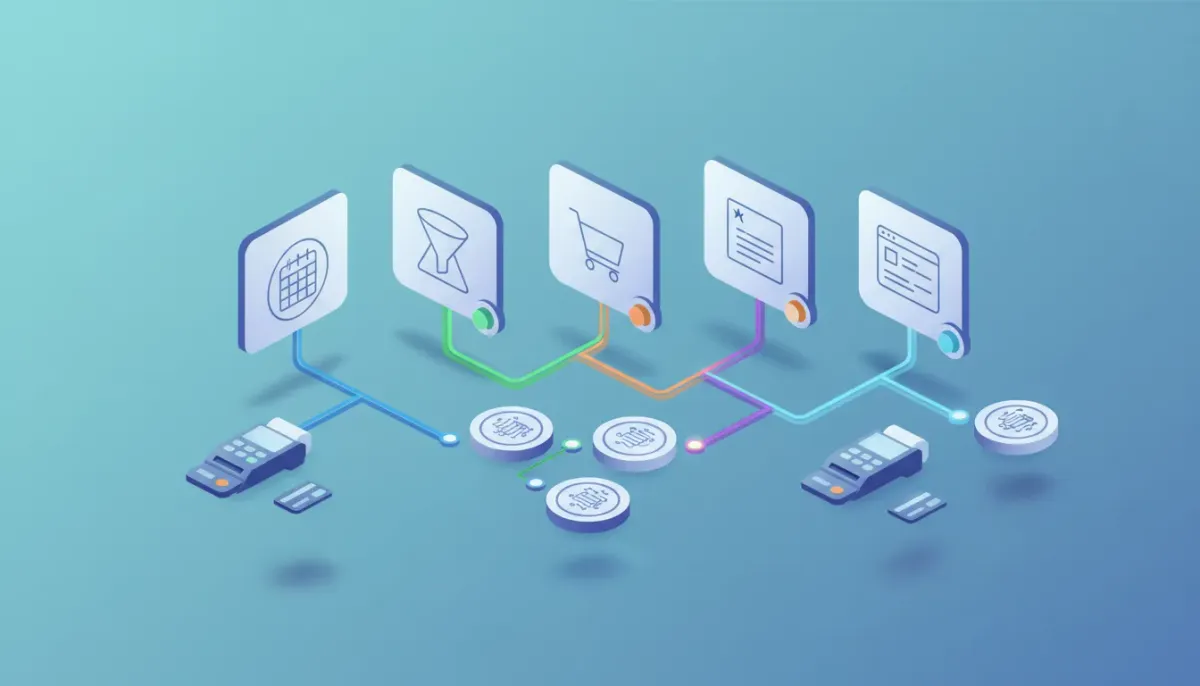
If you use HighLevel (GoHighLevel) to run funnels, forms, stores, calendars, or invoices, configuring payment providers by channel gives you control over how and where customers pay. This guide explains what channel-level payment configuration is, why it matters for agencies and businesses, how to set it up step-by-step, and practical strategies for testing, routing, and avoiding common mistakes.
What "payment provider by channel" means and who should use it
Configuring payment providers by channel means you can choose a different processor for each type of payment touchpoint in HighLevel — for example using one provider for calendar bookings, another for one-step order funnels, and a third for invoice auto-payments. Each channel can have separate settings for live and test mode.
This feature is useful for:
- Agencies running multiple lead-to-sale funnels who want to split payment routing by product or client.
- SaaS or e-commerce projects that need different processors for stores versus invoices.
- Teams testing a new gateway without disrupting live transactions by switching test mode independently.
- Businesses optimizing fees by routing high-ticket invoices to a provider with lower interchange fees while using a different provider for low-ticket purchases.
Why channel-level payment configuration matters
The key benefits:
- Flexibility: Use the right payment tool for each customer journey or product type.
- Safer testing: Trial a new provider in test mode for a specific channel without affecting other channels or live customers.
- Revenue optimization: Route transactions to processors with the best fees, settlement timing, or support for specific payment methods.
- Improved UX: Present only the payment methods appropriate to the channel (for example show ACH on invoices but not on carts).
- Operational control: Keep a global default while allowing channel overrides — easy fallback and simplified management across subaccounts.
Which HighLevel channels typically support per-channel payment providers
Common channels where you can assign providers include:
- Funnels — one-step order forms
- Funnels — two-step order forms
- Standalone forms with payment
- Stores (product checkout pages)
- Calendars (booking payments or deposits)
- Invoices and invoice auto-pay
- Other commerce-related entry points inside HighLevel
Before you start: prerequisites and checklist
Complete this checklist before configuring channel-level payment providers:
- Connected providers: Ensure each payment provider is connected to the relevant subaccount. Only connected providers will appear in channel settings.
- Account verification: Confirm payout bank accounts, identity verification, and currency preferences in each provider dashboard.
- Currency mapping: Match HighLevel subaccount currency to the provider’s supported currencies to avoid transaction failures.
- Webhook and receipts: Enable webhooks or notifications if you rely on provider events for automations or reconciliations.
- Security and PCI: Understand each provider’s PCI scope and receipt requirements for compliance and customer communications.
Step-by-step: How to set payment providers per channel
This section provides a practical, platform-agnostic walkthrough of the typical steps you will take inside HighLevel to configure channel-level payment providers.
1. Connect payment providers to the subaccount
- Open the subaccount settings and navigate to the payments or integrations area.
- Connect each payment provider you plan to use (Stripe, PayPal, Square, etc.).
- Verify account details and confirm any required business verification steps within each provider dashboard.
2. Configure a global default provider
Set a global default provider at the subaccount level to cover channels that don’t have a channel-specific provider. This acts as a fallback and simplifies management.
3. Assign providers to specific channels
- Open the payment settings for the channel (for example funnels, forms, stores, calendars, or invoices).
- Select a provider for live mode and a provider for test mode. These can be the same or different providers depending on your needs.
- Save the channel settings. Channel-level selections automatically override the subaccount global default for that channel.
4. Verify and test
- Use test mode on the assigned test provider to run simulated transactions for that channel only.
- Confirm payment confirmation flows, receipts, webhook events, and any automations that trigger on successful payment.
- Switch to live mode and run small-value test transactions where appropriate.
5. Monitor and reconcile
- Track transactions inside HighLevel and cross-check with each provider’s dashboard for settlement and fees.
- Set up automations or workflows to tag paid leads, trigger fulfillment, or notify teams when payments clear.
Practical examples and common use cases
Example 1: Use Stripe for invoices and PayPal for store purchases
Problem: You prefer Stripe for ACH and card payments on invoices due to lower fees for large invoices. For low-ticket store items, you want PayPal for buyer familiarity and one-click checkout.
- Connect Stripe and PayPal to the subaccount.
- Set Stripe as the global default and specifically assign PayPal to the store channel.
- Test store purchases in PayPal test mode and invoice auto-pay in Stripe test mode.
Example 2: A/B testing a new gateway
Problem: You want to measure conversion and fee differences between Provider A and Provider B without risking live outages.
- Assign Provider B to a non-critical channel in test mode while keeping Provider A live.
- Use workflows to route a portion of leads to the test funnel to gather conversion data.
- Evaluate fees, settlement time, chargeback support, and conversion rates before switching live traffic.
Workflows and automations: how payments integrate with HighLevel
Payment events are commonly used to trigger automations:
- On successful payment: tag the contact, update deal stage, send receipt, start onboarding workflow, and notify the fulfillment team.
- On failed payment: trigger retry messages, dunning workflows, or send an alternate payment link.
- On refund: update CRM status and notify accounting for reconciliation.
When setting channel-level providers, verify that each provider sends the necessary webhook events and that those events are mapped into HighLevel workflows. If a provider does not support a particular webhook event, create secondary checks (for example periodic reconciliation reports).
Pitfalls and mistakes to avoid
- Using a provider that is not connected: Only connected providers will be available for assignment. Double-check connections if a provider is missing from the dropdown.
- Currency mismatch: If the provider and the subaccount currencies differ, transactions may fail or create unexpected conversion fees.
- No test provider set for a channel: If you do not configure a test provider while experimenting, you may inadvertently run tests on live traffic.
- Assuming global default always applies: Channel-level configuration overrides the global default. If a channel payment method isn’t working, confirm whether a channel-level override was set.
- Webhook gaps: Providers vary in webhook detail. If your automations depend on specific events, confirm the provider supports those events and that webhooks are verified.
- Refund and payout differences: Refund behavior and payout timing vary between processors. Document these differences for support and accounting.
Best practices for agencies and scaling teams
- Standardize naming: Name connected providers clearly within subaccounts (e.g., "Stripe - Live - ClientA") to avoid confusion when assigning channels.
- Document routing rules: Keep a simple routing matrix that lists channel, primary provider, fallback provider, and currency to maintain clarity across teams.
- Use test mode extensively: Always validate new funnels or channels using the channel-specific test provider to protect live revenue streams.
- Monitor fees and settlements: Keep a running ledger comparing fee schedules and settlement times across providers. Use this to route specific transaction types to the optimal provider.
- Automate notifications: Create workflows that alert finance on high-value transactions, declined charges, or disputed payments to speed up resolution.
- Provide customer-facing clarity: Show accepted payment methods clearly on checkout pages and in invoice emails to reduce friction and disputes.
Troubleshooting checklist
- Verify the provider is connected to the correct subaccount.
- Confirm the selected provider appears in the channel payment settings.
- Test transactions in test mode for the channel-specific provider.
- Check currency settings and ensure compatibility.
- Review provider dashboard for declines, verification holds, or required actions.
- Confirm webhooks are delivered and received by HighLevel if workflows are not firing.
Security, compliance, and accounting considerations
Payment solutions carry compliance obligations and accounting implications:
Start Your HighLevel Trial + Get Instant Nexus Hub Access
Build, scale, and optimize your business with HighLevel. Start a free trial using this link to get automatic access to the Nexus Hub community, templates, and implementation resources.
Start Free Trial- PCI compliance: Use provider-hosted checkouts or tokenization to reduce PCI scope. Understand whether HighLevel or the provider stores card data.
- Data retention: Coordinate retention policies between HighLevel and your payment processors for disputes and audits.
- Fees and taxes: Ensure taxes are applied correctly at the channel level and reflected in reconciliations.
- Chargebacks and disputes: Document the dispute process per provider and integrate notifications into your workflows.
Checklist for launching a channel with a new payment provider
- Connect provider and complete verification
- Assign provider to channel in test mode
- Run simulated purchases or invoices in test mode
- Validate webhooks and automations trigger correctly
- Confirm receipts and customer-facing communications look correct
- Perform low-value live transactions to confirm production behavior
- Monitor settlements and update accounting sheets
When to use a fallback or global override
Use a fallback strategy when channels may occasionally require an alternate provider. For example:
- If a channel-specific provider experiences outages, a global default can serve as an emergency fallback if configured.
- If you prefer centralized billing, leave no channel-specific provider set so all channels inherit the subaccount global default.
Summary: key takeaways
- Configuring payment providers by channel in HighLevel offers granular control — assign different providers for funnels, stores, invoices, calendars, and more.
- Channel settings override subaccount global defaults; you can set separate selections for live and test mode.
- Always ensure providers are connected to the correct subaccount and test thoroughly in test mode before going live.
- Use workflows to automate post-payment actions, and document routing rules to simplify agency operations and scaling.
Next steps and resources
If you are managing multiple clients or revenue streams on HighLevel, consider drafting a payment routing matrix and a test plan for any provider migration. Explore HighLevel workflows to automate accounting and fulfillment actions based on payment events.
For additional implementation resources and templates, consider joining the Nexus Hub community for ready-made automations and step-by-step guides tailored to agency setups and scaling.
Frequently asked questions
Can I assign different providers for live and test mode on the same channel?
Yes. You can configure a provider for live mode and a different provider for test mode on each channel. This allows safe testing while keeping your live checkout unchanged.
What happens if I set a channel provider that is not connected to the subaccount?
Only providers connected to the subaccount will be selectable and functional. If a provider is not connected, it will not process transactions for that channel. Verify connections in the subaccount integration settings first.
Does channel-level configuration override the global default?
Yes. Channel-level selections take precedence over the subaccount global default. If no channel-level provider is set, the channel will inherit the global default.
How should I handle refunds and chargebacks across multiple providers?
Refunds and chargebacks are processed through the payment provider that handled the original transaction. Maintain clear records of which provider processed each transaction and ensure workflows notify finance to reconcile and act on disputes.
Can I route payments by geography or payment type?
While channel-level configuration routes by touchpoint type (funnels, invoices, etc.), you can implement routing by geography or payment type using conditional funnels or separate channels targeted at different audiences and then assign providers accordingly.
What should I test before switching a channel to a new live provider?
Test in the new provider’s test mode for successful charges, declines, webhooks, receipt formatting, tax calculations, and workflow triggers. Run low-value live transactions as a final check and monitor settlement and fees closely for the first few days.
Closing note
Properly configuring payment providers by channel in HighLevel improves control, reduces risk during provider changes, and helps optimize revenue and customer experience. Use a documented process, test thoroughly, and integrate payment events with your HighLevel workflows to automate fulfillment and accounting.
Start Your HighLevel Trial + Get Instant Nexus Hub Access
Build, scale, and optimize your business with HighLevel. Start a free trial using this link to get automatic access to the Nexus Hub community, templates, and implementation resources.
Start Free Trial


