
Did You Know Funnel AI Can Edit Your Pages with Simple Commands?
Discover how to use Funnel AI in HighLevel to update headlines, brand colors, and button styles with simple text prompts. This guide explores how agencies can scale production, run rapid A/B tests, and maintain brand consistency across multiple funnels.

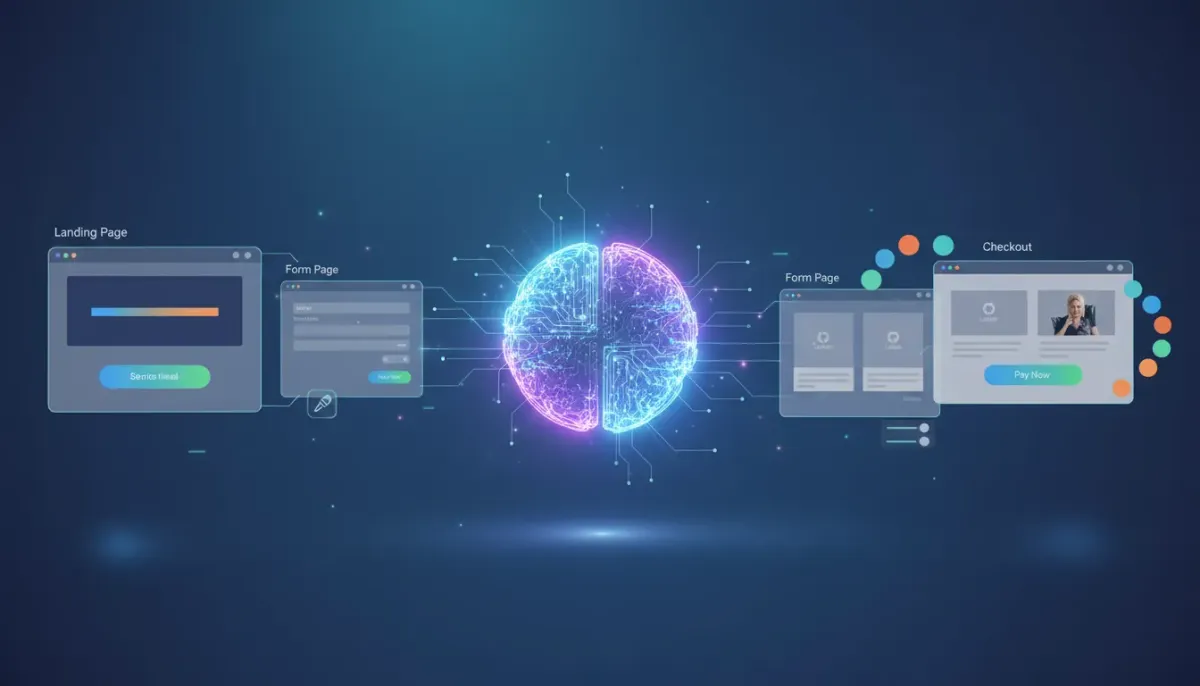
Imagine changing headlines, button styles, brand colors, and button copy across an entire funnel without opening a single section editor. That is the promise of Funnel AI inside HighLevel. It lets you tell your funnel what to change in plain language and then applies those updates instantly. For agencies and marketers who manage multiple funnels, this is not just a time-saver. It is a productivity multiplier that supports faster testing, consistent branding, and better conversion optimization.
The Complete Operating System for Growth
Join over 60,000+ agencies and businesses using HighLevel to capture more leads and close more deals. Start your trial today and get instant access to the Nexus Hub resources.
Claim Your Free Trial & BonusesWhat Funnel AI Does and Why It Matters
Funnel AI is an editor assistant built into the HighLevel funnel editor that responds to written prompts. Use it to rewrite copy, change colors, restyle buttons, adjust logos, and more — across any section or the entire funnel. Instead of digging through nested elements to update a headline or button style, you tell the AI what you want and it implements the change.
This capability matters because it reduces friction. When you can iterate quickly, you can test messaging and design ideas at a much higher tempo. Faster iteration leads to more learning, more conversions, and a better return on ad spend.
Where to Find Funnel AI in HighLevel
Funnel AI is part of the HighLevel Sites experience. Here is the straightforward path:
- Open HighLevel and go to Sites in the left navigation.
- Select Funnels from the top of the Sites area.
- Create a new funnel or open an existing one.
- In the funnel editor, locate the AI button in the top-left.
- Toggle between AI Assist and AI Build then type your prompt and submit.
The changes appear within seconds. That speed is what makes Funnel AI a practical tool for rapid experimentation and client-friendly revisions.
Simple Examples That Produce Immediate Results
The best way to understand Funnel AI is through examples. Here are a few prompts that deliver high-impact changes:
Align this page with Client X's brand: use their logo, primary color #0047AB, and tone of voice that is authoritative but friendly.
Useful for agency workflows when onboarding new clients or aligning deliverables quickly.
Rewrite all CTA buttons to use first-person language and make them rounded with a 4px border radius.
Uniform CTAs improve clarity and conversions while maintaining consistency across steps.
Make the headline stronger and change its color to neon green.
That single command can rewrite your headline copy and update the style to match a new color palette.
These kinds of prompts show how Funnel AI blends content and visual updates in one pass. You no longer need to swap between copywriting and design modes to get a cohesive result.
Why Agencies and Marketers Should Care
Agencies that run multiple funnels or manage many clients benefit most from speed and consistency. Funnel AI touches both:
- Faster go-to-market — Replace hours of manual editing with minutes of prompt-writing.
- Consistent brand execution — Apply the same brand rules across funnels without human error.
- Rapid messaging tests — Try several headline or CTA variations and measure performance quickly.
- Reduced handoffs — Project managers, copywriters, and designers can request changes through prompts, reducing back-and-forths.
For agencies focusing on HighLevel agency setup and scaling, this is a critical efficiency gain. It integrates cleanly into existing HighLevel workflows, automations, and CRM processes so you maintain momentum across landing page updates and campaign launches.
How Funnel AI Fits Into a HighLevel Workflow
Funnel AI is a page-level tool, but it can be part of a broader automation and testing pipeline inside HighLevel. Here’s a practical workflow that teams use:
- Create the initial funnel in HighLevel with the major sections and baseline copy.
- Use Funnel AI to generate multiple headline and CTA variations quickly.
- Set up A/B tests inside the funnel to measure which variation performs best.
- Feed results into HighLevel reporting and CRM to track conversions by source and campaign.
- Automate follow-ups and nurture sequences with HighLevel workflows based on conversion behavior.
Because Funnel AI reduces the time spent in the editor, your team can spend more time analyzing results, refining offers, and optimizing ad creative.
Practical Use Cases and Real-World Scenarios
Client Rebrands
When a client updates brand guidelines, agencies can apply the new color system, fonts, and tone across every funnel page with a few prompts. This avoids inconsistent manual updates across dozens of funnels and landing pages.
Rapid Campaign Launches
Launching a new campaign requires quick copy and design alignment. Funnel AI helps produce landing pages that match ad messaging and voice, shortening the time from creative brief to live campaign.
Performance Optimization
Want to test whether a more benefits-focused headline beats a features-based one? Use Funnel AI to produce both variants, plug them into an A/B test, and let data decide.
Localization and Market Tests
Test different messaging across regions or audiences by instructing Funnel AI to adapt tone and terminology for a specific segment. This can be a quick way to validate local-market appeal without manually recreating pages.
Best Practices for Writing Prompts
Prompt design makes the difference between an arbitrary tweak and a meaningful update. Use these best practices to get consistent, helpful results from Funnel AI:
- Be specific — Specify tone, target audience, and exact changes you want. Example: "Make headline more urgent for parents of toddlers and change CTA to 'Reserve My Spot'."
- Include brand rules — Give the primary color hex code, logo usage, and font preferences when you want brand consistency.
- Limit scope when experimenting — If you only want a headline change, state that explicitly so the AI does not overhaul the layout.
- Iterate — Apply an initial prompt, review changes, then give follow-ups like "tone down the urgency" or "make the button larger and contrast with white text."
- Copy + design together — Combine copy and visual instructions for cohesive changes instead of separated requests.
Measuring Impact and Running Tests
Funnel AI is a tool for change, but measurement is how you extract value. Integrate the updated pages with HighLevel tracking and CRM so every conversion ties back to a variant or prompt iteration.
Use these steps to measure impact:
- Record baseline performance metrics before major changes.
- Apply changes with Funnel AI and enable split tests where possible.
- Track conversion rates, bounce rates, and lead quality in HighLevel.
- Feed conversion events into automations and tag leads to analyze downstream revenue impact.
- Roll out the winner across funnels using Funnel AI to apply consistent updates at scale.
Common Pitfalls and How to Avoid Them
Funnel AI is powerful, but avoid these common mistakes:
The Complete Operating System for Growth
Join over 60,000+ agencies and businesses using HighLevel to capture more leads and close more deals. Start your trial today and get instant access to the Nexus Hub resources.
Claim Your Free Trial & Bonuses- Overusing sweeping changes — Big changes are harder to attribute. Make smaller, testable updates when optimizing performance.
- Neglecting accessibility — Bright colors like neon green can be eye-catching, but ensure contrast and readability for all users.
- Forgetting brand context — If brand rules are not provided, the AI may produce results that require additional manual edits to match brand standards.
- Not validating copy with legal/industry requirements — Certain industries require specific disclosures; include those constraints in your prompt.
Scaling Funnel Updates Across an Agency
Agencies that adopt Funnel AI as part of their HighLevel operations can scale faster by creating standardized prompt templates. Maintain a prompt library in your Nexus Hub or internal knowledge base with pre-approved language for:
- Brand onboarding prompts
- Headline and CTA variants
- Urgency and scarcity templates
- Localization instruction sets
Pair those prompt templates with HighLevel automations so that when a client onboarding form is completed, the system generates a checklist that includes AI-driven updates to funnels. This reduces manual workload and shortens the time to launch.
Integrating Funnel AI with CRM and Automations
Funnel AI lives inside the page editor, but the output should feed into the rest of your HighLevel ecosystem. After a funnel update:
- Use HighLevel workflows to tag leads based on the version of the page they converted on.
- Trigger nurture sequences that are tailored to the page messaging.
- Log experiments and results in your client dashboards for transparent reporting.
This ensures the copy and design changes you make with Funnel AI have measurable business outcomes and support client retention and upsell opportunities.
Prompt Examples You Can Reuse
Use these starter prompts to accelerate your own funnel edits:
Apply Client Z's brand: primary color #1A73E8, secondary #F5F7FA, logo in header, and a professional but approachable voice.
Change all primary CTAs to first-person language and increase contrast. Make buttons rounded and 16px padding.
Rewrite the hero headline to emphasize speed and ease for busy professionals. Use a confident, friendly tone and keep it under 10 words.
Security, Compliance, and Quality Control
When using AI to edit live pages, implement a quick review step in your agency process. Set roles in HighLevel so a project manager or quality assurance person reviews AI-made changes before publishing. This keeps messaging safe, compliant, and aligned with client expectations.
For regulated industries, include compliance rules in your prompts or maintain a pre-published checklist to ensure disclaimers and legal copy are present.
How to Get Started Today
If you are already using HighLevel, explore the Sites > Funnels editor and locate the AI button to experiment with small, contained changes. Start with headline and CTA swaps to see immediate impact.
If you are not yet on HighLevel, you can try a free trial to explore Funnel AI and the rest of the platform's tools for agencies, including CRM, marketing automation, and workflows. A free trial lets you test features end to end — from funnel creation to lead capture and automation sequences.
Resources and Community Support
Use the GoHighLevel blog and knowledge base to find guides, examples, and best practices for Funnel AI and other site-building features. Nexus Hub and community resources offer templates and implementation support that help agencies scale faster and standardize their HighLevel processes.
Summary: Why Funnel AI Is a Game Changer
Funnel AI is about speed, consistency, and experimentation. It turns what used to be manual, repetitive edits into prompt-driven changes that can be tested and measured. For agencies and marketers focused on scaling, it integrates into HighLevel's CRM and automation ecosystem to deliver real business outcomes.
Use it to align client brands quickly, test messaging at scale, and reduce the time between an idea and a live experiment. With careful prompting, review workflows, and measurement in place, Funnel AI becomes a strategic part of your agency systems and implementation strategy.
How do I access Funnel AI inside HighLevel?
Open HighLevel, navigate to Sites, then Funnels. Create or open a funnel and enter the editor. Click the AI button in the top left and choose AI Assist or AI Build. Type your prompt and submit to apply changes.
Can Funnel AI change both copy and design elements at the same time?
Yes. Funnel AI can rewrite headlines and CTA copy while also updating colors, button styles, and layout properties in a single prompt. Be specific about the changes you want to avoid unintended edits.
Is Funnel AI suitable for agencies managing multiple clients?
Absolutely. It speeds up brand alignment, reduces manual edits across many funnels, and supports rapid testing. Agencies can create standardized prompt templates and integrate them into HighLevel workflows to scale updates efficiently.
Will Funnel AI respect my client's brand guidelines?
The AI will follow brand instructions you provide in the prompt. For best results, include color hex codes, logo placement, tone of voice, and any specific copy constraints so the AI applies changes consistently.
How should I measure the impact of Funnel AI changes?
Record baseline metrics before making changes, run A/B tests when possible, track conversions and lead quality in the HighLevel CRM, and use workflows to tag and report on results. This lets you attribute improvements to specific prompt-driven updates.
Next Steps
Try Funnel AI on a single landing page headline or CTA and measure the difference. If you are interested in a deeper implementation strategy for your agency, explore HighLevel's templates and community resources in Nexus Hub, and consider starting a free trial to test the entire platform end to end.
The Complete Operating System for Growth
Join over 60,000+ agencies and businesses using HighLevel to capture more leads and close more deals. Start your trial today and get instant access to the Nexus Hub resources.
Claim Your Free Trial & Bonuses


