
Opportunities — Duplicate Pipelines Across Subaccounts (Live in HighLevel)
Standardize your CRM setup by duplicating pipelines across HighLevel subaccounts. This guide explains how to clone opportunity stages and sequences to multiple locations at once, ensuring consistent reporting and faster client onboarding for your agency.

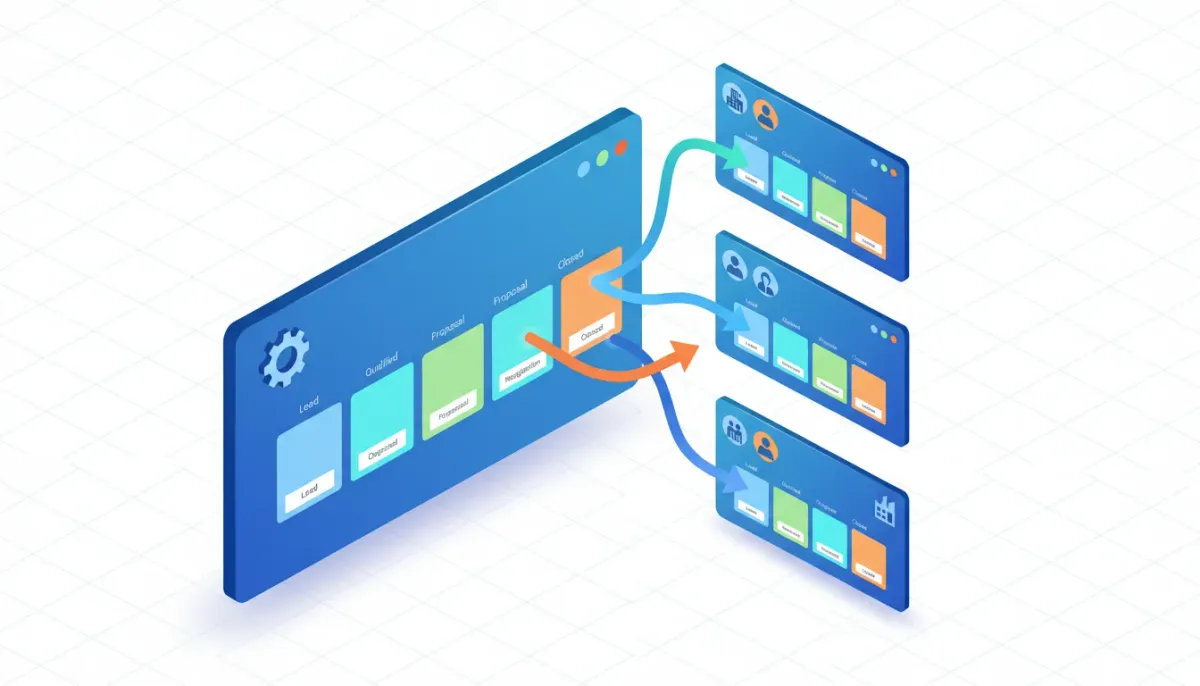
Why duplicating pipelines across subaccounts matters
If you manage multiple clients, locations, or internal teams inside HighLevel, you know how quickly the same sales pipeline setup gets repeated. Building identical opportunity stages, probability settings, and labels over and over is tedious. More importantly, inconsistency across subaccounts creates reporting noise, training friction, and extra work when onboarding new clients or locations.
The Complete Operating System for Growth
Join over 60,000+ agencies and businesses using HighLevel to capture more leads and close more deals. Start your trial today and get instant access to the Nexus Hub resources.
Claim Your Free Trial & BonusesThe ability to duplicate pipelines across subaccounts solves that problem. Rather than recreating the same structure manually, agency admins can clone a proven pipeline and deploy it where it belongs — within the same subaccount or across multiple subaccounts at once. That means faster onboarding, consistent CRM setups, and fewer mistakes across your agency operations.
What gets copied — and what to watch for
The duplication feature focuses on the pipeline structure: stages, stage names, and the sequence of stages that make up your sales flow. This is the most time-consuming piece to build from scratch, so copying it delivers immediate time savings.
It is important to set expectations about connected items. Depending on how your account is organized, certain linked elements such as workflows, automations, custom fields, and webhooks may not automatically transfer or may need to be reconnected after copying. Treat pipeline duplication as the structural step; validate any automations or triggers that reference the original pipeline after the copy is complete.
Who can use this feature
Agency admins and users with the appropriate permissions can duplicate pipelines. That ensures account-level control over standardized CRM configurations and reduces the chance of accidental changes by team members without admin privileges.
Step-by-step: How to duplicate a pipeline in HighLevel
The process is straightforward and designed for speed. Here’s a quick walkthrough that anyone with admin access can follow.
- Go to Opportunities in the left navigation, then choose Pipelines.
- Find the pipeline you want to copy and click the three dots menu to the right of the pipeline name.
- Choose Duplicate if you want another copy inside the same subaccount, or Copy if you want to push it to another subaccount.
- If duplicating, update the pipeline name as needed and confirm. If copying across subaccounts, select the destination subaccount(s) and confirm.
- Validate the copied pipeline in each destination: check stage names, sorting order, and any associated fields or customizations.
Copy to multiple subaccounts at once
One particularly useful capability is copying a pipeline to multiple subaccounts in a single action. If you manage franchises, multi-location businesses, or a portfolio of similar clients, select all relevant subaccounts and deploy a consistent pipeline across them simultaneously. This saves hours compared to repeating the same copy process per account.
Common use cases
Here are practical situations where duplicating pipelines delivers immediate value.
- Franchise and multi-location rollouts — Standardize lead-to-sale processes across locations so headquarters can report consistently and local managers follow the same stages.
- Agency client onboarding — Ship a prebuilt opportunity pipeline for each new client subaccount to get their CRM ready on day one.
- Internal team templates — Give sales teams a consistent pipeline for different service lines (e.g., new business vs. upsells) without rebuilds.
- Scaling plan changes — When you iterate on a best-practice pipeline, roll the revised structure out to all active subaccounts quickly.
Best practices for pipeline templates
Duplicating pipelines is most powerful when you design them as reusable templates. Treat a pipeline as a living document that supports your agency’s processes.
- Name pipelines clearly — Use a naming convention that indicates the pipeline purpose and version, for example: "Sales - New Clients v2".
- Standardize stage names — Keep stage labels consistent across templates so reporting and automations behave predictably.
- Define stage actions — Note typical actions or playbook items for each stage in an internal SOP so teams know what to do when a lead moves.
- Version control — When you change a template, increment the version in the pipeline name and keep a changelog. That makes it easy to audit and revert if necessary.
- Test before rollouts — Copy a pipeline into a sandbox or test subaccount first to validate everything works as intended with your automations and reporting.
Linking pipelines with HighLevel workflows and automations
A pipeline is just one piece of a broader HighLevel CRM system. To realize the full benefits of duplication you will want to tie pipelines to workflows and automations that trigger on stage changes or deal creation.
After copying a pipeline, review any workflows that reference the original pipeline. Some automations may reference IDs specific to the original subaccount. Depending on how automation logic is built, you might need to:
- Clone workflows or recreate them in the destination subaccount.
- Update triggers to reference the new pipeline name or ID.
- Verify that custom fields and tags used by automations exist in the destination account.
If you maintain a library of workflow templates or use Nexus Hub resources, include a clear mapping of which workflows should accompany each pipeline template. That simplifies deploying a pipeline plus its workflow ecosystem to new subaccounts.
Permissions, security, and governance
Copying pipelines at scale touches account governance considerations. Make sure your agency has established policies for who can create, duplicate, or change pipeline templates.
- Restrict duplication to admins — Limit the ability to duplicate or copy pipelines to agency admins or designated template owners.
- Document template owners — Assign responsibility for maintaining and updating pipeline templates so changes are intentional and communicated.
- Audit changes — Keep a changelog or use an internal ticketing system for pipeline updates to maintain transparency.
Troubleshooting and common pitfalls
Most duplications are painless, but here are a few things to check if something looks off after copying.
- Missing custom fields — If automations reference custom fields that don’t exist in the destination subaccount, create those fields or update the automations.
- Automation references — Verify that any workflow conditions or triggers that rely on the pipeline refer to the correct pipeline and stage names in the destination account.
- Permissions errors — If you can’t copy to a subaccount, confirm you have admin privileges and that the destination account is active.
- Duplicate names — If you copy a pipeline with the same name into an account that already has it, adopt a naming convention to avoid confusion (for example add a suffix "—Template" or a version number).
Implementation checklist for agencies
Use this quick checklist to turn pipeline duplication into a repeatable part of agency operations.
The Complete Operating System for Growth
Join over 60,000+ agencies and businesses using HighLevel to capture more leads and close more deals. Start your trial today and get instant access to the Nexus Hub resources.
Claim Your Free Trial & Bonuses- Identify your master pipeline templates and standardize stage names and actions.
- Build or clone any linked workflows and test them in a staging subaccount.
- Confirm custom fields and tags exist in destination subaccounts or create them as part of the deployment.
- Document the template, owner, and version in your internal SOPs.
- Use the copy-to-multiple-subaccounts feature to deploy templates at scale.
- Validate and train local teams on the copied pipeline and its automations.
Training your team on standardized pipelines
Consistency only matters if teams actually follow the process. When rolling out a new or updated pipeline across subaccounts, include training materials:
- Short SOPs describing when to move a deal to each stage.
- Playbooks for stage-specific activities like follow-up cadences and asset use.
- Recorded demos that walk through the pipeline and any linked workflows.
- Quick reference cards that show stage names, expected owner, and typical time-in-stage targets.
Pair the pipeline rollout with performance targets. For example, set time-in-stage goals or conversion rate benchmarks, and review them in regular operations meetings.
How this feature helps scale HighLevel agency setups
Agencies scale by systematizing work. When you can reliably copy pipelines across accounts, you reduce manual setup time and lower the likelihood of human error. That directly improves onboarding speed and client consistency.
Combine pipeline duplication with workflow templates, standardized tags, and shared knowledge in Nexus Hub and you have a repeatable stack for launching new clients or locations. This approach also makes it easier to support clients faster and to deliver consistent reporting across a portfolio.
Resources and next steps
If you want to get started, there is a help article available at help.gohighlevel.com — search for "duplicate pipelines" to find step-by-step documentation. Make a practice copy in a sandbox subaccount to confirm how your automations and custom fields behave upon duplication.
If you are not yet on HighLevel and are curious about standardizing your agency systems, consider starting a free trial to explore CRM, marketing automation, and the tools you need to scale. For agencies that want templates, community support, and implementation resources, joining Nexus Hub can accelerate buildouts with prebuilt workflows and training.
Real-world examples
Example 1 — Franchise rollouts
A franchise brand with 20 locations needs consistent opportunity tracking for local sales. The agency builds a master pipeline reflecting the brand's lead qualification, in-store demo, proposal, and close stages. Using the copy-to-multiple-subaccounts function, the agency deploys the pipeline to all 20 location subaccounts in minutes, then maps local automations for appointment reminders and follow-up sequences.
Example 2 — Agency client template
An agency has a repeatable discovery process for new clients: initial contact, discovery call, proposal, negotiation, closed-won. The agency stores this as a template pipeline and connects it to a set of automations for scheduling discovery calls and sending proposal PDFs. When onboarding a new client, the agency copies the template into the client subaccount and pulls the linked workflows from their template library, reducing setup time from hours to minutes.
Final thoughts
Duplicating pipelines across subaccounts is a simple change with outsized benefits. It saves time, enforces consistency, and makes it easier to scale agency operations inside HighLevel. Treat pipelines as templates, pair them with workflow libraries, and govern changes with clear ownership. Do that and you turn manual setup into a repeatable, auditable process that supports rapid growth.
FAQ
Can I copy a pipeline to more than one subaccount at the same time?
Yes. The feature allows you to select multiple destination subaccounts and copy the pipeline to all of them in a single action, which is ideal for franchise or multi-location deployments.
Does copying a pipeline also copy automations and workflows?
Copying duplicates the pipeline structure (stages and names). Workflows and automations that reference the original pipeline may need to be cloned or reconfigured in the destination subaccount. Always validate linked automations after copying.
Who can duplicate pipelines?
Agency admins and users with the appropriate permissions can duplicate pipelines. Restricting template changes to admins helps maintain consistency and governance.
What should I check after copying a pipeline?
Verify stage names and order, confirm custom fields exist in the destination subaccount, and test any workflows or automations tied to the pipeline. Also check naming conventions and versioning to avoid confusion.
Where can I find documentation?
Visit help.gohighlevel.com and search for "duplicate pipelines" to find the official help article. For templates and community resources, consider Nexus Hub for prebuilt workflows and implementation help.
The Complete Operating System for Growth
Join over 60,000+ agencies and businesses using HighLevel to capture more leads and close more deals. Start your trial today and get instant access to the Nexus Hub resources.
Claim Your Free Trial & Bonuses


