
How to Deploy OpenClaw: A Practical, Secure Guide to Running a 24/7 AI Agent
Master OpenClaw deployment with this practical guide to running 24/7 autonomous AI agents. Learn to set up your environment on a VPS or Mac Mini, integrate essential APIs, and implement security best practices to automate business research, outreach, and reporting safely.

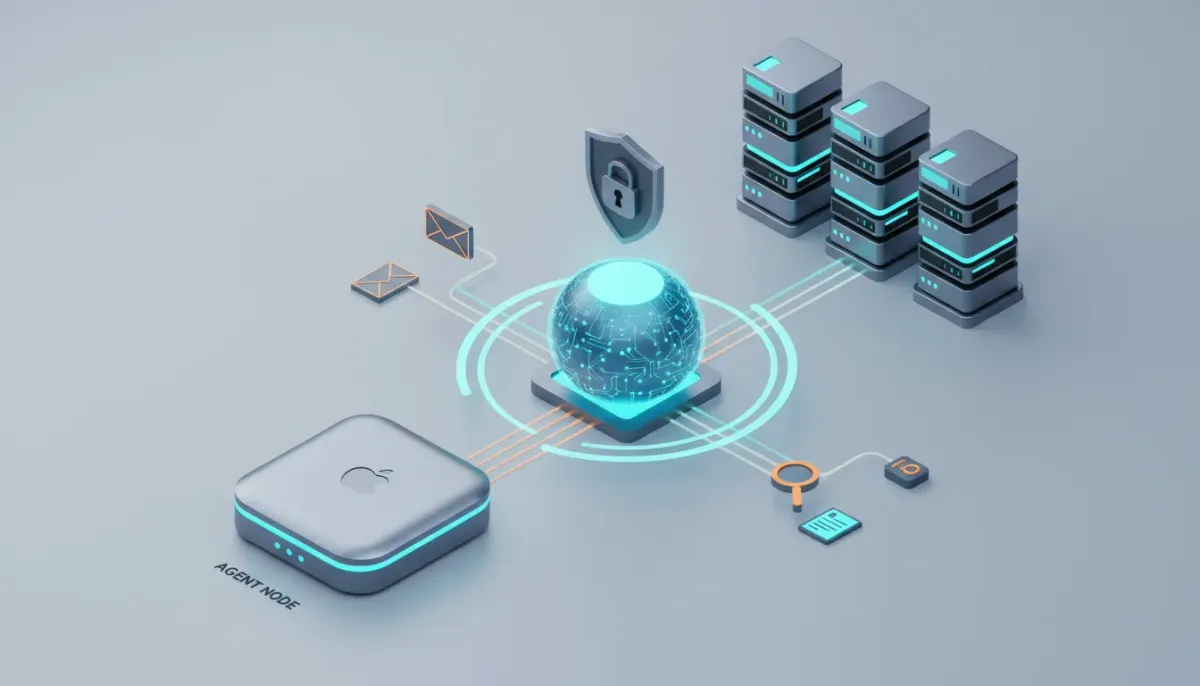
OpenClaw is an open-source agent framework you can run on a VPS or local Mac Mini to automate research, outreach, content scraping, reporting, and other repeatable business tasks. This guide explains what you need, how to deploy it, how to control costs, and how to harden it for safe production use.
What OpenClaw does and who should use it
OpenClaw runs autonomous agents that can act on your behalf, connect to APIs and tools, store memory, and run scheduled tasks. It is best suited for teams and founders who want continuous automation for tasks such as outbound email, lead enrichment, content research, daily reports, and scheduled monitoring.
High-level architecture and deployment options
- VPS (recommended to start), e.g., Hostinger, AWS, or other providers. Runs 24/7, low maintenance, easy one-click installs.
- Mac Mini for local ownership of hardware and on-prem setups. Good for offline-only use or Mac-specific integrations, but not portable.
- Hybrid setups are common: a Mac Mini for private tasks and a VPS for always-on services.
- Access and channels. Common inbound channels are Telegram, WhatsApp, Discord, or custom webhooks. Telegram is often easiest for initial setup.
Minimum tools, API keys, and accounts
Before you deploy, gather these items.
- An affordable VPS plan, or a Mac Mini if you prefer local hosting. Hostinger KVM instances are common starting points.
- One LLM API key to bootstrap setup. Anthropic or OpenAI key with $5 to $20 credit for setup and testing.
- OpenRouter key if you plan to route multiple models through one API endpoint.
- Brave Web Archiver or similar for web scraping and browsing access.
- Telegram account for bot interaction and onboarding. Use BotFather to create a bot token.
- Storage integrations you plan to use: Notion, Google Sheets (OAuth), Google Drive, or a database like Supabase.
- Optional: a credential manager such as 1Password or Keeper to store API keys offline.
Step-by-step deployment checklist
- Provision the VPS. Choose Ubuntu 24.04 for compatibility. Select a small instance first and upgrade later if needed.
- Use a one-click installer if available. Many hosts list OpenClaw in their app catalog. The one-click path reduces manual setup work.
- Create a credentials CSV. After deployment you will receive a gateway token. Store the gateway token and API keys in a single CSV or secure secret store so you can reuse them later.
- Bootstrap with one LLM key. Use Anthropic or OpenAI to complete first-run setup. Keep a small balance on the account for testing.
- Install Brave web scraping or a similar browser API. This allows OpenClaw to fetch web pages and API docs for the agent.
- Create and connect a Telegram bot using BotFather, copy the token, and give that token to the agent during onboarding.
- Run onboarding and define identity and soul. Provide the agent with a user.md profile, an identity file, and a soul file that defines behavior, privacy rules, and permitted actions.
- Install skills from ClawHub such as a Notion skill or an AI persona management skill. Inspect downloaded skill files before installing.
Example credentials CSV
gateway_token,your_gateway_token_here
anthropic_key,your_anthropic_key_here
openai_key,your_openai_key_here
openrouter_key,your_openrouter_key_here
brave_key,your_brave_archiver_key_here
telegram_token,your_telegram_bot_token_here
Practical quick start (Hostinger + Telegram)
- Create a Hostinger VPS and choose Ubuntu 24.04.
- Open the VPS control panel, find the app catalog, search for OpenClaw, click deploy.
- Copy the gateway token from the deploy popup, paste it into your CSV or secret store.
- Provide at least one LLM API key so the agent can finish provisioning.
- Generate a Telegram bot with BotFather, add that token to the credentials list.
- Open Telegram, start a chat with your bot, and run the onboarding command such as /start.
- Let the agent ask for any missing information. It will guide you through hooking up Brave, Notion, or Google Sheets.
Model routing, heartbeats, and cost control
Use different models for different tasks to control cost and keep quality where it matters.
- Heartbeat tasks such as periodic checks and light monitoring should use very low-cost models, or a cheap commercial model with an API spend cap.
- Routine generation like batch rewriting or simple emails can use cost-effective models such as Miniax M2.5 or other low-cost options via OpenRouter.
- High-value tasks such as strategy, long-form persuasion copy, or data synthesis should use higher-quality models selectively.
- Use OpenRouter to centralize model selection, and set per-key spend caps or daily budgets when supported.
- Monitor token usage, and log cost per action. After a few runs you can calculate cost per email, per scraping job, and per daily brief.
Example costs to track: heartbeat frequency times cost per heartbeat, and cost per email send including validation and enrichment. Adjust models and frequency until the per-action cost fits your ROI goals.
Scheduling and cron jobs
Use cron jobs to run daily briefs, heartbeats, and backups. Set reasonable frequencies for actions and review results before scaling.
# Run agent heartbeat every 30 minutes
*/30 * * * * /usr/bin/openclaw-heartbeat --agent ai_agent_name >> /var/log/openclaw/heartbeat.log 2>&1
Storage and memory strategies
Decide how the agent will store facts and corrected behavior.
- Notion and Google Sheets are common for human-readable research and team access.
- Google Drive is convenient for images and binary files.
- Superbase or vector databases are appropriate when you need encrypted columns or vector search for embeddings.
- Plan backups by scheduling daily dumps of your memory store to an external location.
Security and credential handling
Protect keys and limit agent privileges.
- Run as a non-root user on the VPS, inside a Docker container when possible.
- Use SSH and Tailscale to harden access and reduce direct inbound exposure.
- Do not hardcode API keys in public files. Store keys in secret managers or an encrypted column in your database.
- Set API rate limits and spend caps for each key, especially on expensive LLM endpoints.
- Restrict high-cost external APIs such as Google Places or other paid scraping endpoints, because those bill without LLM rate controls.
- Prevent key exfiltration by instructing the agent explicitly to never send secrets over chat channels, and validate any skill before installation.
- Human in the loop for any action that touches payments, legal messages, or sensitive data until behavior is proven safe.
Prompt injection and behavior controls
Prompt injection is a real vector. Add both policy-level constraints and runtime guards.
Start Your HighLevel Trial + Get Instant Nexus Hub Access
Build, scale, and optimize your business with HighLevel. Start a free trial using this link to get automatic access to the Nexus Hub community, templates, and implementation resources.
Start Free Trial- Include an instruction that forbids revealing any secret or API key under any circumstance.
- Use tools like prompt guard libraries or filter layers to detect injection patterns.
- Audit and test skills offline before enabling autonomous actions that can reach external systems.
Common use cases and brief examples
- Cold outreach at scale, where the agent finds prospects, enriches profiles, drafts custom copy, validates emails, and places sends through a controlled delivery pipeline.
- Content research and SEO automation, where the agent scrapes top-performing content, extracts themes, and drafts SEO-optimized pages or social posts.
- Daily briefs and analytics, where the agent pulls Google Analytics, Search Console, and ad metrics and creates concise summaries delivered each morning.
- Sponsorship and partnership outreach, where the agent finds events or podcasts, collects contact info, and proposes sponsor messages.
Pitfalls and mistakes to avoid
- Installing skills without inspection, which can include malicious or poorly written code.
- Exposing billing-heavy APIs like Google Places without request controls, leading to large unexpected bills.
- Relying on free models long term. Free endpoints can be rate-limited or become unreliable.
- Not setting API spend limits. Always use per-key caps or monitor usage in near real time.
- Scaling before you validate. Run small experiments, verify outputs, then scale frequency and volume.
Launch checklist
- Provision VPS and install OpenClaw via one-click installer.
- Create and store a credentials CSV or secret store.
- Connect at least one LLM key for setup.
- Create Telegram bot and link it to the agent.
- Install a baseline skill set and inspect files before enabling actions.
- Set model routing rules and per-key spend caps.
- Enable cron job backups and a daily report to review costs and actions.
- Keep human-in-the-loop for the first 7 to 14 days for critical flows.
Frequently asked questions
Can I cap daily or monthly spending for OpenClaw?
Yes. Use per-key spend caps where supported, and configure model routing to use low-cost models for frequent tasks. Monitor logs and set numeric thresholds that pause or downgrade models when exceeded.
VPS or Mac Mini, which should I pick first?
Start with a VPS for simplicity and uptime. A Mac Mini is useful for strict on-prem constraints or Mac-specific tooling, but it is less portable and may require more maintenance.
How should I store API credentials?
Keep credentials in an encrypted secret manager or a secure password manager. Avoid hardcoding keys in files. For teams, use an encrypted database column pattern or a vault that supports key rotation.
Can OpenClaw send SMS or voice messages?
Yes, if you grant the agent access to a messaging provider API such as Twilio, or connect it to systems that handle SMS and voice. Always restrict those keys and route high-cost actions through approvals.
Can OpenClaw crawl LinkedIn for prospects?
You can enrich LinkedIn data using specialized scraping services or API proxies like Apify, PhantomBuster, or paid data providers. Be mindful of terms of service for each platform.
How do I back up agent memory and skills?
Schedule automated exports of your memory store to Google Drive or an S3 bucket. Add a cron job that dumps important files and pushes them outside the instance for redundancy.
Key takeaways
OpenClaw can automate complex, multi-step processes if deployed carefully. Start small, secure keys, route models by cost and task quality, keep a human in the loop until behavior is reliable, and schedule backups. Inspect any shared skill before installing it, control API spend, and use low-cost models for frequent checks. With this approach you can run an always-on agent that delivers useful, repeatable business outcomes.
Start Your HighLevel Trial + Get Instant Nexus Hub Access
Build, scale, and optimize your business with HighLevel. Start a free trial using this link to get automatic access to the Nexus Hub community, templates, and implementation resources.
Start Free Trial


