
How To Use Delinked Nodes for Efficient HighLevel Automation
Learn how to use delinked nodes in the HighLevel Advanced Workflow Builder to create parallel, independent branches within a single automation. This guide covers setting up multi-channel workflows for SMS, email, and Instagram to improve organization and consolidate your reporting.

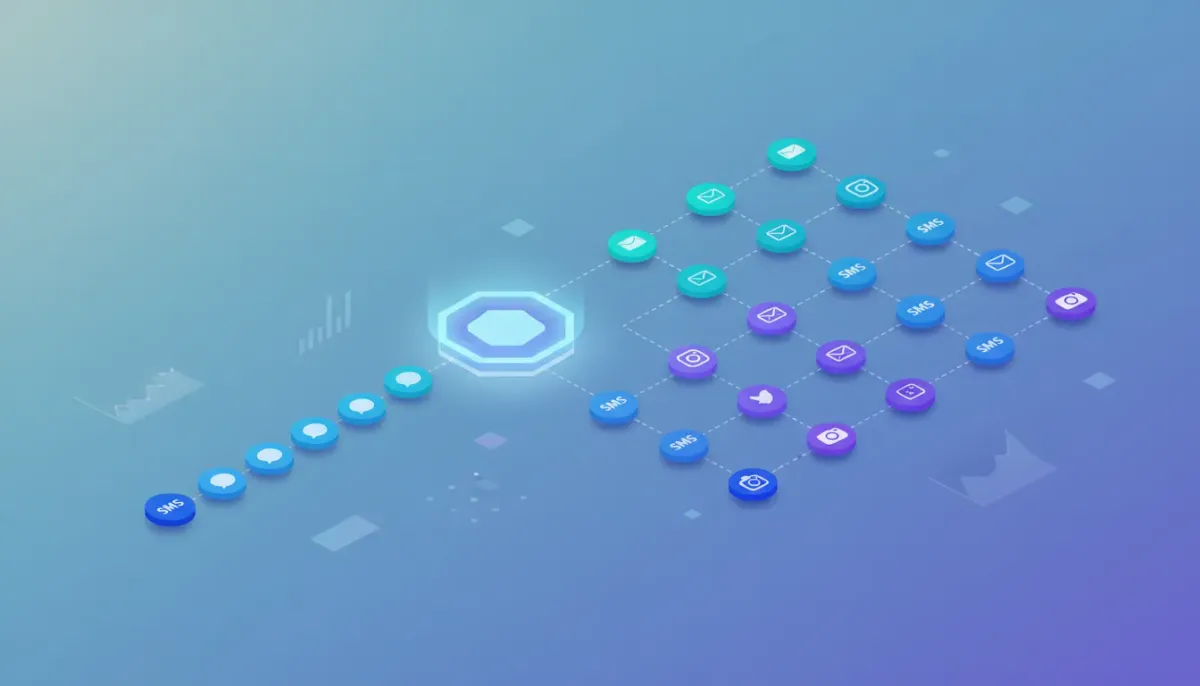
Delinked nodes change the way you design automations in HighLevel. Instead of building dozens of separate workflows for similar tasks, you can create parallel, independent branches inside a single automation using the Advanced Workflow Builder. This keeps everything organized, makes testing and iteration faster, and gives you a single place to monitor contact progress and performance across channels like SMS, email, and Instagram.
The Complete Operating System for Growth
Join over 60,000+ agencies and businesses using HighLevel to capture more leads and close more deals. Start your trial today and get instant access to the Nexus Hub resources.
Claim Your Free Trial & BonusesOutline
- What delinked nodes are and why they matter
- How delinked nodes work inside the Advanced Workflow Builder
- Practical use case: Conversation AI across SMS, email, and Instagram
- Step-by-step setup and tactical tips
- Benefits for agencies and scaling HighLevel automations
- Common issues and troubleshooting
- FAQ
What Are Delinked Nodes?
In the Advanced Workflow Builder, traditional automation flows look like a single connected line of triggers and actions. Delinked nodes let you create multiple, independent "mini-workflows" inside one automation. Each node or node path can have its own trigger and set of actions without needing to be connected to the rest of the workflow.
Think of delinked nodes as separate lanes on the same highway. They run in parallel, do not interfere with each other, and can still live under one automation umbrella. You save on clutter, reduce the number of separate automations to manage, and get a unified view of activity and stats.
How Delinked Nodes Work in the Advanced Workflow Builder
HighLevel labels elements inside the Advanced Builder as nodes rather than just triggers and actions. A delinked node is simply a node that is not connected linearly to its neighbors. You can place several of these independent node chains on the canvas, configure each with a different trigger, and then save and publish the automation as a single unit.
Because nodes are independent, each pathway can:
- Use a different trigger type (for example, customer reply on SMS, email reply, or Instagram DM)
- Contain different actions tailored to the channel (SMS send, email send, Instagram message)
- Use different GPT prompts or AI actions to shape responses
- Be tested, modified, or connected to other nodes only when you want to merge logic
Nodes vs Traditional Triggers and Actions
The key distinction is flexibility. Traditional automations are linear and require separate workflows for independent behavior. Delinked nodes let you keep independence while retaining the benefits of a single automation container: consolidated reporting, unified contact view, and easier management for agencies handling multiple clients or channels.
Practical Use Case: Conversation AI Across Multiple Channels
A common scenario that highlights the power of delinked nodes is conversation AI. Imagine you want to respond to customer replies with AI-generated responses on SMS, email, and Instagram. Each channel requires slightly different prompts and a channel-specific action to send the response. With delinked nodes, you can build three independent branches inside one automation:
- SMS branch - Trigger: Customer reply on SMS. Action: GPT node configured for short conversational replies and a Send SMS action.
- Email branch - Trigger: Customer reply on Email. Action: GPT node tailored to craft subject lines and longer, structured email bodies, followed by an Email Send action.
- Instagram branch - Trigger: Instagram DM reply. Action: GPT node optimized for casual, platform-appropriate text, followed by an Instagram DM Send action.
Each branch can use a different GPT prompt. For example:
- SMS GPT prompt: Write a friendly reply in 40 words or less.
- Email GPT prompt: Create a conversational response with a suggested subject line.
- Instagram GPT prompt: Draft a short, emoji-friendly DM reply in plain text.
Because these are delinked, you do not need three separate automations to handle them. All three branches can be saved and published inside the same automation. A single contact could even interact across multiple branches at the same time, and you would be able to see their position in each branch from one place.
Why Delinked Nodes Matter - Key Benefits
For anyone running HighLevel automations, especially agencies and teams scaling multiple clients, delinked nodes offer several strategic advantages:
- Cleaner organization - Keep related automations grouped logically in a single workflow instead of scattering them across folders.
- Faster iteration and testing - Switch prompts, tweak branching, or compare message variants without duplicating workflows.
- Consolidated analytics - View deliverability and conversion stats for multiple channels from a single automation screen.
- Better contact visibility - Track where a contact stands in multiple concurrent flows without jumping between workflows.
- Resource efficiency - Reduce maintenance overhead by updating one automation rather than many.
Compare Variants Easily
Running A/B style comparisons or testing different AI prompts becomes simpler. For example, you can duplicate a GPT node with a slightly different prompt in the email branch to see which subject line or tone performs better. Because the variants live in the same automation, comparing stats and making fast changes is straightforward.
Step-by-Step: Building Delinked Node Automations
Follow these practical steps to create delinked nodes in the HighLevel Advanced Workflow Builder.
- Create or open an automation in the Advanced Workflow Builder.
- Add a trigger node for the first channel (for example, Customer Replied - SMS). Place it on the canvas.
- Build the action path for that trigger: add a GPT node (Conversation AI) if you want AI-generated content, then add a channel-specific send action (Send SMS).
- Add another trigger node somewhere else on the canvas for the second channel (Customer Replied - Email). Do not connect this node to the first node - leave it delinked.
- Configure the second branch with its own GPT node and Email Send action. Tailor the GPT prompt to create an email subject and body.
- Repeat for additional channels such as Instagram DM, Facebook, or other supported integrations.
- Run tests on each branch independently. Modify prompts, tweak actions, and copy nodes to create variants without breaking other branches.
- Save and publish the automation. All delinked branches will run independently according to their triggers.
Tactical Tips for Prompts and GPT Actions
- Be channel-specific - Include constraints like "40 words or less" for SMS or "Provide subject line and body" for email in your prompt.
- Use templates - Build prompt templates you can reuse and tweak quickly across branches.
- Keep safety and compliance in mind - Add guardrails in prompts to avoid disallowed content or inappropriate claims.
- Version control - When testing, duplicate the GPT node and label it clearly (for example, "Email - Casual v1" and "Email - Formal v2").
- Track performance - Use built-in analytics to monitor deliverability and response rates per branch.
How Agencies Can Use Delinked Nodes to Scale Faster
Agencies managing multiple clients or services benefit from delinked nodes in these ways:
The Complete Operating System for Growth
Join over 60,000+ agencies and businesses using HighLevel to capture more leads and close more deals. Start your trial today and get instant access to the Nexus Hub resources.
Claim Your Free Trial & Bonuses- Template economies - Create automation templates with delinked branches for common use cases like lead qualification, re-engagement, or booking confirmations. Clone and customize per client.
- Single-pane reporting - Consolidate deliverability and interaction metrics for client audits and monthly reports without aggregating data from multiple automations.
- Implementation speed - Roll out cross-channel conversational automations faster by copying and adjusting nodes rather than building new automations from scratch.
- Training and handoff - Provide clear, centralized automations to team members for easier onboarding and edits during campaign lifecycles.
If you are running HighLevel as your CRM and marketing automation platform, consider pairing delinked node automations with the Nexus Hub community for additional templates and implementation support. Nexus Hub often contains pre-built workflows and prompt templates that can shorten the time from idea to launch.
Monitoring, Stats, and Contact Visibility
One of the most valuable practical outcomes is unified visibility. When a single contact interacts across SMS, email, and Instagram, you can see where they are in each independent branch inside the same automation. This helps you avoid duplicated outreach and creates a clearer picture of engagement across channels.
You can also compare deliverability and engagement metrics across branches. If one email variant is underperforming, you can iterate on the prompt, subject line, or timing without touching your SMS or Instagram logic.
Common Limitations and Troubleshooting
Delinked nodes are powerful, but here are a few things to watch for:
- Complexity creep - A single automation with many delinked branches can become visually dense. Use labels and consistent naming conventions for nodes to stay organized.
- Overlapping triggers - Ensure your triggers are granular enough to avoid unintended simultaneous activations. For instance, a generic "Customer Replied" trigger might fire in multiple branches unless you scope it by channel.
- Testing discipline - Test each branch independently, and use versioned nodes for safe experimentation.
- Permissions and access - Make sure team members understand the single-automation architecture so edits do not impact unrelated branches unintentionally.
Resources and Next Steps
To get the most from delinked nodes:
- Start by converting a few related automations into a single delinked-node automation and observe the benefits in reporting and maintenance.
- Build prompt templates for each channel and keep them in a shared repository for quick copying into GPT nodes.
- Use clear node names and comments inside the automation so teammates can follow logic at a glance.
- Consider using a free trial of HighLevel to test delinked nodes in a sandbox environment - try a 14-day free trial at http://gohighlevel.com/army-offer
- Explore the help documentation at https://help.gohighlevel.com/en/support/solutions/articles/155000006700-delinked-nodes-independent-branches-advanced-builder-workflow for step-by-step guidance.
- Join communities like Nexus Hub for templates, prompts, and implementation help when scaling across multiple clients.
Troubleshooting Checklist
- Are all triggers scoped to the correct channel?
- Do GPT prompts include channel-specific instructions?
- Are node names and versions clear?
- Have you tested each branch independently in a staging environment?
- Are analytics set up to compare branches and measure deliverability?
FAQ
Can multiple delinked branches run for the same contact at the same time?
Yes. A single contact can progress through multiple delinked branches simultaneously if they meet each branch's trigger criteria. The automation shows the contact's status in each independent branch, so you can track engagement across channels from one place.
Do delinked nodes require any special account settings to use?
No special account settings are required. Delinked nodes are part of the Advanced Workflow Builder experience in HighLevel. Make sure you have access to the Advanced Builder and the necessary channel integrations (SMS, email, Instagram) enabled in your account.
Can I connect delinked nodes later if I want them to interact?
Yes. Nodes can remain independent initially and then be connected later if you want workflows to interact or hand off actions between branches. This gives you maximum flexibility for iteration and experimentation.
How do I compare performance between branches?
Use the automation's built-in analytics to monitor deliverability, open rates, click rates, and responses per branch. Because branches live in the same automation, comparing their stats is more convenient than pulling reports from multiple separate workflows.
Are there best practices for naming and organizing nodes?
Yes. Use consistent naming conventions like "Channel - Purpose - Version" (for example, "Email - Answers - v1"). Group related nodes visually on the canvas, add comments when possible, and document prompt variations and test dates in a shared resource.
Closing Thoughts
Delinked nodes are a practical evolution in automation design. They let you keep related logic together while preserving independence across channels. For agencies and teams focused on scaling CRM and marketing automation with HighLevel, this approach reduces clutter, accelerates testing, and makes reporting more meaningful. Start small, convert a few related workflows into delinked branches, and you will quickly see how these independent lanes simplify both day-to-day operations and long-term optimization.
For more help, refer to the HighLevel help doc at https://help.gohighlevel.com/en/support/solutions/articles/155000006700-delinked-nodes-independent-branches-advanced-builder-workflow or consider booking a walkthrough with the HighLevel success team at https://speakwith.us/success.
The Complete Operating System for Growth
Join over 60,000+ agencies and businesses using HighLevel to capture more leads and close more deals. Start your trial today and get instant access to the Nexus Hub resources.
Claim Your Free Trial & Bonuses


