
Revamped Course Builder: Modern UI and Easier Course Creation



Courses help establish your brand as a reliable source of information and provide clear value to customers. We updated the Course Builder to make that process faster and more pleasant. The interface is modernized, navigation is smoother, and content editing stays where it belongs: inside the editor.
What changed
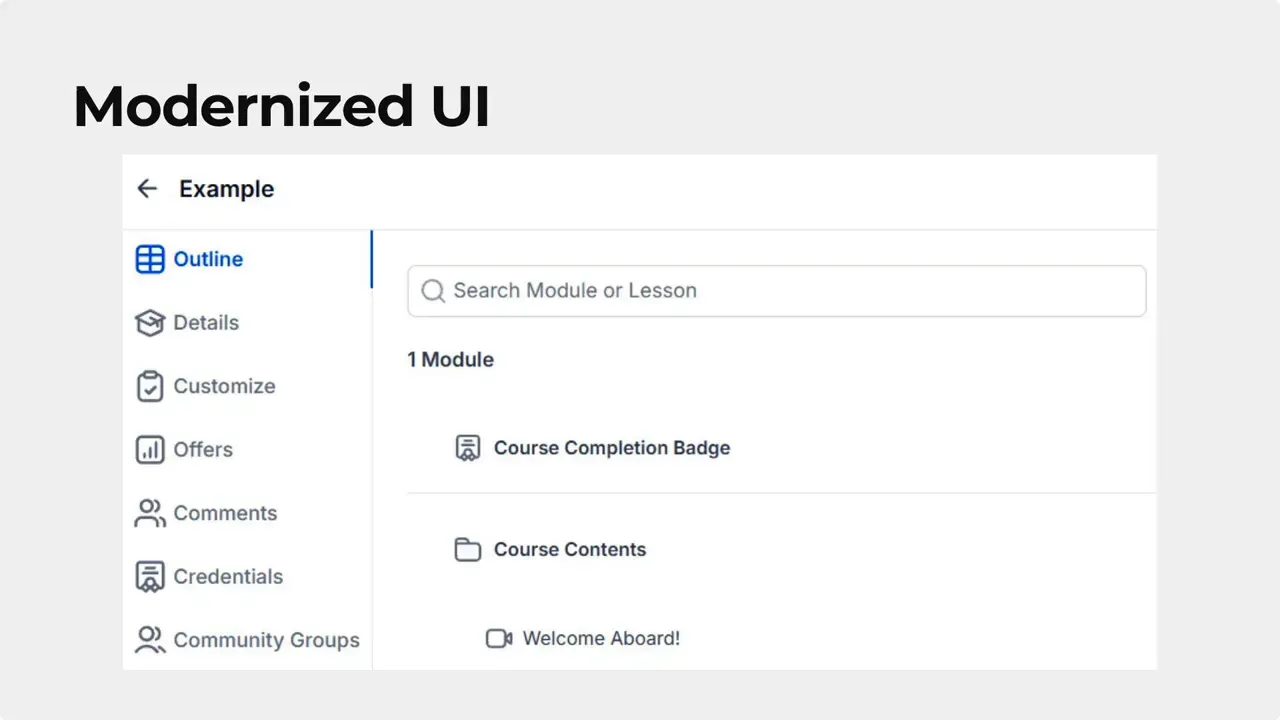
- Modernized interface with unified buttons, modals, and forms for a consistent look and feel.
- No more iframes. Module Federation no longer creates iframes, keeping all pieces connected for smoother navigation and fewer context switches.
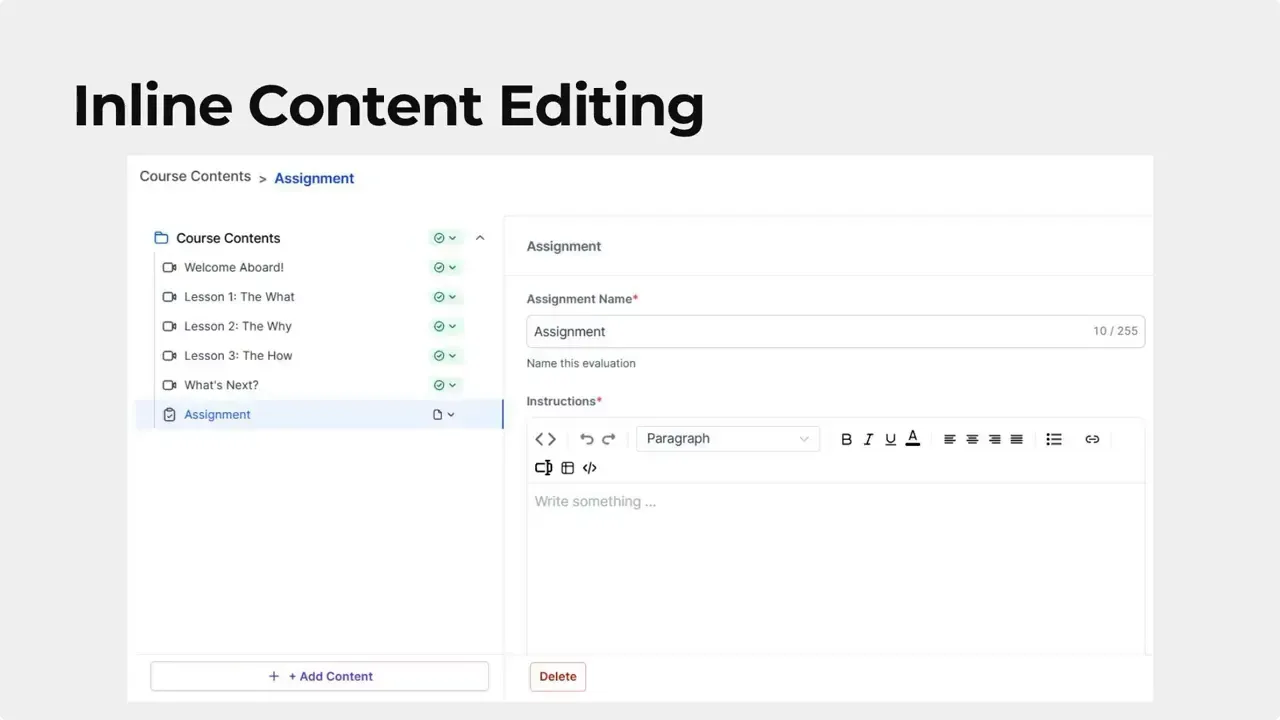
- Inline content editing. Adding and editing course content now happens inside the editing module without leaving the page.
- Centralized tools so course setup and management remain in one place.
Why this matters
Better design and fewer interruptions save time and reduce friction. Creators can build courses faster, and learners enjoy a more consistent experience. The combined improvements make course creation more efficient and predictable.
"Adding content to your courses no longer requires you to leave the editing module."
How to create a course
Here are the steps to set up a new course using the updated builder.
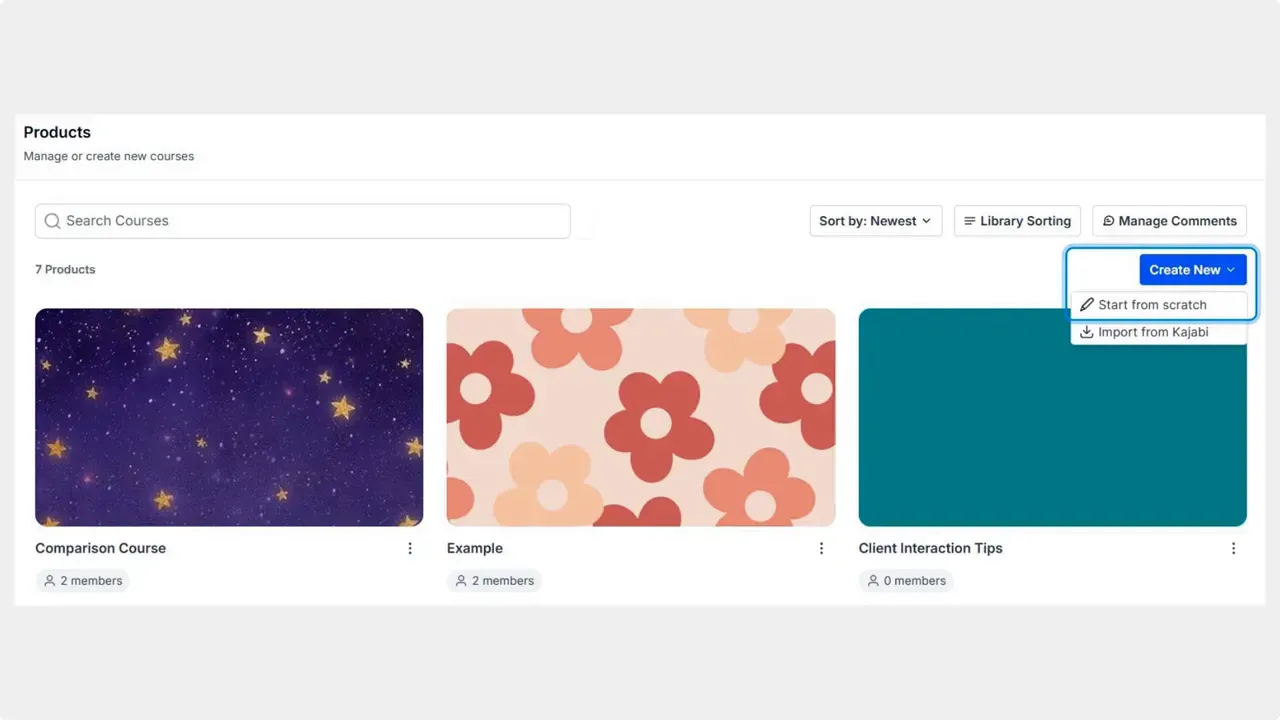
- Go to the Products tab inside the Courses section.
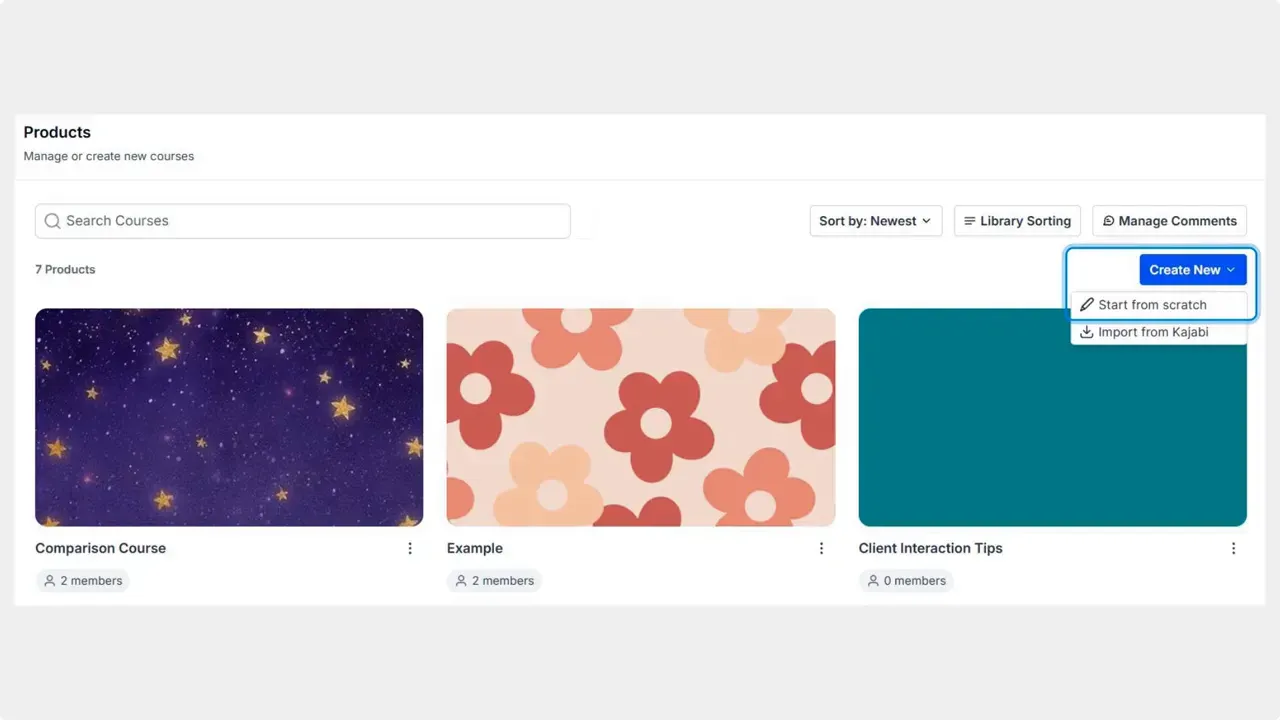
- Click Create New and select Start from Scratch.
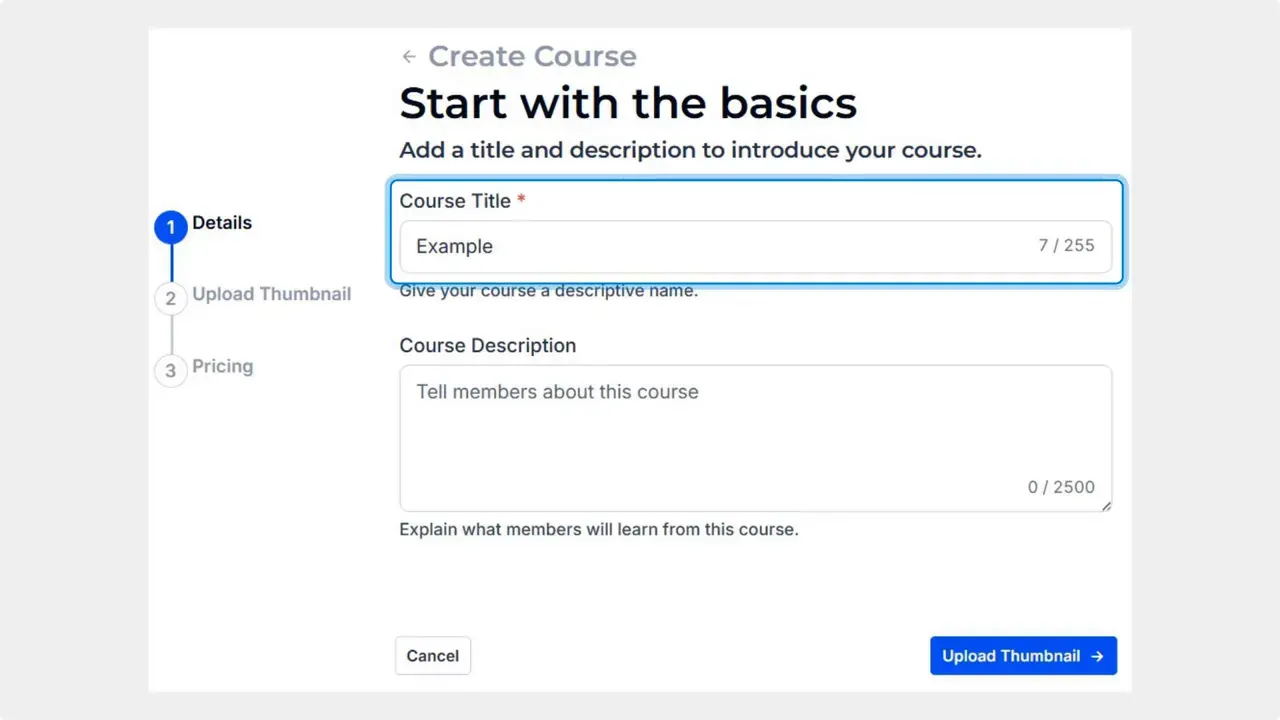
- Enter your course title.
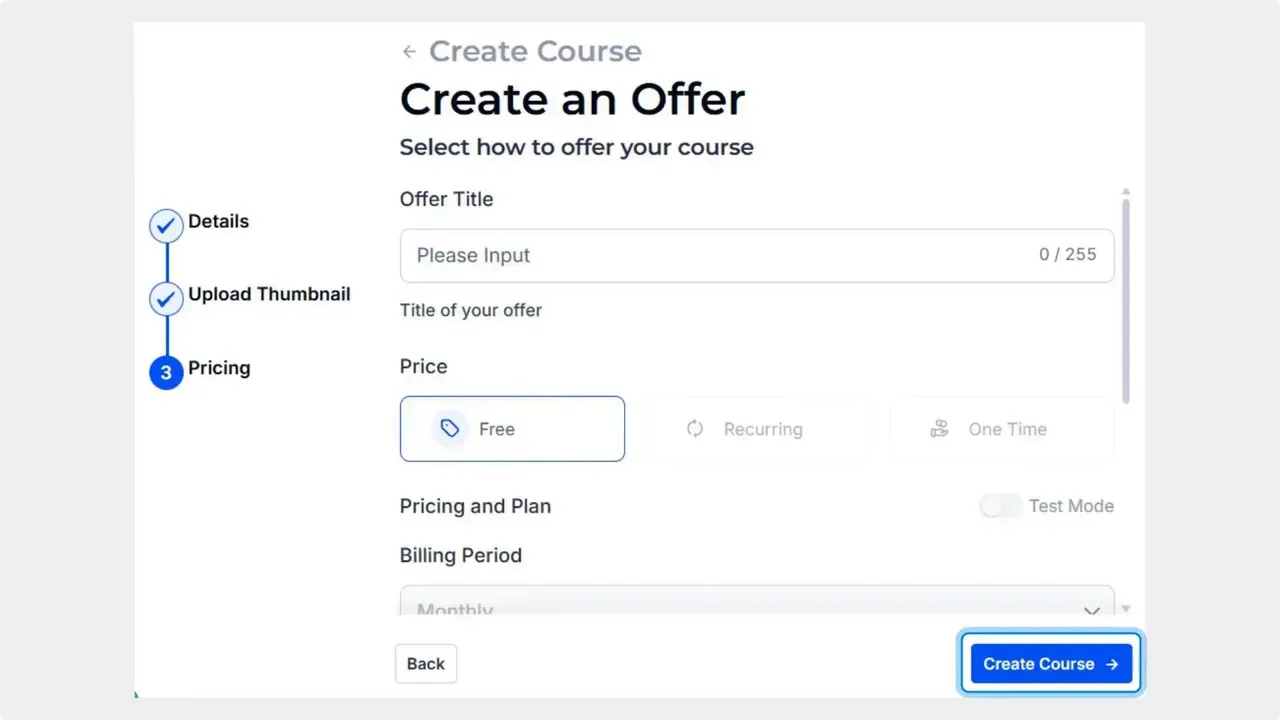
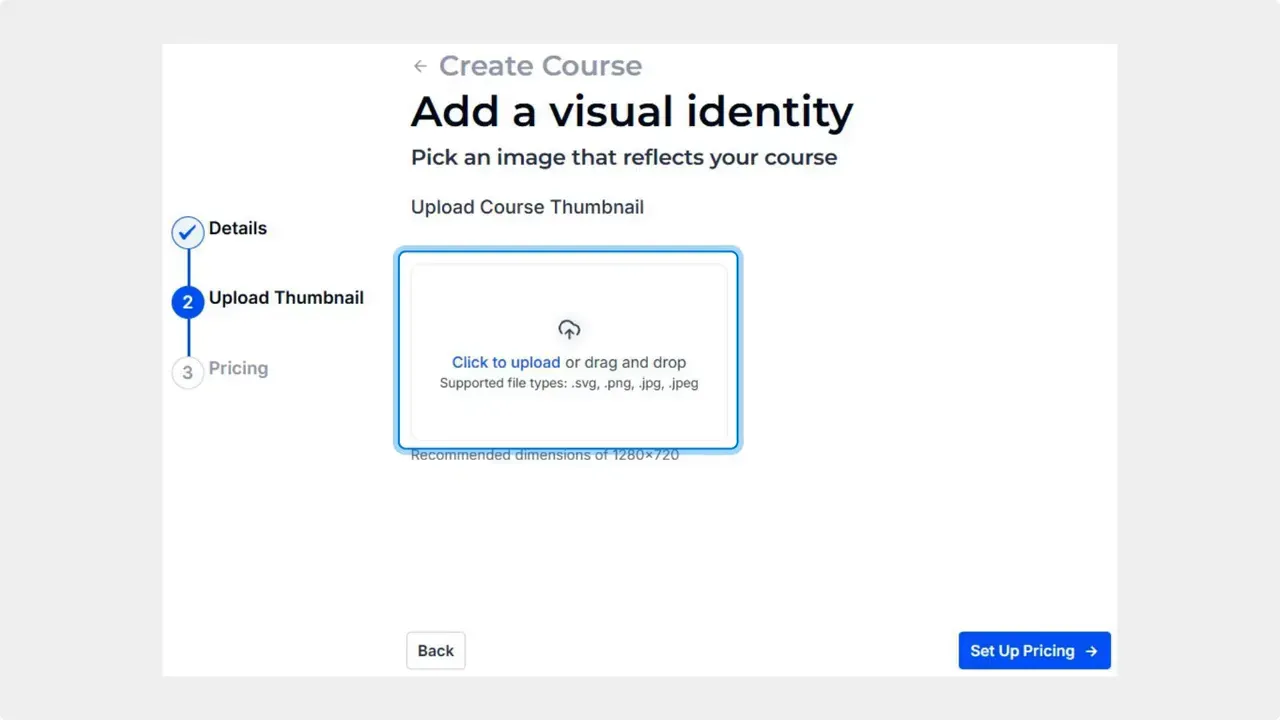
- Upload a thumbnail to identify the course visually.
- Set up pricing if desired.
- Click Create Course to generate it and begin adding content within the editor.
Practical tips for faster course launches
- Use a clear, searchable course title so learners can find it easily.
- Prepare your thumbnail and pricing details before you start to speed up the setup.
- Take advantage of inline editing to add lessons and resources without switching screens.
- Keep modules focused and short to improve learner engagement.
FAQ
What exactly was redesigned in the Course Builder?
The visual components were unified, including buttons, modals, and forms. Module Federation was updated so it no longer uses iframes, and content editing is now inline within the editor.
Do we need to leave the editor to add content?
No. Content can be added and edited directly inside the editing module, which keeps the workflow smooth and uninterrupted.
Can courses be priced when created?
Yes. During creation you can upload a thumbnail and choose Set Up Pricing. Pricing is optional and can be configured before clicking Create Course.
Where do we start when creating a new course?
Start in the Products tab inside the Courses section, click Create New, select Start from Scratch, then enter a title, upload a thumbnail, set pricing if needed, and create the course.
Final notes
We built these updates to make course creation faster, more reliable, and easier to manage. Keeping all tools centralized and removing unnecessary context switches helps teams move from idea to published course with less friction.
At Pinnacle, we continue to improve tools that help businesses deliver value and grow with clarity.
This article was created from the video Revamped Course Builder: Modern UI and Easier Course Creation



