
New Feature: Comment Management in Social Planner to Boost Engagement

Interacting with your audience frequently helps build community and rapport. It makes your brand more accessible and encourages customers to choose you over competitors. To make that easier, we added a Comment Management section inside the Social Planner so you can manage incoming comments without leaving your CRM.
Table of Contents
- Where to find Comment Management
- Why this feature matters
- Simple best practices for better results
- Frequently asked questions
- Final notes
Where to find Comment Management
Here is how to get to the new comments area and start replying from Pinnacle.
Open the Comments area
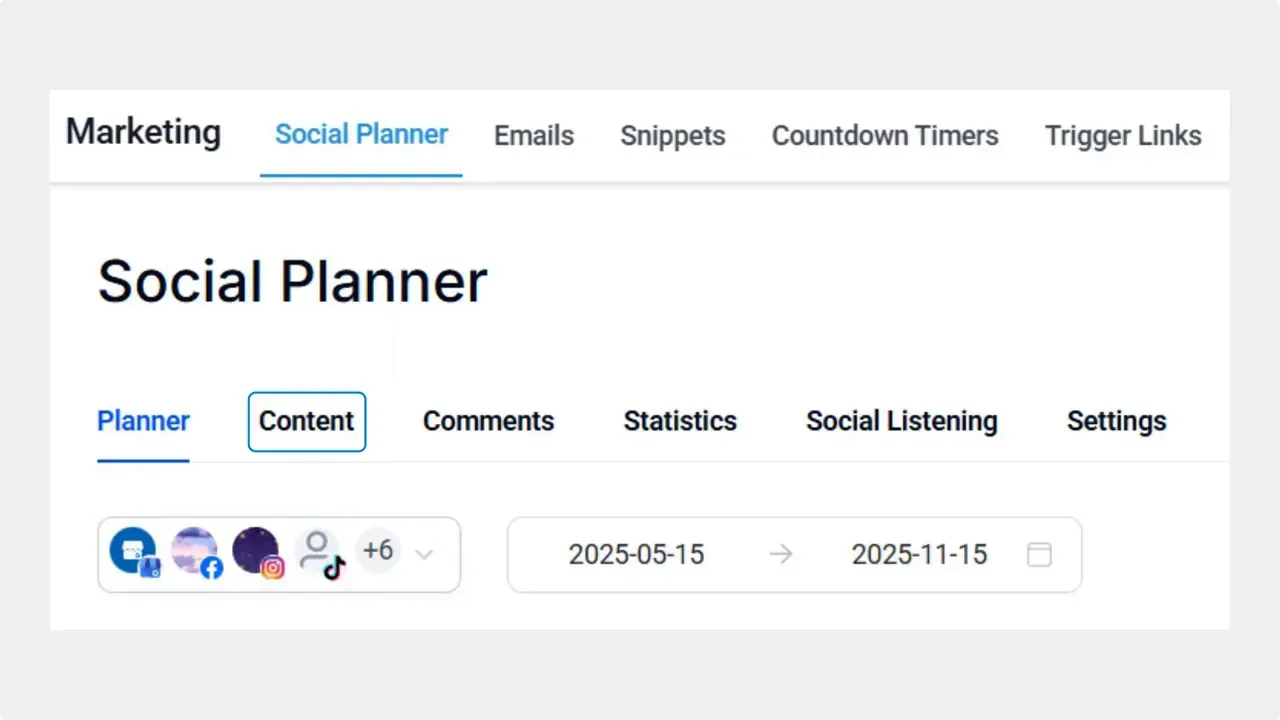
Navigate to the Social Planner tab under Marketing, then open the Comments area. This brings all incoming comments into one place inside your account so you do not need to switch platforms.
Open the detailed view
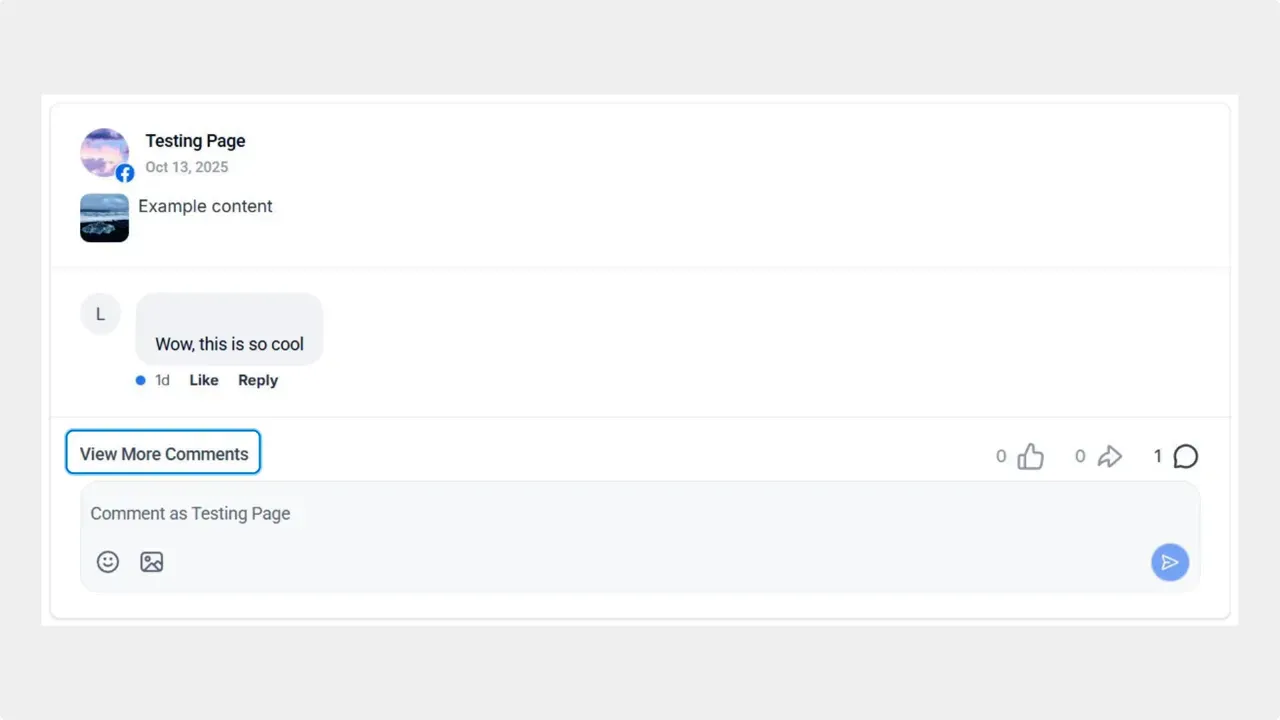
Click View More Comments to open the detailed view. The detailed view shows the full thread and lets you pick the exact comment to reply to.
Reply directly from the detailed view
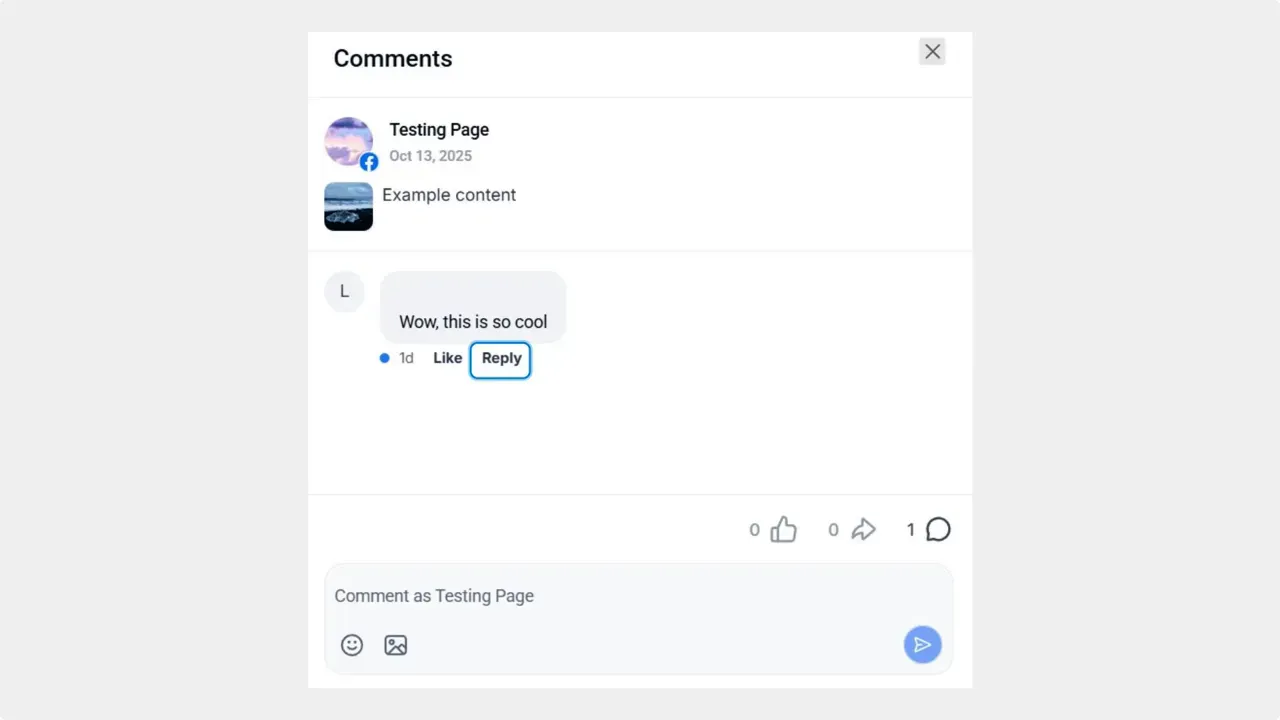
Under the comment you want to reply to, click Reply. Type your response in the text bubble and send it. The reply posts directly as a response in the original platform without leaving Pinnacle.
Why this feature matters
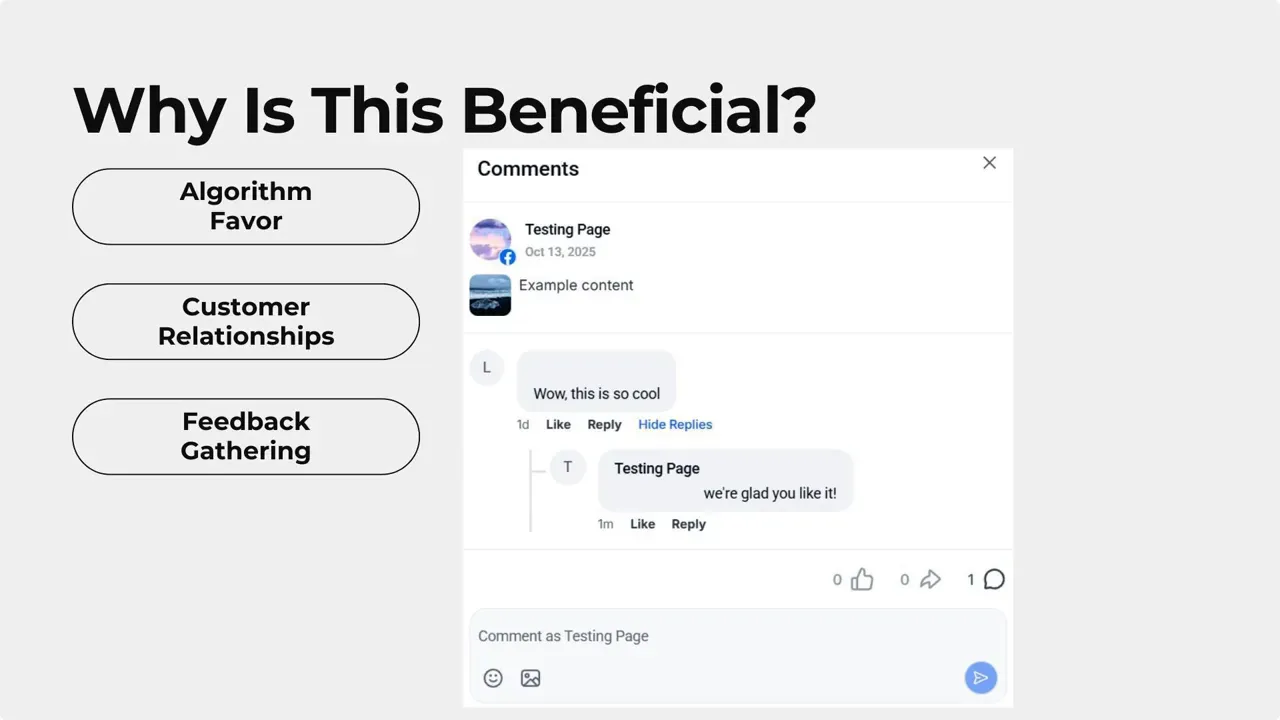
- Boosts algorithm reach by keeping conversations active. Platforms favor posts with ongoing engagement, so replies help improve visibility.
- Strengthens customer relationships with direct replies that feel personal and timely.
- Saves time and reduces friction because you do not need to switch platforms or manage extra credentials.
- Centralizes feedback so your team can quickly act on questions, praise, or concerns from followers.
Simple best practices for better results
- Reply quickly to show you are listening.
- Keep replies short and helpful.
- Use direct replies to move casual commenters into customers or supporters.
- Track recurring questions so you can adjust content or automation accordingly.
Frequently asked questions
Where is the comments area located in Pinnacle?
The comments area is inside the Social Planner tab under Marketing. Open Social Planner, then select Comments to view incoming messages.
Do replies sent from the detailed view post back to the original platform?
Yes. Replies are posted directly to the original platform from the detailed view, so you do not need to switch platforms to respond.
How does replying help with algorithm reach?
Replying keeps the conversation going. Platforms favor posts with active engagement, so direct replies help increase visibility and reach.
Will this save time for our team?
Yes. Managing comments from one place reduces context switching and removes the need to manage separate platform credentials.
Final notes
This addition to Social Planner helps make engagement simpler and more effective. Use it to respond quickly, keep conversations alive, and strengthen relationships with customers without leaving Pinnacle. We hope you enjoy the new feature.



