
How to Automate Client Onboarding with n8n, Perplexity and GoHighLevel
Learn how to automate client onboarding using GoHighLevel, n8n, and Perplexity. This guide explains how to sync intake forms with deep AI research and analysis to generate professional strategy reports and organized Google Drive deliverables without manual intervention.

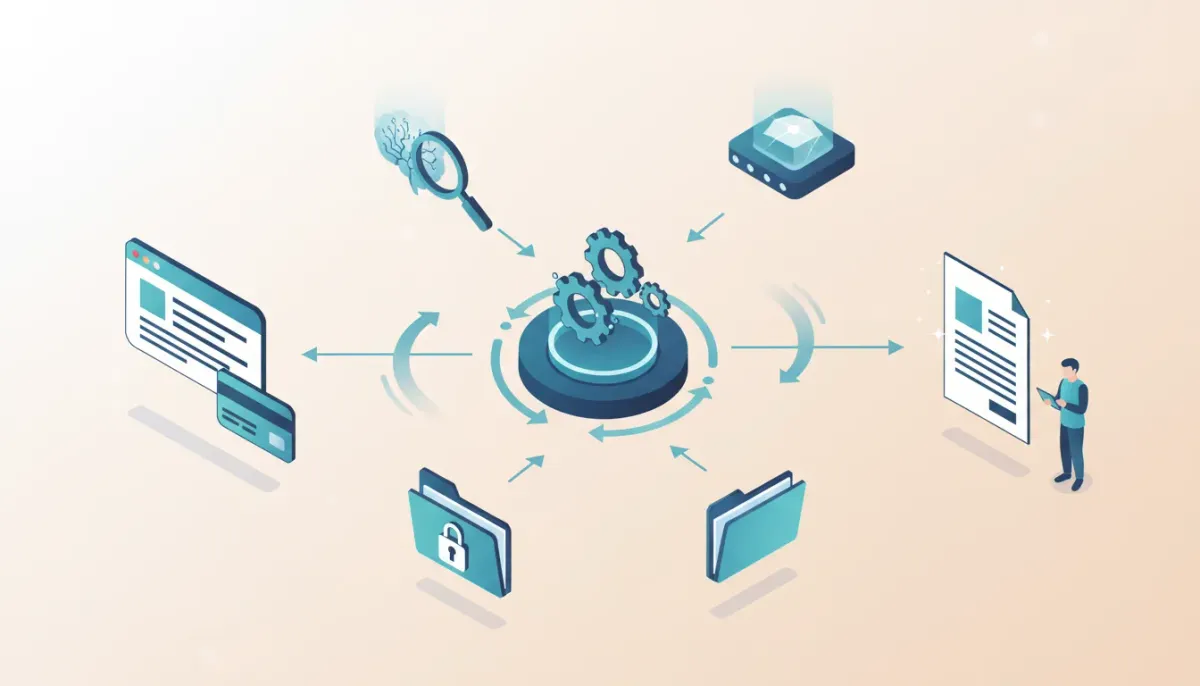
A modern client onboarding system should collect customer data, research their online presence, generate a usable strategy report, and deliver it without manual work. This guide shows a practical, production-ready workflow using GoHighLevel (GHL) for intake and payment, n8n for orchestration, Perplexity for deep research, Google Gemini for analysis, Google Drive for storage, and simple tools to convert AI output into polished client deliverables.
Start Your HighLevel Trial + Get Instant Nexus Hub Access
Build, scale, and optimize your business with HighLevel. Start a free trial using this link to get automatic access to the Nexus Hub community, templates, and implementation resources.
Start Free TrialWhy automate onboarding and who should use this
Automating onboarding decreases churn, saves human hours, and gives clients a fast, professional first impression. This approach fits agencies, consultants, SaaS teams, and marketing ops teams that:
- Want faster delivery of research and recommendations after purchase or signup.
- Need consistent onboarding across many customers.
- Want to scale without hiring more project coordinators.
High-level overview of the automated onboarding flow
- Create an intake form in GoHighLevel and accept payment if needed.
- Send form data via webhook to an n8n workflow.
- In n8n, check if a client folder exists in Google Drive; create it if not.
- Trigger Perplexity deep research using name, email, website and other input.
- Send Perplexity results to a large-model analysis step (Google Gemini or similar).
- Transform the AI output into HTML, generate a PDF, and upload it to the client folder.
- Deliver the report back to the client via email or a GHL portal link and store the assets for team use.
What you need before building
- GoHighLevel account for payments, forms, and funnel pages.
- n8n instance (self-hosted or cloud) with ability to add nodes for HTTP, Google Drive and AI connectors.
- Perplexity API or connector configured for deep research queries.
- Access to Google Gemini or another large-model API for summarization and strategy output.
- Google Drive with a service account or OAuth connection for storing client files.
- Convert-to-PDF service (ConvertAPI, Puppeteer, or similar) if you need a polished downloadable file.
Step-by-step implementation
1. Build the intake form in GoHighLevel
- Collect essentials: first name, last name, email, business name, website, goals, team size.
- Use conditional fields for website: show the URL field only if the customer confirms they have a website.
- Include a budget or revenue question—this is a powerful filter for routing the workflow and assigning resources.
- Keep the form as short as possible to reduce drop-off; pull extra data later with research tools.
- After submission, fire a webhook to your n8n endpoint with all form data and the originating GHL record ID.
2. Receive the webhook in n8n and standardize variables
Map incoming fields to consistent internal keys (for example: client_email, client_name, website). Pin the variables early in the workflow to make debugging and future node references easier.
3. Folder logic and asset organization (Google Drive)
- Check for existing folders first to avoid duplicates for repeat customers.
- Use a unique folder naming pattern such as
email - business nameto guarantee uniqueness. - Create the folder if no ID is found. Store the Drive folder ID in your CRM contact record for future syncs.
- Use a shared drive or a dedicated client root folder for easier access management across the team.
4. Run Perplexity deep research
Pass key variables to Perplexity: full name, email, website, business description, and any other context. Use a system prompt that instructs the service to gather structured citations, mentions, social profiles, and competitor signals. Expect a high volume of text and many citations.
Tip: Perplexity often returns richly cited results. Plan how you will store and surface citations in the final report (for example, an appendix or linked references section).
5. Analyze and condense with a large-model step (Google Gemini)
Feed Perplexity output into a second AI step that:
- Summarizes the research into a short executive summary (bulleted).
- Highlights strengths, opportunities, and red flags.
- Suggests prioritized next steps and a one-page marketing strategy.
Use a system-level instruction for the model that sets the analyst role and a concise output structure: executive summary, opportunities, threats, suggested offers, content ideas, and actionable next steps.
6. Turn AI output into a formatted deliverable
- Convert plain or markdown output to HTML for consistent styling.
- If your platform escapes characters or wraps text as JSON, add a small code node to unescape and produce a binary HTML file.
- Convert HTML to PDF using ConvertAPI or a headless browser step so the file looks polished for client delivery.
- Upload the PDF to the client Google Drive folder and attach the link to the CRM contact.
7. Deliver the report and create follow-up automations
- Send the PDF link via a templated email or a GHL portal message.
- Create tasks or assign a project manager based on budget or revenue fields.
- Trigger downstream workflows: campaign setup, social calendars, proposal generation, or a kickoff meeting scheduler.
Practical tips and implementation notes
- Balance form length versus lead quality. Add fields to filter low-value leads but avoid unnecessary friction for paying customers.
- Split long onboardings into step pages or multiple forms so different stakeholders can complete separate sections and upload assets.
- Unique folder keys: using the client's email first ensures uniqueness when creating Drive folders.
- Use retries and long-running execution in n8n for steps that can exceed short timeouts. Some AI connectors produce large responses and need longer execution windows.
- Handle API quotas: implement graceful failure handling and alerts for exceeded quotas (Gemini, Perplexity, ConvertAPI). Use caching when possible.
- Filter ambiguous results: research outputs sometimes return results about namesakes or unrelated entities. Surface those as "competing search results" in the report instead of silently discarding them.
- File transfer from GHL: HighLevel stores uploaded assets behind internal URLs. Add a step to download files from GHL and then upload to Google Drive to keep assets centralized.
Common problems and solutions
Large AI responses time out or hit token limits
Use chunking: request Perplexity to return structured sections, process each section independently, then recombine. Prefer platforms that support long-running workflows or increase execution time in your orchestration tool.
HTML is escaped or appears as code when converting
Add a small JavaScript code node to unescape JSON strings and output a proper binary HTML file before converting to PDF. Example snippet below.
// n8n Function node example: receive htmlEscaped in input.json[0].htmlEscaped
const escaped = $input.item.json.htmlEscaped || '';
// Unescape common escaped chars
const html = escaped.replace(/\\"/g, '"').replace(/\\n/g, '\n').replace(/\\t/g, '\t');
return [{ json: { html } }];
Perplexity pulls unrelated or sensitive data
Treat these results as raw evidence. Instead of deleting surprising items, flag them in the report and recommend reputation actions where needed. For sensitive personal data, follow your data usage and privacy policy before storing or sharing.
Multiple stakeholders don’t have a single person to fill the form
Break onboarding into multiple step forms. Allow users to skip sections and share a form URL with colleagues to complete missing assets. Store partial progress and notify the primary contact.
Example prompts and structure (templates)
A structured system prompt helps both Perplexity and Gemini produce consistent output. Use variables to inject client data
Start Your HighLevel Trial + Get Instant Nexus Hub Access
Build, scale, and optimize your business with HighLevel. Start a free trial using this link to get automatic access to the Nexus Hub community, templates, and implementation resources.
Start Free TrialSystem: You are an analyst producing a concise business and digital marketing briefing. Use the provided client data to research online presence, competitors, and opportunities. Output sections: Executive Summary, Online Presence, Competitors, Opportunities, Red Flags, Recommended Next Steps.For the user prompt that calls Perplexity pass specific variables: name, email, website, business description, team size, and target geography. Keep the ask explicit and request citations.
Checklist before going live
- Webhook from GHL delivers all expected fields.
- n8n has credentials for Perplexity, Gemini, Google Drive, and ConvertAPI.
- Folder creation logic confirmed and duplicate checks working.
- AI steps produce the expected sections and formats.
- HTML to PDF conversion produces a clean, branded document.
- Report link stored in the CRM contact record and email delivery is tested.
Scaling and team routing
Use the budget or revenue field to route clients to different project managers or specialist teams. For higher budgets assign senior staff and add additional validation steps. For high lead volume, add qualification questions and automated scoring to reduce manual review load.
Where to host templates and ongoing support
Store HTML templates, branded CSS, and report components in a central team Drive folder. Keep a versioned template for different verticals (ecommerce, SaaS, local services). If you use GoHighLevel extensively, tie the final deliverable into the GHL client portal and add tasks for a follow-up cadence.
Next steps and recommendations
- Start by building a minimal form in GoHighLevel and sending a basic webhook to n8n.
- Test one research + summary pipeline using a non-critical client or an internal test subject to tune prompts and token usage.
- Iterate on the PDF layout and add branding, then automate delivery and CRM updates.
- Consider offering this packaged onboarding as an add-on service to clients.
Frequently asked questions
Can I use Zapier instead of n8n for this workflow?
You can, but Zapier has execution time and payload limits that make complex deep research and large AI outputs unreliable. n8n supports longer-running workflows and more control over node-level processing, which makes it a better fit for research-heavy pipelines.
How do I avoid token and quota overages with AI services?
Implement request size limits, chunk large outputs, cache repeated queries, and monitor usage with alerts. Use lower-cost models for intermediate summarization and reserve higher-capacity models for final synthesis.
How should I handle clients with the same name as public figures?
Include a section in the report that highlights name collisions and competitive search results. Recommend SEO and content differentiation strategies and verify identity by cross-referencing email, website ownership, and local citations.
What is the best way to handle file uploads from GoHighLevel?
Download uploaded files from GHL URLs within n8n, then upload them to the client Google Drive folder. This centralizes assets for the team and avoids losing links if the CRM file hosting changes.
Where can I learn pre-built templates or community workflows?
Look for n8n templates in community repositories and GHL template marketplaces. Joining niche communities and implementation hubs provides ready-to-import workflows and support. If you use GoHighLevel, consider trying a free trial and exploring vendor templates to speed up setup.
Summary
Automating onboarding with GoHighLevel, n8n, Perplexity, and Google Gemini removes tedious manual work, speeds delivery, and standardizes the client experience. Start small: a short intake form, a single research-to-summary pipeline, and a branded PDF output. Iterate by adding specialized bots, better templates, and routing rules as you scale.
If you use GoHighLevel, consider starting a free trial to test intake and client portal delivery. For templates and implementation support, join a dedicated community or resource hub to import proven workflows and speed up deployment.
Start Your HighLevel Trial + Get Instant Nexus Hub Access
Build, scale, and optimize your business with HighLevel. Start a free trial using this link to get automatic access to the Nexus Hub community, templates, and implementation resources.
Start Free Trial


