
Did You Know You Can Recover Failed Payments Automatically in HighLevel?
Stop losing recurring revenue to declined charges. This guide shows you how to use HighLevel and Stripe to automate failed payment recovery, set up effective dunning workflows, and keep your subscription business running smoothly without manual follow-ups.

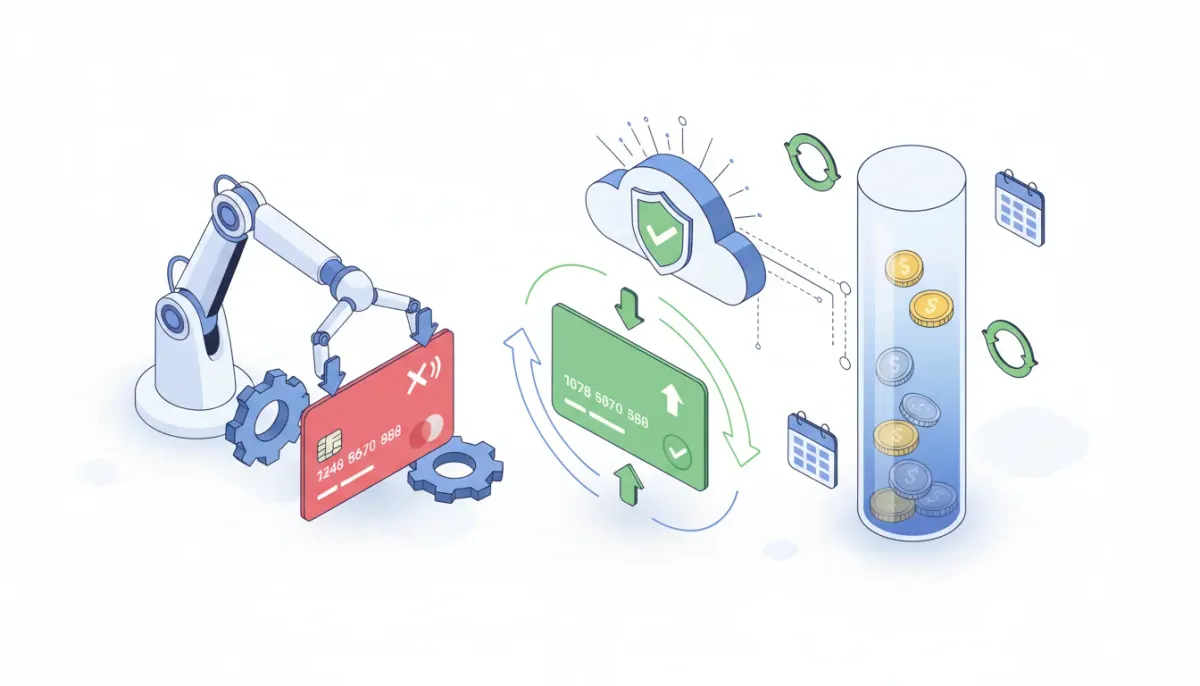
Missed payments, expired cards, and declined charges are an inevitable part of running subscription billing. Each failed transaction is a potential lost customer and lost recurring revenue—unless you have processes in place to recover it. HighLevel (GoHighLevel) includes built-in failed payment recovery for subscriptions when you use Stripe as your payment processor. That means fewer manual follow-ups, less friction for customers, and more successful charges without lifting a finger.
The Complete Operating System for Growth
Join over 60,000+ agencies and businesses using HighLevel to capture more leads and close more deals. Start your trial today and get instant access to the Nexus Hub resources.
Claim Your Free Trial & BonusesWhy automatic failed payment recovery matters
When a subscription charge fails, one of three things usually happens: you follow up manually, the customer updates their payment method and everything continues, or nothing happens and revenue churns. Manual recovery is time consuming and inconsistent. Automatic recovery solves that by giving failed charges a second life—HighLevel retries the card on a schedule, often converting a past-due transaction into a successful one without any human intervention.
This matters not only for cash flow but for customer experience. A single retry can turn a declined charge (caused by temporary holds, network issues, or bank delays) into a successful renewal so a customer keeps access uninterrupted. That means fewer cancellation requests, fewer angry support tickets, and a healthier subscription business overall.
How failed payment recovery works in HighLevel
HighLevel integrates with Stripe to handle payments and subscriptions. When a charge fails—because a card is declined, a card expired, or an authorization cannot be completed—HighLevel relies on Stripe’s payment lifecycle to attempt recovery. HighLevel will automatically retry a failed payment after a configured interval so you don’t have to chase every past-due invoice manually.
Important points to understand:
- Stripe is required. Automatic retries only work when Stripe is connected as your payment processor inside HighLevel.
- Retries are automated. HighLevel will retry the failed card after a specific interval. That retry can turn a past-due payment into a successful charge later the same day or within the retry window.
- Subscription statuses are visible. Inside HighLevel, go to Payments → Subscriptions to view all subscription statuses: active, canceled, incomplete, expired, and past due.
Where to check subscription status and recovery events
To see how this works in practice, open HighLevel and navigate to Payments → Subscriptions. There you will find each subscription and its current status. When a payment fails, the status often shows as past due or incomplete. After an automated retry succeeds, the status will flip back to active and the payment will be recorded as collected.
This timeline is useful for tracking recovery success. For example, a customer may show a past-due payment after a trial period ends, and later the same day the subscription will show a successful payment after HighLevel retries the card. If recovery fails entirely, you will see a continued past-due or expired status and can trigger follow-up workflows.
Real-world example
Imagine a customer signs up for a monthly product with a 7-day trial. At the end of the trial, the first charge attempts to process and the bank temporarily declines the card. The subscription is marked past due. Instead of stopping access or calling the customer, HighLevel retries the card. Later that same day the retry succeeds and payment is recorded—no manual work required and the customer experiences no interruption in service.
That single automated retry can recover a payment that would otherwise require a support ticket or a manual email campaign. Over months and dozens or hundreds of subscriptions, automatic recovery compounds into meaningful recovered revenue.
Best practices to maximize recovery rates
Automatic retries are powerful, but pairing them with a few best practices will increase your overall recovery success and customer satisfaction.
1. Keep your Stripe settings aligned
Stripe orchestrates the payment retry schedule, so make sure your Stripe account and HighLevel integration are configured properly. Check the retry rules in Stripe’s dashboard or in HighLevel’s payment settings if available. Understand the default retry cadence so you can explain behaviors to customers and troubleshoot when needed.
2. Use proactive notifications
Combine automatic retries with automation-driven communication. Create HighLevel workflows that send an email or SMS when a payment fails and again after retries either succeed or ultimately fail. Communicate clearly:
- Let customers know an attempt failed but a retry is scheduled.
- Tell customers when payment is recovered and access is secured.
- If recovery fails, include a secure link to update their card details.
Proactive messaging reduces confusion and increases the likelihood a customer will update payment info voluntarily.
3. Provide a secure card update flow
Make it easy for customers to update expired or declined cards. Use the secure payment link or customer portal that Stripe or HighLevel provides. Embedding a clear “Update payment method” CTA in recovery emails streamlines the process and prevents needless churn.
4. Use a dunning strategy that fits your business
Dunning is the process of communicating, retrying, and escalating failed payments. Consider the lifecycle you want:
- Immediate retry for transient failures.
- First reminder email or SMS within 24 hours.
- Second reminder and stronger language after a few days.
- Final通知 or pause/cancel action after your tolerance threshold.
HighLevel workflows can automate each step so you have predictable, repeatable, and brand-consistent dunning sequences.
5. Tag and route accounts for manual follow-up when needed
Not every failed payment will recover automatically. Use workflows to tag subscriptions that remain past due after retry attempts so your team can handle them. For higher-value customers, a personalized human outreach may recover the account and preserve the relationship.
The Complete Operating System for Growth
Join over 60,000+ agencies and businesses using HighLevel to capture more leads and close more deals. Start your trial today and get instant access to the Nexus Hub resources.
Claim Your Free Trial & BonusesTroubleshooting failed payments and recoveries
If a failed payment is not recovered automatically, run through this checklist:
- Confirm Stripe is connected: Automatic recovery relies on Stripe. Make sure your Stripe account is properly linked in HighLevel.
- Inspect the subscription status: In Payments → Subscriptions, note whether the status is past due, incomplete, or expired. Each status indicates a different next step.
- Review retry history and logs: Check Stripe or the subscription history in HighLevel to see how many retries were attempted and the failure reasons returned by the bank.
- Ensure customer contact info is current: If your recovery workflow depends on email or SMS, verify that contact details are accurate.
- Provide a card update link: If retries fail, send a secure link so the customer can quickly update their card information.
If you need platform-specific help, HighLevel’s knowledge base and support resources provide step-by-step articles on payments and subscriptions.
How to layer HighLevel workflows and automations around recovery
HighLevel’s workflows are the perfect complement to automated retries. Use them to:
- Send branded notifications when a payment fails and when it recovers.
- Create follow-up tasks for your billing or success teams if a subscription remains past due after retries.
- Apply tags or change subscription tiers when an account moves into a recovery state.
- Trigger conditional sequences—pause access, restrict new features, or send a final cancellation notice—based on how long the subscription remains unpaid.
Example workflow sequence:
- Payment fails and subscription status updates to past due.
- Workflow triggers an immediate email notifying the customer a retry has been scheduled.
- HighLevel/Stripe retries the card automatically after the configured interval.
- If retry succeeds, workflow sends a “payment received” confirmation and clears any tags or restrictions.
- If retry fails again, workflow sends escalation messages and queues a task for manual outreach.
This combination of automatic retries plus thoughtful automation reduces friction and keeps customers informed at every step.
Common questions about automatic recovery
Below are answers to common questions about how automatic failed payment recovery works in HighLevel and how to take advantage of it for your agency or SaaS business.
Does automatic failed payment recovery work without Stripe?
No. Automatic recovery inside HighLevel depends on Stripe as the payment processor. Stripe handles the retry logic and recovery attempts, while HighLevel surfaces subscription statuses and records the outcome. Make sure your Stripe account is connected to enable this functionality.
How can I see if a past-due payment was retried and later succeeded?
Open Payments → Subscriptions in HighLevel and inspect the subscription timeline. Failed attempts will show a past-due or incomplete status and successful retries will update the status to active after the charge succeeds. For detailed retry logs and decline reasons, check the Stripe dashboard linked to the subscription.
Can I customize the retry schedule or number of retries?
Retry timing is controlled by Stripe and the integration settings. While HighLevel initiates and displays subscription behavior, Stripe’s dunning and retry rules determine the exact cadence. Review Stripe’s settings and the HighLevel payment integration documentation to understand available customization options.
Will automatic retries charge the customer multiple times?
Automatic retries attempt to reprocess a single failed invoice. If a retry succeeds, only the successful charge is recorded. If retries fail repeatedly, the system may attempt multiple times based on Stripe’s retry policy, but it will not duplicate successful charges for the same invoice.
What should I do if retries fail and the subscription remains past due?
Use HighLevel workflows to trigger escalation: notify the customer with a secure update-payment link, apply tags for manual follow-up, or queue a support task. For high-value clients, consider a personal outreach strategy. If payment cannot be collected, follow your cancellation policy to pause or cancel access after an appropriate grace period.
Can I notify customers automatically when a payment is recovered?
Yes. Create a workflow that listens for subscription status changes or payment events and sends an automated confirmation email or SMS once the payment is collected. This keeps customers informed and reduces confusion about access and billing.
Implementation checklist
Use this quick checklist to enable and optimize failed payment recovery with HighLevel and Stripe:
- Connect your Stripe account to HighLevel.
- Review subscription statuses in Payments → Subscriptions regularly to spot patterns.
- Create workflows that send notifications on failure, retry, success, and final failure.
- Provide a secure card update link in all recovery communications.
- Tag and route accounts that remain unpaid for manual follow-up.
- Document your dunning policy and be consistent about timing and messaging.
Final thoughts
Automatic failed payment recovery is a small feature that delivers outsized value for subscription-based businesses. By letting HighLevel and Stripe handle retries automatically and layering in thoughtful workflows for communication and escalation, you can recover lost revenue, keep customers happy, and reduce manual billing work.
If you are running an agency or a SaaS operation, this feature fits naturally into an automated billing strategy. Combine automatic recovery with proactive notifications, a secure card update flow, and tagging for manual follow-up to create a robust dunning system that scales with your business.
Ready to try it? Start a HighLevel free trial to connect Stripe, explore Payments → Subscriptions, and see automatic recovery in action as part of your agency systems and marketing automation strategy. For templates, community support, and implementation help, consider joining Nexus Hub for resources tailored to scaling agencies on HighLevel.
The Complete Operating System for Growth
Join over 60,000+ agencies and businesses using HighLevel to capture more leads and close more deals. Start your trial today and get instant access to the Nexus Hub resources.
Claim Your Free Trial & Bonuses


